
BNCF Bpad 10
BNCF Bpad 10 Tablet User Manual
Model: Bpad 10
1. Úvod
Welcome to the BNCF Bpad 10 Tablet user manual. This guide provides essential information for setting up, operating, maintaining, and troubleshooting your new device. The BNCF Bpad 10 is designed for a seamless user experience, powered by a Snapdragon 685 processor and running Android 14.

Figure 1: BNCF Bpad 10 Tablet
2. Počáteční nastavení
2.1. Obsah balení
Než začnete, ujistěte se, že balení obsahuje všechny položky:
- BNCF Bpad 10 Tablet
- Uživatelská příručka
- Type-C Charging Cable (5V/2A)
- Charge Adapter (5V/2A)
- SIM Card Ejector Pin

Figure 2: BNCF Bpad 10 Tablet Package Contents
2.2. Nabíjení tabletu
For first-time use, fully charge the tablet. Connect the provided Type-C cable to the tablet's Type-C port and the other end to the power adapter. Plug the adapter into a wall outlet. The battery indicator on the screen will show charging status.

Figure 3: Charging the Bpad 10 Tablet
2.3. Zapnutí/vypnutí
- Zapnutí: Press and hold the Power button until the BNCF logo appears.
- Vypnutí: Stiskněte a podržte tlačítko napájení, dokud se nezobrazí možnosti napájení, a poté vyberte možnost „Vypnout“.
- Restartovat: Press and hold the Power button until the power options appear, then select 'Restart'.
2.4. Počáteční konfigurace
Po prvním zapnutí postupujte podle pokynů na obrazovce:
- Vyberte svůj jazyk.
- Připojte se k síti Wi-Fi.
- Nastavte si účet Google.
- Nakonfigurujte datum a čas.
- Nastavte zámek obrazovky (PIN, vzorec, heslo nebo rozpoznávání obličeje).
3. Ovládání tabletu
3.1. Funkce Androidu 14
The BNCF Bpad 10 runs on Android 14, offering enhanced multitasking, security, and user-friendly features:
- Rozpoznávání obličeje: Unlock your device securely using your face.
- Rozdělená obrazovka: Use two applications simultaneously side-by-side for improved productivity.
- Smart Projection: Přeneste obrazovku tabletu na kompatibilní externí displeje.
- Snímek obrazovky třemi prsty: Rychle pořiďte snímky obrazovky přejetím třemi prsty dolů.
- Rodičovská kontrola: Manage and monitor device usage for children.

Figure 4: Android 14 User Interface Features
3.2. Zobrazení a vizuální prvky
The tablet features a 10.1-inch FHD IPS display with 1920x1200 resolution and 60Hz refresh rate. It supports Widevine L1 for high-definition streaming on platforms like Netflix and Prime Video.

Figure 5: 10.1-inch FHD IPS Display
3.3. Fotoaparáty
Equipped with 5MP front and 5MP rear cameras, the Bpad 10 allows for capturing photos, 4K videos, and conducting HD video calls.

Figure 6: Dual 5MP Cameras
3.4. Audio
The tablet features dual speakers for immersive audio. For private listening, connect headphones via the Type-C port using an appropriate adapter if needed.

Figure 7: Immersive Cinematic Sound
3.5. Konektivita
The Bpad 10 supports 2.4G/5G WiFi and Bluetooth 5.0 for seamless wireless connections. GPS is also integrated for navigation.
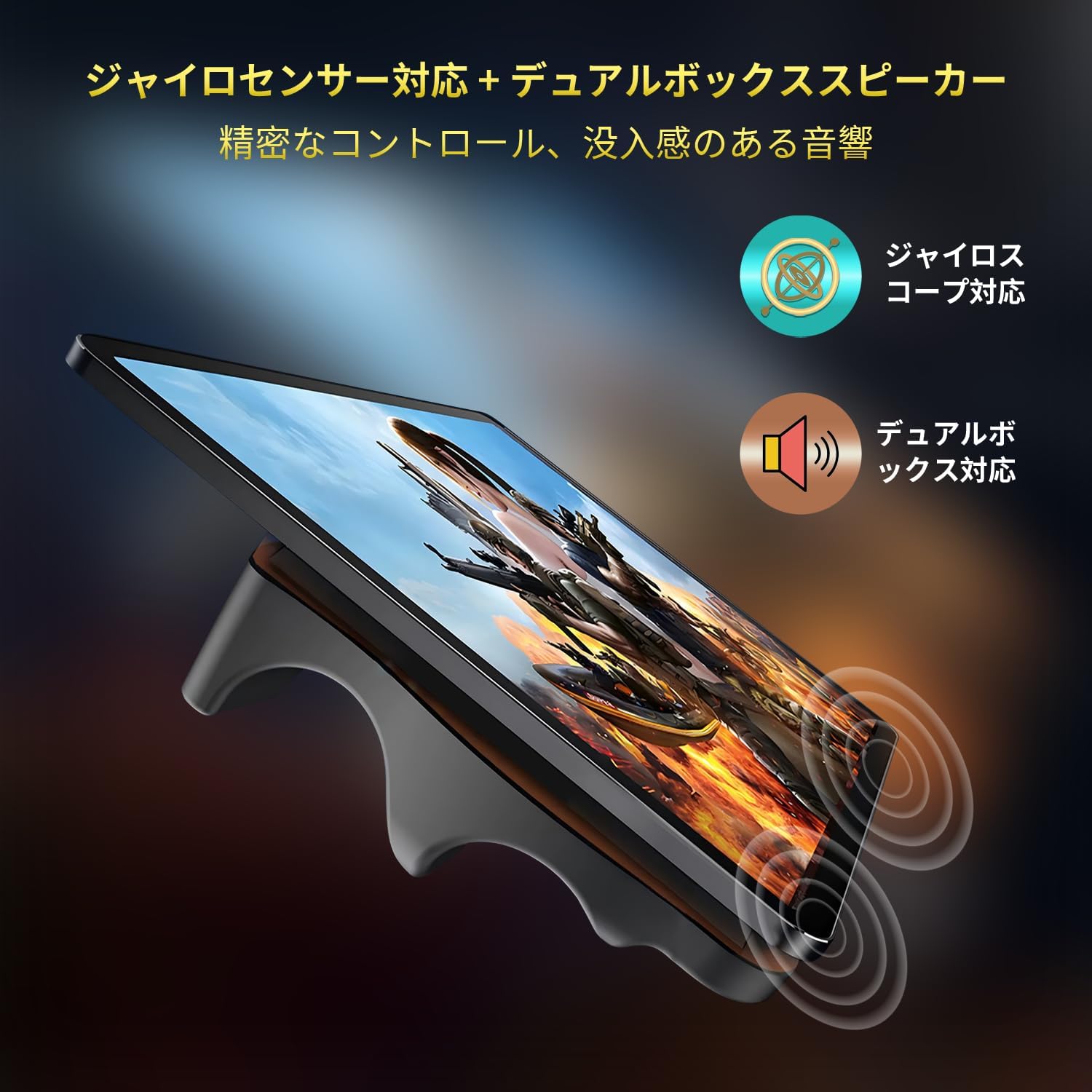
Figure 8: Dual WiFi and Bluetooth 5.0
4. Údržba
4.1. Péče o baterie
Chcete -li prodloužit životnost baterie:
- Vyhněte se extrémním teplotám.
- Před pravidelným nabíjením nenechte baterii zcela vybít.
- Pro optimální nabíjení použijte originální nabíječku a kabel.
4.2. Správa úložiště
The tablet comes with 128GB of UFS storage, expandable up to 1TB via a MicroSD card. Regularly manage your storage by:
- Mazání zbytečné files a aplikace.
- Moving large media files to an external MicroSD card.
- Utilizing cloud storage services.

Obrázek 9: Konfigurace úložiště a RAM
5. Řešení problémů
This section addresses common issues you might encounter with your BNCF Bpad 10 tablet.
| Problém | Možná příčina | Řešení |
|---|---|---|
| Tablet se nezapne | Vybitá baterie; Havárie systému | Charge the tablet for at least 30 minutes. If unresponsive, press and hold the Power button for 10-15 seconds to force a restart. |
| Pomalý výkon/Pády aplikace | Too many apps running; Low storage; Software glitch | Close background apps. Clear cache. Free up storage space. Restart the tablet. Update apps and Android OS. |
| Problémy s připojením Wi-Fi | Nesprávné heslo; Problém s routerem; Rušení signálu | Verify Wi-Fi password. Restart router and tablet. Ensure tablet is within Wi-Fi range. |
| Nízká hlasitost zvuku | Volume settings; App specific volume; Speaker obstruction | Increase system volume. Check in-app volume settings. Ensure speakers are not covered. |
| Ztráta signálu GPS | Poor satellite reception; Software issue | Ujistěte se, že máte jasno view of the sky. Restart GPS. Check location settings and permissions for apps. |
6. Specifikace
| Funkce | Detail |
|---|---|
| Značka | BNCF |
| Název modelu | Bpad 10 |
| Operační systém | Android 14 |
| Procesor | Snapdragon 685 (2.8 GHz) |
| BERAN | 12 GB (4 GB + 8 GB virtuální) |
| Interní úložiště | 128 GB UFS |
| Rozšiřitelné úložiště | Až 1 TB přes MicroSD kartu |
| Velikost obrazovky | 10.1 palce |
| Rozlišení obrazovky | 1920 x 1200 pixelů (FHD IPS) |
| Obnovovací frekvence | 60 Hz |
| Podpora Widevine | L1 |
| Přední kamera | 5 MP |
| Zadní kamera | 5 MP |
| Kapacita baterie | 6500 XNUMX mAh |
| Nabíjení | 18W PD Fast Charging (Type-C) |
| Bezdrátové připojení | 2.4G/5G Wi-Fi, Bluetooth 5.0 |
| Senzory | Gyroscope, Light Sensor, Hall Sensor |
| Hmotnost položky | 1.07 libry (cca 485 g) |
| Rozměry produktu | 9.45 x 6.14 x 0.31 palce (přibližně 240 x 156 x 7.8 mm) |
7. Záruka a podpora
BNCF is committed to providing high-quality products and excellent customer service. For tablets purchased from the BNCF Official Flagship Store, customers benefit from a 12-month free repair warranty and lifetime technical support.
7.1. Záruční podmínky
We offer a one-year warranty from the date of purchase. This warranty covers manufacturing defects and issues arising from normal use. Please retain your proof of purchase for warranty claims.
7.2. Zákaznická podpora
If you encounter any issues or have questions regarding your BNCF Bpad 10 tablet, please contact our customer support. We aim to respond to all inquiries within 24 hours.
- Online podpora: Navštivte BNCF Official Store on Amazon pro časté dotazy a možnosti kontaktování.
- E-mailová podpora: Refer to the contact information provided in your product packaging or on the official BNCF webmísto.
Figure 10: BNCF One-Year Warranty & Support
Ask a question about this manual
Ask about setup, troubleshooting, compatibility, parts, safety, or missing instructions. Manuals+ will review the question and use this page’s manual context to help answer it.