
Zavedení
Welcome to the user manual for your Maxcom Celin FW27 Smartwatch. This guide provides essential information on how to set up, operate, and maintain your device. The FW27 combines elegant design with advanced technology, offering features such as health monitoring, sports tracking, and smart notifications. Please read this manual thoroughly to ensure proper use and to maximize your smartwatch experience.
Obsah balení
Upon opening your Maxcom Celin FW27 Smartwatch package, please verify that all the following items are included:
- Maxcom Celin FW27 Smartwatch
- Nabíjecí kabel
- Uživatelská příručka (tento dokument)
- Additional Fabric Strap
- Extra Glass Protector
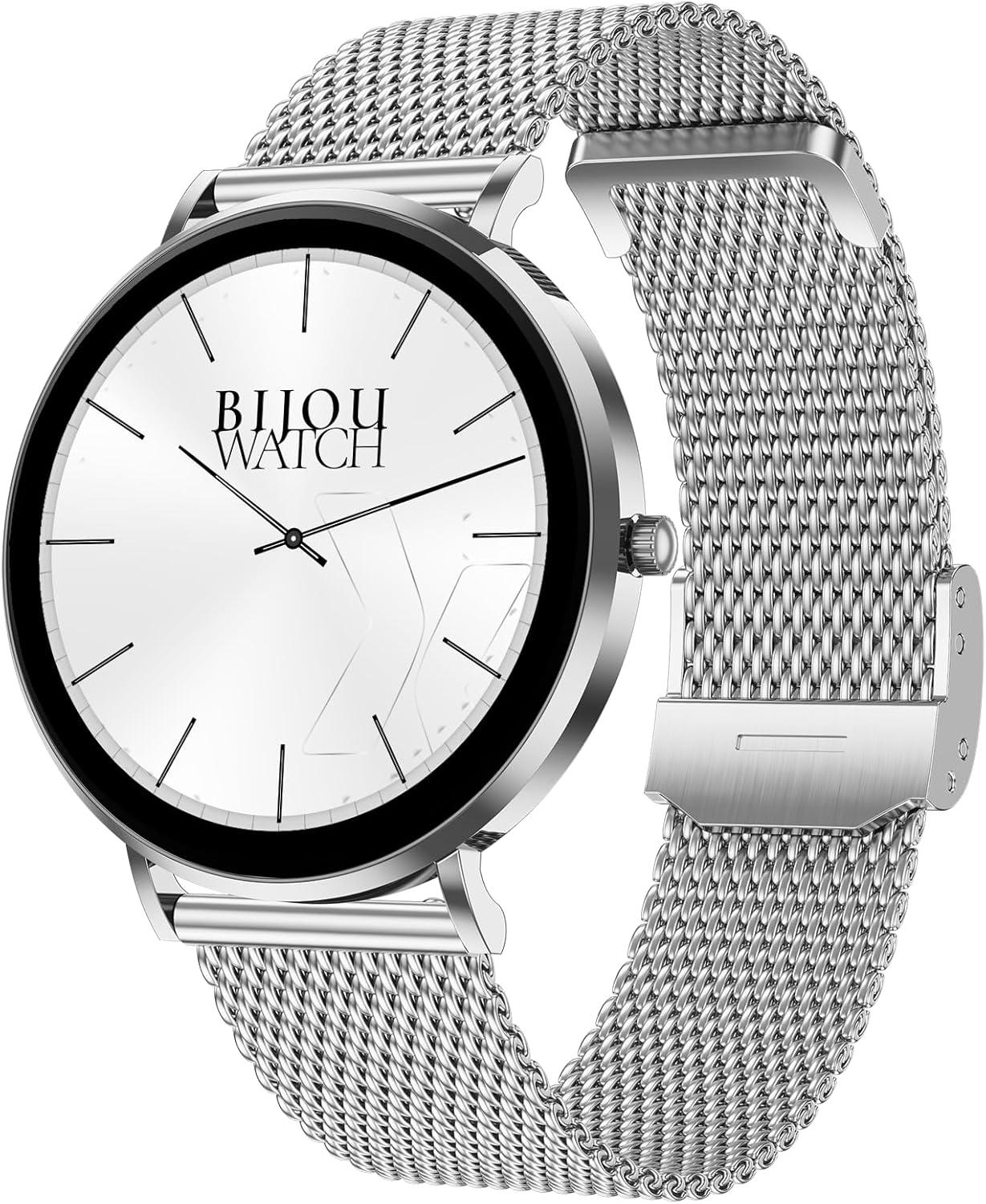
Image: The Maxcom Celin FW27 Smartwatch with its elegant silver mesh strap.
Konec produktuview
The Maxcom Celin FW27 Smartwatch features a sleek, ultra-slim stainless steel design with a vibrant AMOLED display. It is designed for comfort and durability, making it suitable for daily wear and various activities.
Klíčové komponenty:
- Displej AMOLED: High-resolution 1.35-inch screen (466x466 pixels) for clear visuals and vibrant colors, supporting Always-On Display (AOD).
- Boční tlačítko/korunka: Používá se pro navigaci, zapnutí/vypnutí a přístup k menu.
- Senzory: Located on the back for heart rate, blood oxygen, and blood pressure monitoring.
- Kontakty pro nabíjení: Magnetické kontakty na zadní straně pro připojení nabíjecího kabelu.
- Reproduktor/mikrofon: For Bluetooth calling functionality.

Image: The smartwatch displaying a digital watch face with time.
Nastavení
1. Nabíjení chytrých hodinek
Před prvním použitím chytré hodinky plně nabijte.
- Connect the charging cable to a USB power adapter (not included) or a computer's USB port.
- Align the magnetic pins of the charging cable with the charging contacts on the back of the smartwatch. The cable will snap into place.
- Na displeji hodinek se zobrazí indikátor nabíjení. Plné nabití trvá přibližně 2 hodiny.
2. Zapnutí/vypnutí
- Zapnutí: Press and hold the side button for a few seconds until the Maxcom logo appears.
- Vypnout: From the watch face, swipe down to access quick settings, or navigate to the settings menu. Select "Power Off" and confirm. Alternatively, press and hold the side button and select "Power Off".
3. Installing the Da Fit App
To unlock the full potential of your smartwatch, download and install the "Da Fit" app on your smartphone.
- Scan the QR code provided in the quick start guide (if available) or search for "Da Fit" in your smartphone's app store (App Store for iOS, Google Play Store for Android).
- Nainstalujte aplikaci a udělte potřebná oprávnění.
4. Párování s vaším smartphonem
- Ujistěte se, že je na vašem smartphonu povoleno Bluetooth.
- Otevřete aplikaci „Da Fit“.
- Follow the on-screen instructions to add a new device. The app will search for your FW27 smartwatch.
- Select "FW27" from the list of available devices to pair.
- Potvrďte požadavek na párování na smartphonu i na chytrých hodinkách.
- For calling functionality, you may need to pair the watch a second time via your phone's Bluetooth settings (look for "FW27_CALL" or similar).
Ovládání chytrých hodinek
Základní navigace
- Přejeďte nahoru: Oznámení o přístupu.
- Přejeďte prstem dolů: Access quick settings (brightness, DND, battery, settings).
- Přejetí doleva/doprava: Cycle through widgets (activity, heart rate, weather, music control, etc.).
- Stiskněte boční tlačítko: Return to the watch face from any screen, or open the app menu from the watch face.
- Dlouhé stisknutí ciferníku: Změňte ciferníky.
Sledování zdraví a kondice
The FW27 smartwatch is an effective health and sports tracker. It monitors various metrics to help you stay informed about your well-being.
- Monitorování srdeční frekvence: Continuously tracks your heart rate. Access this feature from the app menu or a dedicated widget.
- Monitorování krevního kyslíku (SpO2): Měří hladinu saturace krve kyslíkem.
- Monitorování krevního tlaku: Poskytuje odhady vašeho krevního tlaku.
- Sledování spánku: Automatically monitors your sleep patterns, including deep sleep, light sleep, and wake times.
- Sledování aktivity: Records steps taken, distance covered, and calories burned throughout the day.
- Sportovní režimy: Supports over 70 sports modes, including cycling, running, yoga, and cardio training. Select a mode before starting your workout to track specific metrics.

Image: The smartwatch displaying a watch face with step count and battery status.
Přizpůsobení (ciferníky)
The Celin FW27 offers exclusive watch faces that can be changed to match your outfit, occasion, or mood.
- On-Watch: Long-press the watch face and swipe left/right to select from pre-installed faces.
- Prostřednictvím aplikace Da Fit: Open the "Da Fit" app, navigate to the "Watch Faces" section. Choose from over 100 free watch faces or customize your own using personal photos.

Image: The smartwatch displaying an analog watch face with additional health metrics like steps and heart rate.
Calling and Notifications
With the FW27, you can answer and make calls directly from your watch. It also keeps you informed of new messages and app notifications.
- Uskutečňování/přijímání hovorů: Ensure the watch is properly paired for calls (refer to Setup section). You can dial numbers or answer incoming calls directly on the watch.
- Oznámení: The watch will alert you to new messages and app notifications (e.g., WhatsApp). Manage which app notifications appear on your watch through the "Da Fit" app settings.
Životnost baterie
The Maxcom Celin FW27 Smartwatch offers an extended battery life. With average use, the smartwatch can provide up to 10 days of operation on a single charge. This reduces the need for frequent charging.
Údržba
Čištění
- Otřete obrazovku a tělo hodinek měkkým hadříkem, který nepouští vlákna.
- Pro odolnou špínu lehceamphadřík vodou. Nepoužívejte agresivní chemikálie ani abrazivní materiály.
- Pravidelně čistěte nabíjecí kontakty, aby bylo zajištěno efektivní nabíjení.
Péče o popruhy
- The metal mesh strap can be cleaned with a soft brush and mild soapy water, then rinsed and dried thoroughly.
- The fabric strap can be hand-washed with mild soap and water, then air-dried.
- Ensure straps are completely dry before reattaching to the watch.
Vodotěsnost (IP68)
The FW27 smartwatch has an IP68 rating, meaning it is resistant to dust and can withstand immersion in water up to 1.5 meters for up to 30 minutes.
- Je vhodný pro každodenní použití, jako je mytí rukou nebo mírný déšť.
- Avoid using it in hot water, saunas, or during diving, as steam and high pressure can compromise the seal.
- After exposure to water, wipe the watch dry before charging or operating buttons.
Odstraňování problémů
| Problém | Možné řešení |
|---|---|
| Hodinky se nezapínají. | Ujistěte se, že jsou hodinky plně nabité. Připojte je k nabíječce alespoň na 30 minut. |
| Nelze spárovat se smartphonem. |
|
| Oznámení nejsou přijímána. |
|
| Nepřesné zdravotní údaje. |
|
Specifikace
| Funkce | Detail |
|---|---|
| Číslo modelu | YG01010000262 |
| Značka | Maxcom |
| Typ zobrazení | AMOLED |
| Velikost obrazovky | 1.35 palců |
| Rezoluce | 466 x 466 pixelů |
| Konektivita | Bluetooth |
| Voděodolnost | IP68 |
| Speciální funkce | Notifications, Health Tracking (Heart Rate, SpO2, Blood Pressure), Sports Modes, Bluetooth Calling, Always-On Display (AOD) |
| Životnost baterie | Up to 10 days (average use) |
| Materiál | Stainless Steel (case) |
| Tvar | Kolo |
Záruka a podpora
For warranty information and customer support, please refer to the documentation included with your purchase or visit the official Maxcom webUschovejte si doklad o koupi pro případ reklamace.
If you encounter any issues not covered in the troubleshooting section, please contact Maxcom customer service for assistance.