
Zavedení
This manual provides detailed instructions for the setup, operation, maintenance, and troubleshooting of your Roxicosly RGB Vibrating Alarm Clock with Bed Shaker, Model CR1001EMR. Please read this manual thoroughly before using the product to ensure proper function and longevity.

Image: Roxicosly RGB Vibrating Alarm Clock with Bed Shaker, displaying the time with colorful digits, alongside the bed shaker and a smartphone connected for charging.
Nastavení
1. Připojení napájení
- Connect the provided power adapter to the DC 5V input port on the back of the alarm clock.
- Plug the power adapter into a standard electrical outlet. The clock requires continuous AC power to operate.
- Pro funkci paměti při výpadku napájenítages, insert two AAA batteries (not included) into the battery compartment on the back of the clock. These batteries will maintain time and alarm settings but will not power the display or vibrator.
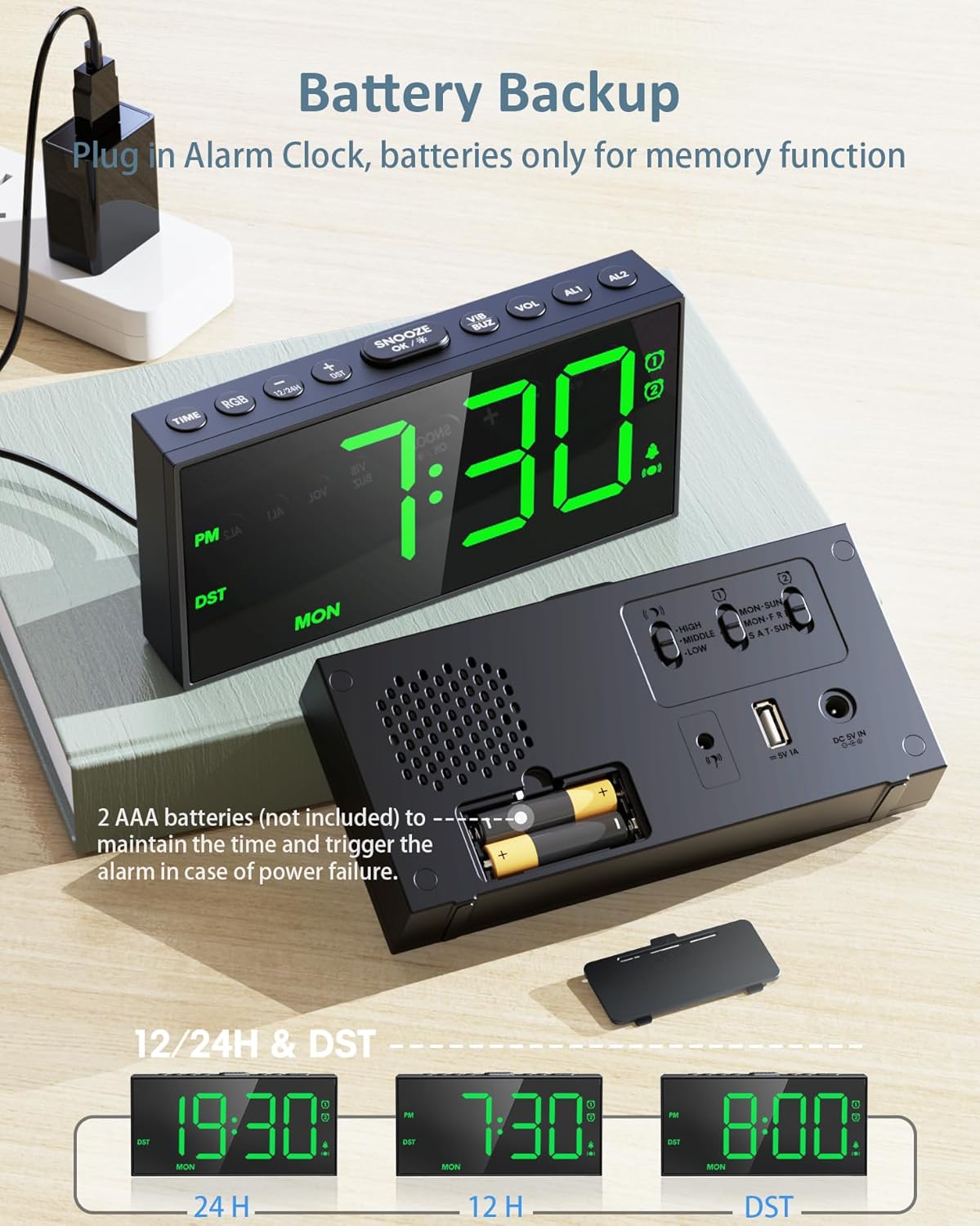
Obrázek: Zadní view of the alarm clock, illustrating the battery compartment for AAA batteries and the power input port.
2. Připojení třepačky postele
- Plug the bed shaker's cable into the dedicated shaker port on the back of the alarm clock.
- Pro optimální vibrace umístěte vibrátor pod polštář nebo matraci.
Návod k obsluze
1. Nastavení času
- Stiskněte a podržte ČAS tlačítko pro vstup do režimu nastavení času. Číslice hodin budou blikat.
- Použijte + or - tlačítka pro nastavení hodiny.
- Stiskněte tlačítko ČAS button again to set the minutes. Use + or - upravit minuty.
- Stiskněte ČAS ještě jednou pro potvrzení a ukončení.
- Chcete-li přepnout mezi 12hodinovým a 24hodinovým formátem času, stiskněte tlačítko 12/24 hod button. The AM/PM indicator will show in 12-hour format.
- To activate or deactivate Daylight Saving Time (DST), press the DST button. The DST indicator will appear when active.
2. Nastavení alarmů (duální alarmy)
The clock features two independent alarms (AL1 and AL2) that can be set for different schedules.
- Stiskněte a podržte AL1 or AL2 tlačítko pro vstup do režimu nastavení budíku. Číslice hodin budou blikat.
- Použijte + or - tlačítka pro nastavení hodiny budíku.
- Stiskněte tlačítko AL1 or AL2 button again to set the alarm minutes. Use + or - upravit.
- Stiskněte tlačítko AL1 or AL2 button again to select the alarm period:
- PO-NE (Every day)
- PO-PÁ (Weekdays)
- SO-NE (Weekends)
- Stiskněte AL1 or AL2 once more to confirm and exit. The corresponding alarm icon will appear on the display.
- Pro aktivaci/deaktivaci budíku krátce stiskněte AL1 or AL2 button. The alarm icon will appear/disappear.

Image: Alarm clock showing the dual alarm settings, including options for Mon-Sun, Mon-Fri, and Sat-Sun schedules.
3. Wake-up Modes and Volume/Vibration Adjustment
The alarm clock offers three wake-up modes:
- Pouze bzučák: The clock will sound an audible alarm.
- Pouze třepačka postele: The connected bed shaker will vibrate.
- Buzzer + Bed Shaker: Both the audible alarm and bed shaker will activate simultaneously.
To select a wake-up mode, use the VIB/BUZ zapněte přepínač na zadní straně hodin.
- Intenzita vibrací: Adjust the 3-level vibration intensity (HIGH-MIDDLE-LOW) using the switch on the back of the clock.
- Hlasitost budíku: Adjust the 5-level alarm volume using the VOL tlačítko.
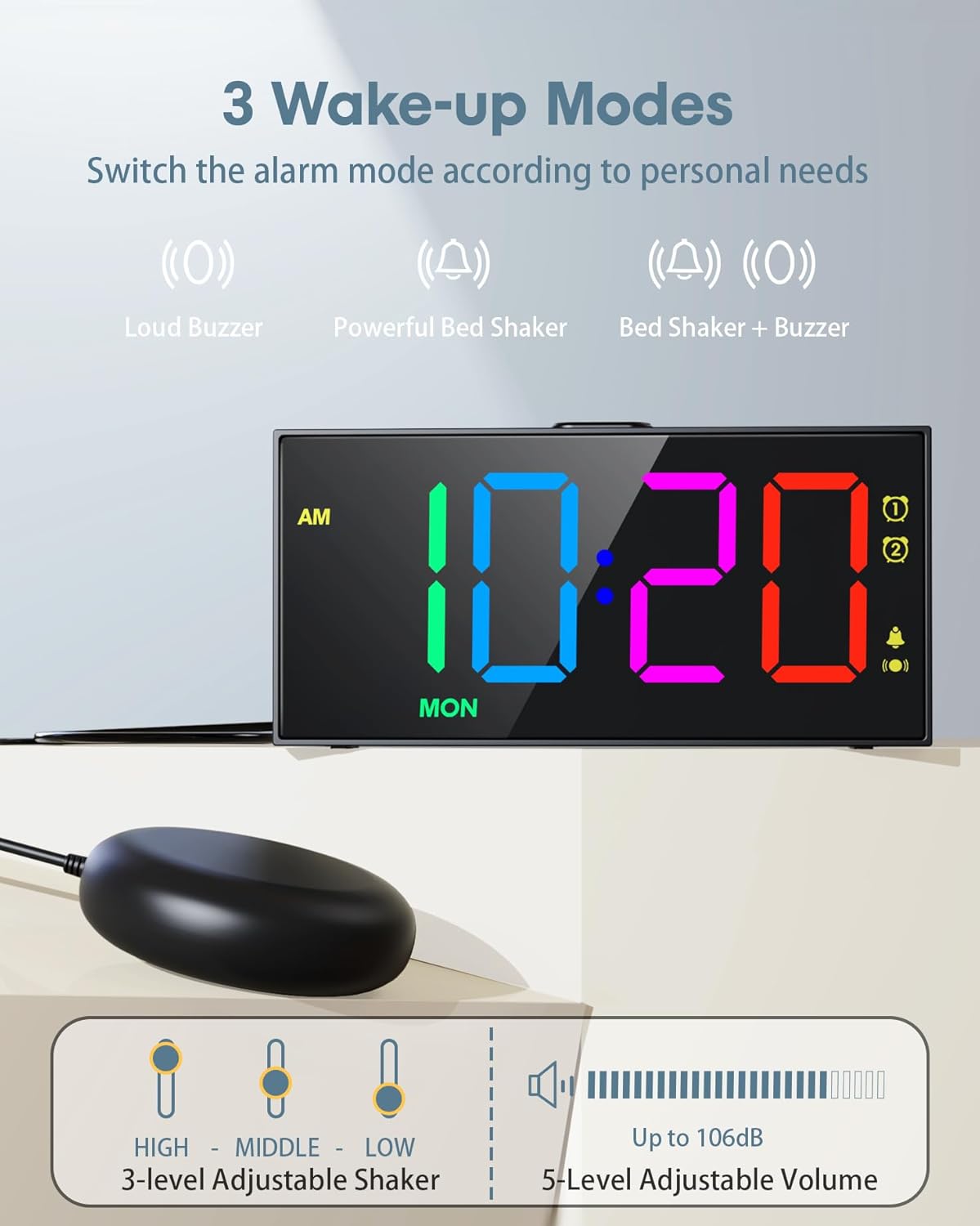
Image: Display illustrating the three available wake-up modes (buzzer, shaker, or both), along with controls for adjusting vibration intensity and alarm volume.
4. Funkce odložení buzení
- Když zazvoní budík, stiskněte velké SNOOZE/OK button to temporarily silence the alarm for 9 minutes.
- To turn off the alarm for 24 hours, short press the active AL1 or AL2 tlačítko.
- To permanently turn off an alarm, long press the active AL1 or AL2 tlačítko, dokud ikona budíku nezmizí.
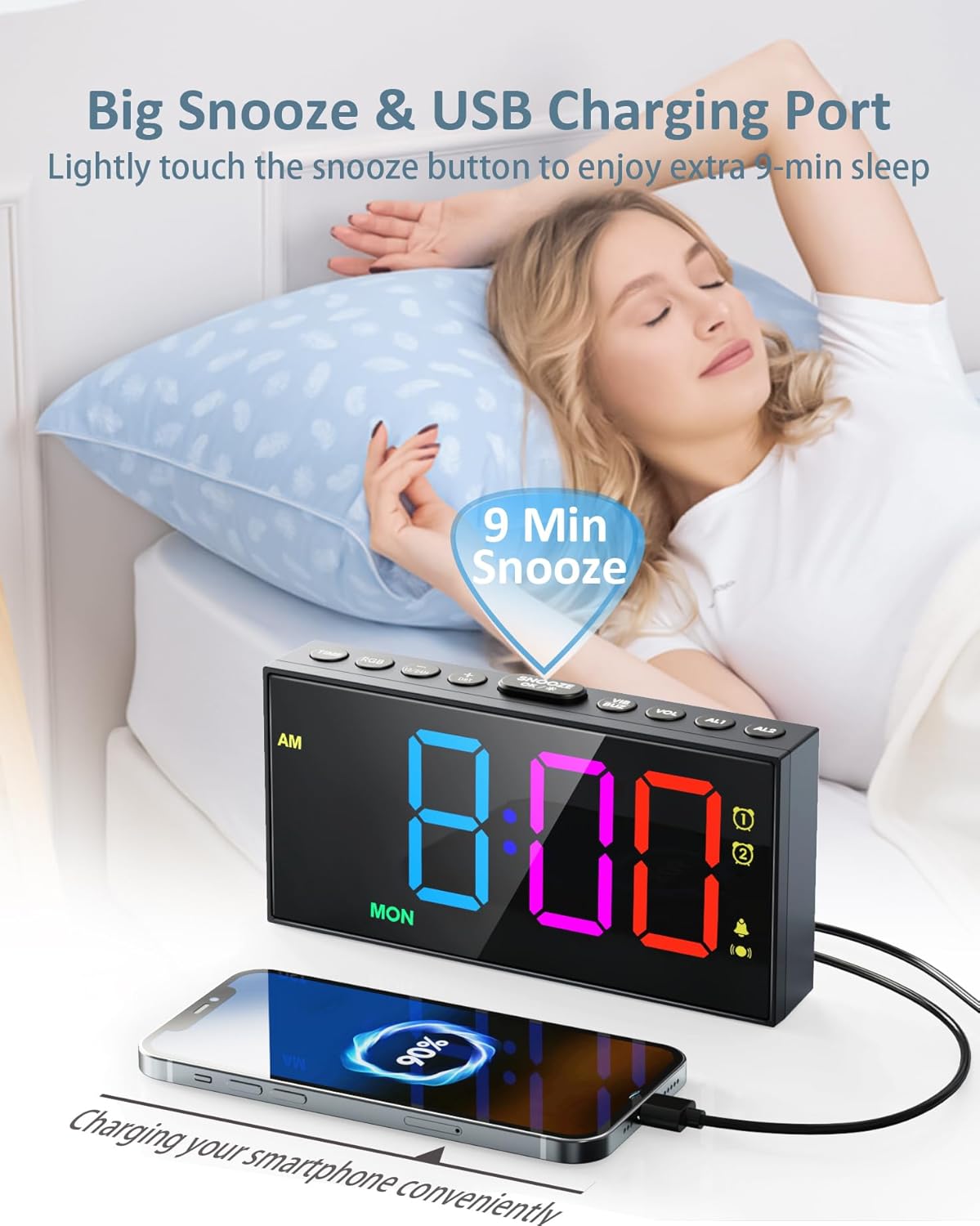
Image: Alarm clock featuring a prominent snooze button and a USB charging port actively charging a smartphone.
5. RGB Display and Dimmer
- Barevné režimy RGB: Stiskněte tlačítko RGB button to cycle through 10 RGB color modes, including 6 basic colors and 4 dynamic color transitions.
- Jas displeje: The screen brightness is 7-level adjustable. Press the DIMMER tlačítko pro přepínání úrovní jasu.
- At the lowest brightness level (level 1), the "LOW DIMMER" icon will appear for 20 seconds and then disappear, providing a completely dark display for sleeping.

Obrázek: Budík Showcasing its 10 RGB display modes, including dynamic color changes and static color options like white, red, green, blue, ice blue, and purple.

Image: The alarm clock highlighting its large digital display and demonstrating the seven adjustable brightness levels.
6. USB nabíjecí port
The alarm clock includes a USB output port (5V/1A) on the back, allowing you to charge compatible mobile devices. Connect your device's charging cable to this port.
Údržba
- To clean the clock, gently wipe the surface with a soft, dry cloth. Do not use abrasive cleaners or solvents.
- Ensure the clock is unplugged before cleaning.
- Replace the AAA backup batteries annually or as needed to ensure memory function during power interruptions.
Odstraňování problémů
| Problém | Možná příčina | Řešení |
|---|---|---|
| Bed shaker not working. | Shaker cable is not properly connected or shaker mode is not selected. | Ensure the shaker wire is securely connected to the clock. Verify that the shaker icon is displayed on the screen, indicating the shaker mode is active. |
| Alarm does not sound during a power outage. | Záložní baterie nejsou nainstalovány nebo jsou vybité. | Install two fresh AAA batteries. Note that during a power outage, only the buzzer alarm will function; the vibrator and display will not operate. |
| Display digits are incomplete or distorted. | Internal display component issue. | Unplug the clock for a few minutes, then plug it back in. If the issue persists, contact customer support. |
| Difficulty setting time or alarms. | Incorrect button sequence or unfamiliarity with controls. | Refer to the "Operating Instructions" section for detailed steps. Ensure you press and hold buttons as indicated for setting modes. |
Specifikace
| Funkce | Detail |
|---|---|
| Značka | Roxikoticky |
| Číslo modelu | CR1001EMR |
| Typ zobrazení | Digitální |
| Rozměry produktu | 6.81 cm Š x 3.43 cm V |
| Hmotnost položky | 0.41 kilogramů (14.4 uncí) |
| Zdroj napájení | Corded Electric (AC 100-240V DC 5V/2A adapter) |
| Záložní baterie | 2 x AAA batteries (not included, for memory function only) |
| Funkce displeje | 10 RGB Color Modes, 7-level Dimmer |
| Funkce alarmu | Dual Alarms, Weekday/Weekend Mode, 3 Wake-up Modes (Buzzer, Bed Shaker, Both), 3-level Vibrating, 5-level Volume |
| Další funkce | USB Charging Port (5V/1A), 9-minute Snooze, 12H/24H Time Format, DST Function |
| Materiál | Plast |
Záruka a podpora
For warranty information or technical support, please refer to the documentation included with your purchase or contact Roxicosly customer service directly. Contact details can typically be found on the product packaging or the official Roxicosly webmísto.
Výrobce: Wuhan Wismco E-commerce Co., Ltd.