
Zavedení
This manual provides essential instructions for the safe and effective use of your DCH 5200mAh Lithium-ion battery replacement, specifically designed for the Laresar L6 Pro robot vacuum cleaner. Please read this manual thoroughly before installation and use to ensure optimal performance and safety.

Image: DCH 5200mAh Lithium-ion battery replacement. This image shows the full battery pack, highlighting its compact design and the attached connector cable.
Důležité bezpečnostní informace
WARNING: To reduce the risk of fire or burns, read all instructions and warnings in this manual and on the product before use.
- Nepokoušejte se bateriový blok rozebírat, otevírat ani opravovat.
- Vyměňujte pouze za baterii určenou pro tento produkt.
- Nedrťte, nepropichujte, nezkratujte vnější kontakty a nevhazujte do ohně nebo vody.
- Neskladujte při teplotě nad 60 °C (140 °F).
- Nový akumulátor musí být před použitím plně nabitý.
- Udržujte baterii mimo dosah dětí.
- Použité baterie zlikvidujte v souladu s místními předpisy.
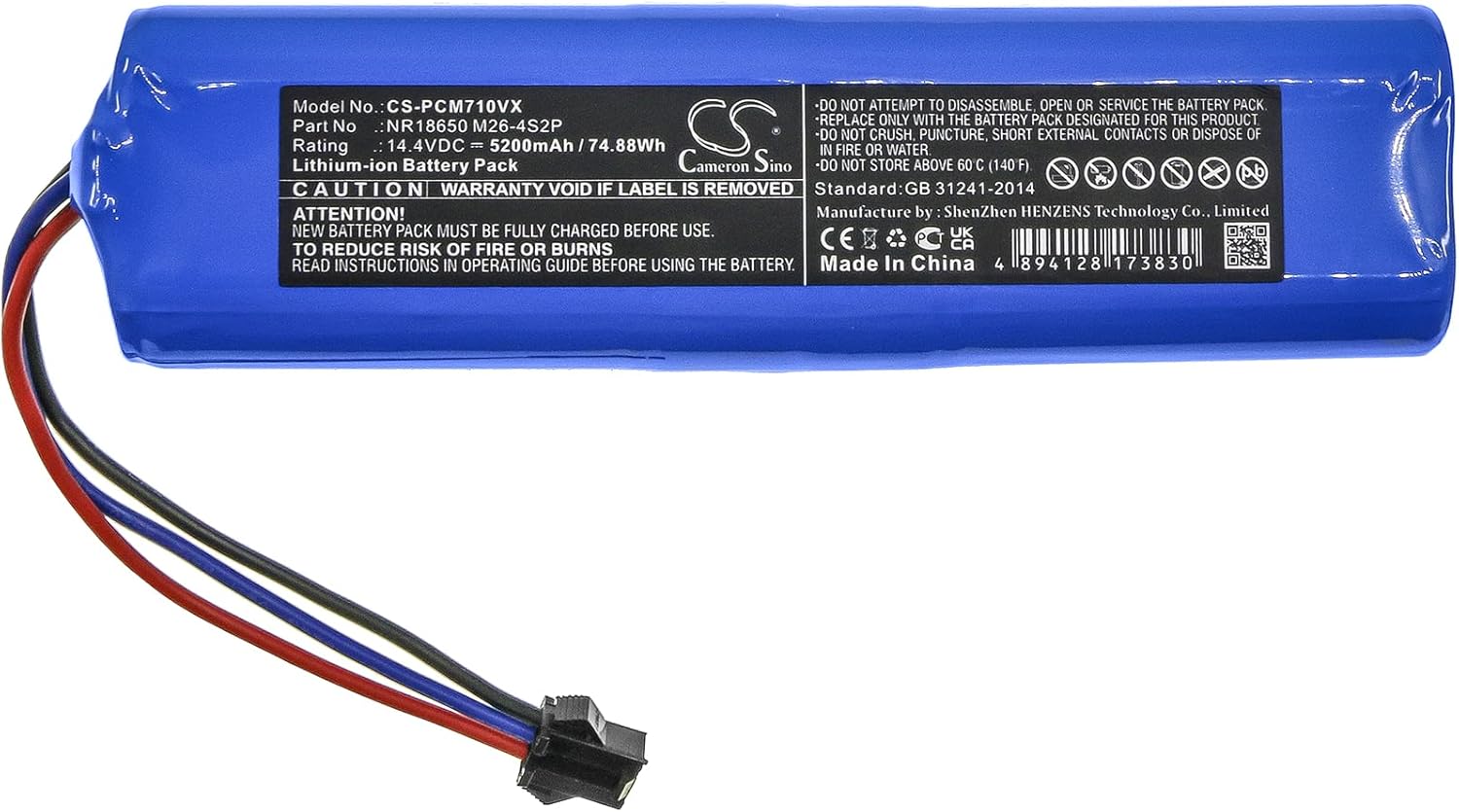
Image: Battery label details. This image provides a close-up view of the battery's label, displaying model number, rating, capacity, and critical safety warnings.
Kompatibilita
This DCH battery replacement (Model: CS-PCM710VX) is specifically designed for the following robot vacuum cleaner:
- Laresar L6 Pro
Please verify your device model number before proceeding with the battery replacement.
Průvodce instalací
Follow these steps carefully to replace the battery in your Laresar L6 Pro robot vacuum. Refer to your robot vacuum's original manual for specific instructions on accessing the battery compartment if needed.
- Vypnutí a odpojení: Ensure your Laresar L6 Pro robot vacuum is completely powered off and disconnected from its charging base or any power source.
- Přístup k bateriovému prostoru: Turn the robot vacuum upside down. Locate the battery compartment cover, usually secured by screws. Use a screwdriver to remove the screws and open the cover.
- Vyjměte starou baterii: Carefully lift out the old battery. Disconnect its connector from the robot vacuum's port. Note the orientation of the connector before removal.
- Připojení nové baterie: Take the new DCH battery. Align the connector of the new battery with the port inside the robot vacuum's battery compartment. Gently push until it clicks securely into place. Ensure the wires are not pinched.
- Pozice Nová baterie: Place the new battery into the compartment. Ensure it fits snugly and the wires are neatly tucked away.
- Zavřít přihrádku: Replace the battery compartment cover and secure it with the screws you removed earlier.
- Počáteční poplatek: Place the robot vacuum back on its charging base. Allow the new battery to fully charge before its first use. This may take several hours.

Image: Battery connector detail. This image shows a close-up of the battery's electrical connector, which needs to be properly aligned during installation.
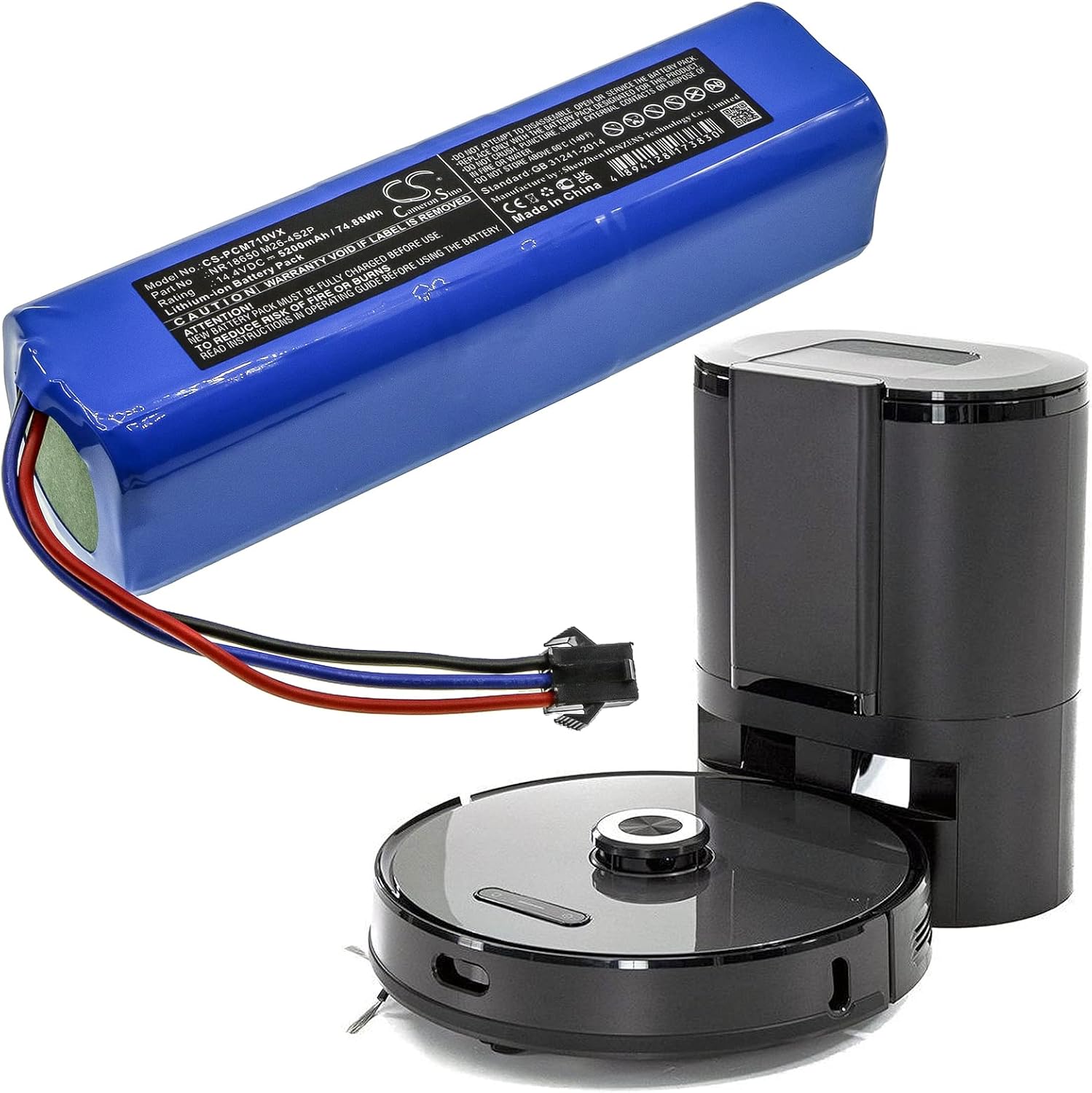
Image: Battery alongside a robot vacuum. This image illustrates the battery's size in relation to a typical robot vacuum, providing a visual reference for installation.
Návod k obsluze
After successful installation and initial charging, your Laresar L6 Pro robot vacuum should operate as usual. The new DCH battery is designed to provide reliable power for extended cleaning cycles.
- První použití: For optimal battery life, it is recommended to fully charge the battery before its first use and then allow it to discharge completely for the first few cycles.
- Pravidelné nabíjení: Always return the robot vacuum to its charging base when not in use to ensure it is ready for the next cleaning cycle.
- Indikátor baterie: Monitor your robot vacuum's battery indicator for charge status.
Údržba a skladování
Proper care and storage will extend the life of your DCH replacement battery.
- Pravidelné používání: Use your robot vacuum regularly to keep the battery active.
- Vyhněte se extrémním teplotám: Do not expose the battery to extreme heat or cold. Store it in a cool, dry place between 0°C and 40°C (32°F and 104°F).
- Dlouhodobé skladování: If storing the robot vacuum for an extended period, charge the battery to approximately 50-60% every 3-6 months to prevent deep discharge.
- Čištění: Udržujte baterii a její kontakty čisté a suché.
Odstraňování problémů
Pokud se po výměně baterie setkáte s problémy, zvažte následující:
- Baterie se nenabíjí:
- Ensure the battery connector is securely plugged into the robot vacuum.
- Verify the charging base is powered and the robot vacuum is correctly docked.
- Check for any debris on the charging contacts of both the robot vacuum and the charging base.
- Krátká doba běhu:
- Ujistěte se, že je baterie plně nabitá.
- The battery may require a few charge/discharge cycles to reach its full capacity.
- Check for any obstructions or issues with the robot vacuum that might be causing excessive power consumption.
- Robot Vacuum Not Powering On:
- Confirm the battery is correctly installed and connected.
- Ujistěte se, že je baterie dostatečně nabitá.
If problems persist, please contact DCH customer support.
Specifikace
| Číslo modelu | CS-PCM710VX |
| Kompatibilní model | Laresar L6 Pro |
| Typ baterie | Lithium-iontová |
| Kapacita | 5200 74.88 mAh (XNUMX Wh) |
| svtage | 14.4V |
| Rozměry | 136.6 x 37.6 x 37.3mm (5.38 x 1.48 x 1.47 palce) |
| Hmotnost | 580 g |
| Výrobce | DCH |
Záruka a podpora
DCH provides professional pre-sales and after-sales service for this product. If you have any questions or require assistance, please feel free to contact us.
For more information or support, you may also visit the manufacturer's webmísto: www.cameronsino.com