
Důležité bezpečnostní pokyny
Before using this elliptical trainer, please read all instructions carefully. Keep this manual for future reference.
- Před zahájením jakéhokoli cvičebního programu se poraďte s lékařem.
- Během používání udržujte děti a domácí zvířata mimo dosah zařízení.
- Umístěte eliptický trenažér na rovný povrch s dostatečným volným prostorem kolem něj.
- Noste vhodné sportovní oblečení a sportovní obuv.
- Nepřekračujte maximální hmotnost uživatele 113 kg (250 liber).
- Před každým použitím zkontrolujte zařízení, zda není opotřebované nebo uvolněné. Nepoužívejte jej, pokud je poškozené.
- Ujistěte se, že jsou všechny šrouby a matice bezpečně utaženy.
- Pokud pocítíte mdloby, závratě nebo bolest, okamžitě přestaňte cvičit.
- Use the elliptical only for its intended purpose as described in this manual.
Obsah balení
Před zahájením montáže ověřte, zda jsou všechny komponenty přítomny:
- Utěšit
- Uživatelská příručka (tento dokument)
- Sada nářadí
- Sestava setrvačníku
- Hlavní komponenty rámu
- Pedals and Arms
- Stabilizátory
Pokud některé díly chybí nebo jsou poškozené, okamžitě kontaktujte zákaznickou podporu.
Nastavení a montáž
Assembly typically requires two people. Follow the detailed instructions provided in the included assembly guide. The tool kit contains necessary wrenches and an Allen key. A Phillips head screwdriver (not included) may also be required.
- Rozbalení: Carefully remove all components from the packaging. Place them on a clear, level surface. Retain packaging materials until assembly is complete.
- Montáž stabilizátoru: Připevněte přední a zadní stabilizátory k hlavnímu rámu pomocí dodaných šroubů a podložek.
- Upright Assembly: Secure the upright post to the main frame. Ensure all wiring connections are properly routed and connected as per the assembly guide.
- Pedal Arms and Pedals: Attach the pedal arms to the flywheel mechanism and then secure the foot pedals to the pedal arms. Pay attention to left and right markings.
- Příslušenství konzole: Connect the console wiring to the upright post's wiring. Mount the console securely to the upright post.
- Závěrečná kontrola: Before first use, ensure all bolts, nuts, and connections are tight and secure. Test the movement of the pedals and handlebars for smooth operation.

Image: The ProForm Sport Elliptical fully assembled, illustrating its compact design and key structural components. Dimensions are approximately 150 cm (length) x 65 cm (width) x 156 cm (height).

Image: A user tilting the elliptical to engage the front transport wheels, demonstrating how to easily move the machine for storage or repositioning.
Návod k obsluze
Konzolový konecview
The console features a 5-inch LCD display, resistance control buttons, and a device holder. It provides real-time workout data and allows for iFIT integration.

Obrázek: Podrobný view of the console, highlighting the 5-inch (12.7 cm) LCD display, resistance buttons (1-20), tablet holder, and integrated 2-inch (5 cm) Bluetooth enabled speakers.
Nastavení odporu
The ProForm Sport Elliptical features 20 levels of digital magnetic resistance. This Silent Magnetic Resistance (SMR) system provides a smooth and quiet workout.
- Ruční nastavení: Use the '+' and '-' buttons on the console to increase or decrease the resistance level during your workout.
- Quick Resistance Buttons: The console also features quick-select buttons (1-20) to jump directly to a desired resistance level.
Using iFIT
The elliptical is designed for seamless integration with the iFIT platform, offering a personalized training experience.
- Připojte své zařízení: Place your smartphone or tablet on the integrated device holder. Connect your device to the elliptical via Bluetooth.
- iFIT App: Download and open the iFIT app on your device. An iFIT membership is required to access the full library of workouts.
- Personalizované tréninky: iFIT offers over 10,000 on-demand workouts led by expert trainers. The SmartAdjust™ technology automatically adjusts the elliptical's resistance to match the workout intensity and your fitness level.
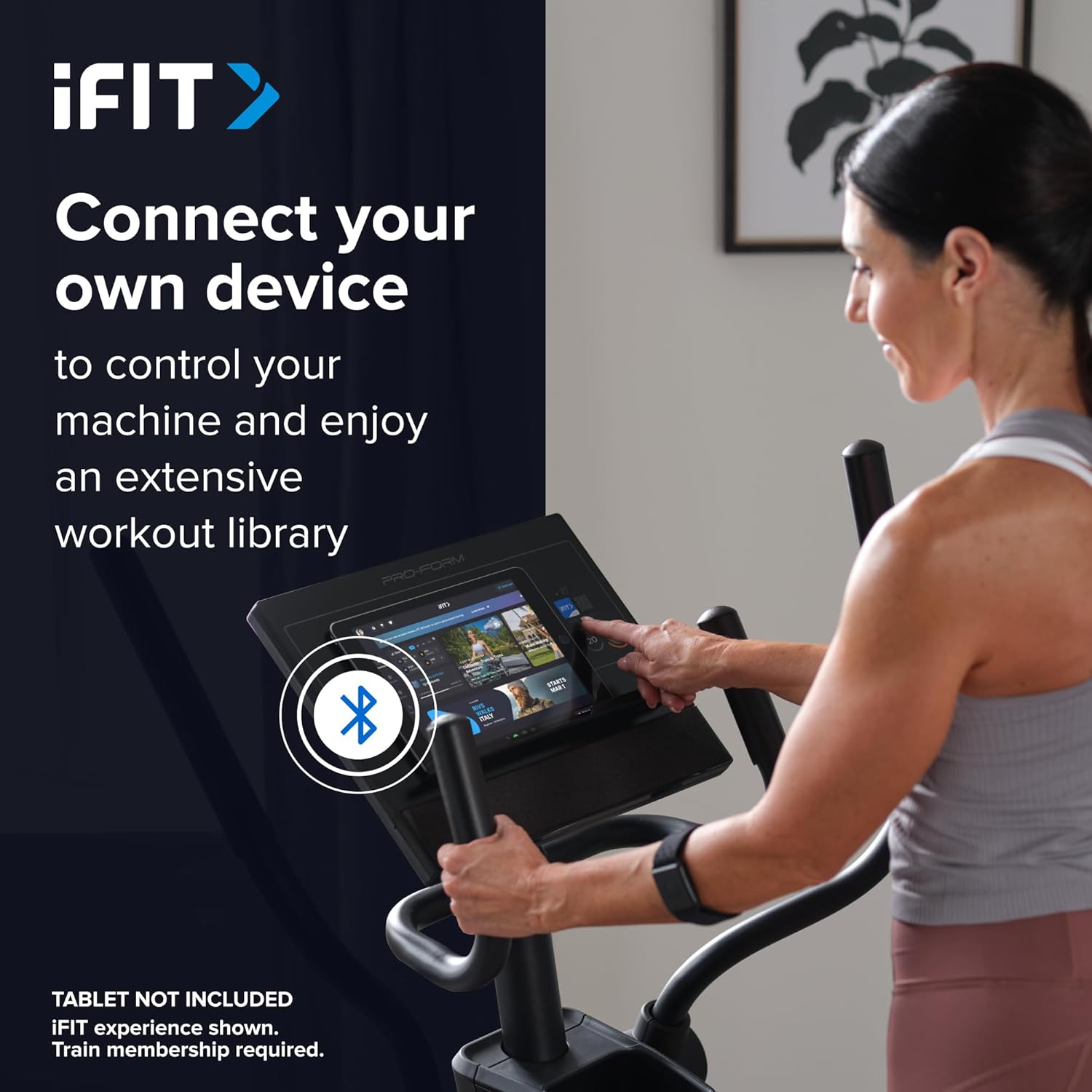
Image: A user connecting a tablet to the elliptical's console, demonstrating how to use a personal device to control the machine and access the iFIT workout library.
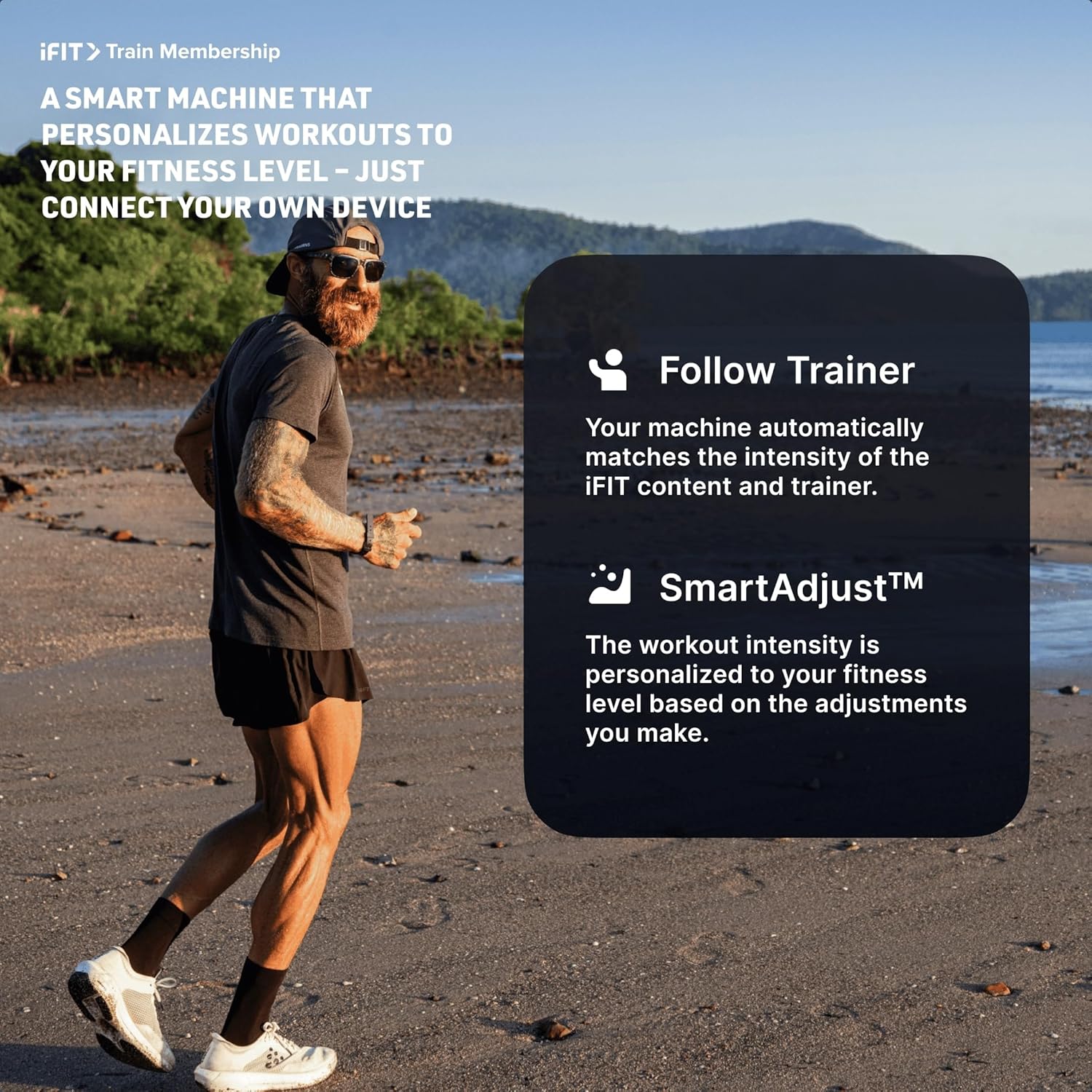
Image: An illustration detailing iFIT Train Membership benefits, including the 'Follow Trainer' feature where the machine adjusts to match trainer intensity, and 'SmartAdjust™' for personalized workout intensity based on fitness level.
Připojení Bluetooth
The elliptical's console includes Bluetooth-enabled speakers. You can connect your personal device to play audio directly through the elliptical's speakers.
- Párování: Povolte na svém zařízení Bluetooth. Hledat the elliptical's Bluetooth name (usually "ProForm Elliptical" or similar) and pair.
- Přehrávání zvuku: Once paired, audio from your device will play through the elliptical's 2-inch (5 cm) speakers.
Údržba
Regular maintenance ensures the longevity and optimal performance of your ProForm Sport Elliptical.
- Čištění: Po každém použití eliptický trenažér otřeteamp hadříkem k odstranění potu a prachu. Nepoužívejte abrazivní čisticí prostředky ani rozpouštědla.
- Inspekce: Periodically check all bolts, nuts, and moving parts for tightness and wear. Tighten any loose fasteners. Replace worn parts immediately.
- Mazání: Refer to the detailed assembly guide for specific lubrication points and recommended lubricants, if any.
- Skladování: Eliptický trenažér skladujte v suchém a čistém prostředí mimo dosah extrémních teplot a přímého slunečního záření.
Odstraňování problémů
| Problém | Možná příčina | Řešení |
|---|---|---|
| Konzole se nezapne. | Power adapter not connected; power outlet issue; console wiring loose. | Ensure power adapter is fully plugged into the elliptical and a working outlet. Check console wiring connections. |
| Elliptical makes noise during use. | Loose bolts or components; parts requiring lubrication; worn bearings. | Inspect and tighten all visible bolts and nuts. Refer to the assembly guide for lubrication points. If noise persists, contact customer support. |
| Odpor se nemění. | Console malfunction; internal resistance mechanism issue. | Ensure console is properly connected. If using iFIT, check app connection. If problem persists, contact customer support. |
| Zvuk přes Bluetooth se nepřipojuje. | Device Bluetooth off; elliptical not in pairing mode; interference. | Ensure Bluetooth is enabled on your device. Restart both device and elliptical. Try pairing again. Move closer to the elliptical. |
Specifikace
| Název modelu: | ProForm Sport Elliptical |
| Číslo modelu: | PFEL54925-INT |
| Značka: | ProForm |
| Rozměry (D x Š x V): | 150 cm x 65 cm x 156 cm (59.1 palce x 25.6 palce x 61.4 palce) |
| Hmotnost položky: | 52.7 kg (116.2 lb) |
| Maximální hmotnost uživatele: | 113 kg (250 lb) |
| Odporový mechanismus: | Magnetic (Silent Magnetic Resistance - SMR) |
| Úrovně odolnosti: | 20 digitálních nivelačních stupnic |
| Délka kroku: | 40.6 cm (16 palců) |
| Zobrazit: | 5palcový LCD |
| Konektivita: | Bluetooth (for iFIT and audio) |
| Zahrnuté komponenty: | Console, User Manual, Tool Kit, Flywheel |
Informace o záruce
Your ProForm Sport Elliptical is covered by the following warranty:
- Rám: 8 years contractual warranty (total 10 years).
- Díly a práce: 2 years legal warranty.
*The extended frame warranty is valid only if the product registration is completed on https://ifitsupport.eu/it/product-registration do 28 dnů od doručení produktu.
Uschovejte si prosím doklad o koupi pro uplatnění záruky.
Zákaznická podpora
For technical assistance, warranty claims, or to order replacement parts, please contact ProForm customer support.
Refer to the contact information provided with your purchase or visit the official ProForm website for support details in your region.
When contacting support, please have your model number (PFEL54925-INT) and serial number ready.