
AT&T EL51403
Uživatelská příručka k bezdrátovému domácímu telefonnímu systému AT&T EL51403 DECT 6.0 – 4 sluchátka
Model: EL51403
Značka: AT&T
1. Úvod
This manual provides instructions for the installation, operation, and maintenance of your AT&T EL51403 DECT 6.0 Cordless Home Phone System. This system includes a base unit and four cordless handsets, designed for clear communication and ease of use in your home or office environment.
Key features include DECT 6.0 technology for interference-free communication, a simulated full-duplex handset speakerphone, a backlit LCD display, a lighted keypad, and Caller ID/Call Waiting functionality.
2. Co je v krabici
Ověřte, zda váš balíček obsahuje následující položky:
- Základní jednotka
- 4 Sluchátka
- 3 Adaptors (for charging cradles)
- 4 baterie
- Kabel telefonní linky
- Průvodce rychlým startem

Obrázek: Overview of the AT&T EL51403 4-handset cordless phone system, showing the main base unit with one handset and three additional charging cradles with their respective handsets.
3. Nastavení
3.1. Instalace baterie
- Otevřete kryt přihrádky na baterie na zadní straně každého sluchátka.
- Bezpečně zapojte zástrčku bateriového bloku do zdířky uvnitř přihrádky.
- Place the battery pack with the label UP into the compartment.
- Zasuňte kryt přihrádky na baterie zpět na místo, dokud nezaklapne.
3.2. Connecting the Base Unit and Charging Cradles
- Plug the large end of the base unit power adapter into an electrical outlet.
- Plug the small end of the base unit power adapter into the power jack on the back of the base unit.
- Zapojte jeden konec telefonního kabelu do telefonní zásuvky na zadní straně základní jednotky.
- Zapojte druhý konec telefonního kabelu do telefonní zásuvky ve zdi.
- For each additional handset, plug the power adapter into an electrical outlet and the charging cradle.
3.3. Počáteční nabíjení
Place each handset in its respective base unit or charging cradle. The CHARGE light on the handset will illuminate. Allow the handsets to charge for at least 16 hours before initial use to ensure optimal battery performance.
4. Návod k obsluze
4.1. Uskutečňování a přijímání hovorů
- Chcete-li zavolat: Stiskněte TELEFON / FLASHa poté vytočte číslo.
- Chcete-li přijmout hovor: Když telefon zazvoní, stiskněte TELEFON / FLASH or any dialing key (0-9, *, #).
- Ukončení hovoru: Stiskněte VYP/ZRUŠIT nebo vložte sluchátko zpět do základny/nabíječky.
4.2. Používání hlasitého odposlechu
Během hovoru stiskněte REPRODUKTOR button to activate the speakerphone. Press it again to return to normal handset mode.
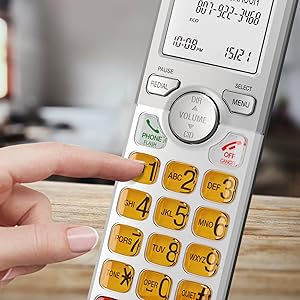
Image: A cordless handset on its base, with the speakerphone function active, illustrating a simulated full-duplex conversation between two individuals.
4.3. Nastavení hlasitosti
Během hovoru stiskněte OBJEM (DIR/CID) up or down to adjust the listening volume.
4.4. Phonebook Directory
The phonebook can store up to 50 names and numbers. To access, add, or edit entries:
- Stiskněte MENU/SELECT když je sluchátko nečinné.
- Scroll to "Phonebook" and press MENU/SELECT.
- Follow the on-screen prompts to add, review, or edit entries.
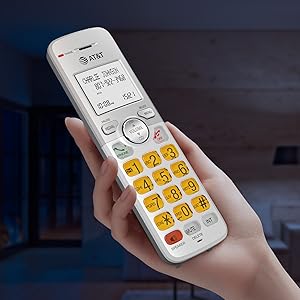
Image: A cordless handset on its base, with the screen showing a phonebook directory interface, indicating the ability to store up to 50 names and numbers.
4.5. Caller ID/Call Waiting
The handset displays the caller's name and number if you subscribe to Caller ID service. The phone stores up to 50 Caller ID records.
- Reviewing Caller ID History: Stiskněte CID when the handset is idle. Scroll through the list using the SMĚR / OBJEM tlačítka.
- To Call Back: Zatímco viewing a Caller ID entry, press TELEFON / FLASH.

Image: A close-up of the cordless handset's screen showing an incoming call with caller ID information, including name and number.
5. Vlastnosti
- Technologie DECT 6.0: Provides superior sound quality, security, and range. This digital technology ensures calls are clear and interference-free, with an operating range of up to 1000 feet outdoors.
- Simulated Full-Duplex Handset Speakerphone: Allows both parties to speak and be heard simultaneously, enhancing natural conversation flow.
- Režim ECO: An energy-saving feature that intelligently manages power consumption, extending battery life and reducing energy usage.
- Backlit Screen and Lighted Keypad: The high-contrast white backlit LCD screen and illuminated keypad ensure easy readability and dialing in various lighting conditions, including low light.
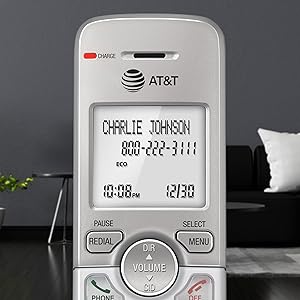
Image: A hand holding the cordless handset, clearly showing the illuminated keypad and the bright, backlit LCD screen in a dimly lit room.
- Extra velký displej: The large text on the screen makes it easy to read caller ID information and navigate menus.
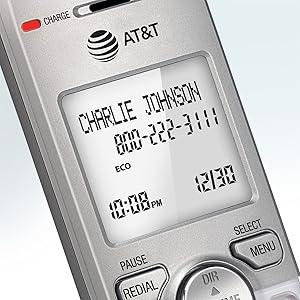
Obrázek: Detailní záběr view of the cordless handset's screen, highlighting the large, easy-to-read text for caller ID and time display.
- Velká tlačítka: Features large font and extra-large backlit keys, which are particularly helpful for users with visual impairments.
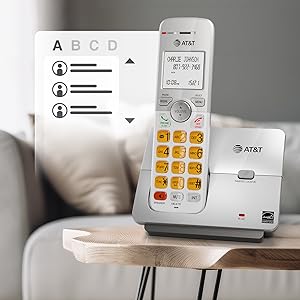
Image: A cordless handset on its base, showing the large, clearly visible, and backlit numeric keys. An inset image shows an elderly man comfortably using the phone.
- Wall-Mount Bracket Included: The base unit can be easily installed on a table or mounted on a wall for flexible placement options.
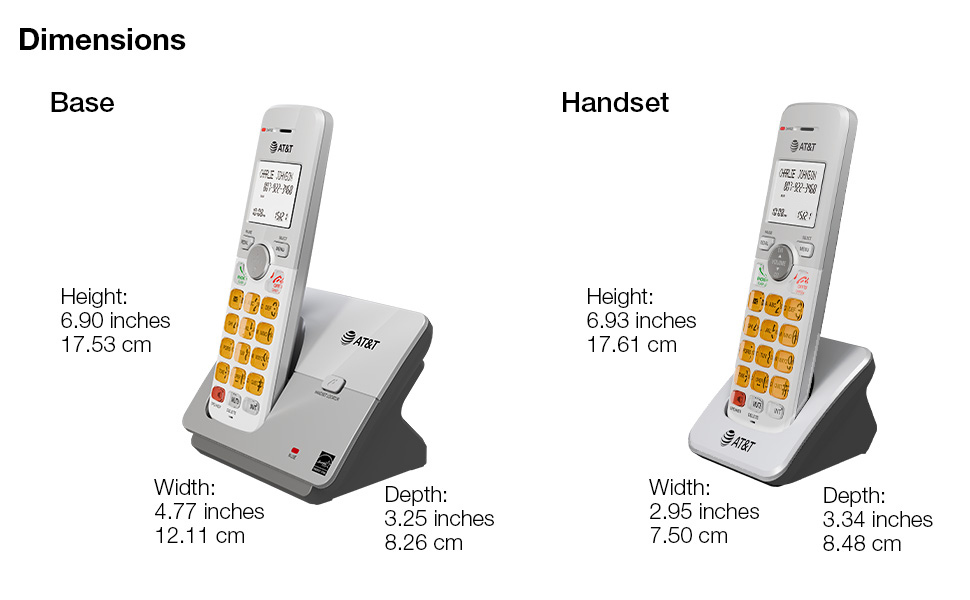
Image: The cordless phone base unit with a handset, shown mounted on a wall using the included bracket, demonstrating its versatile installation options.
6. Údržba
- Čištění: Clean the phone and base unit with a soft, slightly damp hadříkem. Nepoužívejte čisticí spreje ani agresivní chemikálie.
- Péče o baterie: To maintain optimal battery life, fully charge the handsets for 16 hours before first use. If the phone will not be used for an extended period, remove the batteries.
- Podmínky prostředí: Neumísťujte telefon na přímé sluneční světlo, do blízkosti zdrojů tepla nebo do míst s nadměrnou vlhkostí či prachem.
7. Řešení problémů
7.1. No Dial Tone
- Ensure the base unit's power adapter is securely plugged into an electrical outlet and the telephone line cord is connected to a working wall jack.
- Check if other phones on the same line are working. If not, contact your telephone service provider.
7.2. Handset Does Not Charge
- Verify the handset is correctly placed in the charging cradle and the CHARGE light is on.
- Ensure the battery pack is properly installed and connected inside the handset.
- Očistěte nabíjecí kontakty na sluchátku i kolébce suchým hadříkem.
7.3. Poor Sound Quality or Interference
- Přesuňte sluchátko blíže k základně.
- Avoid placing the base unit near other electronic devices (e.g., microwaves, computers, Wi-Fi routers) that may cause interference.
- If using a DSL service, ensure a DSL filter is installed on the telephone line.
7.4. Display is Blank or Handset Does Not Power On
- Ensure the battery pack is fully charged. Place the handset in the charger for at least 16 hours.
- Check that the battery pack is correctly installed.
8. Specifikace
| Rozměry produktu | 4.76 x 3.29 x 6.81 palce |
|---|---|
| Hmotnost položky | 2.59 libry |
| Číslo modelu | EL51403 |
| Baterie | Jsou vyžadovány 4 baterie specifické pro produkt (součástí balení) |
| Typ telefonu | Bezdrátový |
| Materiál | Plast |
| Zdroj napájení | Elektrický kabel |
| Typ vytáčení | Jedna klávesnice |
| Typ systému odpovědí | Žádný |
| Kompatibilní zařízení | PSTN Landline Services |
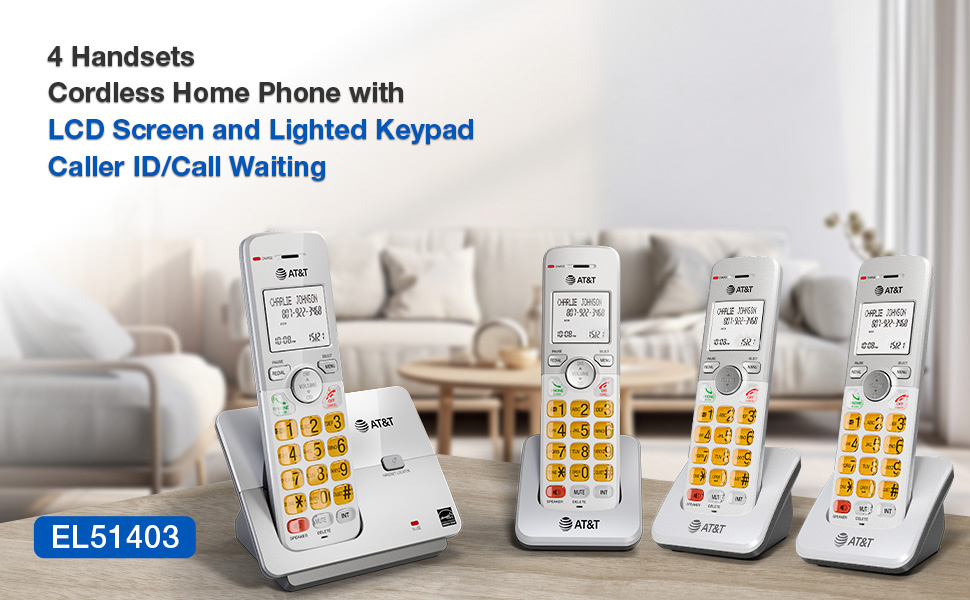
Image: A visual representation of the AT&T EL51403 base unit and a handset, detailing their respective height, width, and depth measurements.
9. Záruka a podpora
AT&T products are manufactured by VTech Communications, Inc. A standard limited warranty typically covers defects in materials and workmanship under normal use for a specified period from the date of purchase. Please refer to the warranty card included in your product packaging or visit the official AT&T product support website for detailed warranty information and customer service contact options.
For technical support or warranty claims, please contact AT&T customer service. Keep your purchase receipt as proof of purchase.
Ask a question about this manual
Ask about setup, troubleshooting, compatibility, parts, safety, or missing instructions. Manuals+ will review the question and use this page’s manual context to help answer it.