
SUPVAN E11
Uživatelská příručka k Bluetooth štítkovači SUPVAN E11
Zavedení
This manual provides detailed instructions for the setup, operation, maintenance, and troubleshooting of your SUPVAN E11 Bluetooth Label Maker Machine. Please read this manual thoroughly before using the device to ensure proper function and longevity.
Bezpečnostní informace
- Udržujte zařízení mimo dosah vody a vysoké vlhkosti.
- Nevystavujte zařízení extrémním teplotám nebo přímému slunečnímu záření.
- Use only SUPVAN approved label tapes to prevent damage to the print head.
- Nepokoušejte se zařízení sami rozebírat nebo opravovat. Požádejte o pomoc zákaznickou podporu.
- Uchovávejte mimo dosah dětí.
Obsah balení
Ověřte, zda jsou v balení přítomny všechny položky:
- Štítkovač E11
- Uživatelská příručka
- USB-C kabel
- 2 Rolls White Continuous Label Tape (15 mm x 6 m)
- 2 Rolls White Die-cut Label Tape (12 mm x 40 mm)

Image: Contents of the SUPVAN E11 Label Maker package, including the label maker, USB-C cable, user manual, and four rolls of label tape.
Konec produktuview
The SUPVAN E11 is a portable thermal label maker designed for various labeling needs. It features a QWERTY keyboard for direct input and Bluetooth connectivity for app-based design and printing.
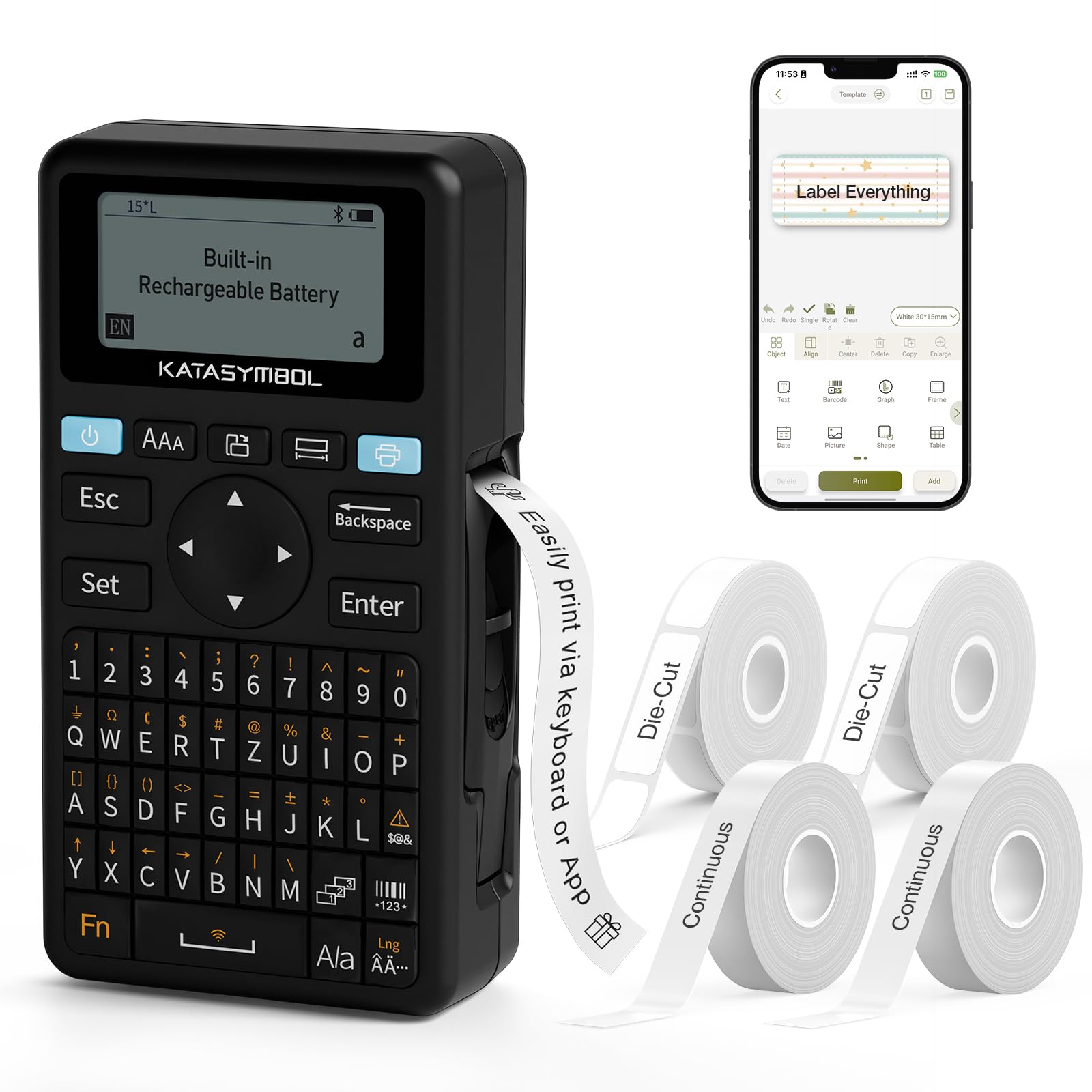
Obrázek: Přední strana view of the SUPVAN E11 Label Maker, showing the QWERTY keyboard and display screen.
Nastavení
1. Nabíjení zařízení
The SUPVAN E11 features a built-in 1200 mAh rechargeable battery. Before initial use, fully charge the device using the provided USB-C cable.
- Connect the USB-C cable to the charging port on the label maker.
- Druhý konec kabelu připojte k napájecímu adaptéru USB (není součástí balení) nebo k portu USB počítače.
- Indikátor nabíjení na zařízení bude zobrazovat stav nabíjení.

Image: The SUPVAN E11 Label Maker demonstrating that it uses thermal paper and requires no ink or toner.
2. Instalace štítkové pásky
The E11 label maker uses thermal label rolls. Follow these steps to install a new roll:
- Otevřete kryt prostoru pro štítky na boku zařízení.
- Insert the label roll into the compartment, ensuring the label tape feeds out from the bottom and through the guide slot.
- Bezpečně zavřete kryt přihrádky.

Image: A hand demonstrating how to install a label tape roll into the SUPVAN E11 Label Maker.
3. Connecting via Bluetooth (App)
For advanced customization and printing, connect your label maker to the companion app:
- Stáhněte si oficiální aplikaci SUPVAN z obchodu s aplikacemi pro vaše zařízení.
- Turn on the label maker and ensure Bluetooth is enabled on your smartphone.
- Open the SUPVAN app and follow the on-screen instructions to pair with your E11 device.

Image: A visual guide showing the step-by-step process of connecting the label maker to the mobile app via Bluetooth.
Operace
1. Keyboard Printing
For quick and frequent labeling, use the integrated QWERTY keyboard:
- Turn on the label maker.
- Type your desired text using the keyboard. The text will appear on the LCD display.
- Press the 'Print' button to print the label.
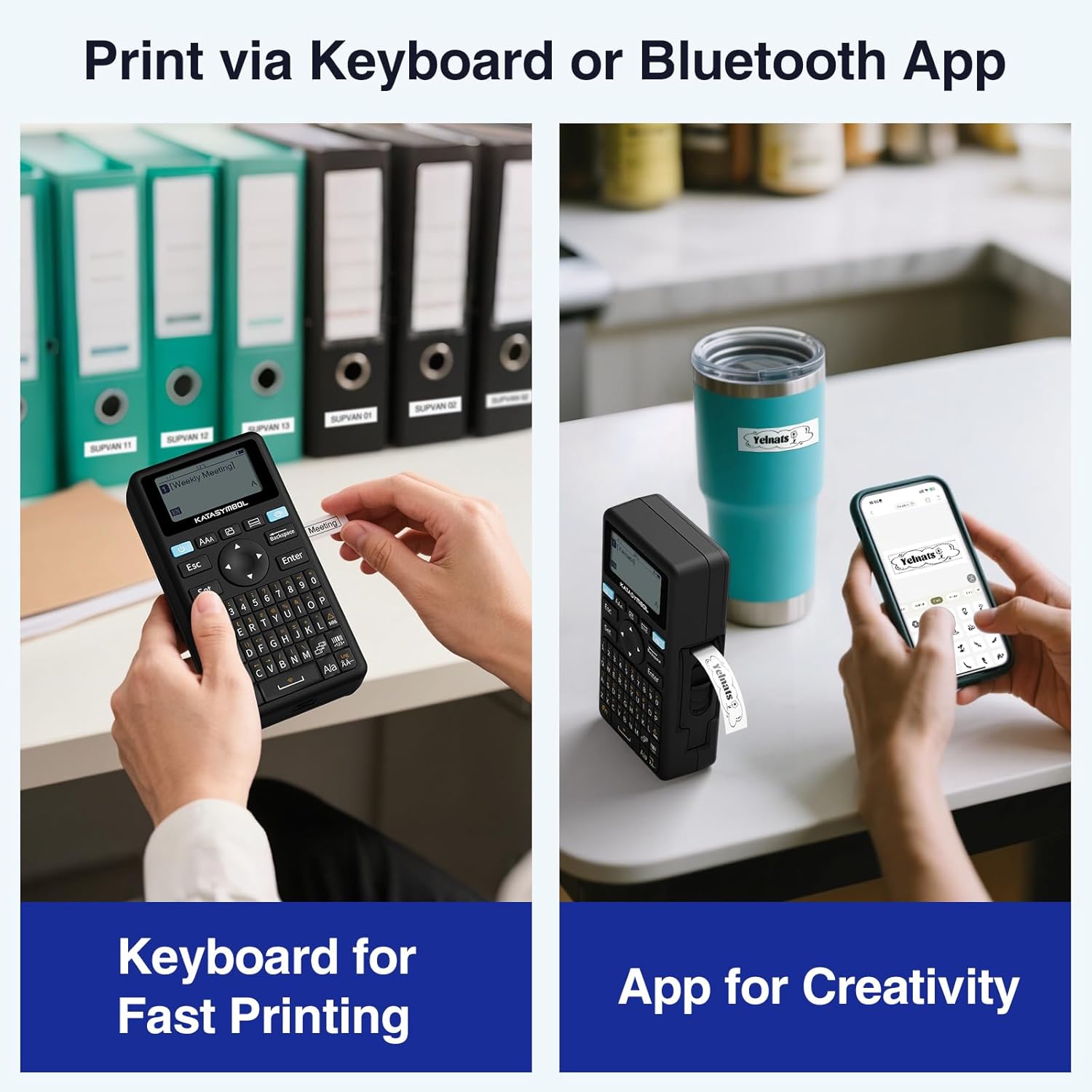
Image: A person using the SUPVAN E11 Label Maker's keyboard to type and print a label.
2. App Printing and Customization
The SUPVAN app offers extensive customization options:
- Ensure your device is connected to the app via Bluetooth.
- Open the app and select your label design.
- Utilize the app's features to customize your label:
- Písma: Choose from over 30 fonts.
- Rámy: Apply from over 50 frames.
- ikony: Select from over 660 icons.
- QR kódy a čárové kódy: Generate and print QR codes and various barcode types.
- Šablony: Create and save your own label templates.
- Once your design is complete, tap the 'Print' button in the app.
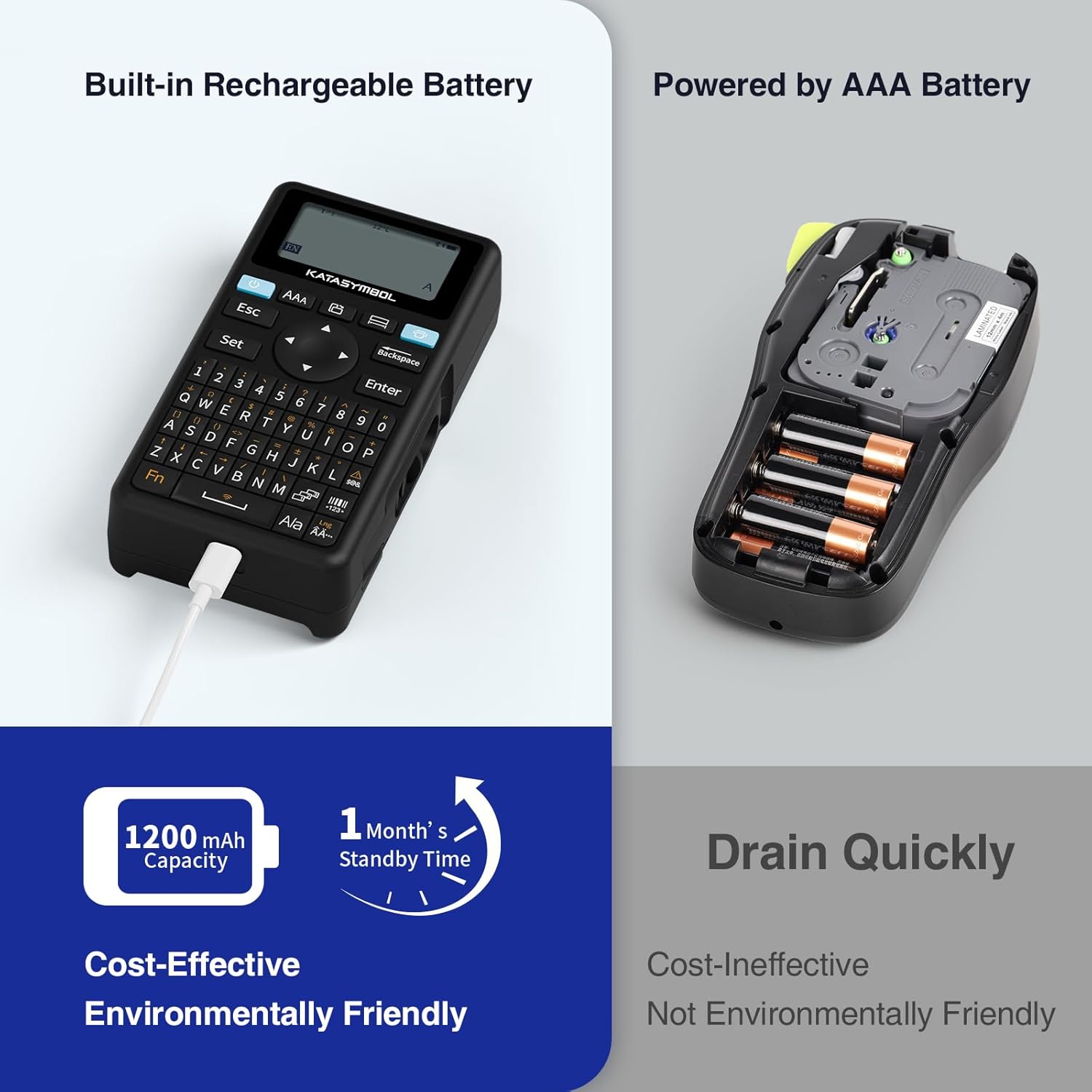
Image: A person using the SUPVAN E11 Label Maker in conjunction with the mobile app to design and print a customized label.

Image: A visual representation of the SUPVAN Label App's features, including a wide selection of fonts, frames, icons, and options for QR codes and barcodes.
Adjusting Label Font Size in the App
Video: This video demonstrates how to adjust the font size of your label text within the SUPVAN mobile application.
Adjusting Font Styles in the App
Video: This video illustrates the process of changing font styles and applying various formatting options to your labels using the SUPVAN mobile application.
3. Label Types and Minimal Margin Printing
The E11 supports both continuous and die-cut labels, offering flexibility for different applications. It also features minimal margin printing, reducing label waste.
- Průběžné štítky: Ideal for long text or custom lengths.
- Die-Cut Labels: Pre-sized labels for specific items or standard applications.
- Minimal Margin: The E11 prints with only a 0.2-inch margin, significantly less than many other label makers, saving tape.

Obrázek: Přamples of die-cut and continuous labels printed by the SUPVAN E11, showcasing its versatility for different label types.
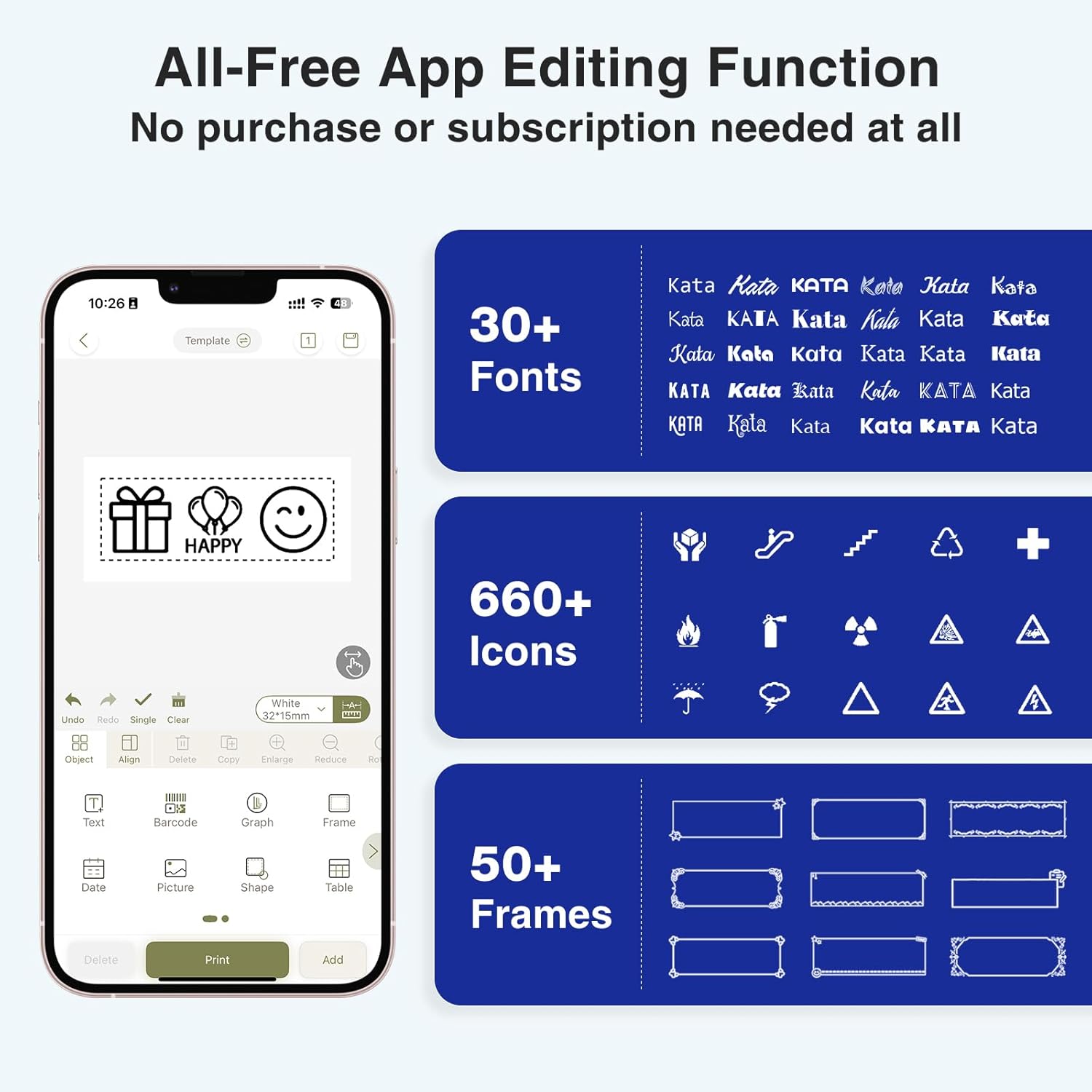
Image: A visual comparison highlighting the minimal 0.2-inch margin of SUPVAN labels versus the larger 1-inch margin of other label makers, demonstrating material efficiency.
4. Široké uplatnění
The SUPVAN E11 is suitable for various organizational tasks in different environments:
- Domov: Organizing pantry items, storage bins, and personal belongings.
- Kuchyně: Labeling food containers, spices, and expiry dates.
- Kancelář: Categorizing filesložky, složky a kancelářské potřeby.
- Škola: Labeling school supplies, books, and projects.
- Garage/Workshop: Organizing tools and parts.

Image: A collage showing various applications of labels created with the SUPVAN E11, including labeling bottles, file folders, and storage containers.
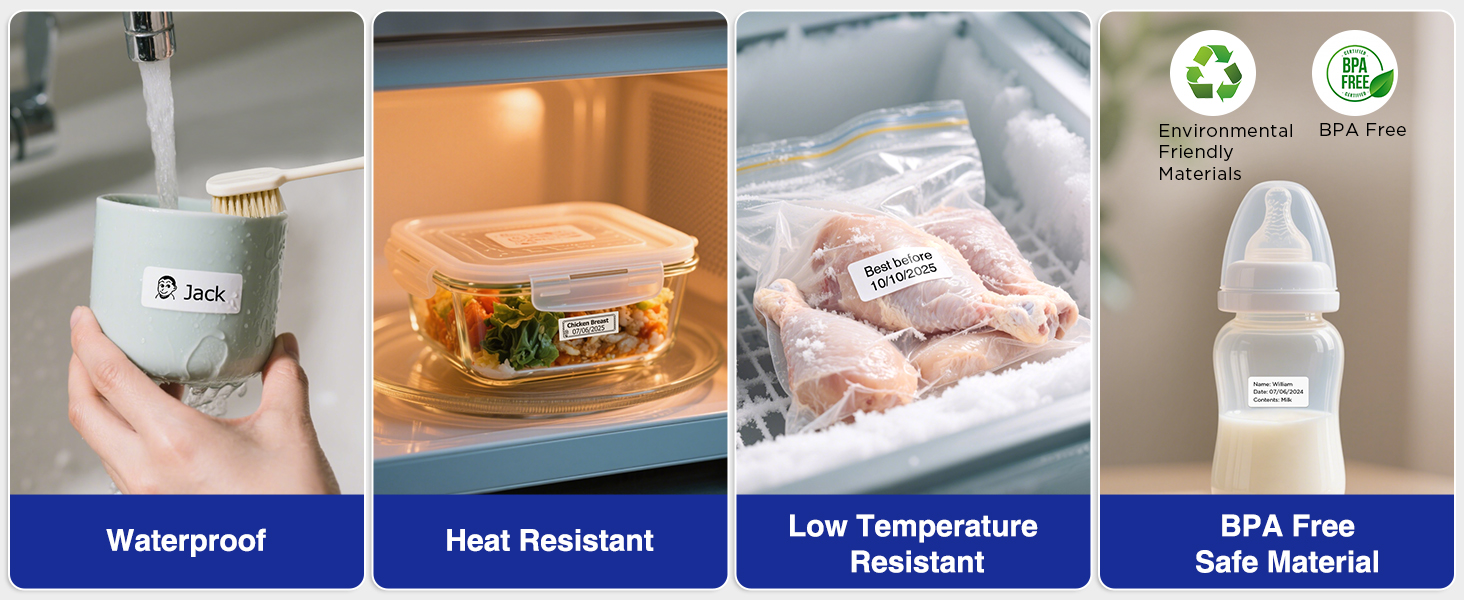
Image: A display illustrating the durability of SUPVAN laminated labels, highlighting their waterproof, heat-resistant, low-temperature resistant, and BPA-free characteristics.
Údržba
1. Čištění tiskové hlavy
Pro zajištění optimální kvality tisku pravidelně čistěte tiskovou hlavu:
- Turn off the label maker and open the label compartment.
- Jemně otřete tiskovou hlavu měkkým hadříkem, který nepouští vlákna.ampzakončené isopropylalkoholem.
- Před zavřením krytu a použitím zařízení nechte tiskovou hlavu zcela vyschnout.
2. Péče o baterie
Chcete -li prodloužit životnost baterie:
- Vyhněte se častému úplnému vybíjení baterie.
- Zařízení pravidelně nabíjejte, i když jej nepoužíváte, abyste zachovali jeho stav.
- Pokud zařízení delší dobu nepoužíváte, skladujte jej na chladném a suchém místě.
Odstraňování problémů
| Problém | Možná příčina | Řešení |
|---|---|---|
| Device does not turn on or turns off unexpectedly. | Low battery; device overload during long prints. | Ensure the device is fully charged. For long prints, try breaking the text into shorter segments. |
| Poor print quality (faint, streaky, or blank labels). | Print head is dirty; incorrect label tape installation; faulty label tape. | Clean the print head as described in the Maintenance section. Reinstall the label tape correctly. Try a new roll of label tape. |
| Problémy s připojením Bluetooth. | Bluetooth is off; device not paired; app issues. | Ensure Bluetooth is enabled on both devices. Re-pair the label maker through the app. Restart the app and the label maker. |
| Labels are not feeding correctly or jamming. | Improper tape installation; foreign object in the feed path. | Open the compartment and re-install the tape, ensuring it is aligned. Check for any obstructions and carefully remove them. |
Specifikace
| Funkce | Detail |
|---|---|
| Značka | SUPVAN |
| Název modelu | E11 |
| Technologie připojení | Bluetooth |
| Technologie tisku | Tepelný |
| Tiskový výstup | Monochromatický |
| Maximální rychlost černobílého tisku | 40 mm/s |
| Rezoluce | 203 dpi |
| Hmotnost položky | 0.5 libry (cca 227 g) |
| Rozměry produktu (D x Š x V) | 5.8" x 3.1" x 1.5" (přibližně 14.7 cm x 7.9 cm x 3.8 cm) |
| Kapacita baterie | 1200 XNUMX mAh |
| Nabíjecí rozhraní | USB typ C |
| Typ zobrazení | LCD |
| Kontrolní metoda | Aplikace, tlačítko |
| Maximální velikost média | 15 mm x 6 m |
Informace o záruce
The SUPVAN E11 Label Maker comes with a 2-letá záruka výrobceTato záruka se vztahuje na vady materiálu a zpracování při běžném používání. Uschovejte si prosím doklad o koupi pro případ uplatnění záruky.
For detailed warranty terms and conditions, please refer to the official SUPVAN webwebu nebo kontaktujte zákaznickou podporu.
Zákaznická podpora
If you encounter any issues or have questions not covered in this manual, please contact SUPVAN customer support:
- Webmísto: Navštivte oficiální SUPVAN webweb s nejčastějšími dotazy a zdroji podpory.
- E-mail: Viz obal produktu nebo oficiální webweb s e-mailovými adresami zákaznického servisu.
Ask a question about this manual
Ask about setup, troubleshooting, compatibility, parts, safety, or missing instructions. Manuals+ will review the question and use this page’s manual context to help answer it.