
Zavedení
This manual provides detailed instructions for the installation, operation, and maintenance of your Defender AI Powered Sentinel 4K Wired Security Camera System. This system offers advanced surveillance features including 360° PTZ cameras, AI tracking, smart human detection, blue-red light deterrence, and color night vision.
Co je zahrnuto
Ověřte, zda jsou v balení přítomny všechny komponenty:
- 1x 8-Channel PoE NVR with 1TB HDD
- 4x 4K UHD SMART AI PTZ Cameras
- 1x NVR Power Supply
- 1x NVR USB Mouse
- 4x Ethernet Cables (60 ft)
- 1x Ethernet Cable (6.5 ft)
- 1x HDMI Cable (6 ft)
- 4x Mounting Hardware sets
- 4x Waterproof Caps
- 4x Drill Templates
- 1x Window Warning Sticker
- Příručka rychlého spuštění 1x
- 1x Warranty Insert
- Bezplatná doživotní podpora

Image: All components included in the Defender AI Powered Sentinel 4K Wired Security Camera System, including the NVR, four PTZ cameras, cables, and accessories.
Nastavení a instalace
Follow these steps for a successful installation of your security system.
- Naplánujte umístění kamery: Identify optimal locations for your 4K UHD PTZ cameras to ensure maximum coverage and minimize blind spots. Consider areas prone to activity and entry points. The cameras offer 360° pan and 90° tilt for comprehensive surveillance.
- Montáž kamer: Use the provided drill templates and mounting hardware to securely attach each camera. Ensure the camera is positioned to capture the desired area. The cameras are IP65 weather-rated for outdoor use.
- Connect Cameras to NVR (Power over Ethernet - PoE): Connect each camera to the NVR using the provided Ethernet cables. PoE technology simplifies installation by providing both power and data through a single cable.
- Připojení NVR k displeji: Use the HDMI cable to connect the NVR to a monitor or TV for local viewing and initial setup.
- Zapnutí: Connect the NVR power supply and power on the system.
- Počáteční konfigurace: Follow the on-screen instructions to set up the NVR, including network settings, date/time, and user accounts.
- Nastavení mobilní aplikace: Download the Defender Empower app (available on iOS/Android). Register your NVR and cameras to enable remote viewing, two-way audio, and receive mobile alerts.
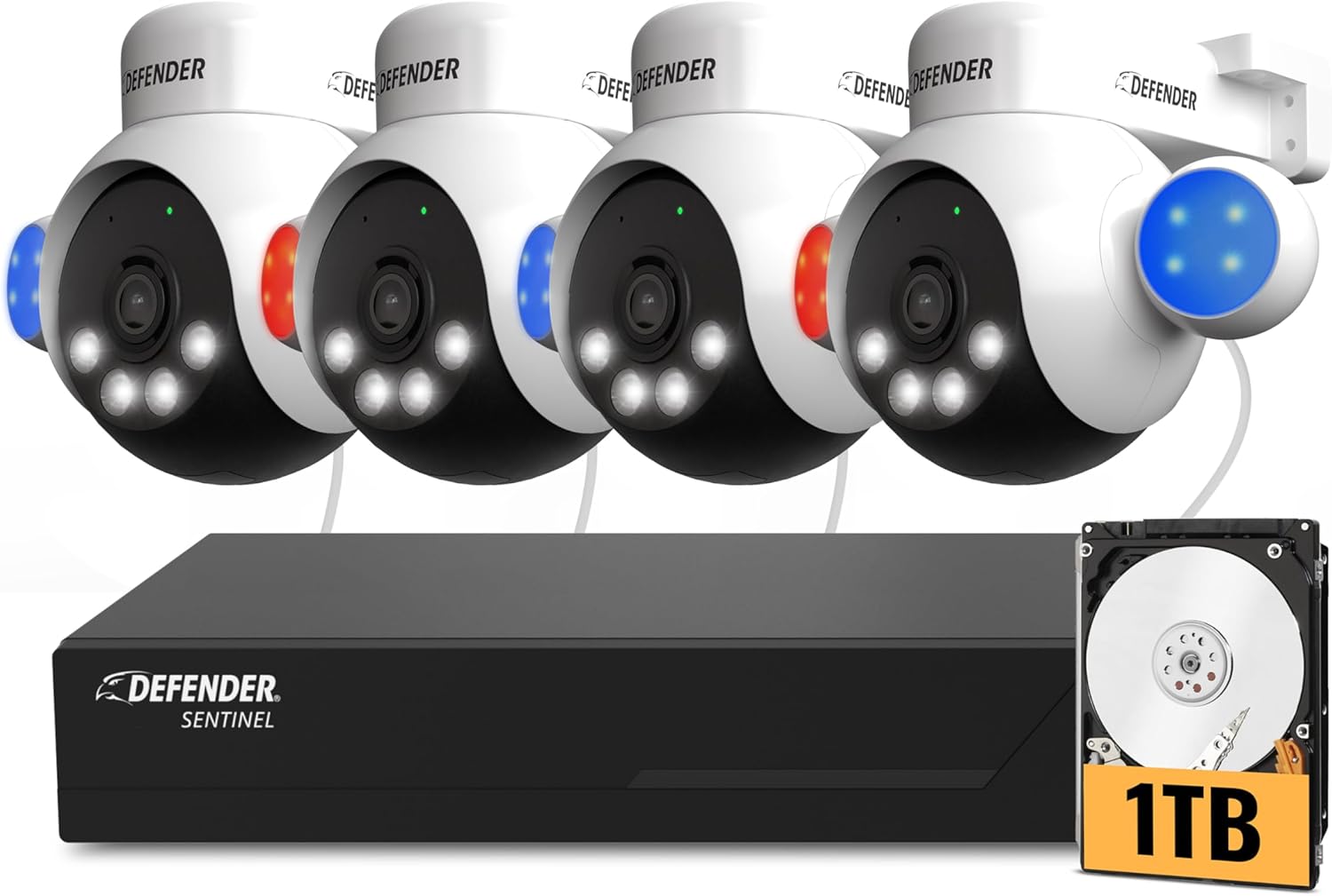
Image: A Defender PTZ camera mounted under an eave, demonstrating its outdoor installation capability.

Image: Close-up of an Ethernet cable, representing the Power over Ethernet (PoE) connection for the cameras.

Image: A mobile phone screen showing the Defender Empower app, used for live viewing and system control.
Návod k obsluze
AI Auto-Tracking and PTZ Control
Your cameras feature 360° pan and 90° tilt capabilities. Through the Defender Empower app or NVR interface, you can manually control the camera's direction. The AI auto-tracking function automatically follows detected movement, ensuring continuous surveillance of subjects.

Image: A visual representation of the AI auto-tracking feature, showing the camera following a person's movement.
Video: Oficiální produkt u konceview demonstrating the AI Powered 4K Wired Security Camera System's features, including PTZ and AI tracking.
Inteligentní detekce lidí s umělou inteligencí
The system utilizes AI to differentiate human movement from other objects, reducing false alarms. When human movement is detected, you will receive real-time alerts on your mobile device.

Image: A person receiving a package, with the AI human detection highlighting the individual and showing two-way audio communication.
Obousměrný zvuk
Engage in real-time conversations through the camera using the two-way audio feature via the mobile app. This allows you to communicate with visitors or deter intruders.
Blue-Red Flashing Light and Siren Deterrence
For active deterrence, the cameras are equipped with high-intensity blue-red flashing lights, an LED spotlight, and a built-in siren. These can be activated manually via the app or configured to trigger automatically upon detection of suspicious activity.

Image: Multiple Defender cameras with blue and red flashing lights activated, demonstrating the deterrence feature.
4K ClearVu and Color Night Vision
The system records in stunning 4K UHD resolution, providing clear and detailed footage. Advanced spotlight illumination enables vibrant true color night vision up to 100 feet, ensuring visibility even in complete darkness.

Image: A side-by-side comparison showing the superior clarity of 4K Ultra HD footage versus 1080p.

Image: A split image demonstrating the camera's color night vision, showing a clear, vivid view za špatných světelných podmínek.
Nahrávání a ukládání
The 1TB NVR provides local storage for continuous recording. The system supports motion detection recording to optimize storage space. No monthly fees are required for local recording.
Údržba
- Pravidelný úklid: Pravidelně čistěte objektivy fotoaparátu měkkým hadříkemamp cloth to ensure optimal image clarity.
- Aktualizace firmwaru: Check the Defender Empower app or Defender website for available firmware updates to ensure your system has the latest features and security enhancements.
- Kontrola kabelů: Inspect all Ethernet cables for any signs of wear or damage, especially for outdoor installations.
- Umístění NVR: Ensure the NVR is placed in a well-ventilated area, away from direct sunlight and excessive heat, to prevent overheating.
Odstraňování problémů
| Problém | Možná příčina | Řešení |
|---|---|---|
| No video feed from camera | Loose cable connection, no power, camera malfunction. | Check Ethernet cable connections at both the camera and NVR. Ensure NVR is powered on. Restart the NVR. |
| Špatná kvalita obrazu | Dirty lens, low light conditions, network issues. | Clean the camera lens. Ensure adequate lighting or verify color night vision is active. Check network connection stability. |
| No mobile alerts | App notification settings, network connectivity, incorrect detection settings. | Verify notification settings in the Defender Empower app and on your phone. Ensure NVR has internet access. Check AI human detection settings. |
| PTZ control not responding | Network delay, camera unresponsive. | Check network connection. Restart the camera or NVR. |
Specifikace
- Značka: Obránce
- Číslo modelu: NS8B4PTZ-1T
- Technologie připojení: Wired (Power over Ethernet - PoE)
- Rozlišení záznamu videa: 4K (3840 x 2160)
- Speciální vlastnosti: 360° PTZ, AI-Powered, Color Night Vision, PoE, Audio/Video Streaming, Mobile Alerts
- Počet kanálů: 8 (NVR supports up to 8 cameras)
- Úložná kapacita paměti: 1 TB (HDD included)
- Zdroj napájení: Napájení přes Ethernet
- Kompatibilita operačního systému: iOS/Android (for mobile app)
- Formát signálu: Digitální
- Noční vidění: Yes (IR and Color Night Vision)
- Rozsah nočního vidění: 100 stop
- Snímková frekvence: 20 FPS
- Režim nahrávání: Detekce pohybu
- Technologie optického senzoru: 1/2.7 ”CMOS senzor
- Celkový počet portů USB: 2
- Hardwarové rozhraní: Ethernet
- Typ objektivu: Zoom/Varifocal
- Video vstup: RJ45
- Viewúhel: 360 stupňů (schopnost PTZ)
- Hodnocení počasí: IP65
- Hmotnost položky: 11.8 Pounds (System total)
Záruka a podpora
The Defender AI Powered Sentinel 4K Wired Security Camera System comes with a 3-year warranty, providing peace of mind for your investment. Defender also offers free lifetime support for this product. For technical assistance, warranty claims, or further inquiries, please visit the official Defender webnebo kontaktujte jejich zákaznickou podporu.