
1. Konec produktuview
The WisFox 2.4G Wireless Mouse is designed for comfortable and efficient use with laptops, desktops, PCs, and MacBooks. It features an ergonomic design, adjustable DPI settings, and a stable wireless connection.

Image: The WisFox 2.4G Wireless Mouse in mint green, shown alongside its USB receiver and Type-C adapter.
Obsah balení:
- WisFox 2.4G Wireless Mouse
- USB přijímač (uložený uvnitř myši)
- Adaptér typu C
- Uživatelská příručka (tento dokument)
2. Průvodce nastavením
2.1 Instalace baterie
- Najděte přihrádku na baterie na spodní straně myši.
- Otevřete kryt baterie.
- Vložte jednu (1) baterii typu AA a dbejte na správnou polaritu (+/-).
- Pevně zavřete kryt baterie.

Image: The bottom of the mouse, illustrating the battery slot and the dedicated storage for the USB receiver.
2.2 Připojení přijímače
- Remove the USB receiver from its storage slot within the battery compartment of the mouse.
- For standard USB-A ports: Plug the USB receiver directly into an available USB-A port on your computer.
- For Type-C ports: Attach the Type-C adapter to the USB receiver, then plug the combined unit into an available Type-C port on your computer.
- Zapněte myš pomocí vypínače ON/OFF, který se nachází na spodní straně.
- Myš by se měla automaticky připojit k počítači. Obvykle nejsou vyžadovány žádné další ovladače.
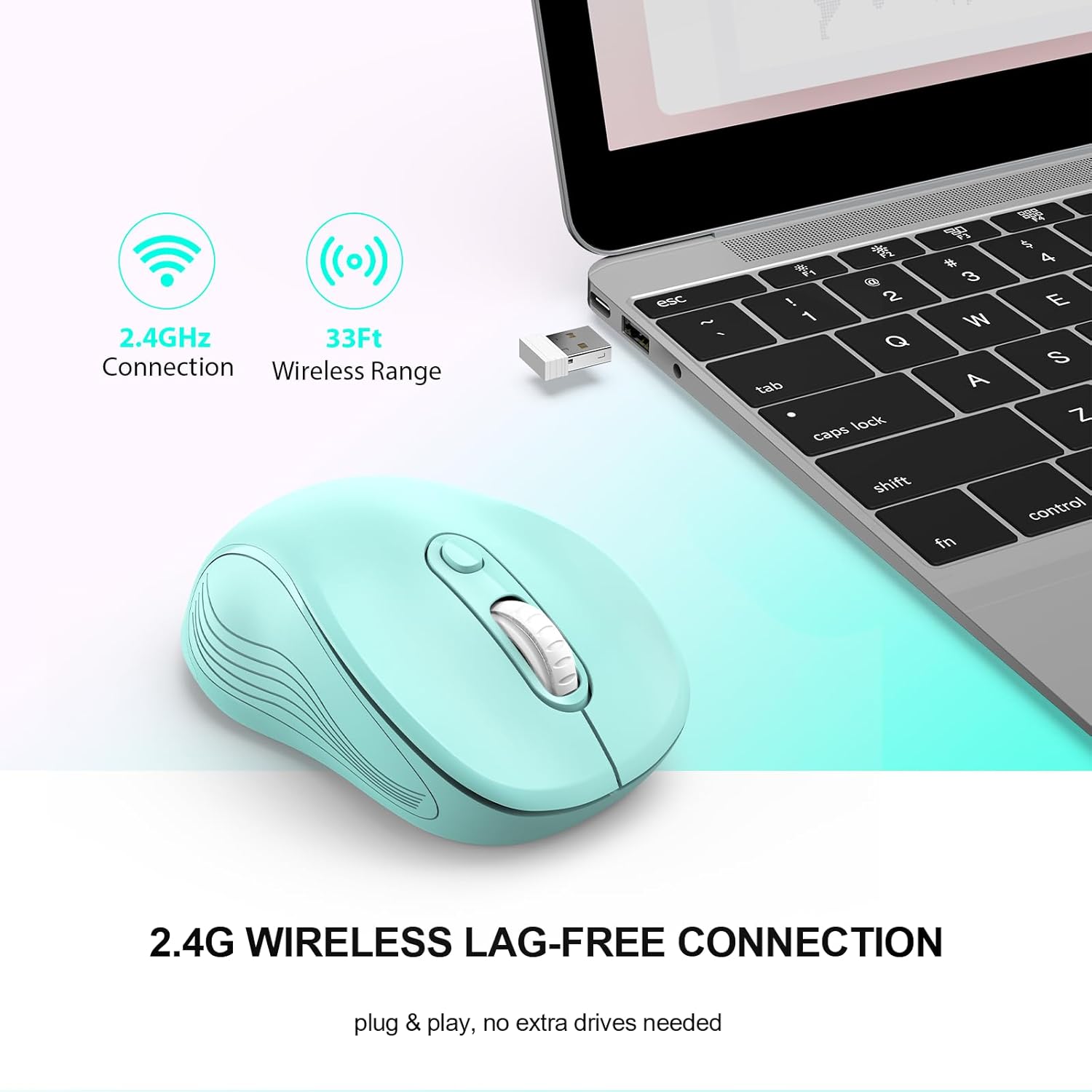
Image: The mouse in use with a laptop, demonstrating the 2.4GHz wireless connection and 33ft wireless range.
3. Návod k obsluze
3.1 Základní funkce
- Levé tlačítko: Primární funkce kliknutí.
- Pravé tlačítko: Secondary click function, typically for context menus.
- Rolovací kolečko: Procházejte dokumenty nahoru nebo dolů a web stránky. Lze na ně také kliknout prostředním tlačítkem myši.
- Page Up/Page Down Buttons: Located on the side, these buttons facilitate quick navigation in documents or web prohlížeče.
Image: A detailed diagram highlighting the six buttons of the WisFox wireless mouse, including the DPI switch, scroll wheel, and side buttons.
3.2 Nastavení DPI (citlivosti)
The mouse features 3 adjustable DPI levels to control cursor speed and precision.
- Stiskněte tlačítko Tlačítko přepínače DPI (located below the scroll wheel) to cycle through the available DPI settings: 800, 1200 (default), and 1600.
- Select the DPI level that best suits your task, whether for precise work or fast navigation.

Image: A visual representation of the three adjustable DPI settings (800, 1200, 1600) and how to change them using the DPI button.
3.3 Ergonomický design
The contoured shape and sweat-resistant coating are designed for maximum hand comfort during extended use, reducing strain and fatigue.

Image: A hand comfortably gripping the WisFox wireless mouse, highlighting its ergonomic design for prolonged use.
4. Údržba
4.1 Čištění myši
- Chcete-li myš vyčistit, jemně otřete její povrch měkkým hadříkem.amp tkanina.
- Avoid using harsh chemicals or abrasive materials, as these can damage the surface.
- Před čištěním se ujistěte, že je myš vypnutá.
4.2 Výměna baterie
Replace the AA battery when the mouse performance degrades or it stops responding. Refer to Section 2.1 for battery installation steps.
4.3 Automatický režim spánku
The mouse is designed with an energy-saving feature. It will enter auto power-saving mode after 1 minute of idling and a deeper sleep mode after 8 minutes of idling. To wake the mouse, simply double-click any button.

Image: A graphic explaining the low power consumption feature, indicating the mouse enters sleep mode after 10 minutes of inactivity.
5. Řešení problémů
| Problém | Možná příčina | Řešení |
|---|---|---|
| Myš neodpovídá | Low battery; Receiver not connected; Mouse is off; Mouse in sleep mode. | Replace battery; Ensure receiver is firmly plugged in; Turn mouse ON; Double-click to wake mouse. |
| Zpoždění nebo přerušované připojení | Too far from receiver; Wireless interference. | Move mouse closer to receiver (within 33 feet); Avoid placing receiver near other wireless devices. |
| Cursor movement is too fast/slow | DPI setting is not optimal. | Press the DPI Switch Button to adjust sensitivity (800/1200/1600 DPI). |
| Boční tlačítka nefungují | Software conflict or specific application does not support. | Ensure the application supports forward/backward navigation; Check for any conflicting mouse software. |
6. Specifikace
- Značka: WisFox
- Model: B0DKDVB4D2
- Barva: Zelená máta
- Technologie připojení: 2.4Ghz RF Wireless Technology
- Technologie detekce pohybu: Optický
- Úrovně DPI: 800, 1200, 1600 (Adjustable)
- tlačítka: 6 (Left, Right, Scroll Wheel, DPI Switch, Page Up, Page Down)
- Typ baterie: 1 AA baterie (není součástí balení)
- Hmotnost položky: 2.4 unce
- Rozměry balení: 7.17 x 2.68 x 1.73 palce
- Speciální funkce: Soundless clicks, Auto Sleep Mode
- Kompatibilita: Windows 7/8/10/11/XP, Vista 7/8, Linux, Mac OS (V10.4 or higher)

Image: A graphic illustrating the wide compatibility of the WisFox wireless mouse with various operating systems, including Windows, Mac, and Linux.
7. Záruka a podpora
WisFox products are manufactured to high quality standards. For specific warranty information, please refer to the product packaging or contact the seller directly through your purchase platform.
If you encounter any issues or have questions regarding your WisFox 2.4G Wireless Mouse, please contact WisFox customer support for assistance. Contact details can typically be found on the product packaging or the official WisFox webmísto.