
AT&T 4130T
AT&T Essentials True Wireless Bluetooth Comfort Fit Stereo in-Ear Earbuds
Model: 4130T
Konec produktuview
The AT&T Essentials True Wireless Bluetooth Comfort Fit Stereo in-Ear Earbuds are designed for high-quality wireless audio. They feature extended battery life, advanced noise cancellation for clear calls, and intuitive smart controls. The earbuds and charging case are IPX4 water and dust resistant, making them suitable for various environments.

Image: The AT&T Essentials True Wireless Earbuds are shown in their open charging case, displaying the digital battery percentage and individual earbud charge indicators. The earbuds are black and fit snugly within the case.
Nastavení a první použití
Nabíjení sluchátek a pouzdra
Before first use, fully charge the earbuds and the charging case. Connect the charging case to a USB power source using the provided cable. The LED display on the case will indicate the charging status and battery level.

Image: A close-up of the AT&T Essentials charging case with the lid open, showing the digital battery display. The display shows "100" indicating a full charge, along with individual battery bars for the left and right earbuds.
Video: This video demonstrates the charging process and the LED battery display of the AT&T Essentials True Wireless Earbuds charging case. It shows the case being plugged in and the digital percentage increasing, indicating the charge level.
Spárování se zařízením Bluetooth
- Ujistěte se, že jsou sluchátka v nabíjecím pouzdře a že je pouzdro dostatečně nabité.
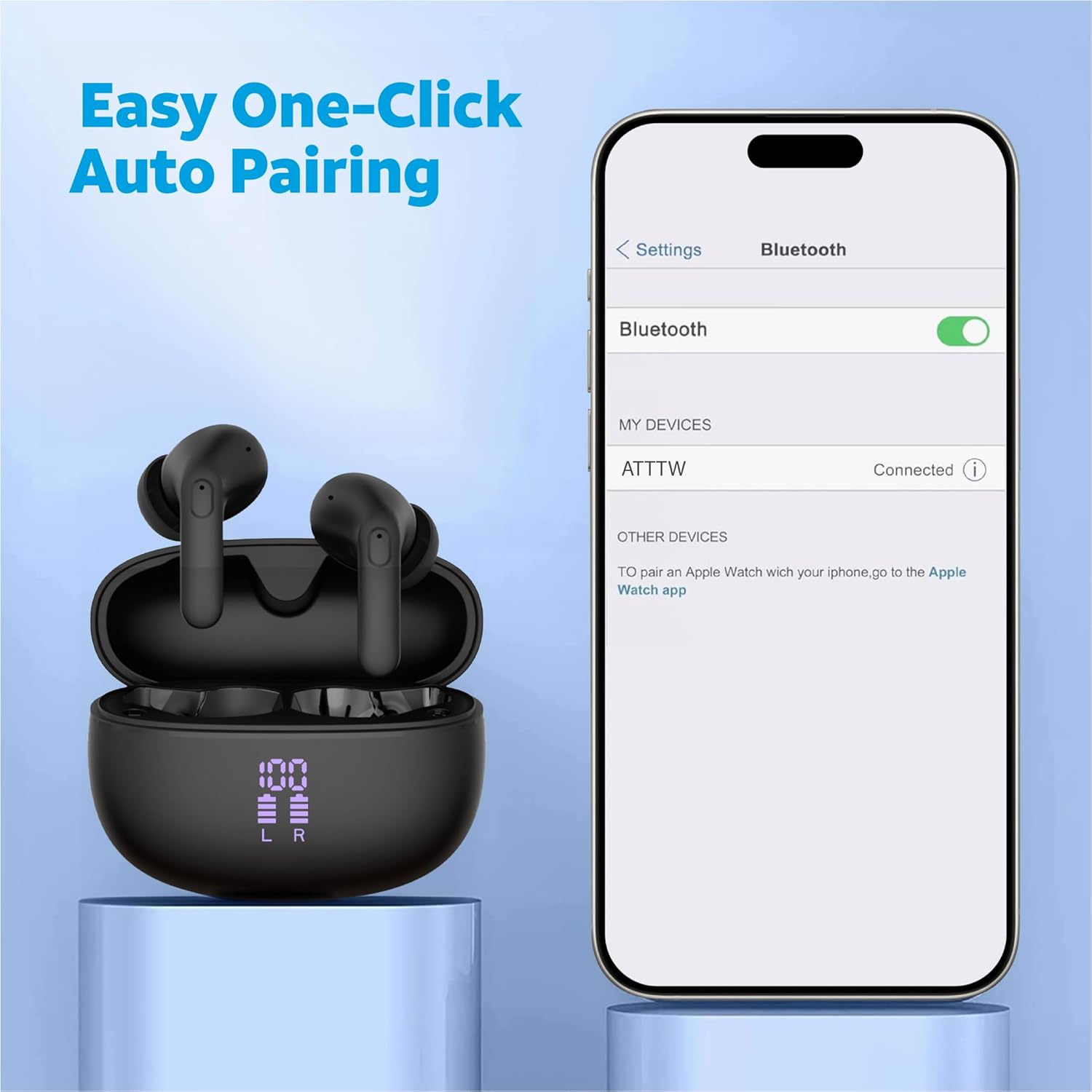
- Otevřete nabíjecí pouzdro. Sluchátka se automaticky přepnou do režimu párování.
- Na svém zařízení (chytrém telefonu, tabletu atd.) přejděte do nastavení Bluetooth.
- Select "ATTTW" from the list of available devices.
- Once connected, a confirmation sound will play, and the device will show "Connected".

Image: The AT&T Essentials True Wireless Earbuds in their charging case are shown next to a smartphone screen displaying Bluetooth settings. The device name "ATTTW" is highlighted as connected, illustrating the pairing process.
Návod k obsluze
Chytré dotykové ovládání
The earbuds feature responsive one-touch smart controls for easy management of audio playback and calls.
- Přehrát/pozastavit: Jediným klepnutím na jedno sluchátko.
- Další skladba: Dvakrát klepněte na pravé sluchátko.
- Předchozí skladba: Dvakrát klepněte na levé sluchátko.
- Přijmout/ukončit hovor: Jedno klepnutí na kterékoli sluchátko během příchozího nebo aktivního hovoru.
- Odmítnout hovor: Během příchozího hovoru stiskněte a podržte kterékoli ze sluchátek po dobu 2 sekund.
- Aktivovat Voice Assistant: Trojitě klepněte na kterékoli sluchátko.
Obrázek: Podrobný view of an AT&T Essentials earbud, highlighting the touch control area with various icons representing functions like call management, music playback, and volume control, indicating its smart touch capabilities.
Potlačení okolního hluku (ENC)
The built-in quad environmental noise cancellation technology ensures your voice is clear during phone calls, even in noisy environments. This feature automatically activates during calls to filter out background noise.

Obrázek: Explodoval view of an AT&T Essentials earbud, showcasing its internal components, including the speaker driver and circuitry. Text overlays indicate "Built-In Quad Environmental Noise Cancellation" and "Experience Crystal-Clear Calls and Immersive Sound with Advanced ENC Technology."
Údržba a péče
Správná údržba zajistí dlouhou životnost a optimální výkon vašich sluchátek.
- Čištění: Pravidelně čistěte sluchátka a nabíjecí pouzdro měkkým, suchým hadříkem, který nepouští vlákna. Nepoužívejte abrazivní čisticí prostředky ani rozpouštědla.
- Tipy do uší: Pravidelně sundejte ušní nástavce a čistěte jeamp hadříkem. Před opětovným připevněním se ujistěte, že jsou zcela suché.
- Odolnost vůči vodě a prachu: The earbuds and charging case are IPX4 rated, meaning they are resistant to splashing water from any direction. They are not waterproof and should not be submerged in water. Avoid exposure to excessive moisture or dust.
- Skladování: Pokud sluchátka nepoužíváte, uložte je do nabíjecího pouzdra, aby byla chráněna a nabitá. Skladujte na chladném a suchém místě mimo dosah přímého slunečního záření a extrémních teplot.
Odstraňování problémů
| Problém | Možná příčina | Řešení |
|---|---|---|
| Sluchátka se nespárují | Sluchátka nejsou v režimu párování; Bluetooth na zařízení vypnuté; dříve spárované zařízení ruší. | Ensure earbuds are in case and lid is open. Turn Bluetooth off and on again on your device. Forget "ATTTW" from your device's Bluetooth list and re-pair. |
| Žádný zvuk z jednoho sluchátka | Low battery; earbud not properly connected; earbud settings. | Place both earbuds back in the charging case, close the lid for 5 seconds, then open. Ensure both earbuds are charged. Check device audio balance settings. |
| Nabíjecí pouzdro se nenabíjí | Vadný kabel nebo napájecí adaptér; znečištěný nabíjecí port. | Try a different USB-C cable and power adapter. Clean the charging port on the case gently with a dry cotton swab. |
| Špatná kvalita hovoru | Environmental noise; earbud placement; weak Bluetooth connection. | Ensure earbuds are properly seated in your ears. Move closer to your connected device. Avoid extremely noisy environments if possible. |
Specifikace
| Funkce | Detail |
|---|---|
| Název modelu | True Wireless Comfort Fit Earbuds |
| Číslo modelu | 4130T |
| Technologie připojení | Bezdrátové (Bluetooth) |
| Battery Life (Listening Time) | Až 35 hodin (s nabíjecím pouzdrem) |
| Kontrola hluku | Aktivní potlačení hluku (ENC pro hovory) |
| Úroveň odolnosti proti vodě | IPX4 (voděodolný) |
| Typ ovládání | Dotykové ovládání |
| Frekvenční odezva | 20 Hz - 20 kHz |
| Impedance | 140 Ohmy |
| Citlivost | 80 dB |
| Zahrnuté komponenty | Bezdrátové nabíjecí pouzdro |
| Barva | Černý |
| Hmotnost položky | 2.64 unce |
| UPC | 849944091350 |
Záruka a podpora
For warranty information and technical support, please refer to the official AT&T Accessories webnebo se obraťte přímo na jejich zákaznický servis. Uschovejte si doklad o koupi pro případné reklamace.
You can visit the AT&T Store online for more information: AT&T Store
Ask a question about this manual
Ask about setup, troubleshooting, compatibility, parts, safety, or missing instructions. Manuals+ will review the question and use this page’s manual context to help answer it.