
Zavedení
This manual provides detailed instructions for the setup, operation, and maintenance of your ATTACK SHARK L80 Wireless Gaming Headset. Please read this manual thoroughly before using the product to ensure proper function and longevity.
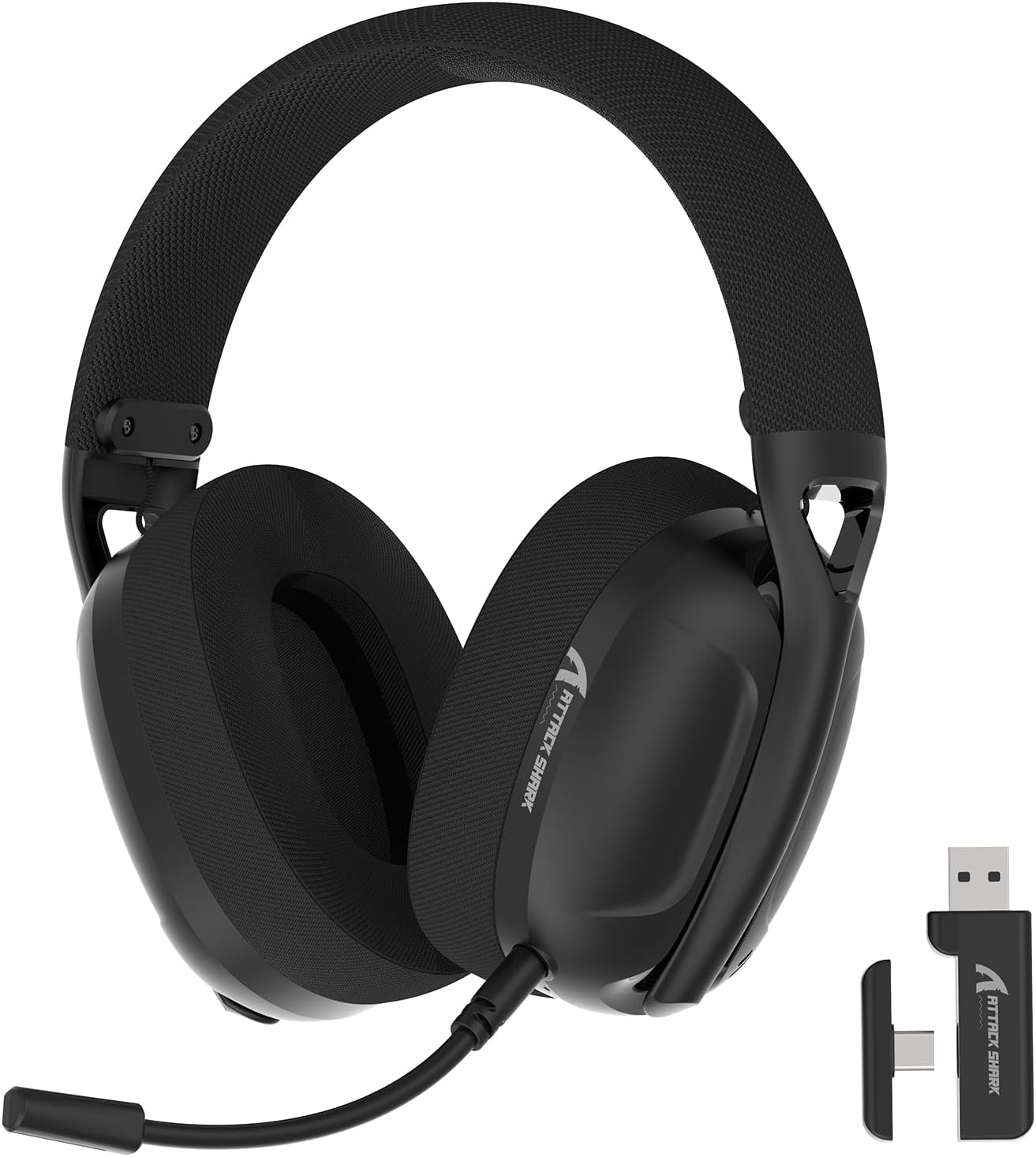
Image: The ATTACK SHARK L80 Wireless Gaming Headset, featuring over-ear cups, a flexible microphone, and a USB dongle.
Obsah balení
Ověřte, zda jsou v balení produktu přítomny všechny položky:
- ATTACK SHARK L80 Wireless Gaming Headset
- Detachable Omni-directional Microphone
- 2.4GHz USB Wireless Dongle (USB-A)
- Nabíjecí kabel USB-C na USB-A
- 3.5mm audio kabel
- Uživatelská příručka (tento dokument)

Image: All components included in the ATTACK SHARK L80 headset package: headset, detachable microphone, 2.4GHz USB dongle, USB-C charging cable, and 3.5mm audio cable.
Konec produktuview
Ovládací prvky a porty headsetu
Familiarize yourself with the headset's controls and connection points:

Image: Close-up of the ATTACK SHARK L80 headset's left earcup, showing the power button, mode switch button, volume up/previous track button, volume down/next track button, and microphone mute button.
- Vypínač: Press and hold for 3 seconds to power ON/OFF. Short press to answer/end calls or play/pause media.
- Tlačítko pro přepnutí režimu: Short press 3 times in succession to switch between Bluetooth and 2.4G wireless modes.
- Zvýšení hlasitosti / Předchozí skladba: Short press for Volume+, Long press for Previous Song.
- Ztlumit hlasitost / Další skladba: Short press for Volume-, Long press for Next Song.
- Tlačítko ztlumení mikrofonu: Short press to toggle microphone ON/OFF.
- Port mikrofonu: Pro připojení odnímatelného mikrofonu.
- 3.5mm audio jack: Pro kabelové připojení.
- Nabíjecí port USB-C: Pro nabíjení náhlavní soupravy.
- Kontrolka: Zobrazuje stav připojení a úroveň nabití baterie.
Odnímatelný mikrofon
The L80 headset features a detachable, omni-directional microphone with noise reduction capabilities. It can be adjusted 360 degrees for optimal positioning.

Image: The ATTACK SHARK L80 headset with its detachable, 360-degree adjustable, noise-cancelling microphone attached.
Nastavení
The ATTACK SHARK L80 headset offers three connection modes: 2.4GHz wireless, Bluetooth 5.2, and 3.5mm wired. Choose the appropriate method for your device.
1. 2.4GHz Wireless Connection (for PC, PS5, PS4, Nintendo Switch Docked)
- Insert the 2.4GHz USB wireless dongle into an available USB port on your PC, PS5, PS4, or Nintendo Switch dock.
- Power on the L80 headset by pressing and holding the Power Button for 3 seconds.
- The headset will automatically attempt to connect to the dongle. The indicator light will show a stable color once connected.
- On your device, ensure the audio output is set to "ATTACK SHARK L80" or similar.

Image: Diagram illustrating 2.4GHz USB dongle connection to a PS4 and a USB-C dongle connection to a portable device, alongside Bluetooth connectivity for phones.
2. Bluetooth 5.2 Connection (for Phones, Tablets, Laptops)
- Power on the L80 headset by pressing and holding the Power Button for 3 seconds.
- If not already in Bluetooth mode, short press the Mode Switch Button three times in quick succession to enter Bluetooth pairing mode. The indicator light will flash, indicating it is discoverable.
- On your device (phone, tablet, laptop), go to Bluetooth settings and search for available devices.
- Select "ATTACK SHARK L80" from the list to pair. The indicator light will become stable once connected.
3. 3.5mm Wired Connection (for various devices)
- Connect one end of the 3.5mm audio cable to the 3.5mm audio jack on the L80 headset.
- Connect the other end of the 3.5mm audio cable to the audio output port of your device.
- The headset will function in wired mode. Note that volume control via the headset buttons may not be available in wired mode, depending on the connected device.

Image: The ATTACK SHARK L80 headset displayed among various compatible platforms including PlayStation consoles, Nintendo Switch, Xbox, PC, tablets, and smartphones.
Návod k obsluze
Zapnutí/vypnutí
- Zapnutí: Press and hold the Power Button for approximately 3 seconds until the indicator light illuminates.
- Vypnout: Press and hold the Power Button for approximately 3 seconds until the indicator light turns off.
Ovládání hlasitosti
- Zvýšení hlasitosti: Krátce stiskněte tlačítko pro zvýšení hlasitosti.
- Snížit hlasitost: Krátce stiskněte tlačítko pro snížení hlasitosti.
Ovládání přehrávání médií
- Přehrát/pozastavit: Krátce stiskněte tlačítko napájení.
- Předchozí skladba: Dlouze stiskněte tlačítko pro zvýšení hlasitosti.
- Další skladba: Dlouze stiskněte tlačítko pro snížení hlasitosti.
Správa hovorů
- Přijmout/ukončit hovor: Krátce stiskněte tlačítko napájení.
Použití mikrofonu
- Připojte odnímatelný mikrofon k určenému portu na sluchátkách.
- Upravte polohu mikrofonu pro optimální snímání hlasu.
- Ztlumit/zapnout mikrofon: Short press the Microphone Mute Button.
Přepínání režimů
- To switch between 2.4GHz wireless mode and Bluetooth mode, short press the Mode Switch Button three times in quick succession.
Nabíjení náhlavní soupravy
The headset provides up to 50 hours of playtime at 50% volume and takes approximately 3 hours for a full charge.
- Připojte konec nabíjecího kabelu s konektorem USB-C k portu USB-C na sluchátkách.
- Připojte konec nabíjecího kabelu s konektorem USB-A ke zdroji napájení USB (např. k portu USB počítače, síťovému adaptéru).
- The indicator light will show charging status. A red light alert indicates battery level below 10%.

Image: Visual representation of the ATTACK SHARK L80 headset's battery features, including 45-50 hours gaming time, red light alert for low battery, 3 hours charging time, and electricity saving standby.
Údržba
- Čištění: K čištění sluchátek s mikrofonem používejte měkký, suchý hadřík. Nepoužívejte agresivní chemikálie ani abrazivní materiály.
- Skladování: Sluchátka skladujte na chladném a suchém místě mimo dosah přímého slunečního záření a extrémních teplot.
- Péče o baterie: Chcete-li prodloužit životnost baterie, vyvarujte se častého úplného vybíjení sluchátek. Pravidelně je nabíjejte, i když je delší dobu nepoužíváte.
- Správa kabelů: Abyste předešli poškození, vyhněte se ostrým ohybům nebo zlomům kabelů.

Image: Close-up of the headset's ultra-soft mesh earmuffs, highlighting their breathable and comfortable design for extended wear.
Odstraňování problémů
| Problém | Možná příčina | Řešení |
|---|---|---|
| Žádný zvuk z náhlavní soupravy. | Headset not powered on, not connected, or volume too low. |
|
| Mikrofon nefunguje. | Microphone muted, not properly attached, or incorrect input device selected. |
|
| Nelze se připojit bezdrátově přes 2.4 GHz. | Dongle not inserted, headset not in 2.4GHz mode, or interference. |
|
| Nelze se připojit přes Bluetooth. | Headset not in pairing mode, Bluetooth off on device, or previously paired device interfering. |
|
| Sluchátka se nenabíjejí. | Charging cable faulty, power source issue, or charging port obstruction. |
|
Specifikace
| Funkce | Detail |
|---|---|
| Název modelu | L80 headset |
| Technologie připojení | Bezdrátové připojení 2.4 GHz, Bluetooth 5.2, kabelové připojení 3.5 mm |
| Velikost zvukového ovladače | 40 mm |
| Frekvenční rozsah | 20 Hz - 20,000 XNUMX Hz |
| Impedance | 30 Ohmy |
| Kontrola hluku | Zvuková izolace |
| Mikrofon | Detachable, Omni-directional, Noise-reduction |
| Životnost baterie | Až 50 hodin (při 50% hlasitosti) |
| Doba nabíjení | Přibližně 3 hodiny |
| Hmotnost | 12 unce (cca 340 gramů) |
| Materiál | Plast |
| Kompatibilní zařízení | PC, PS5, PS4, Nintendo Switch, Laptops, Tablets, Phones |

Obrázek: Výřez view of the ATTACK SHARK L80 headset's earcup, highlighting the powerful 40mm audio drivers responsible for high-fidelity sound.
Záruka a podpora
Informace o záruce a technickou podporu získáte na oficiálních stránkách ATTACK SHARK. webnebo se obraťte na jejich zákaznický servis. Uschovejte si účtenku jako doklad o koupi pro případ reklamace.
Výrobce: ÚTOČNÉHO ŽRALOKA
Kontakt: Navštivte prosím Obchod ATTACK SHARK na Amazonu for further assistance or to find contact information.