
1. Úvod
Welcome to the user manual for your new SVITOO P10 Android 16 Tablet. This guide provides detailed instructions on how to set up, operate, and maintain your device, ensuring you get the most out of its advanced features. Please read this manual carefully before using your tablet.
2. Konec produktuview
The SVITOO P10 is a high-performance Android 16 tablet designed for both entertainment and productivity. It features a vibrant 10.1-inch IPS display, a powerful 8-core processor, and extensive storage options.
Klíčové vlastnosti:
- Operační systém: Latest Android 16 with enhanced customization, privacy protection, and user assistance.
- Procesor: UNISOC T615 8-core CPU (1.8GHz) for fast and smooth multitasking.
- Paměť a úložiště: Up to 20GB RAM (4GB + 16GB expansion) and 128GB internal storage, expandable up to 1TB via microSD card.
- Zobrazit: 10.1-inch IPS in-cell display with 1280x800 resolution, 6mm narrow bezels, and a 16:10 aspect ratio for vivid visuals and wide viewing úhly.
- Streamování: Widevine L1 support for 1080P HD streaming on platforms like YouTube, Netflix, Amazon Prime Video, Disney+, and Hulu.
- Navigace: Built-in GPS positioning system, ideal for maps and in-car navigation.
- Kamery: 8MP main camera with autofocus and AI sub-camera, 2MP front camera for video calls and online classes.
- Konektivita: 2.4G/5G Wi-Fi (IEEE 802.11b/g/n/ac) and Bluetooth 5.0 for stable and high-speed connections.
- Baterie: Large-capacity 6600mAh battery for extended usage.
- Další vlastnosti: Multi-screen connection, split-screen, floating window, wireless projection, face recognition unlock, and parental control functions.
Obrázky produktů:
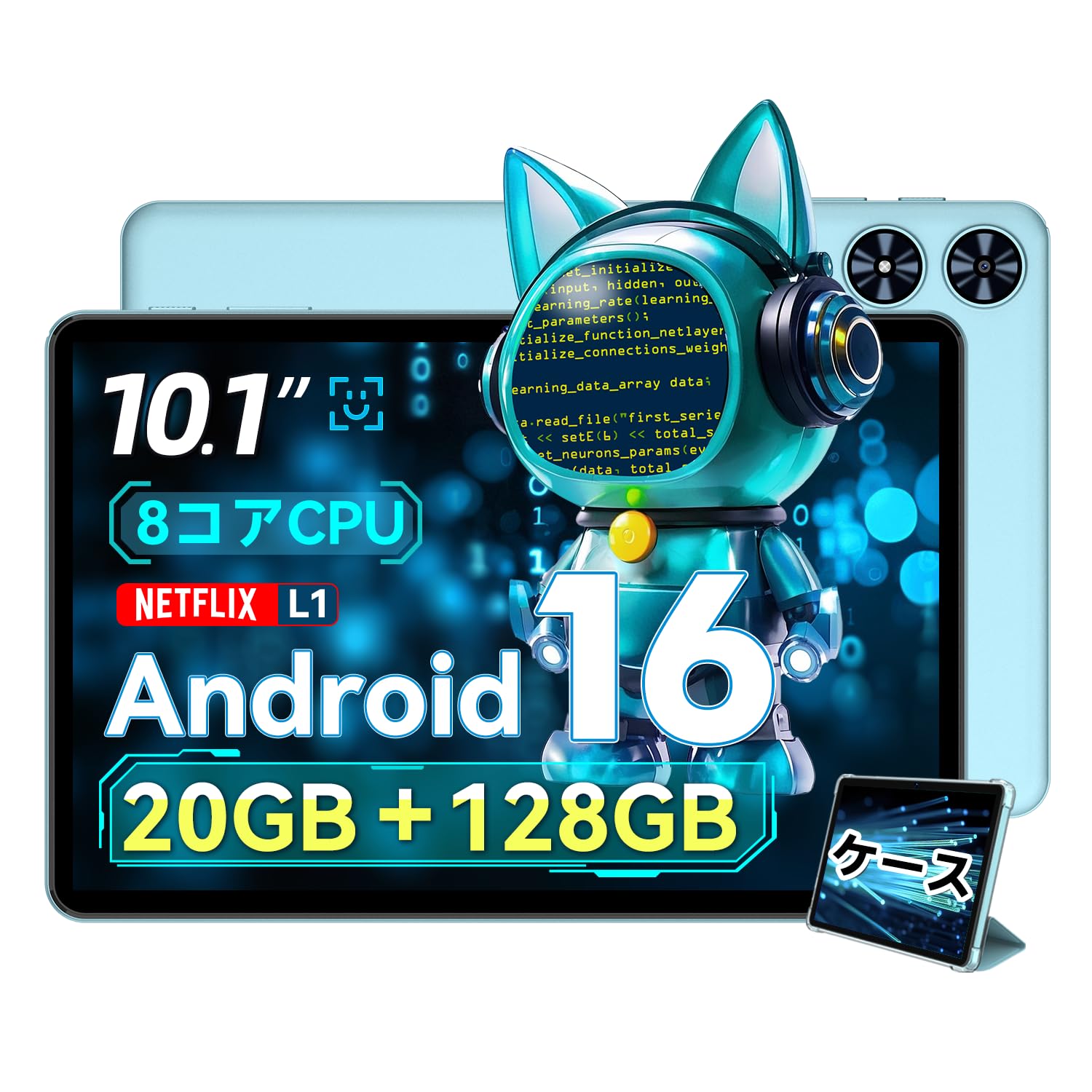
Obrázek 2.1: Přední strana view of the SVITOO P10 tablet, showcasinjeho 10.1palcový displej.

Figure 2.2: The SVITOO P10 tablet with on-screen graphics highlighting its 10.1-inch display, Android 16 OS, Bluetooth 5.0, 128GB storage, 20GB RAM expansion, 2.4G/5G Wi-Fi, 6600mAh battery, and Widevine L1 support.
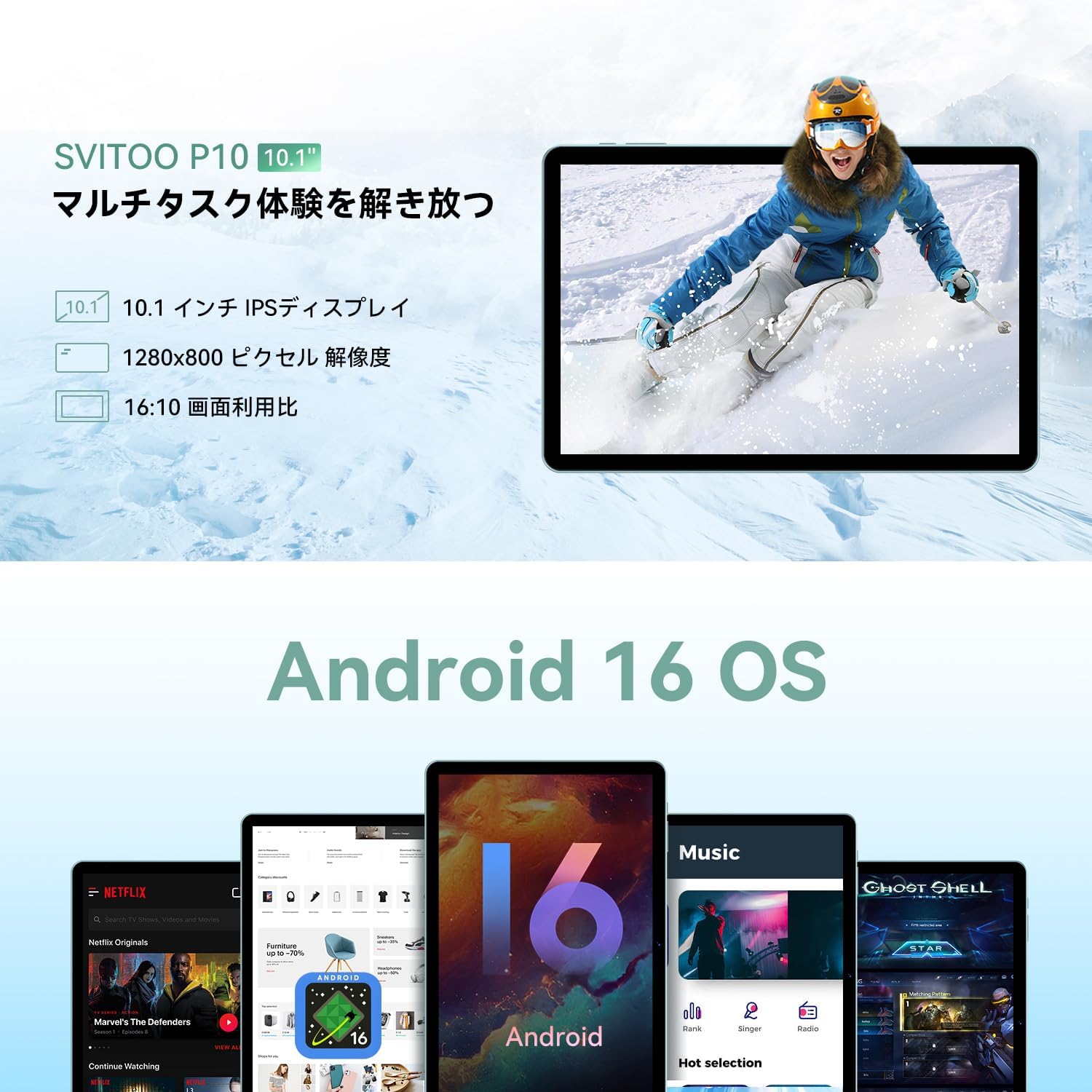
Figure 2.3: The SVITOO P10 tablet displaying a vibrant image, emphasizing its 10.1-inch IPS display, 1280x800 pixel resolution, and 16:10 aspect ratio.

Figure 2.4: Internal components of the SVITOO P10, illustrating the 20GB RAM (4GB + 16GB expandable), 128GB ROM, 1TB microSD card support, and the efficient 8-core CPU (UNISOC T7250 shown in diagram, actual is T615).
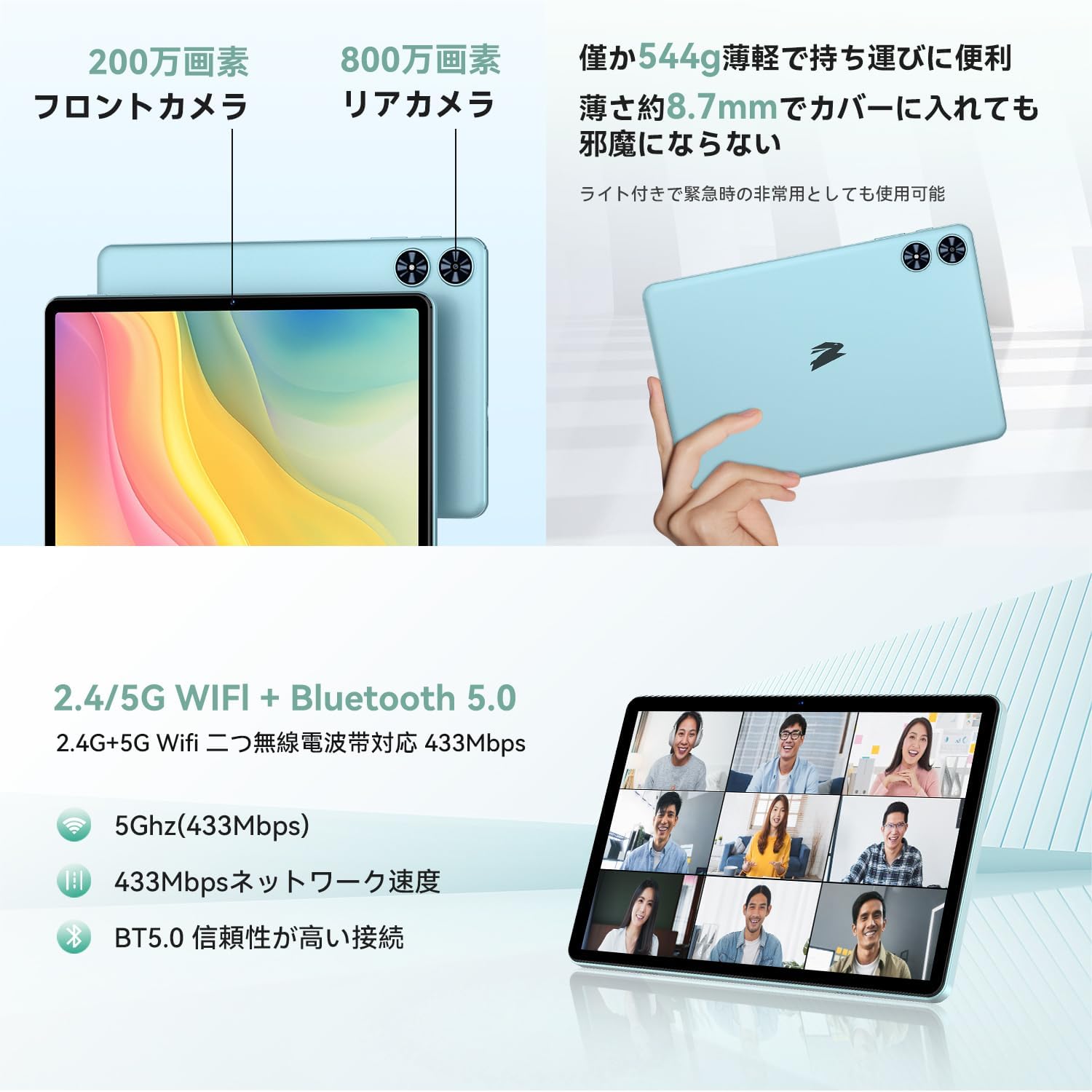
Obrázek 2.5: Zadní a přední strana views of the SVITOO P10 tablet, highlighting the 2MP front camera, 8MP rear camera, 2.4G/5G WiFi, and Bluetooth 5.0. An example of a video conference is shown on the screen.

Figure 2.6: Demonstrates the SVITOO P10's software capabilities, including convenient multi-window, wireless projection, face recognition unlock, and eye protection screen modes (reading mode, blue light reduction).
Produktová videa:
Video 2.1: This video demonstrates how the Android 16 OS on the SVITOO P10 tablet enhances both entertainment and work tasks, showcasing its smooth performance and user-friendly interface.
3. Nastavení
3.1. Rozbalení a počáteční kontrola
Upon receiving your SVITOO P10 tablet, carefully open the package and ensure all components are present:
- SVITOO P10 Tablet
- Nabíjecí kabel USB-C
- Napájecí adaptér
- USB-C na 3.5mm audio adaptér
- Uživatelská příručka
- SIM Ejector Pin (for microSD card slot)
Inspect the tablet for any physical damage. The screen comes with a pre-applied protective film.
3.2. Zapnutí/vypnutí
- Zapnutí: Press and hold the Power button (located on the side) until the SVITOO logo appears on the screen.
- Vypnutí: Press and hold the Power button, then select 'Power off' from the options that appear.
- Restartovat: Stiskněte a podržte tlačítko napájení a poté z možností vyberte „Restartovat“.
3.3. Průvodce počátečním nastavením
The first time you power on your tablet, you will be guided through an initial setup process:
- Vyberte preferovaný jazyk.
- Připojte se k síti Wi-Fi.
- Přihlaste se pomocí svého účtu Google nebo si vytvořte nový.
- Dokončete nastavení podle pokynů na obrazovce.
3.4. Vložení karty MicroSD
To expand your tablet's storage:
- Vyhledejte slot pro kartu SIM/microSD na boku tabletu.
- Insert the provided SIM ejector pin into the small hole next to the tray to open it.
- Place your microSD card (up to 1TB, sold separately) into the designated slot on the tray.
- Jemně zatlačte zásobník zpět do tabletu, dokud nezacvakne na místo.
4. Návod k obsluze
4.1. Základní navigace
The SVITOO P10 uses standard Android touch gestures:
- Klepněte na: Vyberte položku nebo otevřete aplikaci.
- Výpad: Procházení obrazovek nebo seznamů.
- Štípání: Přiblížení nebo oddálení fotografií a web stránky.
- Dlouhé stisknutí: Přístup k kontextovým nabídkám nebo přesun ikon.
4.2. Nastavení displeje
Upravte si svůj viewzkušenosti:
- Jas: Swipe down from the top of the screen to access Quick Settings, then adjust the brightness slider.
- Tmavý režim: Přejít na Settings > Display > Dark theme to enable or disable dark mode for a more comfortable viewing experience in low light.
- Režim čtení: Activate reading mode (often found in Quick Settings or Display settings) to reduce eye strain during prolonged reading.
4.3. Konektivita
- Wi-Fi: Přejít na Nastavení > Síť a internet > Wi-Fi to connect to available networks. The tablet supports 2.4G and 5G bands.
- Bluetooth: Přejít na Nastavení > Připojená zařízení > Bluetooth to pair with Bluetooth 5.0 devices like headphones, speakers, or keyboards.
- GPS: The built-in GPS allows for accurate location tracking and navigation using map applications.
4.4. Multimédia
- Živé vysílání videa: With Widevine L1 support, enjoy high-definition content from popular streaming services.
- Zvuk: The tablet features quad speakers for immersive sound. A 3.5mm headphone jack is also available via the included adapter.
4.5. Použití fotoaparátu
The SVITOO P10 is equipped with an 8MP rear camera and a 2MP front camera.
- Otevřete Fotoaparát aplikaci z domovské obrazovky nebo ze zásuvky aplikací.
- Přepínejte mezi předním a zadním fotoaparátem pomocí ikony fotoaparátu.
- Klepnutím na tlačítko spouště pořídíte fotografii nebo nahrajete video.
4.6. Productivity Features
- Rozdělená obrazovka: Use the split-screen function to run two apps side-by-side for enhanced multitasking.
- Bezdrátová projekce: Easily connect your tablet to a larger TV or display wirelessly for a broader visual experience.
4.7. Security and Parental Controls
- Rozpoznávání obličejů: Nastavte rozpoznávání obličeje v Nastavení > Zabezpečení a soukromí > Odemknutí obličejem to quickly and conveniently unlock your device.
- Rodičovská kontrola: Utilize the parental control features to manage screen time, app access, and prevent unauthorized purchases when children use the tablet.
5. Údržba
5.1. Nabíjení baterie
Charge your SVITOO P10 tablet using the provided USB-C cable and power adapter. The durable Type-C port ensures reliable charging. Avoid using damaged cables or chargers.
5.2. Správa úložiště
Regularly manage your tablet's storage to maintain optimal performance. Delete unnecessary files and apps, or offload large media files to your microSD card (up to 1TB) or cloud storage.
5.3. Čištění zařízení
Use a soft, lint-free cloth to clean the screen and body of your tablet. Avoid using harsh chemicals or abrasive materials that could damage the device.
6. Řešení problémů
If you encounter issues with your SVITOO P10 tablet, refer to the following common solutions:
6.1. Zařízení se nezapíná
- Ujistěte se, že je baterie nabitá. Připojte tablet k nabíječce alespoň na 30 minut.
- Stiskněte a podržte tlačítko napájení po dobu 10–15 sekund pro vynucení restartu.
6.2. Problémy s připojením k Wi-Fi
- Zkontrolujte, zda je v Nastavení > Síť a internet > Wi-Fi.
- Restartujte Wi-Fi router.
- Zapomeňte na síť a znovu se připojte zadáním hesla.
6.3. Pády aplikací nebo pomalý výkon
- Zavřete aplikace na pozadí.
- Clear the cache of problematic apps (Nastavení > Aplikace > [Název aplikace] > Úložiště a mezipaměť > Vymazat mezipaměť).
- Ensure your tablet's software is up to date (Nastavení > Systém > Aktualizace systému).
- Pokud problémy přetrvávají, zvažte obnovení továrního nastavení (Nastavení > Systém > Možnosti resetování > Vymazat všechna data (obnovení továrního nastavení)). Warning: This will delete all data on your tablet. Back up important information first.
7. Specifikace
| Funkce | Specifikace |
|---|---|
| Značka | SVITOO |
| Název modelu | P10 |
| Operační systém | Android 16 (GMS certified) |
| Značka CPU | Unisoc |
| Rychlost CPU | 1.8 GHz |
| Grafický akcelerátor | Mali-G57 |
| Velikost displeje | 10.1 palce |
| Rozlišení displeje | 1280x800 pixelů |
| Kapacita paměti | 128 GB |
| Rozšiřitelné úložiště | Až 1 TB přes microSD kartu |
| Přední kamera | 2 MP |
| Zadní kamera | 8 MP |
| Bezdrátový typ | 802.11a/g/n/ac (2.4G/5G Wi-Fi) |
| Typ připojení | Bluetooth 5.0, GPS |
| Kapacita baterie | 6600 XNUMX mAh |
| Nabíjecí port | USB-C |
| Audio port | 3.5mm Headphone Jack (via adapter) |
| Hmotnost položky | 1.05 kg |
| Rozměry balení | 32.4 x 20.3 x 2.9 cm |
8. Záruka a podpora
8.1. Záruka výrobce
The SVITOO P10 tablet comes with a 1letá záruka výrobce. Tato záruka se vztahuje na vady materiálu a zpracování při běžném používání.
Returns or exchanges are accepted for defects found before use (after unboxing) or for initial defects discovered after use.
8.2. Zákaznická podpora
For any inquiries, technical support, or warranty claims, please contact SVITOO customer service through your Amazon account:
- Přihlaste se ke svému účtu Amazon.
- Go to 'Order History'.
- Locate your SVITOO P10 tablet order.
- Click 'Contact Seller' to reach our support team.