
Zavedení
This manual provides comprehensive instructions for the ZdalaMit Replacement Remote Control, designed for seamless operation with various WBox Technologies 4K Ultra HD LED TV models. This remote control is a direct replacement and requires no programming.
Compatible WBox Technologies TV Models:
- 0E-32LED
- 0E-65LED
- 0E-43LED4K
- 0E-49LED4K
- 0E-55LED
- 0E-65LED4K
- 0E-55LED4K
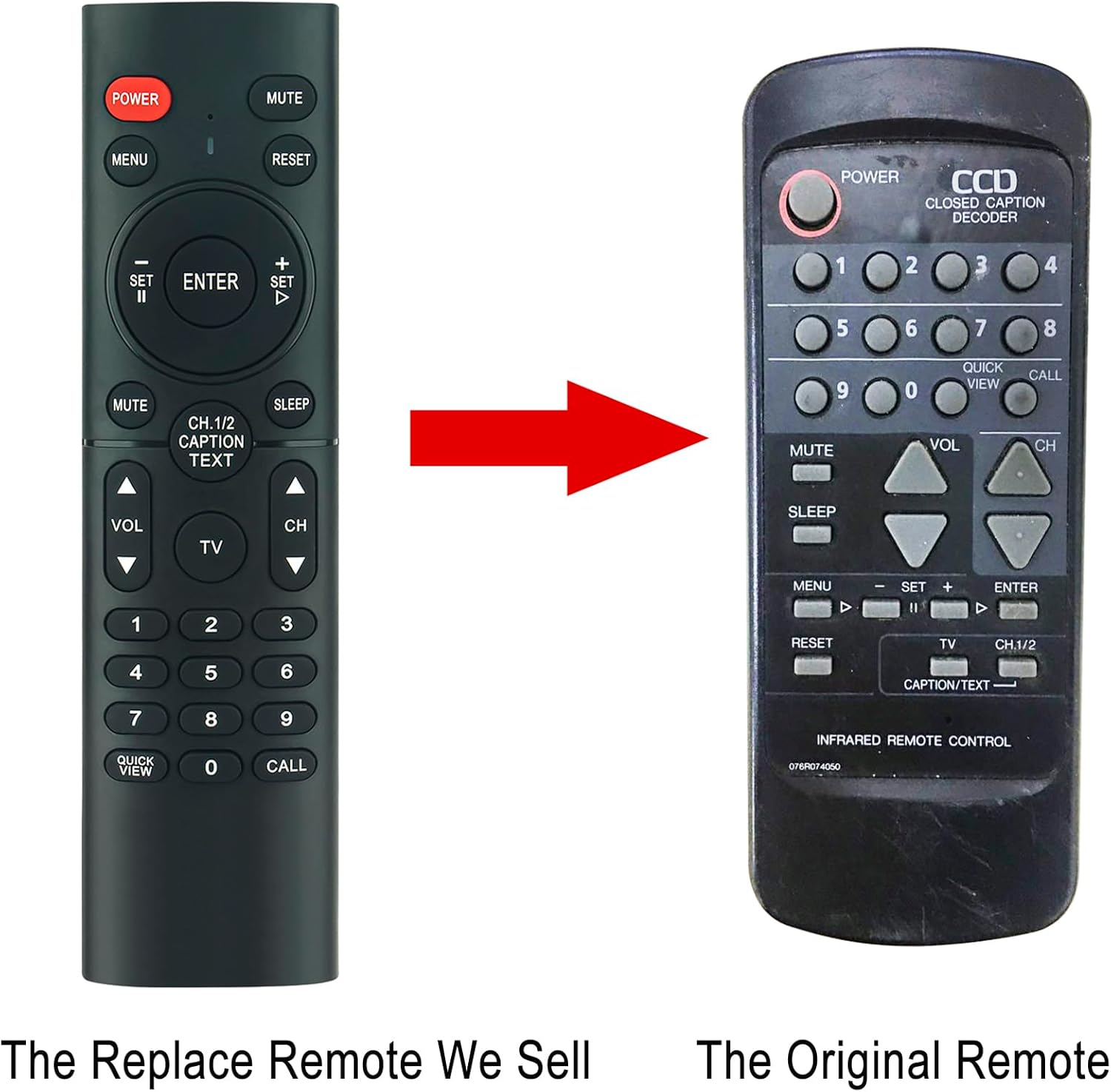
Image: Comparison of the ZdalaMit replacement remote (left) and an original remote (right).
Pokyny pro nastavení
The ZdalaMit Replacement Remote Control is designed for immediate use without any complex setup procedures. Simply install the batteries, and it is ready to operate your compatible WBox Technologies TV.
Instalace baterie
- Najděte přihrádku na baterie na zadní straně dálkového ovladače.
- Vysuňte kryt přihrádky na baterie.
- Insert two (2) AAA size alkaline batteries, ensuring the positive (+) and negative (-) terminals align correctly with the markings inside the compartment.
- Bezpečně zavřete kryt bateriového prostoru.
Important: Batteries are not included with the remote control. Always use new alkaline batteries for optimal performance.
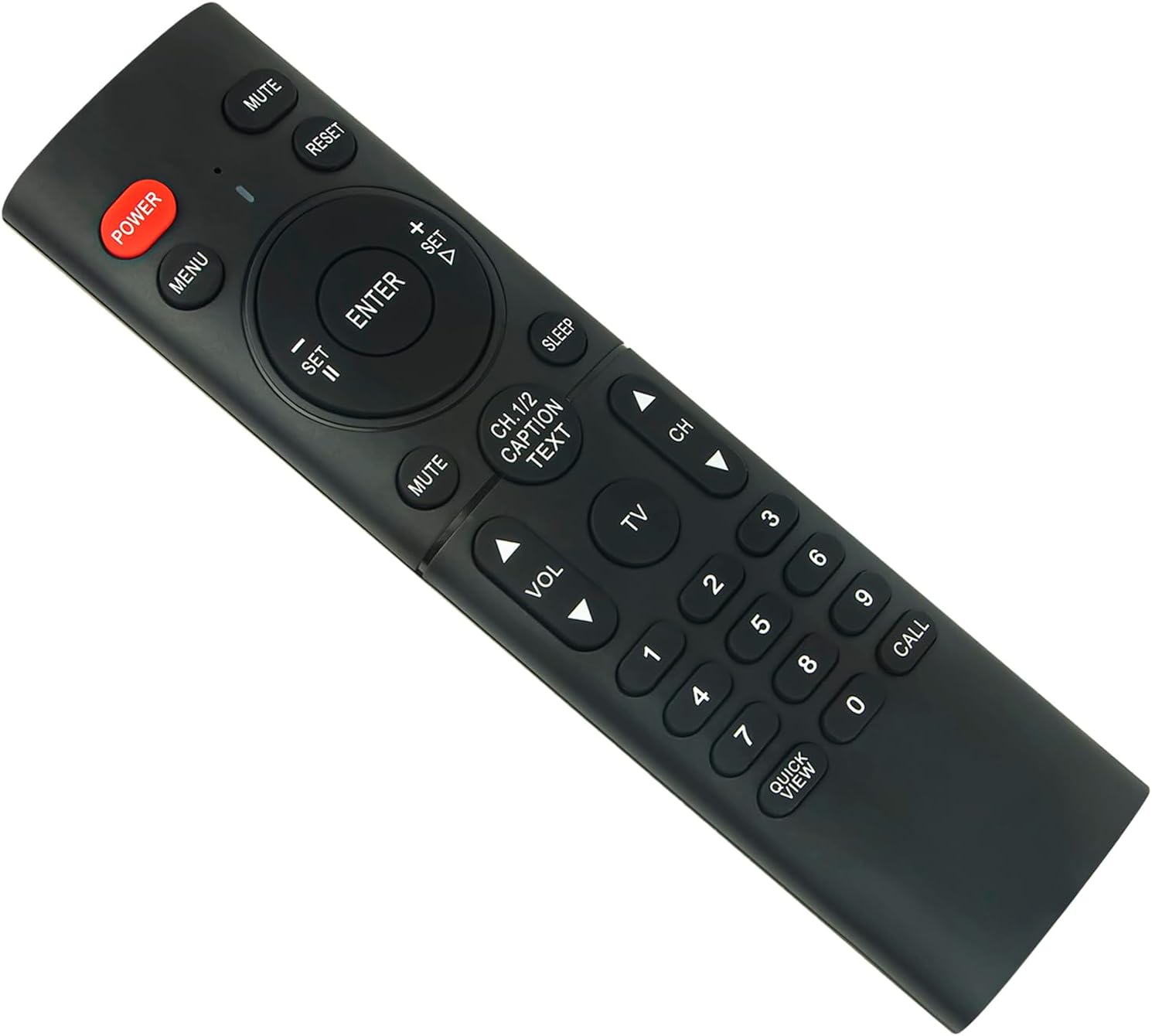
Obrázek: Přední strana view dálkového ovladače, znázorňující rozložení tlačítek.
Obsluha dálkového ovládání
Once batteries are installed, the remote control is ready to operate your WBox Technologies TV. Point the remote directly at the TV's infrared receiver for best results.
Klíčové funkce:
- MOC: Zapíná nebo vypíná televizor.
- ZTLUMIT: Ztlumí nebo zruší ztlumení zvuku televizoru.
- JÍDELNÍ LÍSTEK: Přístup k hlavní nabídce televizoru.
- RESETOVÁNÍ: Resets certain TV settings (refer to your TV's manual for specific functions).
- Navigation Pad (Up/Down/Left/Right/ENTER): Prochází menu a potvrzuje výběr.
- VOL +/-: Nastavuje úroveň hlasitosti.
- CH +/-: Mění televizní kanály.
- Číselná tlačítka (0-9): Přímý výběr kanálů.
- CH.1/2 CAPTION TEXT: Accesses closed captioning or text functions.
- SPÁT: Sets the TV's sleep timer.
- RYCHLÝ VIEW: Quickly switches between the current and previous channel.
- VOLÁNÍ: May access a specific function depending on the TV model.
Ensure there are no obstructions between the remote control and the TV's infrared sensor for proper signal transmission. The maximum effective range is approximately 33 feet (10 meters).
Údržba
Čištění
Dálkový ovladač jemně otřete měkkým, suchým hadříkem. Nepoužívejte tekuté čisticí prostředky, abrazivní houbičky ani chemická rozpouštědla, protože by mohla poškodit povrch dálkového ovladače nebo jeho vnitřní součásti.
Výměna baterie
Vyměňte baterie, když dálkový ovladač reaguje pomalu nebo přestane fungovat. Vždy vyměňujte obě baterie AAA najednou za nové. Nekombinujte staré a nové baterie ani různé typy baterií.
Remove batteries if the remote control will not be used for an extended period to prevent leakage and potential damage.
Odstraňování problémů
Dálkové ovládání nereaguje
- Zkontrolujte baterie: Ensure batteries are inserted correctly with the correct polarity (+/-). Replace old batteries with new AAA alkaline batteries.
- Přímá viditelnost: Make sure there is a clear line of sight between the remote control and the TV's infrared sensor. Remove any obstructions.
- Vzdálenost: Ujistěte se, že se nacházíte v efektivním provozním dosahu (přibližně 33 metrů).
- Napájení TV: Zkontrolujte, zda je televizor zapnutý a není v pohotovostním režimu.
Konkrétní tlačítka nefungují
- Čistá tlačítka: Sometimes dirt or debris can interfere with button contacts. Gently clean around the buttons with a soft, dry cloth.
- Otestujte další funkce: If only a few buttons are unresponsive, it might indicate a specific issue. If most buttons work, the remote itself is likely functional.
If issues persist after following these steps, refer to the support section for further assistance.
Specifikace
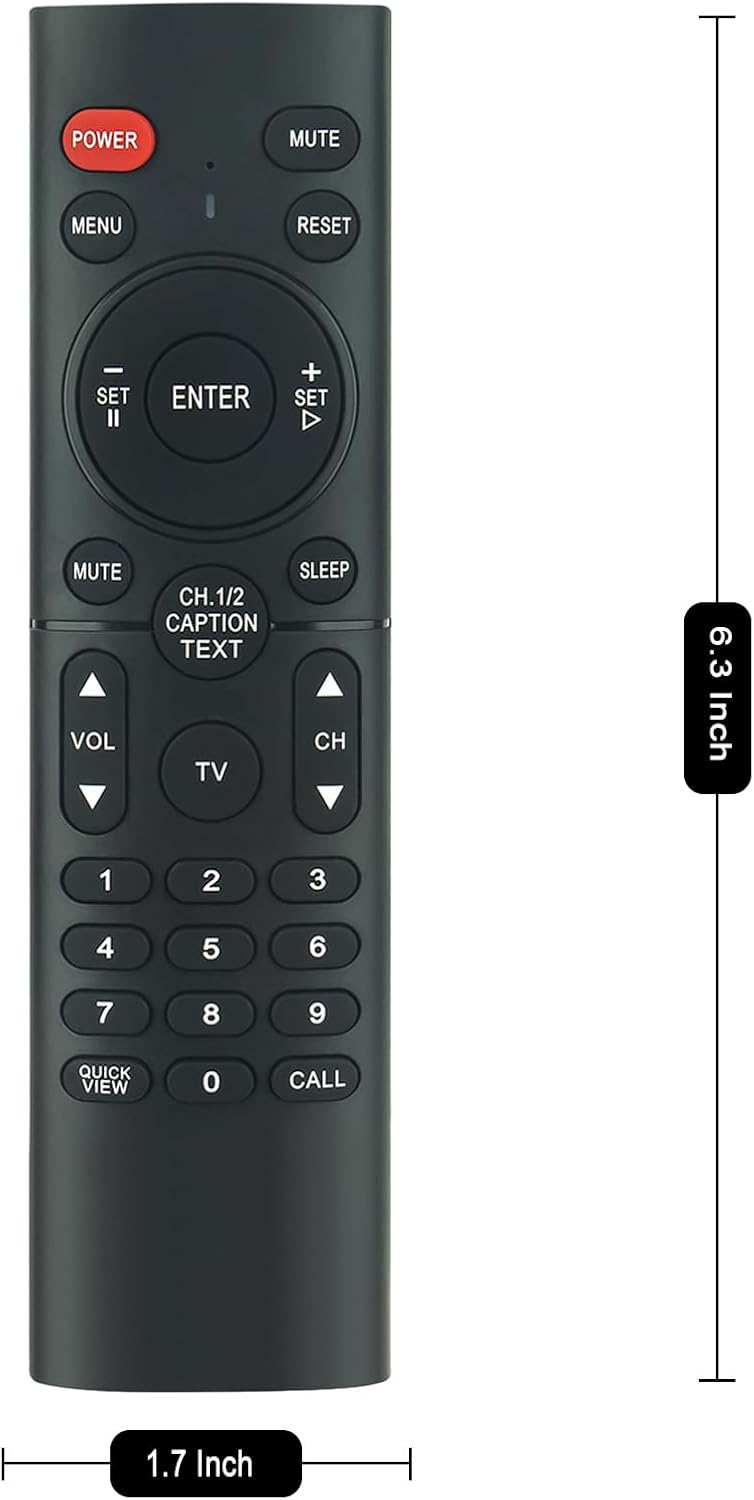
Image: Remote control with indicated dimensions.
| Funkce | Detail |
|---|---|
| Značka | ZdalaMit |
| Speciální funkce | Předprogramováno |
| Barva | Černý |
| Maximální počet podporovaných zařízení | 1 (Televize) |
| Kompatibilní zařízení | WBox Technologies 4K Ultra HD LED TVs |
| Technologie připojení | Infračervený |
| Množství tlačítek | 17 |
| Typ ovladače | Ovládání tlačítkem |
| Maximální dosah | 33 stop (přibližně 10 metry) |
| Typ baterie | 2 x AAA alkalické baterie (nejsou součástí balení) |
| Hmotnost položky | 2.1 unce (přibližně 60 gramu) |
| Rozměry položky (D x Š x V) | 8.3" x 2" x 0.55" (přibližně 21.1 cm x 5.1 cm x 1.4 cm) |
Informace o záruce
This ZdalaMit Replacement Remote Control comes with a 1-letá záruka from the date of purchase. This warranty covers manufacturing defects under normal use. It does not cover damage caused by misuse, accidents, unauthorized modifications, or battery leakage.
Uschovejte si prosím doklad o koupi pro uplatnění záruky.
Podpora
If you encounter any issues not covered in the troubleshooting section or require further assistance, please contact your retailer or the ZdalaMit customer support. When contacting support, please have your product model information and purchase details ready.
For the most up-to-date support information, please refer to the official ZdalaMit webwebu nebo kontaktních údajů uvedených při nákupu.