
1. Úvod
Thank you for choosing the ELUSH 100A MPPT Solar Charge Controller. This device is designed to efficiently manage power from your solar panels to charge various battery types, ensuring optimal performance and longevity of your solar system. It automatically recognizes 12V, 24V, 36V, and 48V systems and features dual USB 5V charging ports for added convenience.
This manual provides essential information for the safe and effective installation, operation, and maintenance of your solar charge controller. Please read it thoroughly before use.

Obrázek 1: Přední strana view of the ELUSH 100A MPPT Solar Charge Controller, showing the LCD display and control buttons.
2. Konec produktuview a funkce
2.1 Superior MPPT Technology
This controller incorporates an advanced Maximum Power Point Tracking (MPPT) algorithm to swiftly track the maximum power point of your photovoltaic (PV) array. This ensures a tracking efficiency of no less than 99.5%, significantly enhancing energy utilization within your solar system. It's important to note that this controller integrates both MPPT and PWM charging technologies, offering high charging efficiency and consistent performance.
2.2 Versatile Design and User Interface
The controller features a multi-function LCD with a backlight display and an integrated clock. It offers seven distinct operating modes to suit various application needs:
- Režim nabíjení
- Režim ovládání světla
- Light Control + Time Delay Control Mode
- Universal Control Mode
- Režim ručního ovládání
- Timing Control Mode
The upgraded version supports precise time control, allowing connected devices to be automatically powered on and off according to user-defined schedules. The screen can also maintain a continuous bright state without entering hibernation or lock mode.
2.3 User-Centric Display and Controls
The LCD dynamically displays operational data and the working status of the equipment. Key parameters visible include:
- Pracovní režim
- Baterie Voltage
- FV nabíjecí proud
- Battery Discharging Current
- Pracovní teplota produktu
- Doba zpoždění
For configuration adjustments or restoring default settings, a 'reset to factory settings' feature is available, providing a quick and effective solution.

Image 2: Diagram illustrating the four major upgrades: accurate time control, screen stays lit, quick restore factory settings, and solar panel voltage displej.
3. Nastavení a instalace
3.1 Important Startup Sequence
WARNING: Incorrect connection order can damage the controller or battery. Always follow these steps:
- First, connect the rechargeable battery to the controller. Ensure the battery has sufficient power.
- After the controller successfully starts up and displays battery information, then connect the solar panel(s) to the controller.
- Finally, connect any DC loads to the controller's load terminals.
3.2 Připojovací svorky
The controller features clearly labeled terminals for solar panel input, battery connection, and DC load output. Additionally, it includes a DC output port and dual USB output ports for charging external devices.

Obrázek 3: Spodní část view of the controller, highlighting the aluminum base plate for heat dissipation and the DC output and dual USB output ports.

Image 4: Diagram illustrating the connection of solar panels, battery, and load to the charge controller, along with the LCD display and USB outputs.
4. Návod k obsluze
4.1 Navigace na LCD displeji
The LCD provides real-time data. Use the 'MENU' button to cycle through different display screens and parameters. The 'RESET' button can be used to restore factory settings when needed.
4.2 Nastavení provozních režimů
The controller offers seven operating modes. Refer to the detailed instructions in the full product manual (if available) for specific configuration of each mode, including light control, time delay, and timing control. The 'ON/OFF' button typically controls the load output.
4.3 Time Control Function
The upgraded time control feature allows users to set precise schedules for powering devices on and off. This can be configured through the controller's menu interface. The screen can be set to remain continuously bright for constant monitoring.
5. Battery Charging Options
The ELUSH 100A MPPT Solar Charge Controller is compatible with a diverse range of battery types, ensuring flexibility for various solar power systems. Supported battery types include:
- Seal (Sealed Lead-Acid)
- GEL
- Flooded (Open Lead-Acid)
- LifePO4 (Lithium Iron Phosphate)
Ensure you select the correct battery type in the controller's settings for optimal charging and battery health.
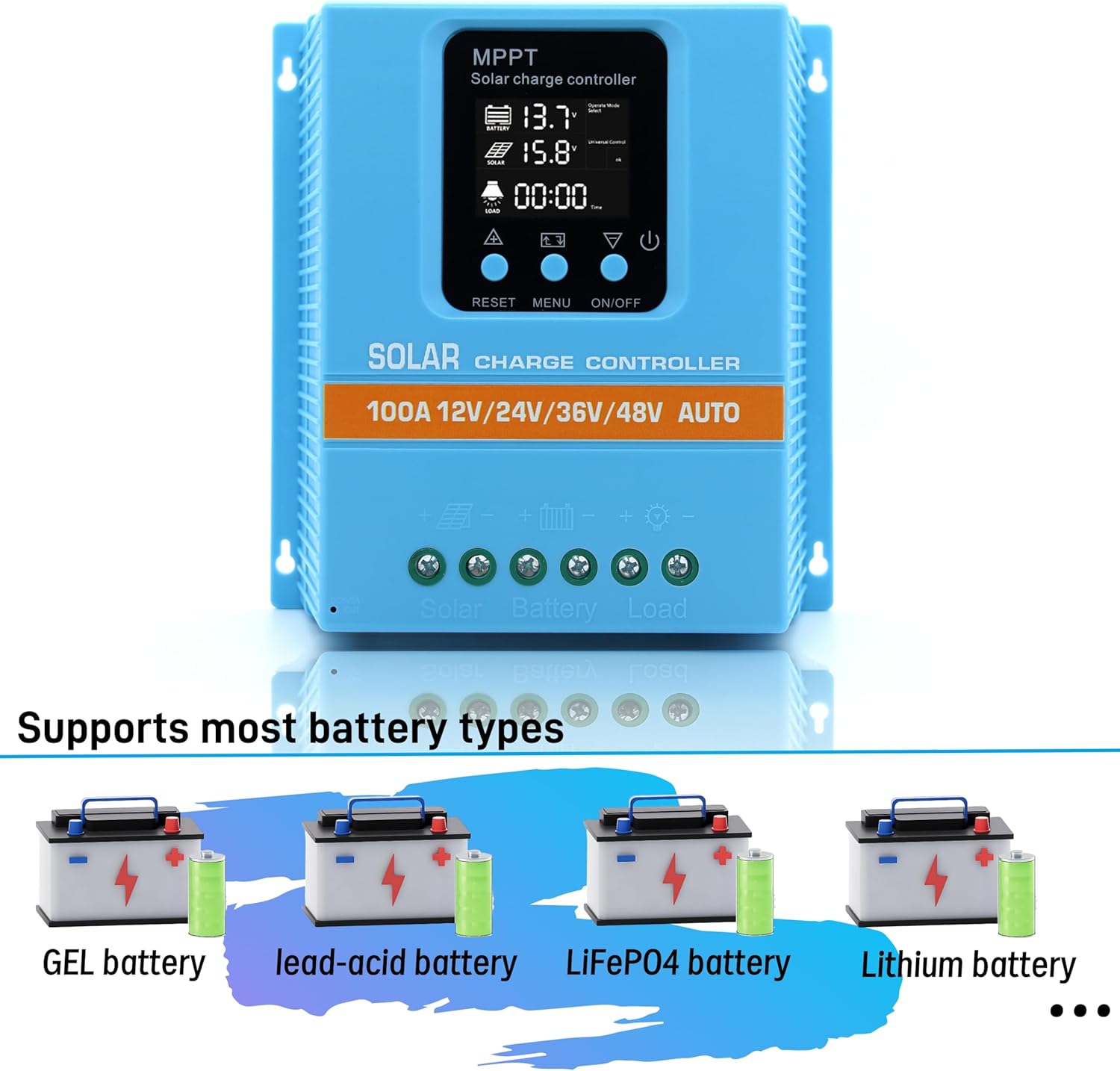
Image 5: Visual representation of the controller's compatibility with GEL, lead-acid, LiFePO4, and Lithium battery types.
6. Bezpečnostní a ochranné prvky
The MPPT solar controller is equipped with comprehensive voltage protection mechanisms to safeguard your system and ensure reliable operation. These include:
- Baterie Over-Voltage Ochrana
- Ochrana proti nadproudu
- Ochrana proti výpadku napájení
- Ochrana proti přebití
- Ochrana proti hlubokému vybití
- Ochrana proti zpětnému připojení
- Ochrana proti přehřátí
The device also displays the real-time voltage of the solar panel, allowing users to monitor energy input and assist in troubleshooting any potential issues.
7. Údržba
To ensure the long-term performance and reliability of your ELUSH 100A MPPT Solar Charge Controller, consider the following maintenance guidelines:
- Pravidelná kontrola: Pravidelně kontrolujte všechna kabelová připojení, abyste se ujistili, že jsou bezpečná a bez koroze.
- Čistota: Udržujte ovladač čistý a bez prachu a nečistot. K čištění používejte suchý hadřík.
- Větrání: Ensure the installation location provides adequate ventilation to prevent overheating, especially given the aluminum base plate designed for heat dissipation.
- Podmínky prostředí: Protect the controller from direct sunlight, moisture, and extreme temperatures outside its operating range.
8. Řešení problémů
Pokud narazíte na problémy se solárním regulátorem nabíjení, zvažte následující běžné kroky pro řešení problémů:
8.1 Device Not Starting or Displaying Data
- Zkontrolujte připojení baterie: Ensure the rechargeable battery is connected first and has sufficient power to activate the controller. The controller requires battery power to operate.
- Verify Solar Panel Connection: Confirm that solar panels are connected correctly po baterie.
- Zkontrolujte kabeláž: Check all wiring for loose connections, breaks, or incorrect polarity.
8.2 Low Charging Efficiency
- Výstup solárního panelu: Ensure solar panels are clean, unobstructed, and receiving adequate sunlight.
- Nastavení typu baterie: Verify that the correct battery type is selected in the controller's settings.
- System Voltage: Confirm that the system voltage (12V/24V/36V/48V) is correctly recognized by the controller.
- Hybridní technologie: Remember that this controller integrates both MPPT and PWM technologies. While efficient, its performance characteristics may differ from pure MPPT controllers.
8.3 Load Not Functioning
- Check Load Connection: Ensure the load is correctly connected to the load terminals.
- Režim zatížení: Verify the operating mode (e.g., light control, timing control) is correctly configured and enabled.
- Baterie Voltage: Pokud baterie objtage is too low, the controller may disconnect the load to protect the battery from deep discharge.
9. Specifikace
The following table outlines the technical specifications for the ELUSH 100A MPPT Solar Charge Controller:
| Funkce | Specifikace |
|---|---|
| Baterie Voltage | 12V/24V/36V/48V Auto |
| Nabíjecí proud | 100A |
| Max Solar Input (Voc) | 15-25V (12V Battery); 30-50V (24V Battery); 45-75V (36V Battery); 60-100V (48V Battery) |
| Maximální FV vstupní výkon | 1200W (12V Battery); 2400W (24V Battery); 3600W (36V Battery); 4800W (48V Battery) |
| USB port | DC 5V/1.5A x 2 USB |
| Provozní teplota | -25 °C až 55 °C |
| Typ zobrazení | LCD |
| Výrobce | ELUSH |
| Rozměry balení | 8.5 x 8.23 x 2.83 palce |
| Hmotnost položky | 2.09 liber (0.95 kilogramů) |
| Barva | Modrý |
| Materiál | Plast |

Image 6: Dimensions of the ELUSH 100A MPPT Solar Charge Controller (7.6in x 7.3in x 2.6in).
10. Záruka a podpora
The ELUSH 100A MPPT Solar Charge Controller comes with a 1-letá záruka and lifetime technical support. Should you require assistance, have questions, or encounter any issues, please do not hesitate to contact the ELUSH support team. Our engineers are available to provide advice and solutions.