
Zavedení
Thank you for choosing the SUNITEC BH880 Wireless Headset. This manual provides detailed instructions for setting up, operating, and maintaining your headset to ensure optimal performance and longevity. The BH880 headset is designed for clear communication and comfortable use in various environments, featuring advanced noise-cancelling technology and multiple connectivity options.

Image: SUNITEC BH880 Wireless Headset, showcasing its design with an adjustable microphone boom.
Co je v krabici
Ověřte, zda jsou v balení přítomny všechny položky:
- 1 x SUNITEC BH880 Bluetooth Computer Headset with Microphone
- 1 x nabíjecí kabel typu C
- 1 x Bluetooth Audio USB-A Dongle Adapter
- 1 x 3.5 mm audio kabel
- 1 x Uživatelská příručka (tento dokument)

Image: The SUNITEC BH880 headset, USB-C charging cable, USB-A dongle, and 3.5mm audio cable, illustrating the package contents.
Konec produktuview
Familiarize yourself with the components and controls of your SUNITEC BH880 headset.
Klíčové vlastnosti:
- Mikrofon s potlačením hluku s umělou inteligencí: Blocks 99% of ambient noise for clear voice transmission.
- Čipová sada Qualcomm QCC3034: Provides stable and fast Bluetooth transmission with aptX HD and aptX LL support.
- Pohodlný design: Soft dual ear pads and an adjustable headband for extended wear.
- 270° Rotatable Boom Microphone: Can be positioned on either the left or right side.
- Dlouhá výdrž baterie: Až 45 hodiny hovoru na jedno nabití.
- Vícenásobné připojení: Bluetooth, USB Dongle, and 3.5mm wired connection.

Image: Close-up of the memory foam earpads, highlighting the comfort feature of the headset.

Image: Detail of the individual mute button located on the microphone boom.

Obrázek: Interní view highlighting the Qualcomm QCC3034 chipset, responsible for stable and fast connections.
Nastavení
1. Nabíjení náhlavní soupravy
Before first use, fully charge the headset. Connect the Type-C charging cable to the headset's charging port and the other end to a USB power source (e.g., computer USB port, wall adapter). The LED indicator will show charging status. A full charge takes approximately 2 hours and provides up to 45 hours of talk time or 400 hours of standby time.
2. Zapnutí/vypnutí
- Zapnutí: Stiskněte a několik sekund podržte tlačítko napájení, dokud se nerozsvítí LED indikátor.
- Vypnout: Stiskněte a několik sekund podržte tlačítko napájení, dokud LED indikátor nezhasne.
3. Možnosti připojení
The SUNITEC BH880 offers three ways to connect to your devices:
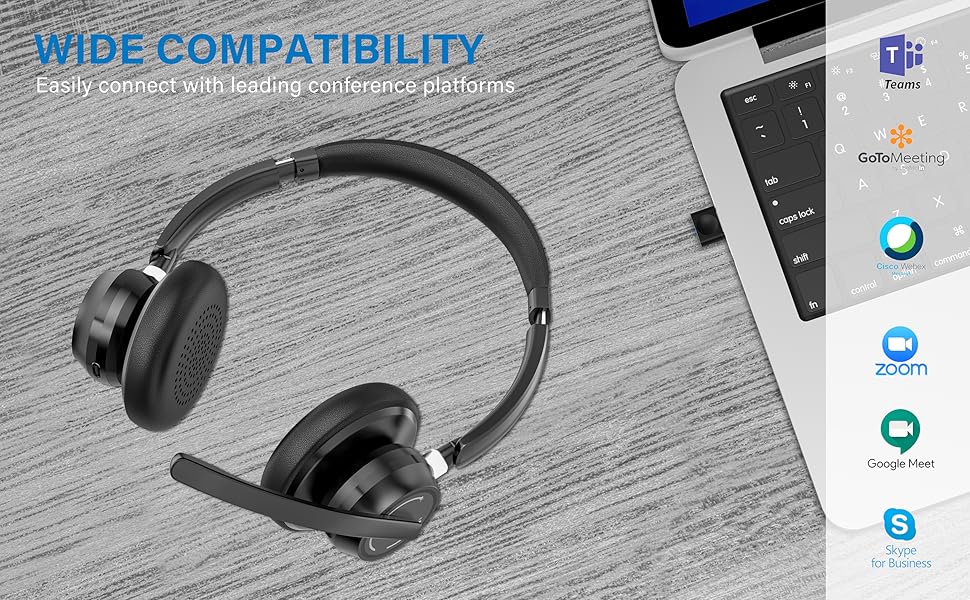
Image: Visual representation of Bluetooth, USB Dongle, and Wired connection methods for the headset.
Připojení Bluetooth:
- Zkontrolujte, zda je náhlavní souprava vypnutá.
- Stiskněte a podržte tlačítko napájení, dokud LED indikátor nezačne střídavě blikat modře a červeně, což signalizuje režim párování.
- Na svém zařízení (chytrý telefon, tablet, počítač) povolte Bluetooth a vyhledejte nová zařízení.
- Select "SUNITEC BH880" from the list of available devices.
- Po připojení bude LED indikátor pomalu blikat modře.
Připojení USB dongle:
This method is ideal for computers without built-in Bluetooth or for a more stable connection.
- Plug the USB-A Dongle Adapter into an available USB port on your computer.
- Power on the SUNITEC BH880 headset. It will automatically attempt to connect to the dongle.
- The LED indicator on the dongle and headset will show a solid blue light once connected.
- You may need to select the "SUNITEC BH880" as the audio input/output device in your computer's sound settings.

Image: A USB dongle being inserted into a laptop's USB port, demonstrating the dongle connection method.
Kabelové připojení:
Use the included 3.5mm audio cable to connect the headset directly to devices with a 3.5mm audio jack. Note that the microphone function is not available when using the 3.5mm wired connection; the headset will function as headphones only.

Image: The headset shown with logos of popular communication platforms like Teams, Zoom, Google Meet, and Skype, indicating wide compatibility.
Návod k obsluze
Základní funkce:
- Zvýšení/Snížení hlasitosti: Use the dedicated volume buttons on the earcup.
- Přehrát/pozastavit: Stiskněte jednou multifunkční tlačítko.
- Další skladba: Stiskněte a podržte tlačítko pro zvýšení hlasitosti.
- Předchozí skladba: Stiskněte a podržte tlačítko snížení hlasitosti.
Funkce volání:
- Přijmout/ukončit hovor: Stiskněte jednou multifunkční tlačítko.
- Odmítnout hovor: Stiskněte a podržte multifunkční tlačítko po dobu 2 sekund.
- Znovu vytočit poslední číslo: Dvakrát stiskněte multifunkční tlačítko.
Funkce ztlumení mikrofonu:
The headset features an individual mute button on the microphone boom for quick privacy control.
- Ztlumit/Zapnout: Press the mute button on the microphone boom. The LED indicator on the microphone will show red when muted.
- Poznámka: For PC platforms, microphone mute functionality may also be controlled via the software application (e.g., Zoom, Teams).
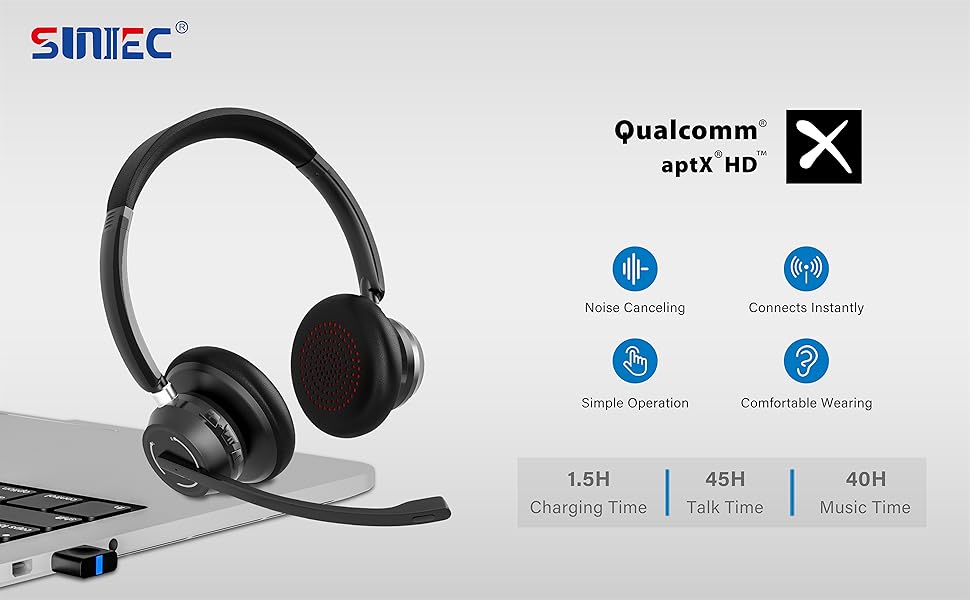
Image: A graphic demonstrating how the noise-cancelling microphone filters out background noise for clearer audio output.
Údržba
Proper care ensures the longevity of your SUNITEC BH880 headset.
- Čištění: K čištění sluchátek s mikrofonem používejte měkký, suchý hadřík. Nepoužívejte abrazivní čisticí prostředky ani rozpouštědla.
- Skladování: Sluchátka skladujte na chladném a suchém místě mimo dosah přímého slunečního záření a extrémních teplot.
- Péče o baterie: Abyste prodloužili životnost baterie, vyvarujte se častého úplného vybíjení sluchátek. Pravidelně je nabíjejte, i když je delší dobu nepoužíváte.
- Vyhněte se vlhkosti: Sluchátka nejsou voděodolná. Chraňte je před tekutinami a vysokou vlhkostí.
Odstraňování problémů
If you encounter issues with your SUNITEC BH880 headset, refer to the following common solutions:
| Problém | Řešení |
|---|---|
| Sluchátka se nezapínají. | Ensure the headset is charged. Connect it to a power source using the Type-C cable. |
| Nelze spárovat přes Bluetooth. |
|
| Žádný zvuk nebo špatná kvalita zvuku. |
|
| Mikrofon nefunguje. |
|
| USB Dongle not connecting. |
|
Specifikace
| Funkce | Detail |
|---|---|
| Název modelu | BH880 |
| Technologie připojení | Wireless (Bluetooth), Wired (3.5mm), USB Dongle |
| Technologie bezdrátové komunikace | Bluetooth 5.1 |
| Dosah Bluetooth | Až 15 metrů (49 stop) |
| Kontrola hluku | Adaptive Noise Cancellation (Microphone) |
| Velikost zvukového ovladače | 40 milimetrů |
| Typ zvukového ovladače | Dynamický ovladač |
| Impedance | 32 ohmů |
| Tvar sluchátka | Over-Ear |
| Výdrž baterie (doba hovoru) | Až 45 hodin |
| Doba nabíjení | Approximately 2 Hours (Type-C) |
| Hmotnost položky | 280 gramů (9.9 unce) |
| Rozměry produktu | 5.91 x 3.94 x 1.96 palce |
| Materiál | Plast |
| Kompatibilní zařízení | Computers, Communication Software (Skype, Zoom, MS Teams, Google Meet) |
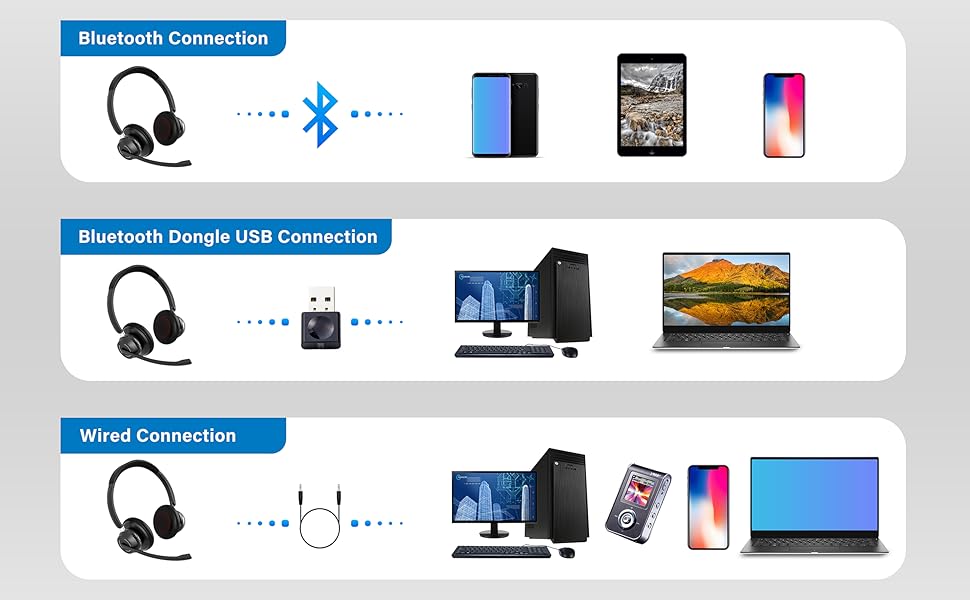
Image: An illustration highlighting the headset's battery performance, indicating up to 45 hours of wireless talk time.
Záruka a podpora
SUNITEC products are designed for reliability and performance. For warranty information or technical support, please refer to the contact details provided with your purchase or visit the official SUNITEC webUschovejte si účtenku jako doklad o koupi pro případ reklamace.
For further assistance, you may contact SUNITEC customer service through their official channels.