
1. Úvod
Děkuji za nákupasing the DOYO Wireless Guitar Controller KT602B. This controller is designed to enhance your gaming experience on PlayStation 3, PlayStation 4, and PC platforms, offering wide compatibility with popular music rhythm games. This manual provides essential information for setup, operation, maintenance, and troubleshooting to ensure optimal performance.

Image 1.1: The DOYO Wireless Guitar Controller and its accompanying USB dongle.
2. Konec produktuview
Familiarize yourself with the components and controls of your DOYO Wireless Guitar Controller.

Image 2.1: Labeled diagram of the DOYO Wireless Guitar Controller, highlighting key components such as the strum bar, fret buttons, and power switch.
Klíčové komponenty:
- Strum Bar: Used for strumming notes.
- 5-Color Fret Buttons: Green, Red, Yellow, Blue, Orange buttons on the neck for playing notes.
- Whammy Bar: For pitch bending effects.
- Snímač náklonu: Activates Star Power or similar in-game abilities by tilting the guitar.
- Tlačítko herního režimu: Switches between different game modes or functions.
- Sound Effect Switch: Controls sound effects.
- Arrow Keys (D-Pad): Pro navigaci v menu.
- PS/Mode Keys: PlayStation button or mode selection.
- Key (Select/Esc): Select or Escape function.
- Button (Pause/Start): Pause or Start game.
- Vypínač: Zapíná/vypíná ovladač.
- Přihrádka na baterie: Pojme 4 AA baterií.
- USB přijímač: Wireless dongle for connecting to your console or PC.
- Detachable Neck: Umožňuje snadné skladování a přepravu.
- Adjustable Strap Buckle: For attaching and adjusting the guitar strap.
3. Nastavení
Follow these steps to set up your DOYO Wireless Guitar Controller.
3.1. Montáž
- Attach the Neck: Carefully slide the guitar neck into the body of the guitar until it clicks securely into place. Ensure the connection is firm.

Image 3.1: Illustration of the detachable guitar neck being assembled into the main body of the controller.
3.2. Instalace baterie
- Vyhledejte přihrádku na baterie na zadní straně těla kytary.
- Otevřete kryt bateriového prostoru.
- Vložte 4 baterie AA, dbejte na správnou polaritu (+/-).
- Bezpečně zavřete kryt bateriového prostoru.
3.3. Připojení k vašemu zařízení
- Plug the USB receiver into an available USB port on your PlayStation 3, PlayStation 4, or PC.
- Flip the Power Switch on the guitar controller to the 'ON' position.
- The controller will automatically connect to the USB receiver. No manual pairing is required.

Image 3.2: Diagram illustrating the wireless connection of the guitar controller to PC, PS4, and PS3 via the USB dongle.
4. Návod k obsluze
This section details how to use your guitar controller during gameplay.
4.1. Základní hratelnost
- Hraní not: Hold down the corresponding fret button(s) and strum the strum bar.
- Whammy Bar: Use the whammy bar to alter the pitch of sustained notes.
- Star Power/Overdrive: Tilt the guitar upwards to activate in-game special abilities when available.
4.2. Ovládací tlačítka
- Tlačítko herního režimu: Press to cycle through different operational modes if applicable to your game or system.
- Sound Effect Switch: Toggle this switch to enable or disable specific sound effects from the controller.
- PS/Mode Keys: Functions as the PlayStation button on consoles or for mode selection on PC.
- Select/Esc Button: Used for menu selections or to exit certain screens.
- Tlačítko Pauza/Start: Used to pause or start gameplay.
4.3. PC Specific Operation
When connected to a Windows 10 or Windows 11 PC, the guitar controller automatically operates in keyboard and mouse mode. This means the fret buttons and other controls are mapped to specific keyboard keys. This allows for compatibility with games like Fortnite and Clone Hero.
Poznámka: Windows 7 is not supported. For PC, the controller typically functions as Player 1. Using a second guitar may require specific in-game settings adjustments, and some games might not fully support two controllers simultaneously in this mode.
5. Kompatibilita
The DOYO Wireless Guitar Controller KT602B offers broad compatibility across various platforms and game titles.
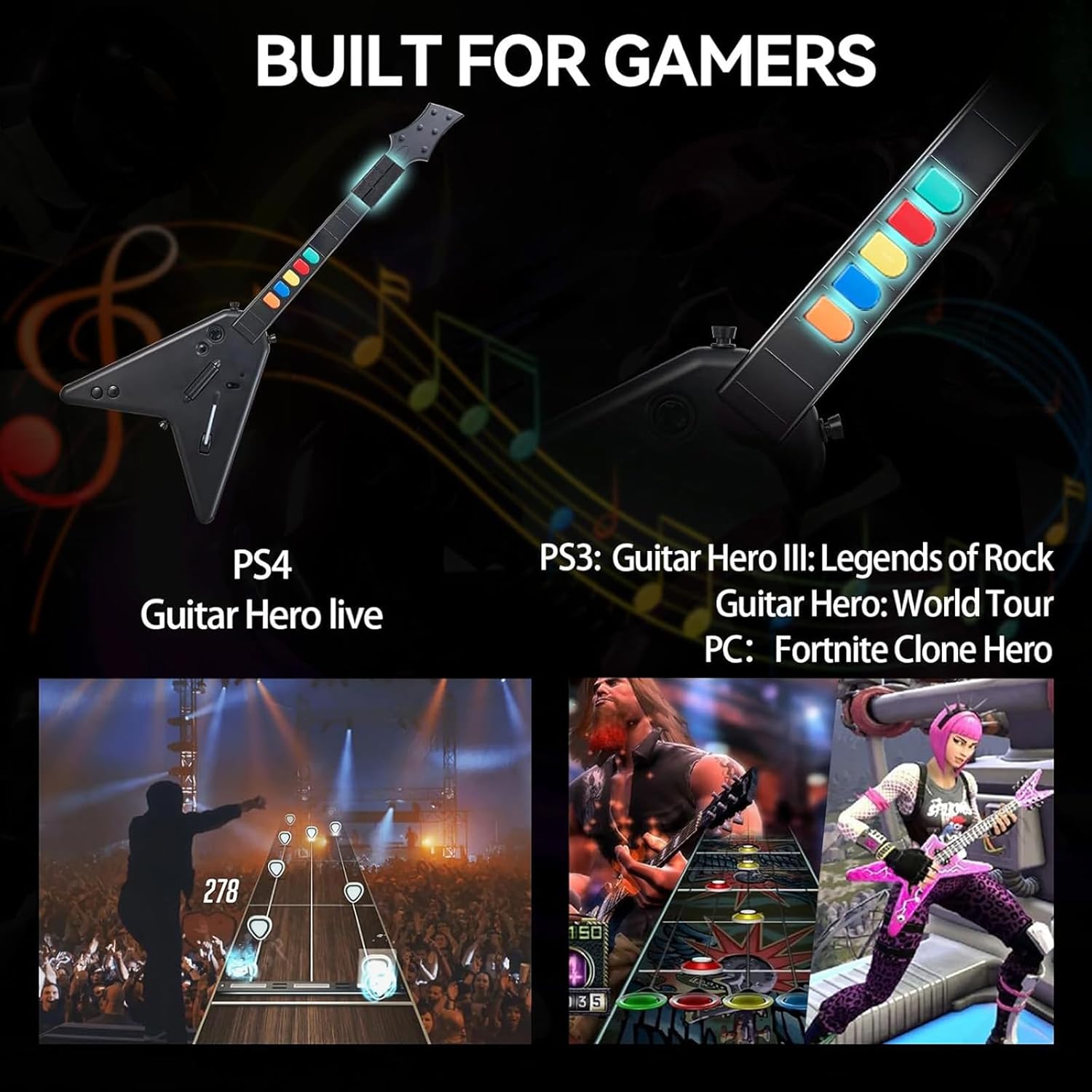
Image 5.1: Visual representation of the guitar controller's compatibility with various games on PS4, PS3, and PC.
- PlayStation 3 (PS3): Compatible with Guitar Hero III: Legends of Rock, Guitar Hero: World Tour, and Rock Band.
- PlayStation 4 (PS4): Supports Guitar Hero Live. Note: Not compatible with Rock Band 4.
- Počítač (Windows 10/11): Works with games such as Fortnite and Clone Hero.
6. Řízení spotřeby
The controller is powered by 4 AA batteries. To conserve battery life, always turn the power switch to the 'OFF' position when not in use. If the controller will not be used for an extended period, it is recommended to remove the batteries.
7. Údržba
Proper care will extend the life of your guitar controller.
- Čištění: K čištění povrchu ovladače používejte měkký, suchý hadřík. Nepoužívejte agresivní chemikálie ani abrazivní materiály.
- Skladování: When not in use, store the controller in a cool, dry place. The detachable neck feature allows for more compact storage.
- Zacházení: Zabraňte pádu ovladače nebo jeho vystavení silným nárazům.
8. Řešení problémů
If you encounter issues with your DOYO Wireless Guitar Controller, refer to the following common problems and solutions.
| Problém | Možná příčina | Řešení |
|---|---|---|
| Ovladač se nezapne. | Vybité nebo nesprávně vložené baterie. | Vyměňte za nové baterie typu AA a dbejte na správnou polaritu. |
| Ovladač se nepřipojuje k zařízení. | USB receiver not plugged in; controller out of range; interference. | Ensure USB receiver is firmly plugged in. Move controller closer to receiver (within 7 meters). Check for other 2.4Ghz devices causing interference. |
| Tlačítka nereagují nebo se zasekávají. | Debris under buttons; internal mechanism issue. | Ensure buttons are clean. If issue persists, contact customer support. |
| Ovladač se často odpojuje. | Low batteries; signal interference; distance from receiver. | Replace batteries. Reduce distance to receiver. Minimize other wireless device usage. |
| PC issues (e.g., 'sticky keys' pop-up). | Default keyboard key bindings (e.g., Orange button mapped to 'Left Shift'). | Adjust in-game key bindings if possible. For Windows 'sticky keys', disable the feature in Windows accessibility settings. |
| Second guitar not working on PC. | PC mode often defaults to Player 1; specific game limitations. | Check game settings for multi-controller support. Some games may not support two controllers simultaneously when operating in keyboard emulation mode. |
9. Specifikace
| Funkce | Detail |
|---|---|
| Číslo modelu | KT602B |
| Konektivita | Bezdrátové 2.4G (USB adaptér) |
| Bezdrátové Dosah | Až 7 metrů |
| Zdroj napájení | 4 x AA baterie |
| Kompatibilita | PlayStation 3, PlayStation 4, PC (Windows 10/11) |
| Rozměry (balení) | 18.54 x 14.41 x 3.23 palce |
| Hmotnost položky | 2.57 libry |
| Výrobce | DOYO |
10. Záruka a podpora
DOYO products are designed for reliability and performance. For any questions, concerns, or issues regarding your DOYO Wireless Guitar Controller KT602B, please contact our customer service team. If a product defect is identified, you may be eligible for a refund or replacement according to our warranty policy. Our customer service team aims to process inquiries within 24 hours.
Please refer to your purchase documentation or the official DOYO webkonkrétní záruční podmínky a kontaktní informace naleznete na webových stránkách.