
Falcon Electronics EagleEye 2nd Gen Triple Cam 2K Dashcam
FalconEye Electronics EagleEye 2nd Gen Triple Cam 2K Dashcam User Manual
Model: EagleEye 2nd Gen Triple Cam 2K Dashcam
Zavedení
This manual provides comprehensive instructions for the installation, operation, and maintenance of your FalconEye Electronics EagleEye 2nd Gen Triple Cam 2K Dashcam. This advanced dashcam system is designed to provide multi-viewpoint recording for enhanced vehicle security and incident documentation.
Co je v krabici
Před zahájením instalace se prosím ujistěte, že jsou všechny komponenty přítomny.
- Main Dash 2K Front Facing Cam with 4.0" LCD
- 2 Additional Waterproof Rear Cameras with 19' cables
- TF Card slot (supports up to 128GB microSD card)
- 12V Cigarette Lighter Mobile Charger
- Přísavka Držák na čelní sklo
- GPS anténa
- Uživatelská příručka (tento dokument)

Image: Main dashcam unit with its 4-inch LCD screen and two external cameras, showcasing the multi-viewpoint recording capability.
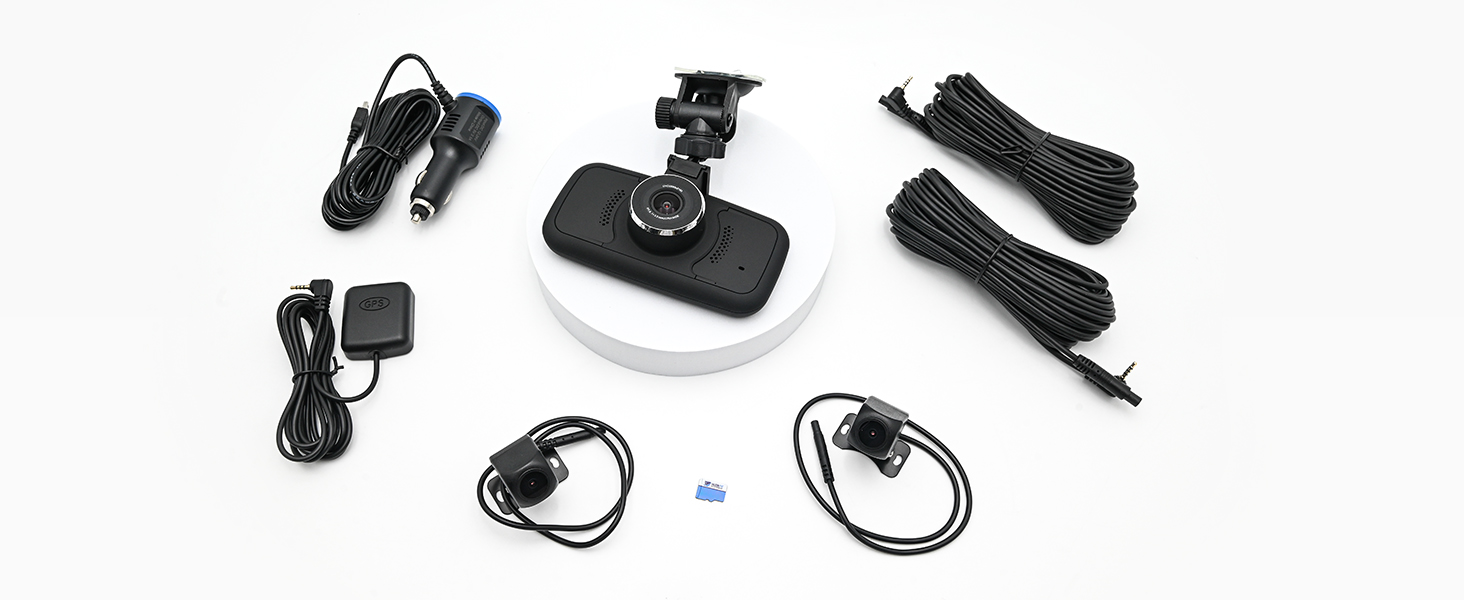
Image: A complete set of components included with the dashcam, including the main unit, two external cameras, GPS antenna, power cable, and mounting accessories.
Nastavení a instalace
1. Mounting the Main Dashcam Unit
Attach the suction cup mount to the main dashcam unit. Clean the desired area on your windshield thoroughly before attaching the suction cup. Ensure the mount is securely fastened and provides a clear view for the front camera.

Image: The FalconEye dashcam viewed from the front, showing the suction cup mount attached to the top of the unit, ready for windshield installation.
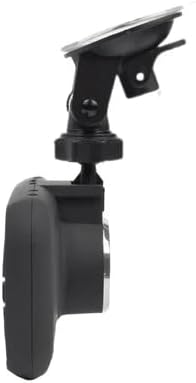
Obrázek: Vedlejší profesionálfile of the dashcam, highlighting the adjustable suction cup mount and the compact design of the main unit.
2. Installing External Cameras
The two additional 1080P waterproof cameras are designed for external mounting, typically on side mirrors or the rear of the vehicle. Use the provided 19-foot cables to connect them to the main unit. Route the cables carefully to avoid interference with vehicle operations and to ensure a neat installation.

Image: The GPS antenna and the two compact external cameras, each with their long connecting cables, ready for installation.

Obrázek: Přample installation of the external cameras on the side mirrors of a truck, demonstrating their placement for wide-angle coverage.
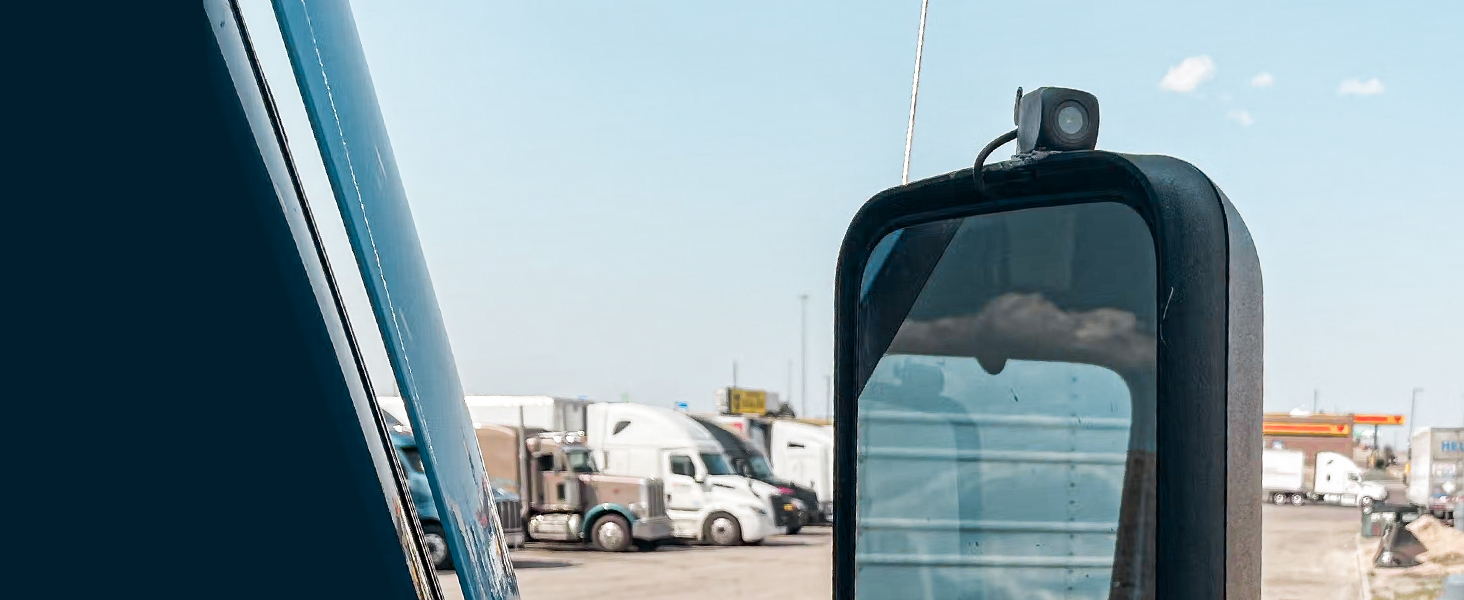
Obrázek: Podrobný view of one of the external cameras securely mounted on a truck's side mirror, showing its discreet profile.
3. Připojení napájení
Connect the provided 12V cigarette lighter charger to the main dashcam unit and then into your vehicle's cigarette lighter socket. The unit will power on automatically when the vehicle ignition is turned on.

Image: The 12V cigarette lighter power adapter, used to supply power to the dashcam unit.
4. Vložení SD karty
Locate the microSD card slot on the side of the main unit. Insert a compatible microSD card (up to 128GB, not included in all kits) until it clicks into place. Ensure the card is formatted correctly for optimal performance.

Image: A close-up of the side of the dashcam, indicating the locations of the USB port, 3.5mm jacks for external cameras, and the microSD card slot.
5. Connecting the GPS Antenna
Connect the GPS antenna to the designated port on the main unit. Position the antenna in an area with a clear view of the sky for accurate speed and location tracking. This feature can be disabled by unplugging the antenna if not desired.
Návod k obsluze
Basic Operation and Recording
Once powered on, the dashcam will automatically begin recording from all three cameras (front 2K, two 1080P rear/side). The 4-inch LCD screen allows for real-time viewing of the camera feeds and playback of recorded footage.
- Násobek Viewbody: Records simultaneously from the front windshield camera and the two external cameras, providing comprehensive coverage.
- Nahrávání ve vysokém rozlišení: The front camera records in 2K resolution, while the external cameras record in 1080P, ensuring clear and detailed video.
- Noční vidění: Excellent night vision capabilities ensure clear recordings even in low-light conditions.

Image: The dashcam unit displaying icons that represent its key features: GPS, G-Sensor, ease of installation, and loop recording.
G-Sensor and Accident Locking
The built-in G-Sensor detects sudden impacts or collisions. When an event is detected, the dashcam automatically locks the current video file, preventing it from being overwritten by loop recording. These locked files are saved in a separate folder on the SD card.

Image: The dashcam display showing a vehicle accident scene, with text indicating that the G-Sensor automatically locks the recording in such events.
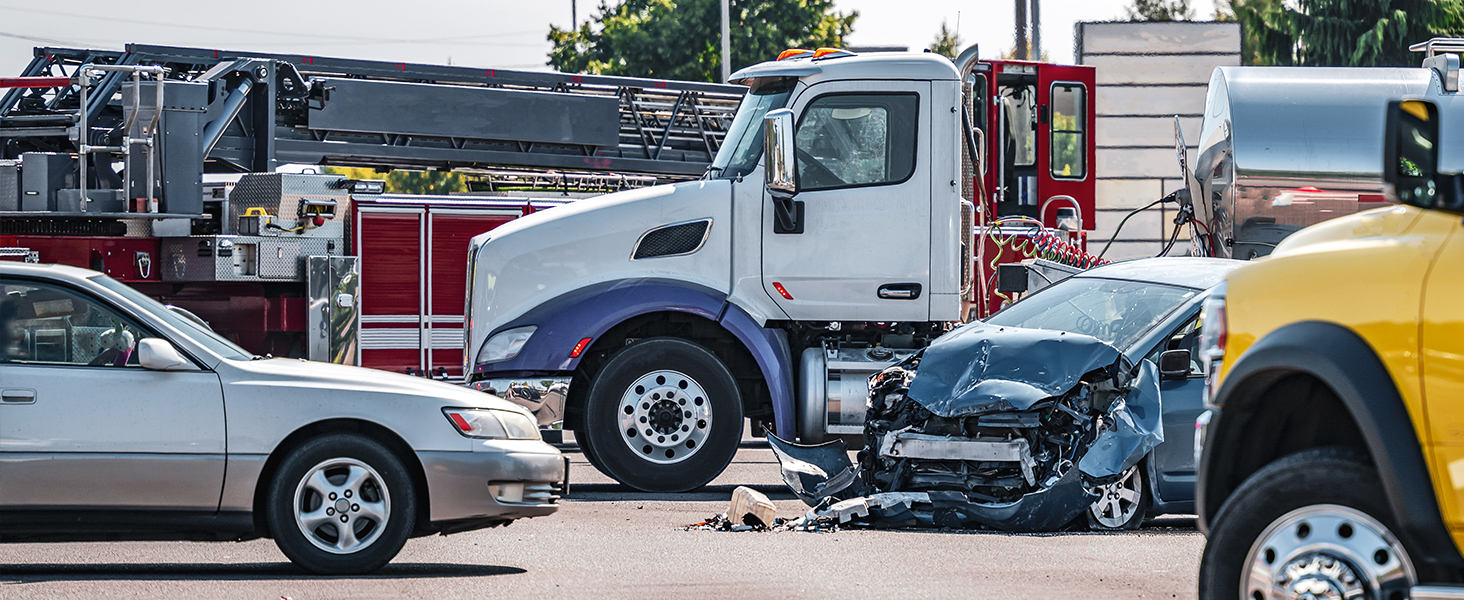
Image: A visual representation of a car accident, emphasizing the importance of the G-Sensor feature in automatically securing critical video evidence.
Připojení k WiFi
The integrated WiFi feature allows you to connect your smartphone or tablet to the dashcam. This enables easy transfer, viewing, and management of recorded video files without needing to remove the SD card.

Image: A smartphone screen showing a view from the dashcam, demonstrating the WiFi connectivity feature for remote viewing a file převod.
Funkce GPS
With the GPS antenna connected, the dashcam records vehicle speed and location data directly onto the video files. This information can be crucial for incident reconstruction and verification.
Nahrávání ve smyčce
The dashcam utilizes loop recording, continuously recording over the oldest unlocked video files when the SD card is full. This ensures continuous operation without manual intervention, except for G-Sensor locked files.
Údržba
- Formátování SD karty: It is recommended to format the microSD card periodically (e.g., once a month) to maintain optimal recording performance and prevent data corruption. Back up any important files před formátováním.
- Čištění objektivu: Regularly clean the lenses of all cameras with a soft, lint-free cloth to ensure clear video quality. Avoid abrasive materials or harsh chemicals.
- Aktualizace firmwaru: Check the Falcon Electronics website periodically for any available firmware updates to ensure your dashcam has the latest features and bug fixes.
Odstraňování problémů
| Problém | Možná příčina | Řešení |
|---|---|---|
| Autokamera se nezapne. | Žádné napájení ze zapalovače cigaret; uvolněné spojení. | Check cigarette lighter fuse; ensure power cable is securely connected. |
| Nahrávání se zastaví nebo zamrzne. | SD karta je plná nebo poškozená; nekompatibilní SD karta. | Format the SD card; try a different, high-speed microSD card. |
| Špatná kvalita videa. | Dirty camera lens; low light conditions. | Clean camera lenses; ensure sufficient lighting for optimal night vision. |
| GPS nesleduje polohu/rychlost. | GPS antenna not connected or obstructed. | Ujistěte se, že je anténa GPS bezpečně připojena a má volný signál. view z nebe. |
| Nelze se připojit přes WiFi. | Incorrect WiFi password; app issue. | Verify WiFi password; restart dashcam and phone; reinstall app if necessary. |
Specifikace
- Rozměry produktu: 1"H x 6"Š x 4"V
- Rozlišení předního fotoaparátu: 2K
- External Camera Resolution: 1080p
- Zobrazit: 4.0" LCD displej
- Skladování: Slot pro microSD kartu, podporuje až 128 GB
- Konektivita: Wi-Fi
- Speciální vlastnosti: Built-In WiFi, GPS, G-Sensor, Loop Recording, Night Vision
- Zdroj napájení: 12V Cigarette Lighter Mobile Charger (or optional hardwire kit)
- Orientace: Přední, zadní a vnitřní
- Typ servisu vozidla: Auto, náklaďák
- Výrobce: Elektronika FalconEye
Záruka a podpora
For warranty information, technical support, or service inquiries, please refer to the official Falcon Electronics webnebo se obraťte přímo na jejich zákaznický servis. Uschovejte si účtenku jako doklad o koupi pro případ reklamace.
Výrobce: Elektronika FalconEye
Značka: Falcon Electronics
Pro další pomoc navštivte: www.falconeysystems.com
Ask a question about this manual
Ask about setup, troubleshooting, compatibility, parts, safety, or missing instructions. Manuals+ will review the question and use this page’s manual context to help answer it.