
Zavedení
This manual provides detailed instructions for setting up, operating, and maintaining your LB-LINK Archer BL-W1210M AC1200 Dual Band Wireless Router. This device is designed to provide high-speed wireless connectivity for your home or office, supporting both 2.4 GHz and 5 GHz frequency bands for optimal performance.
Konec produktuview
The LB-LINK Archer BL-W1210M is an AC1200 Dual Band Wireless Router offering combined speeds of up to 1200 Mbps (300 Mbps on 2.4 GHz and 867 Mbps on 5 GHz). It features four high-gain external antennas for extensive coverage and stability. The router supports advanced security protocols like WPA/WPA2 encryption and an SPI firewall to protect your network. Its intuitive web-based management interface simplifies setup and configuration.
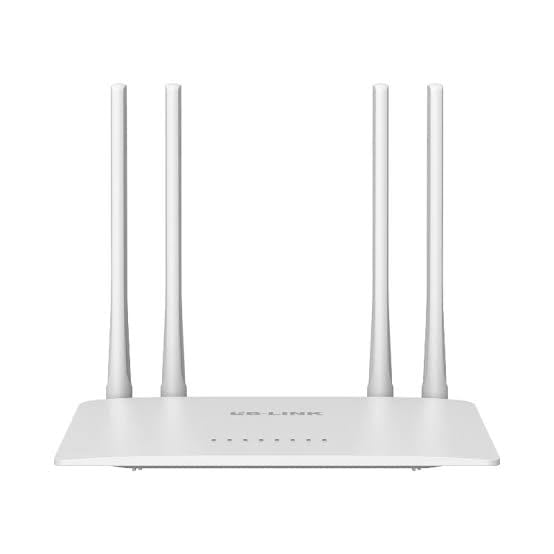
Image: The product packaging for the LB-LINK Archer BL-W1210M AC1200 Dual Band Wireless Router, showing the device and its key features.
Obsah balení
Ověřte, zda váš balíček obsahuje následující položky:
- LB-LINK Archer BL-W1210M AC1200 Dual Band Wireless Router
- Napájecí adaptér
- Ethernetový kabel
- Stručný návod k instalaci (pokud je součástí dodávky)
Nastavení
1. Hardwarové připojení
- Vypnout: Odpojte napájení modemu a routeru (pokud je to možné).
- Připojení modemu: Connect one end of the provided Ethernet cable to the WAN port (often blue) on your LB-LINK router and the other end to your modem's Ethernet port.
- Připojte napájení: Plug the power adapter into the router's power jack and then into a wall outlet.
- Zapnutí: Power on your modem first, wait for it to fully boot (usually indicated by stable lights), then power on your LB-LINK router. Wait for the router's indicator lights to stabilize.
- Připojení počítače (volitelné): For initial setup, you can connect your computer directly to one of the router's LAN ports (yellow) using an Ethernet cable, or connect wirelessly using the default Wi-Fi name (SSID) and password printed on the router's label.
2. Počáteční konfigurace
- Přístup Web Rozhraní: Otevřete a web browser (e.g., Chrome, Firefox) on a connected computer or mobile device. In the address bar, type the default IP address, typically 192.168.0.1 or 192.168.1.1a stiskněte Enter.
- Přihlášení: Enter the default username and password. These are usually admin pro oba, nebo na štítku routeru.
- Spusťte rychlé nastavení: Follow the on-screen instructions of the Quick Setup Wizard. This will guide you through setting up your internet connection (WAN settings) and configuring your wireless network (Wi-Fi name and password).
- Change Default Settings: For security, it is highly recommended to change the default login password for the router's management page and customize your Wi-Fi network names (SSIDs) and passwords.
Provozní
1. Připojení zařízení k Wi-Fi
After initial setup, you can connect your wireless devices (smartphones, tablets, laptops) to your new Wi-Fi network:
- V zařízení přejděte do nastavení Wi-Fi.
- Select the 2.4 GHz or 5 GHz network name (SSID) you configured.
- Enter the Wi-Fi password you set.
2. Provoz ve dvou pásmech
Router pracuje na dvou frekvenčních pásmech:
- 2.4 GHz: Offers wider coverage and better penetration through walls, suitable for general browsing and devices further from the router.
- 5 GHz: Provides faster speeds and less interference, ideal for bandwidth-intensive activities like HD streaming and online gaming, especially for devices closer to the router.
3. Síť pro hosty
The router supports creating separate guest networks. This allows guests to access the internet without gaining access to your main network resources. You can enable and configure guest networks through the router's web rozhraní pro správu.
4. Rodičovská kontrola
Utilize the parental control features to manage internet access for specific devices or users. This can include setting time limits or blocking certain websites. Access these settings via the router's web rozhraní pro správu.
Údržba
1. Aktualizace firmwaru
Periodically check the LB-LINK official website for firmware updates. Updating your router's firmware can improve performance, add new features, and enhance security. Follow the instructions provided with the firmware update carefully.
2. Resetování routeru
If you encounter persistent issues or forget your login credentials, you may need to perform a factory reset. To do this, with the router powered on, press and hold the reset button (usually a small pinhole button on the back) for about 5-10 seconds until the lights flash. The router will restart with factory default settings.
Odstraňování problémů
- Žádný přístup k internetu:
- Zkontrolujte všechna kabelová připojení (modem k routeru, router k počítači).
- Restartujte modem a router.
- Ověřte nastavení sítě WAN v routeru web rozhraní.
- Contact your Internet Service Provider (ISP) to ensure there are no service outages.
- Pomalá rychlost Wi-Fi:
- Ensure your device is connected to the appropriate band (5 GHz for faster speeds, if supported).
- Move closer to the router or reduce obstacles.
- Zkontrolujte, zda nedochází k rušení jinými elektronickými zařízeními.
- Aktualizujte firmware routeru.
- Nelze přistupovat na stránku Správa routeru:
- Ujistěte se, že je vaše zařízení připojeno k routeru (drátově nebo bezdrátově).
- Verify the IP address entered in the browser (e.g., 192.168.0.1).
- Zkuste něco jiného web prohlížeč.
- Perform a factory reset if you have forgotten the login credentials (note: this will erase all custom settings).
Specifikace
| Funkce | Detail |
|---|---|
| Název modelu | Archer BL-W1210M |
| Třída frekvenčního pásma | Dvoupásmové (2.4 GHz a 5 GHz) |
| Standard bezdrátové komunikace | 802.11ac |
| Rychlost přenosu dat | Up to 1200 Mbps (300 Mbps on 2.4 GHz + 867 Mbps on 5 GHz) |
| Šířka pásma LAN portu | 100 Mbps |
| Počet portů | 5 (1 WAN, 4 LAN) |
| Bezpečnostní protokol | IP/MAC Address Filter, WPA-PSK, WPA2-PSK |
| Speciální funkce | 11ac fast speed, 2 guest networks, Parental Control |
| Kompatibilní zařízení | PC, Laptop, Mobile devices |
| svtage | 12 voltů |
| Hmotnost položky | 500 gramů |
| Rozměry položky (D x Š x V) | 26L x 7W x 29H centimetrů |
| Barva | Bílý |
Záruka a podpora
Popis záruky: This product comes with a 1-year warranty. Please note that the warranty is void if the original box is not retained or if there is any kind of physical damage to the product.
Importer/Packer Contact Information:
MRJ Electronics
Ahmedabad, Gujarat
E-mail: electronicsmrj@gmail.com
Kontakt: 9023265213
For technical support or warranty claims, please contact MRJ Electronics directly.