
DOOGEE T35
Uživatelská příručka k tabletu DOOGEE T35
Model: T35 | Značka: DOOGEE
1. Úvod
This manual provides essential information for the operation and maintenance of your DOOGEE T35 tablet. Please read it thoroughly before using the device to ensure proper functionality and longevity.
The DOOGEE T35 is an 11-inch tablet featuring a Helio G99 Octa-core processor, Android 14 operating system, and a 2.5K FHD+ display. It comes equipped with 20GB RAM and 256GB internal storage, expandable up to 2TB. Key features include 4G LTE calling, 5G Wi-Fi, an 8580mAh battery with 33W fast charging, and a 20MP camera. Accessories such as a keyboard, stylus, and protective case are included to enhance productivity and user experience.
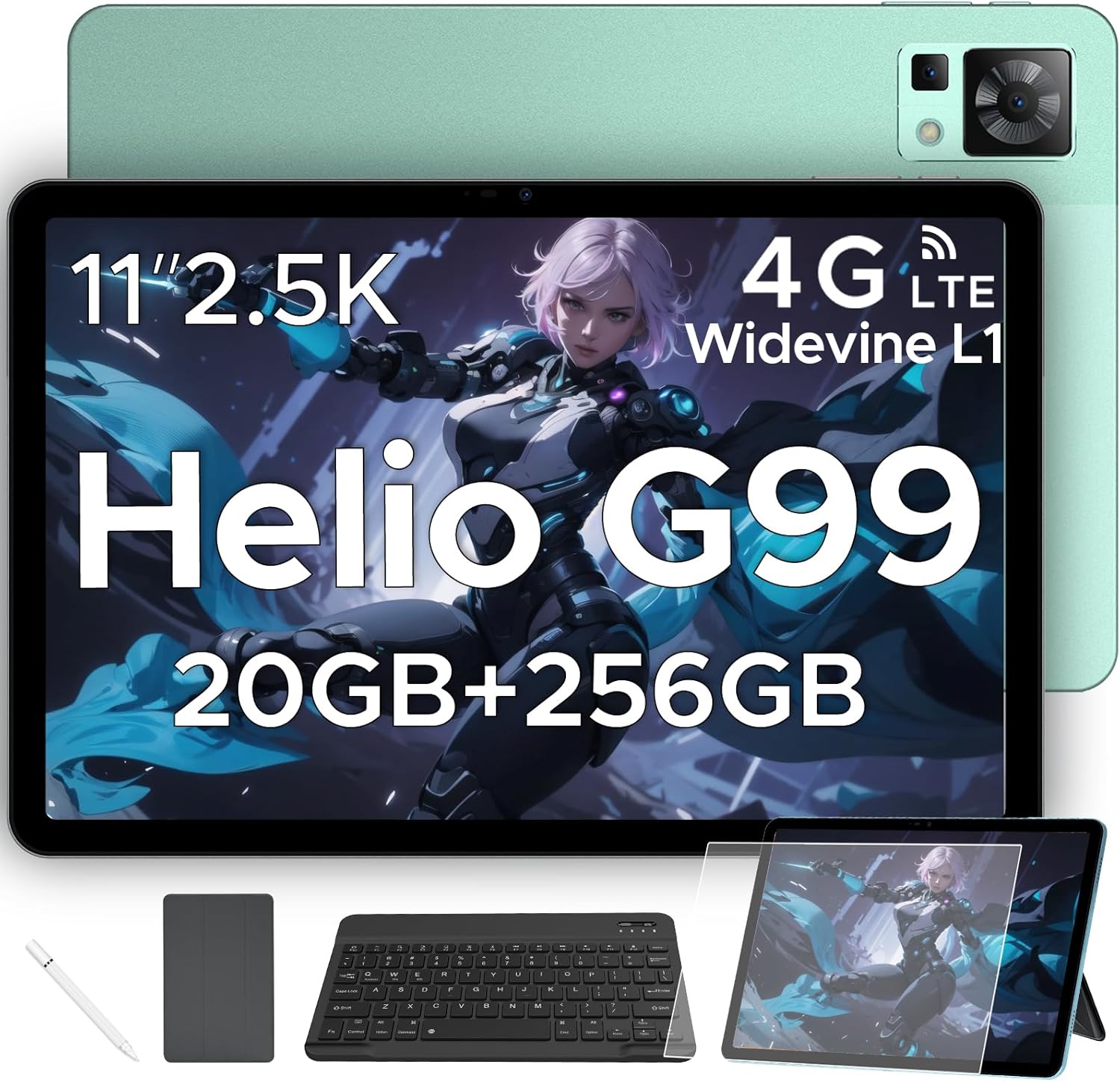
Figure 1.1: DOOGEE T35 Tablet and its accompanying accessories.
2. Co je v krabici
Po otevření balení ověřte, zda jsou všechny níže uvedené položky přítomny a v dobrém stavu:
- Tablet DOOGEE T35
- Nabíječka
- Kabel USB typu C
- SIM Card Tray Ejector Tool
- Uživatelská příručka
- Bluetooth klávesnice
- Ochranná fólie
- Touching Pen (Stylus)
- Kožené pouzdro pro firmy
Video 2.1: An unboxing video demonstrating the contents of the DOOGEE T35 package, including the tablet and all listed accessories.
3. Nastavení
3.1 Počáteční zapnutí
- Stiskněte a podržte tlačítko napájení na boku tabletu, dokud se nezobrazí logo DOOGEE.
- Postupujte podle pokynů na obrazovce a vyberte jazyk, region a připojte se k síti Wi-Fi.
- Pro přístup k Obchodu Google Play a dalším službám se přihlaste pomocí svého účtu Google nebo si vytvořte nový.
3.2 Vložení SIM karty a karty MicroSD
The DOOGEE T35 supports 4G LTE connectivity and expandable storage via a MicroSD card (up to 2TB).
- Vyhledejte držák SIM karty na boku tabletu.
- Insert the provided SIM card tray ejector tool into the small hole next to the tray and gently push until the tray pops out.
- Vložte kartu (karty) Nano-SIM a/nebo kartu MicroSD do určených slotů v držáku a dbejte na správnou orientaci.
- Opatrně zasuňte zásobník zpět do tabletu, dokud nezacvakne na místo.
3.3 Připojení příslušenství
The tablet comes with a Bluetooth keyboard, stylus, and a business leather case.
- Bluetooth klávesnice: Turn on the keyboard and enable Bluetooth on your tablet. Hledat the keyboard in the Bluetooth settings and pair it.
- Stylus: The stylus is ready for use directly on the screen for drawing or navigation.
- Business Leather Case: Insert the tablet into the protective case for enhanced protection and convenience.
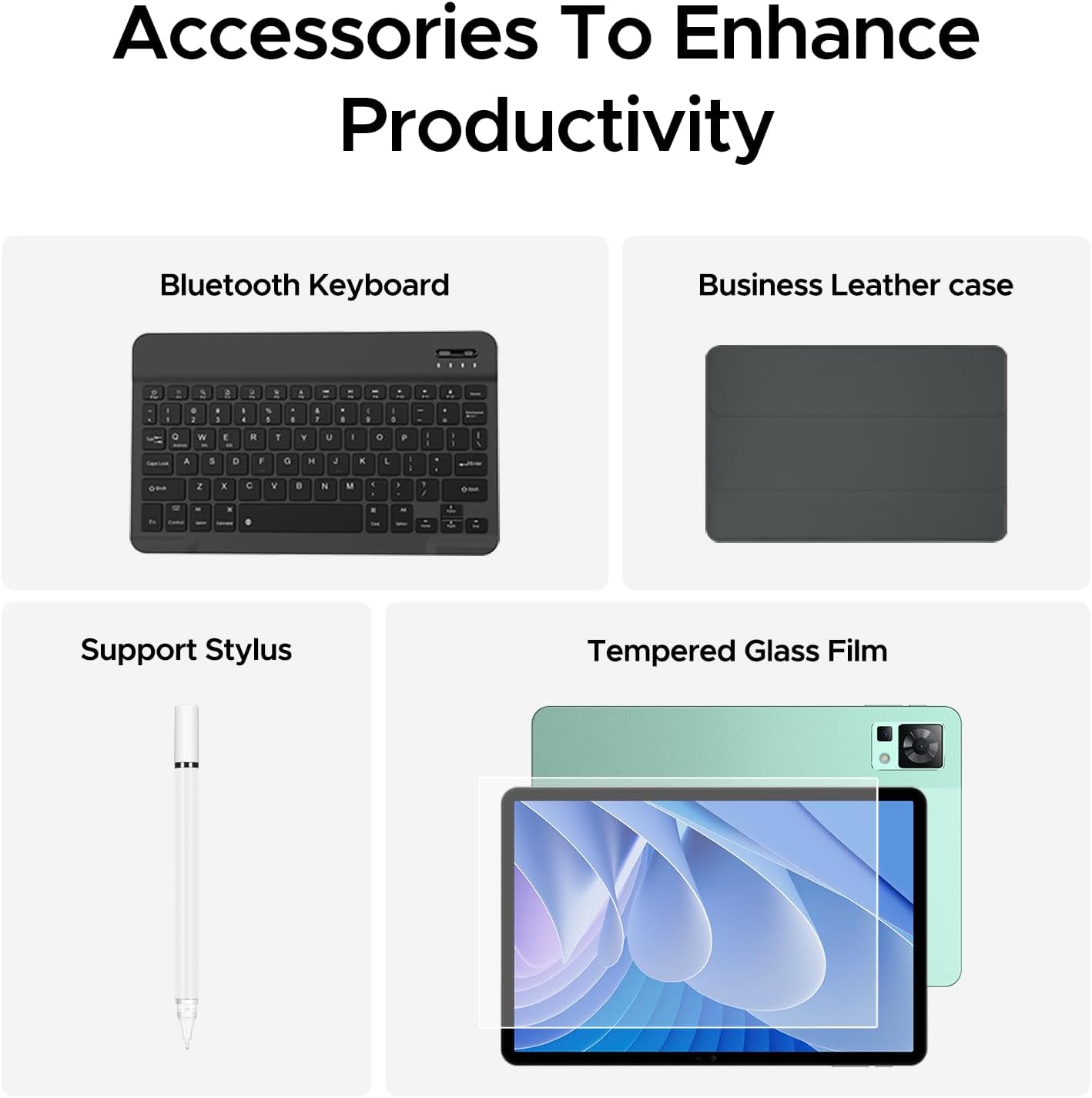
Figure 3.1: The DOOGEE T35 tablet with its included accessories, ready for use.
4. Návod k obsluze
4.1 Zobrazení a navigace
The DOOGEE T35 features an 11-inch 2.5K ultra-clear display (2560 x 1600 pixels) for a high-quality visual experience.
- Dotyková gesta: Procházejte rozhraním systému Android 14 pomocí standardních dotykových gest, jako je klepnutí, přejetí prstem nebo přiblížení/oddálení prsty.
- Rozdělená obrazovka: Utilize the split-screen feature to run two applications simultaneously for enhanced multitasking.
- Režimy čtení: Adjust the display settings to Warm, Standard, or Cool mode for comfortable reading in various lighting conditions.

Figure 4.1: The 11-inch 2.5K ultra-clear display provides excellent visuals for all content.
4.2 Výkon a úložiště
Powered by the Helio G99 Octa-core processor, the T35 offers robust performance for gaming, streaming, and productivity. It offers 20GB RAM (8GB base + 12GB extended) and 256GB ROM, expandable up to 2TB with a MicroSD card.
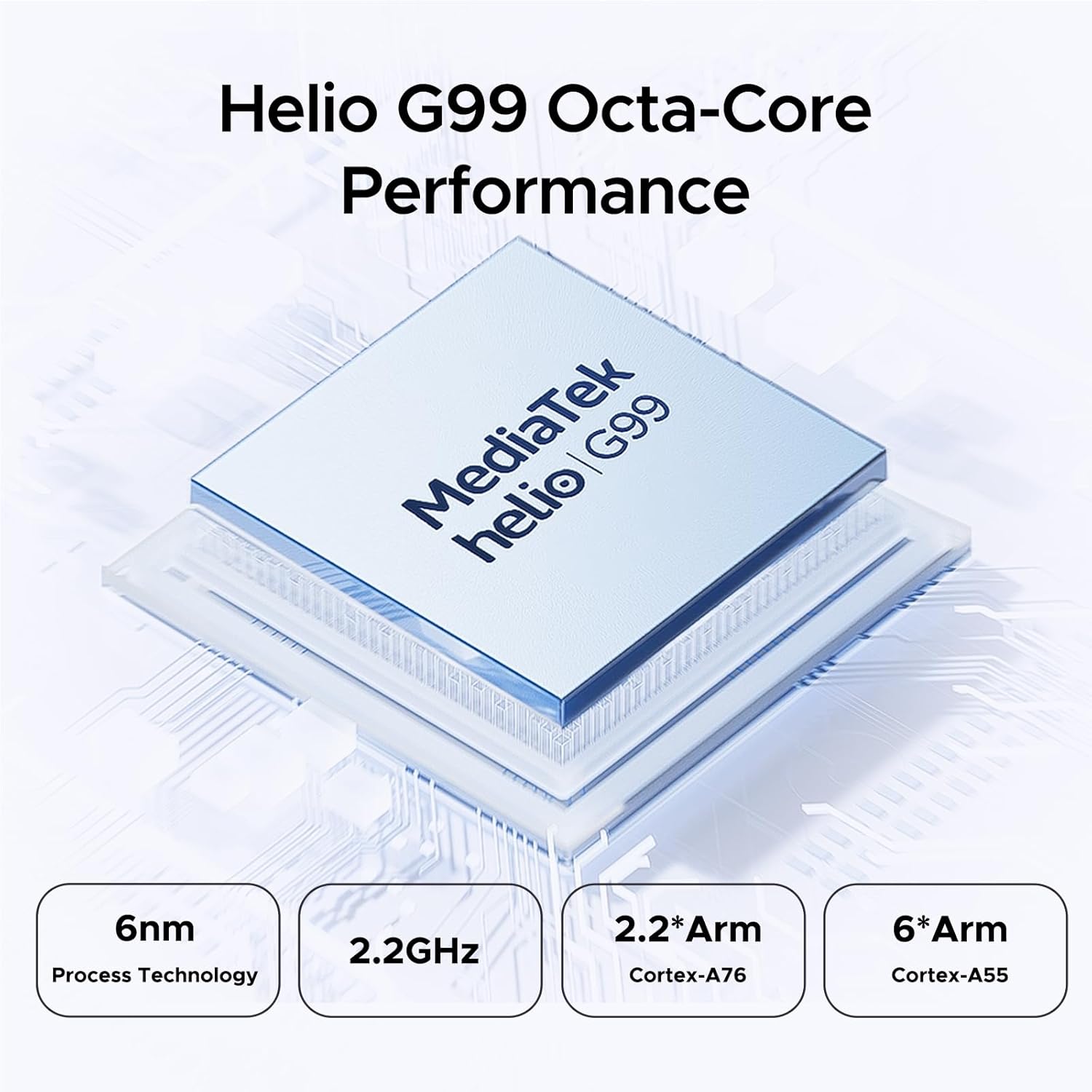
Figure 4.2: Helio G99 Octa-Core Processor for robust performance.

Figure 4.3: Memory and storage capabilities of the DOOGEE T35.
4.3 Správa baterie
The 8580mAh large capacity battery provides extended usage. It supports 33W fast charging and reverse charging, allowing the tablet to act as a power bank for other devices.

Figure 4.4: 8580mAh Battery with 33W Fast Charging.
4.4 Konektivita
The tablet supports 4G LTE for cellular calls and data, and 5G Wi-Fi for high-speed internet. It also includes GPS, Glonass, Galileo, Beidou, and AGPS for accurate navigation.
4.5 Multimédia
Enjoy immersive audio with quad speakers and Smart PA. Widevine L1 support ensures high-quality streaming from platforms like Netflix and Amazon Prime Video.
Video 4.1: Propagační videoasing the DOOGEE T35 Android Tablet and its accessories, highlighting its features and design.
5. Údržba
5.1 Čištění tabletu
- K čištění obrazovky a těla tabletu použijte měkký hadřík, který nepouští vlákna.
- Na odolné šmouhy lehce otřeteampOtřete hadřík vodou nebo čističem obrazovek. Vyhněte se agresivním chemikáliím.
- Ujistěte se, že všechny porty jsou bez prachu a nečistot.
5.2 Péče o baterii
- Nevystavujte tablet extrémním teplotám.
- Nevybíjejte baterii pravidelně úplně. Nabijte ji dříve, než její nabití klesne pod 20 %.
- Pro optimální nabíjecí výkon a bezpečnost používejte pouze dodanou nabíječku a kabel.
5.3 Aktualizace softwaru
Regularly check for and install system updates to ensure your tablet has the latest features, security patches, and performance improvements. Go to Nastavení > Systém > Aktualizace systému pro kontrolu aktualizací.
6. Řešení problémů
| Problém | Možná příčina | Řešení |
|---|---|---|
| Tablet se nezapne. | Slabá baterie; havárie softwaru. | Nabíjejte tablet alespoň 30 minut. Stiskněte a podržte tlačítko napájení po dobu 10–15 sekund pro vynucení restartu. |
| Problémy s připojením k Wi-Fi. | Incorrect password; router issues; tablet Wi-Fi disabled. | Verify Wi-Fi password. Restart router. Toggle Wi-Fi off/on on tablet. |
| Aplikace padá nebo zamrzávají. | Nedostatek RAM; chyba aplikace; zastaralý software. | Zavřete aplikace na pozadí. Vymažte mezipaměť/data aplikací. Aktualizujte software aplikace nebo systému. |
| Pomalý výkon. | Příliš mnoho spuštěných aplikací; málo úložiště; zastaralý software. | Zavřete nepoužívané aplikace. Uvolněte úložný prostor. Proveďte aktualizaci systému. |
| Cannot connect to Google server/account. | Network issues; incorrect account details; software glitch. | Ensure stable internet connection. Verify Google account credentials. Restart tablet. If persistent, consider a factory reset (backup data first). |
7. Specifikace
| Funkce | Specifikace |
|---|---|
| Model | DOOGEE T35 |
| Operační systém | Android 14 |
| Procesor | MediaTek Helio G99 Octa-core (6nm, 2.2GHz) |
| Zobrazit | 11-inch 2.5K (2560 x 1600 pixels) |
| BERAN | 8 GB (rozšiřitelná až na 20 GB) |
| Interní úložiště (ROM) | 256 GB |
| Rozšiřitelné úložiště | Až 2 TB přes kartu MicroSD |
| Kapacita baterie | 8580 XNUMX mAh |
| Nabíjení | 33W rychlé nabíjení, reverzní nabíjení |
| Konektivita | 4G LTE, 5G Wi-Fi (802.11ax), Bluetooth |
| Navigace | GPS, Glonass, Galileo, Beidou, AGPS |
| Zvuk | Quad Speakers with Smart PA, Hi-Res Audio, 3.5mm Headphone Jack |
| Zabezpečení | ID obličeje |
| Rozměry (DxŠxV) | 10.12 x 6.64 x 0.3 palce |
| Hmotnost | 3 libry |
8. Záruka a podpora
DOOGEE provides comprehensive support for your T35 tablet:
- Záruka vrácení peněz: Využijte 30denní záruku vrácení peněz a možnost bezplatného vrácení zboží.
- Omezená záruka: The tablet comes with a 2-year limited warranty.
- Zákaznická podpora: For any inquiries or assistance, please contact DOOGEE customer service.
Pro další pomoc se prosím obraťte na oficiální stránky DOOGEE. webwebu nebo kontaktujte jejich kanály podpory.
Ask a question about this manual
Ask about setup, troubleshooting, compatibility, parts, safety, or missing instructions. Manuals+ will review the question and use this page’s manual context to help answer it.