
Doro Leva 30
Uživatelská příručka k vyklápěcímu telefonu Doro Leva L30 Senior
Model: Leva L30 | Brand: Doro
Zavedení
Welcome to the user manual for your Doro Leva L30 Senior Flip Phone. This guide provides essential information on how to set up, operate, maintain, and troubleshoot your device. Please read this manual carefully to ensure proper use and to maximize the benefits of your phone.

The Doro Leva L30 flip phone, featuring a red and white design, is displayed alongside its dedicated charging cradle. The phone is open, revealing its large, easy-to-read keypad and internal screen.
Bezpečnostní informace
Always follow basic safety precautions when using your Doro Leva L30 to reduce the risk of fire, electric shock, and injury. Keep the phone away from water and excessive heat. Use only Doro-approved accessories. Do not attempt to disassemble the phone.
Nastavení
1. Vložení SIM karty a baterie
Before using your phone, you need to insert a SIM card (provided by your mobile network operator) and the battery.
- Opatrně sejměte zadní kryt telefonu.
- Locate the SIM card slot and insert your SIM card with the gold contacts facing down, ensuring it clicks into place.
- Vložte baterii a zarovnejte zlaté kontakty na baterii se zlatými kontakty v telefonu.
- Nasaďte zadní kryt, dokud bezpečně nezacvakne.
2. Nabíjení telefonu
Your Doro Leva L30 comes with a convenient charging cradle and a USB-C cable for easy charging.
- Connect the USB-C cable to the charging cradle and then to a power adapter (not always included) or a USB port.
- Place your Doro Leva L30 into the charging cradle, ensuring it sits firmly. The phone will indicate that it is charging.
- Alternatively, you can connect the USB-C cable directly to the phone's charging port.

The Doro Leva L30 phone is shown resting in its charging cradle. This image emphasizes the ergonomic design and the location of the assistance button on the back of the phone, which is easily accessible.
Návod k obsluze
Základní funkce
- Zapnutí/vypnutí: Press and hold the red end call button to power the phone on or off.
- Uskutečnění hovoru: Enter the phone number using the large, contrasted keypad. Press the green call button to dial.
- Přijetí hovoru: Open the flip to answer an incoming call, or press the green call button. Close the flip or press the red end call button to end a call.
- Odeslání SMS: Navigate to the 'Messages' menu. Select 'New Message', enter your text, and choose a recipient from your contacts or enter a number.
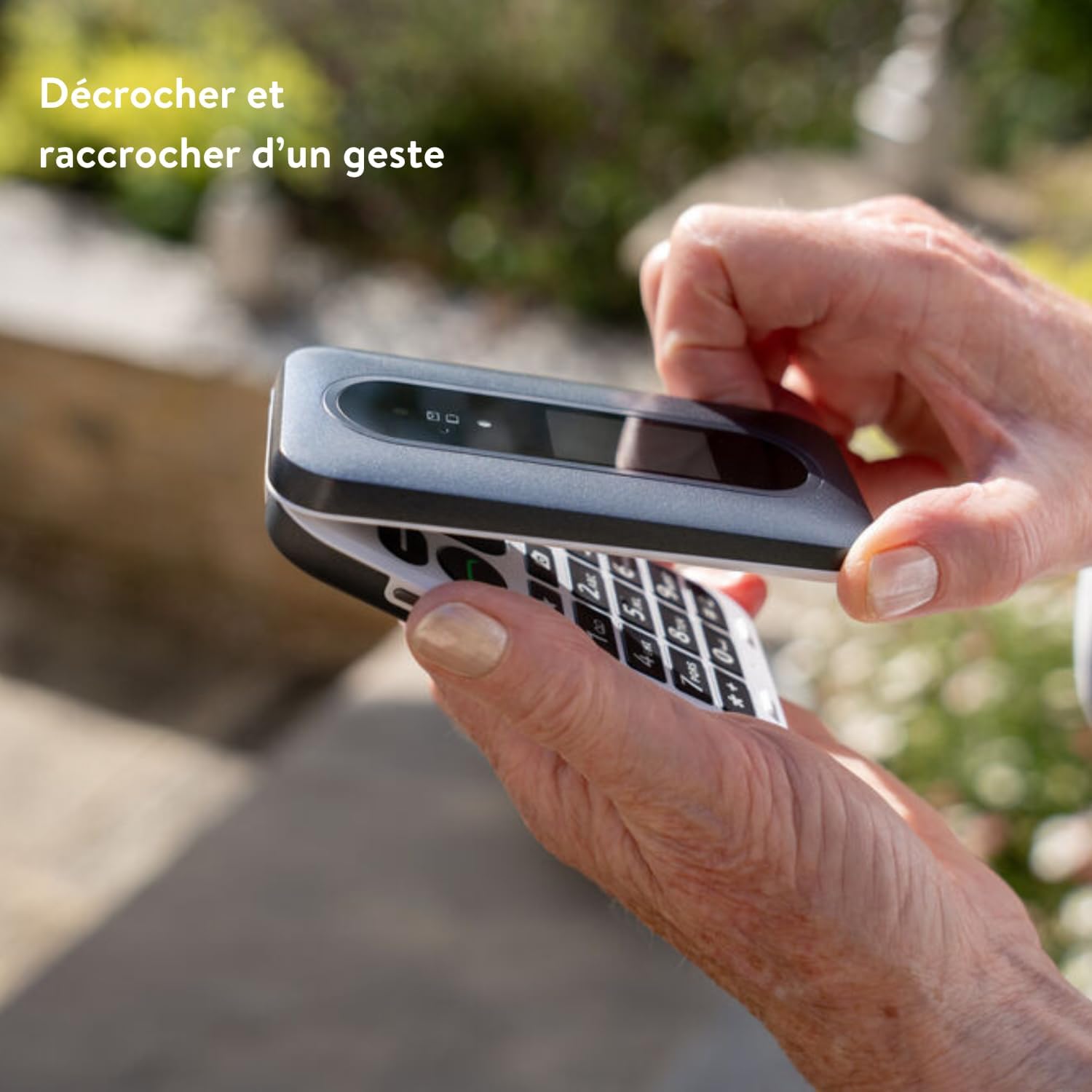
This image illustrates the simple gesture of opening and closing the Doro Leva L30 flip phone to answer or end calls, highlighting its user-friendly design.
Speciální funkce
- Externí obrazovka: The Doro Leva L30 features an external screen that displays caller ID, time, and battery status, allowing you to see important information without opening the phone.
- Assistance Button with GPS: Located on the back of the phone, this button can be programmed to send an alert SMS with your GPS location to pre-selected emergency contacts in case of an emergency.
- HD Voice and Hearing Aid Compatibility: Experience clear sound quality with HD Voice technology. The phone is also compatible with hearing aids, ensuring excellent audio for all users.
- 2MP Camera with Flash: Capture moments with the integrated 2-megapixel camera. Access it via the menu or a dedicated shortcut key.
- Voice Feedback Keys: The keypad provides voice feedback for numbers pressed, aiding users with visual impairments.
- Klávesové zkratky: Utilize the three programmable shortcut keys for quick access to frequently used functions or contacts.
- Mini Flashlight: A built-in mini flashlight provides convenience in low-light conditions.
- Splash Resistance (IP54): The phone is designed to withstand splashes, offering added durability.

This infographic highlights the Doro Leva L30's main features, including its 4G capability, dual screen, assistance button with geolocation, clear and powerful sound, hearing aid compatibility, voice feedback keys, and three shortcut keys for enhanced usability.

This visual guide showcases additional features of the Doro Leva L30, such as its simple menu interface, the GPS-enabled assistance button, compatibility with hearing aids, integrated camera, mini flashlight, and IP54 splash resistance for durability.
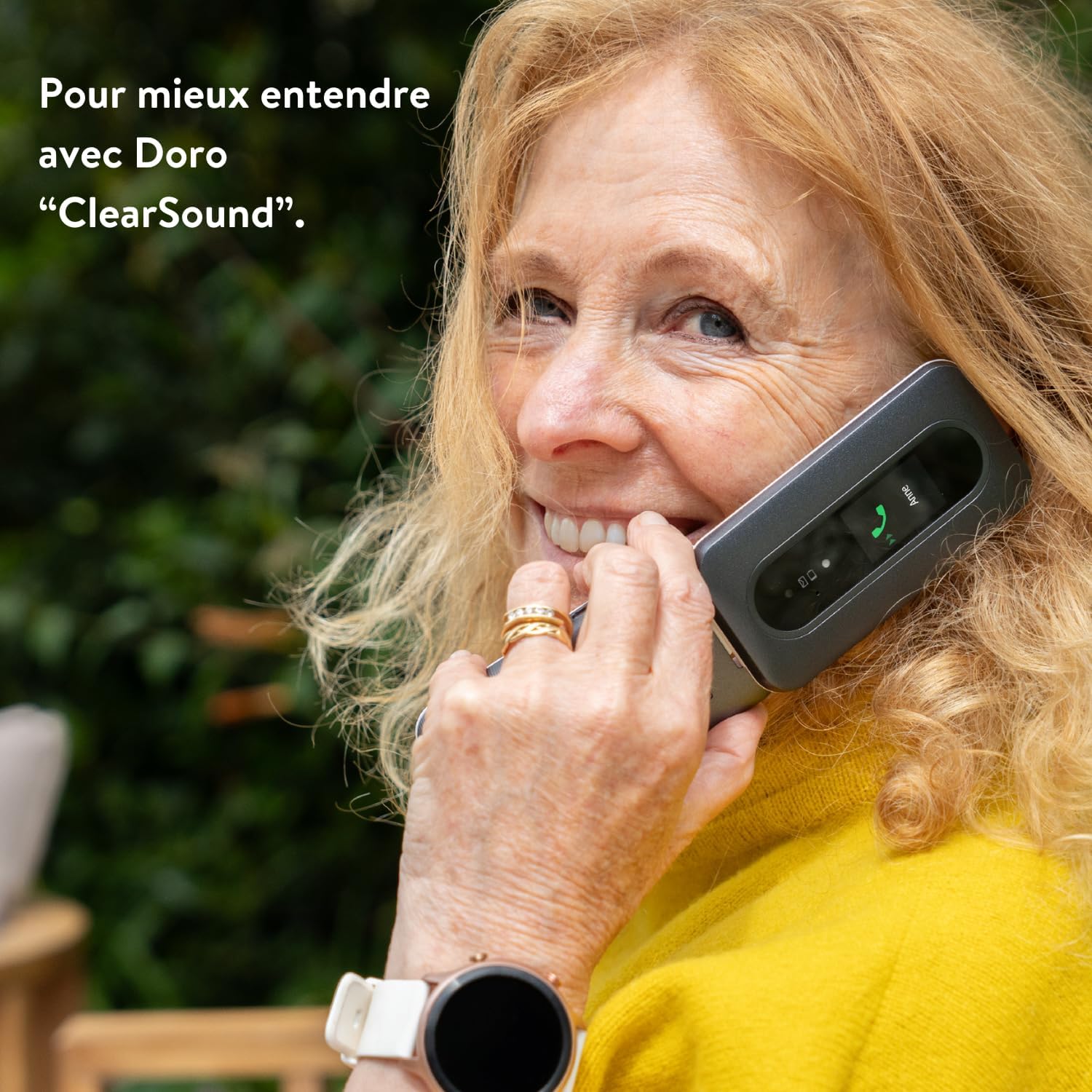
A woman is shown happily conversing on the Doro Leva L30, demonstrating the phone's "ClearSound" technology designed for enhanced audio clarity during calls.
Údržba
Čištění telefonu
To keep your Doro Leva L30 in optimal condition, clean it regularly.
- Use a soft, dry, lint-free cloth to wipe the phone's surface.
- Pro odolné skvrny lehce otřeteampOtřete hadřík vodou nebo jemným čističem obrazovek. Vyhněte se agresivním chemikáliím.
- Nedovolte, aby se do otvorů dostala vlhkost.
Péče o baterie
Správná péče o baterii prodlužuje její životnost.
- Nevystavujte baterii extrémním teplotám.
- Nenechávejte telefon nabíjet příliš dlouho po úplném nabití.
- Pokud telefon nebudete delší dobu používat, nabijte jej před uskladněním přibližně na 50 %.
Odstraňování problémů
If you encounter issues with your Doro Leva L30, try the following solutions before contacting support.
| Problém | Možné řešení |
|---|---|
| Telefon se nezapne | Ensure the battery is correctly inserted and charged. Connect to the charger and wait a few minutes before attempting to power on. |
| Žádný síťový signál | Check if the SIM card is properly inserted. Move to an area with better network coverage. Contact your network provider if the issue persists. |
| Nelze uskutečňovat ani přijímat hovory | Verify that you have network signal. Check if call barring is enabled. Ensure the phone number is correct. |
| Sound issues (low volume, no sound) | Adjust the volume settings. Ensure the speaker is not blocked. If using a hearing aid, check compatibility settings. |
| Baterie se rychle vybíjí | Snižte jas obrazovky. Zavřete nepoužívané aplikace. Omezte využití dat na pozadí. Zvažte výměnu baterie, pokud je stará. |
Specifikace
Key technical specifications for the Doro Leva L30:
- Značka: Doro
- Název modelu: Leva 30
- Operační systém: OxygenOS (Note: This might be a generic placeholder from the source data, Doro phones typically run a simplified OS.)
- Model CPU: Core i5 (Note: This might be a generic placeholder from the source data, Doro phones typically use simpler processors.)
- Úložná kapacita paměti: 64 GB
- Rezoluce: 1280 x 720 pixelů
- Bezdrátový nosič: Orange (Note: Phone is unlocked, this may refer to a specific variant or network compatibility.)
- Buněčná technologie: 4G
- Technologie připojení: 4G
- Barva: Leva L30 Red & White
- Baterie: 1000 XNUMX mAh
- Fotoaparát: 2 MP s bleskem
- Odolnost proti stříkající vodě: IP54
Záruka a podpora
Informace o záruce
For detailed warranty information regarding your Doro Leva L30, please refer to the warranty card included in your product packaging or visit the official Doro webZáruční podmínky se mohou lišit v závislosti na regionu a prodejci.
Zákaznická podpora
If you require further assistance or have questions not covered in this manual, please contact Doro customer support. You can find contact details on the official Doro webwebu nebo prostřednictvím prodejce, u kterého jste zařízení zakoupili.
Visit the official Doro store: Doro Store on Amazon
Ask a question about this manual
Ask about setup, troubleshooting, compatibility, parts, safety, or missing instructions. Manuals+ will review the question and use this page’s manual context to help answer it.