
df52
User Manual for V12 Black Tech Space Audio OWS In-Ear Bluetooth Headphones
Model: df52
1. Konec produktuview
The V12 Black Tech Space Audio OWS In-Ear Bluetooth Headphones (Model: df52) are designed for an immersive audio experience with open-ear comfort. These headphones feature advanced noise cancellation and a stable Bluetooth connection, making them suitable for various activities including sports and travel.
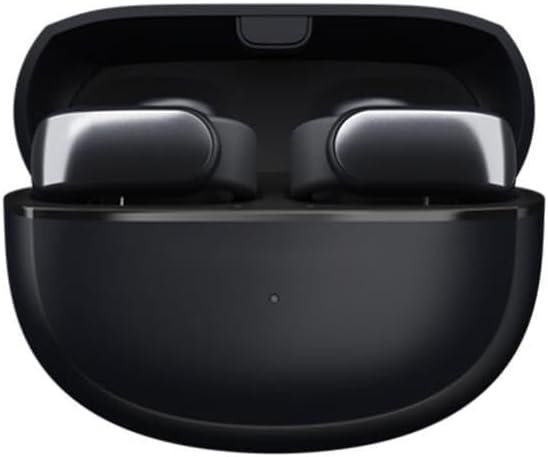
Figure 1: V12 Black Tech Space Audio OWS In-Ear Bluetooth Headphones in their charging case.
Mezi klíčové vlastnosti patří:
- HD Sound Quality: Utilizes V12 black technology spatial audio for a pure and realistic music experience.
- Inteligentní potlačení hluku: Effectively reduces external interference for clear audio and calls.
- Bezdrátové připojení Bluetooth: Offers a transmission range of up to 10 meters for freedom of movement.
- Humanized Ear Clip Design: Provides comfortable and stable wear, suitable for extended use. Supports binaural stereo sound.
- Dlouhá výdrž baterie: More than 8 hours of battery life on a single charge.

Figure 2: The ear clip design ensures a comfortable and secure fit for the headphones.
2. Co je v krabici
Po otevření balíčku najdete následující položky:
- V12 Black Tech Space Audio OWS In-Ear Bluetooth Headphones (1 pair)
- Nabíjecí pouzdro
- Uživatelská příručka (tento dokument)
- USB nabíjecí kabel
3. Nastavení
3.1 Nabíjení sluchátek
Before first use, ensure the headphones and charging case are fully charged. Place the headphones into the charging case and connect the USB charging cable to the case and a power source. The indicator light on the case will show charging status and turn off when fully charged.
3.2 Párování se zařízením Bluetooth
- Ujistěte se, že jsou sluchátka nabitá a vložená do nabíjecího pouzdra.
- Open the charging case. The headphones will automatically enter pairing mode, indicated by a flashing light (refer to specific light patterns in the quick start guide if available).
- Na svém zařízení (chytrý telefon, tablet, počítač) povolte Bluetooth.
- Hledat available Bluetooth devices. Select "V12 Headphones" or similar name from the list.
- Once connected, the indicator light on the headphones will change (e.g., solid blue) and a voice prompt may confirm successful pairing.
Sluchátka se po vyjmutí z pouzdra automaticky znovu připojí k poslednímu spárovanému zařízení, pokud je na zařízení povoleno Bluetooth.
4. Návod k obsluze
4.1 Zapnutí/vypnutí
- Zapnutí: Open the charging case, and the headphones will power on automatically.
- Vypnout: Place the headphones back into the charging case and close the lid. They will power off automatically.
4.2 Přehrávání hudby
The headphones feature touch controls for music management. Specific gestures may vary, but common controls include:
- Přehrát/pozastavit: Jediným klepnutím na jedno sluchátko.
- Další skladba: Dvakrát klepněte na pravé sluchátko.
- Předchozí skladba: Dvakrát klepněte na levé sluchátko.
- Ovládání hlasitosti: As per specifications, volume control is available. Refer to your device's volume settings or specific headphone gestures if available (not detailed in product info).
4.3 Správa hovorů
Manage calls with simple touch gestures:
- Přijmout/ukončit hovor: Jediným klepnutím na jedno sluchátko.
- Odmítnout hovor: Stiskněte a podržte jedno ze sluchátek po dobu 2 sekund.

Figure 3: The headphones offer HD call quality with intelligent noise reduction for clear communication.
4.4 Potlačení hluku
The headphones feature intelligent noise cancellation technology to reduce ambient sounds. This feature is automatically active during use to enhance your listening and call experience.
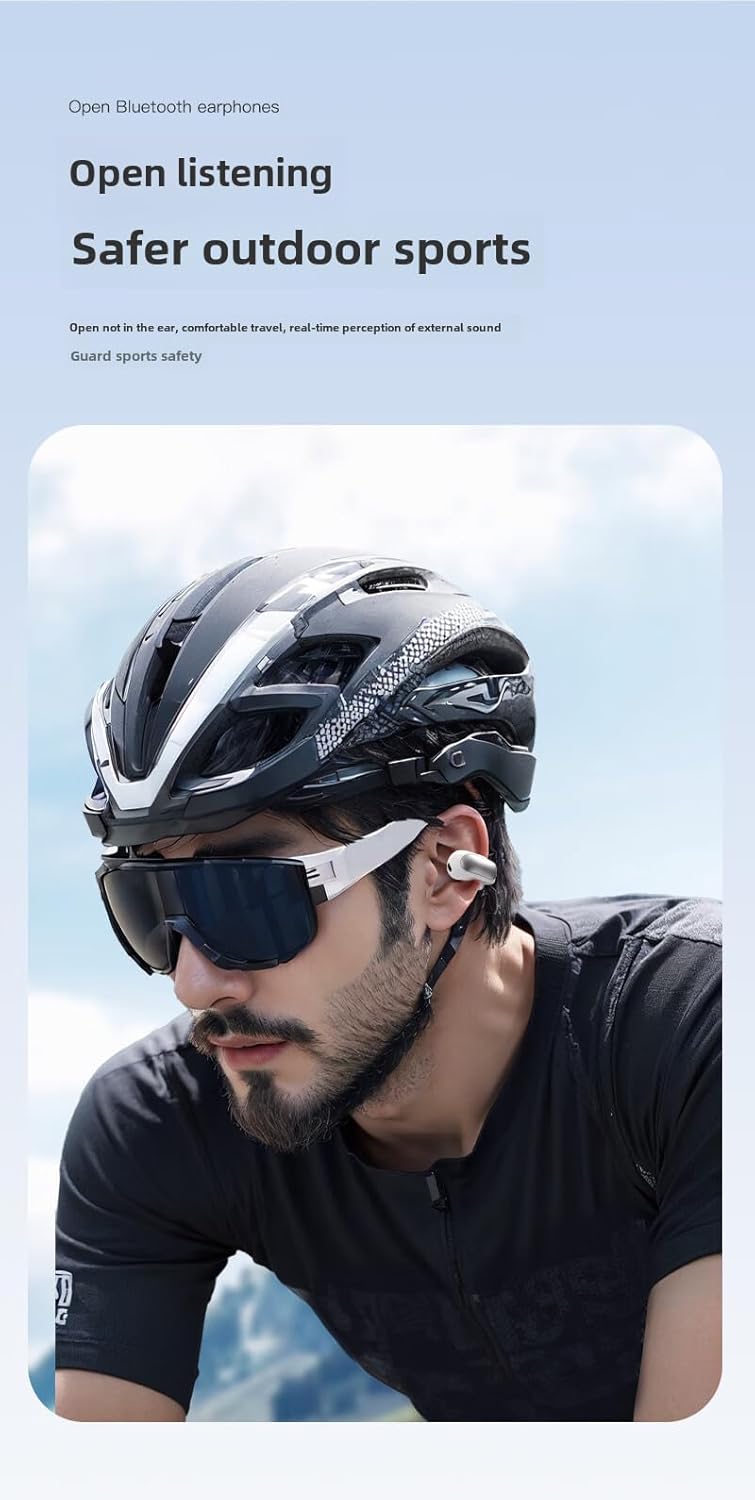
Figure 4: The open-ear design allows for awareness of surroundings, enhancing safety during outdoor activities.
5. Údržba a péče
- Čištění: K čištění sluchátek a nabíjecího pouzdra používejte měkký, suchý hadřík, který nepouští vlákna. Nepoužívejte abrazivní čisticí prostředky ani rozpouštědla.
- Voděodolnost: Please note that these headphones are Není odolný vůči vodě as per product specifications. Avoid exposure to water, rain, sweat, or high humidity to prevent damage.
- Skladování: Pokud sluchátka nepoužíváte, uložte je do nabíjecího pouzdra, aby byly chráněny před prachem a poškozením. Skladujte na chladném a suchém místě.
- Péče o baterie: Chcete-li prodloužit životnost baterie, vyvarujte se častého úplného vybíjení sluchátek. Pravidelně je nabíjejte, i když je nepoužíváte neustále.

Figure 5: The headphones are constructed from durable PC+ABS material. While the image may depict water, please note the product specifications indicate these headphones are Není odolný vůči vodě.
6. Řešení problémů
| Problém | Možné řešení |
|---|---|
| Sluchátka se nezapínají. | Ujistěte se, že jsou sluchátka nabitá. Vložte je do nabíjecího pouzdra a připojte pouzdro ke zdroji napájení. |
| Nelze spárovat se zařízením. |
|
| Žádný zvuk nebo nízká hlasitost. |
|
| Sluchátka se často odpojují. |
|
7. Specifikace
| Funkce | Detail |
|---|---|
| Název modelu | Sluchátka |
| Číslo modelu položky | df52 |
| Značka | Obecný |
| Technologie připojení | Bezdrátový |
| Technologie bezdrátové komunikace | Bluetooth |
| Verze Bluetooth | 5.0 |
| Dosah Bluetooth | 10 metrů |
| Životnost baterie | Více než 8 hodiny |
| Umístění uší | On Ear (Ear Clip Type) |
| Materiál | Polykarbonát (PC), akrylonitril-butadien-styren (ABS) |
| Barva | Černý |
| Typ ovládání | Ovládání hlasitosti, Dálkové ovládání |
| Úroveň odolnosti proti vodě | Není odolný vůči vodě |
| Doporučená použití | Travel, Exercising, Sport |

Figure 6: Internal components and features, including the Bluetooth chip and sound technology.

Obrázek 7: Detailní view of the 12mm moving ring speaker and sound enhancement technology.

Figure 8: The headphones are available in classic two-tone designs (black and white options shown).
8. Záruka a podpora
Specific warranty information for this product is not provided in the available data. For warranty claims or technical support, please refer to the contact information provided by your retailer or the manufacturer's official webmísto.
Vždy si uschovejte doklad o koupi pro případné dotazy týkající se záruky.
Ask a question about this manual
Ask about setup, troubleshooting, compatibility, parts, safety, or missing instructions. Manuals+ will review the question and use this page’s manual context to help answer it.