
Keychron Q3 HE
Uživatelská příručka pro bezdrátovou mechanickou klávesnici Keychron Q3 HE QMK
Model: Q3 HE
Zavedení
This manual provides comprehensive instructions for the setup, operation, maintenance, and troubleshooting of your Keychron Q3 HE QMK Wireless Custom Mechanical Keyboard. The Keychron Q3 HE is an 80% layout wireless QMK custom keyboard featuring Hall Effect Gateron 2.0 magnetic switches, designed for enhanced gaming and typing experiences with adjustable actuation points and rapid triggering.
Crafted from durable 6063 aluminum, this keyboard offers robust construction and a premium feel. It supports multiple connectivity options including 2.4 GHz wireless, Bluetooth 5.1, and wired USB-C.
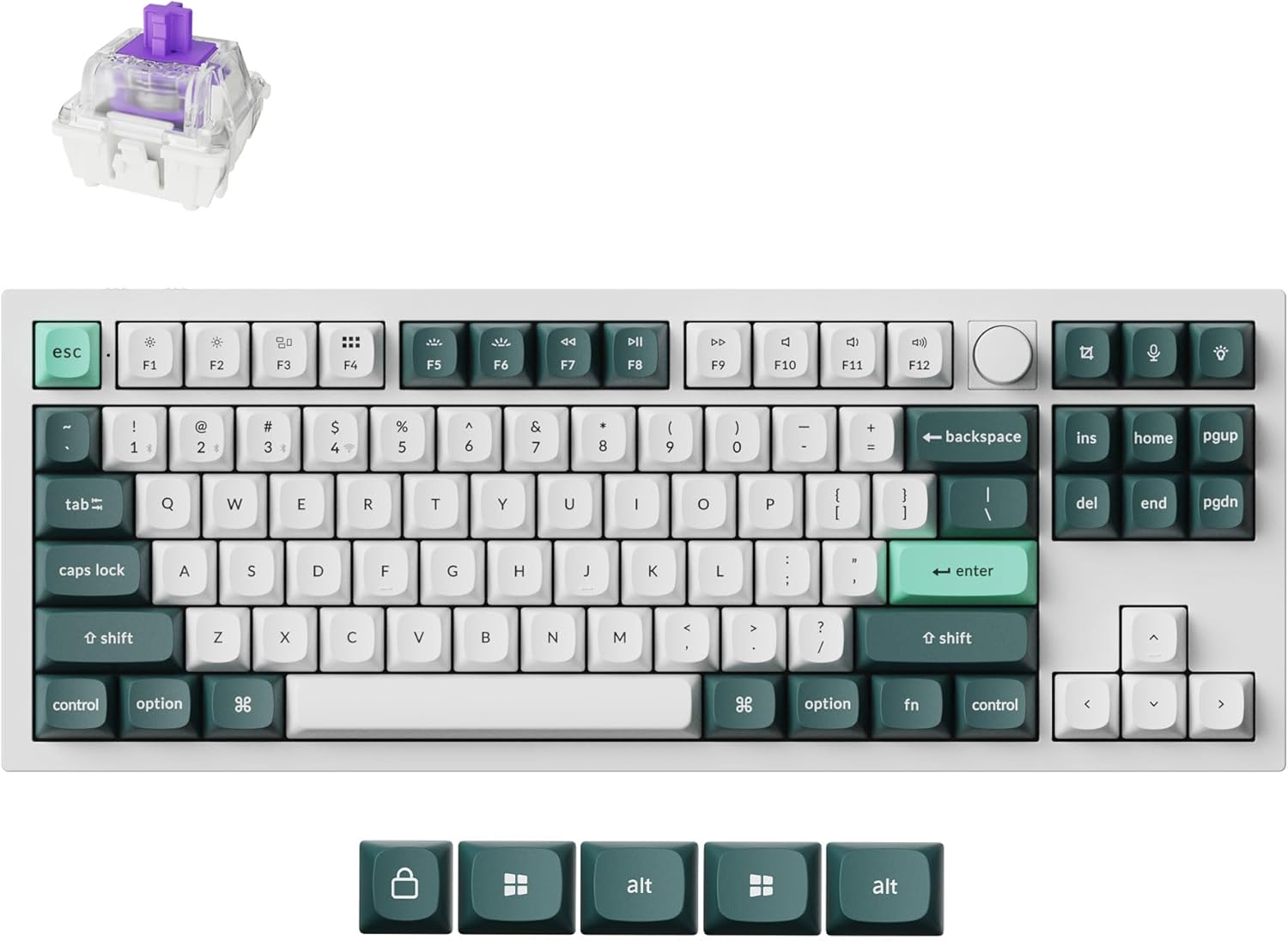
Image: The Keychron Q3 HE keyboard in Shell White, showcasing its 80% layout with a knob, and the distinct keycap colors.
Obsah balení
Prosím, ověřte, zda jsou v balení přítomny všechny položky:
- Keychron Q3 HE Keyboard
- Kabel USB-C na USB-C
- Adaptér USB-A na USB-C
- Stahovač klíčů
- Stahovák spínačů
- Uživatelská příručka (tento dokument)
- Additional Keycaps (for Windows/Mac compatibility)
Průvodce nastavením
1. Počáteční nabíjení
Before first use, connect the keyboard to a power source using the provided USB-C cable. The keyboard features a 4000 mAh battery. A full charge is recommended for optimal wireless performance.
2. Možnosti připojení
The Keychron Q3 HE supports three connection modes: 2.4 GHz wireless, Bluetooth 5.1, and wired USB-C.
2.1. Bezdrátové připojení 2.4 GHz
For high-performance gaming, the 2.4 GHz wireless connection offers a rapid 1000 Hz polling rate.
- Locate the 2.4 GHz receiver (dongle) typically stored in the keyboard's compartment or included separately.
- Zapojte přijímač 2.4 GHz do volného portu USB na počítači.
- Toggle the keyboard's mode switch to the "2.4G" position.
- The keyboard should automatically connect. If not, refer to the troubleshooting section.
2.2. Připojení Bluetooth 5.1
The Bluetooth 5.1 connection allows seamless multitasking across up to three devices (computer, phone, tablet).
- Toggle the keyboard's mode switch to the "BT" (Bluetooth) position.
- Stiskněte a podržte Fn + 1 (nebo Fn + 2 / Fn + 3) kombinaci kláves po dobu 4 sekund, dokud kontrolka nezačne rychle blikat, což signalizuje režim párování.
- On your device (computer, phone, tablet), open Bluetooth settings and search for "Keychron Q3 HE".
- Vyberte klávesnici, kterou chcete spárovat. Po připojení kontrolka přestane blikat.
- Chcete-li přepínat mezi spárovanými zařízeními, stiskněte Fn + 1, Fn + 2nebo Fn + 3.

Image: The Keychron Q3 HE keyboard connected wirelessly to a laptop, smartphone, and tablet, demonstrating its multi-device capability.
2.3. Kabelové připojení
For a stable, direct connection, use the provided USB-C cable.
- Connect one end of the USB-C cable to the keyboard's USB-C port.
- Connect the other end to a USB-C port on your computer. If your computer only has USB-A ports, use the provided USB-A to USB-C adapter.
- Toggle the keyboard's mode switch to the "Cable" position.
- The keyboard will be recognized as a standard USB HID device.
3. Přepínač operačního systému
The keyboard has a switch to select between Windows and Mac layouts. Ensure this switch is set correctly for your operating system to ensure proper key mapping.
Image: The Keychron Q3 HE keyboard, showing the included alternative keycaps for Windows and Mac operating systems.
Ovládání klávesnice
1. Dvoukolejnicové magnetické Hallovy spínače Gateron
The Q3 HE features Gateron Double-Rail Magnetic Hall Effect Switches, offering precise and customizable performance. These switches have a sensitivity of 0.1 mm and an adjustable actuation range from 0.2 mm to 3.8 mm. They are designed for unparalleled stability and smoothness, with a lifespan of 150 million clicks.
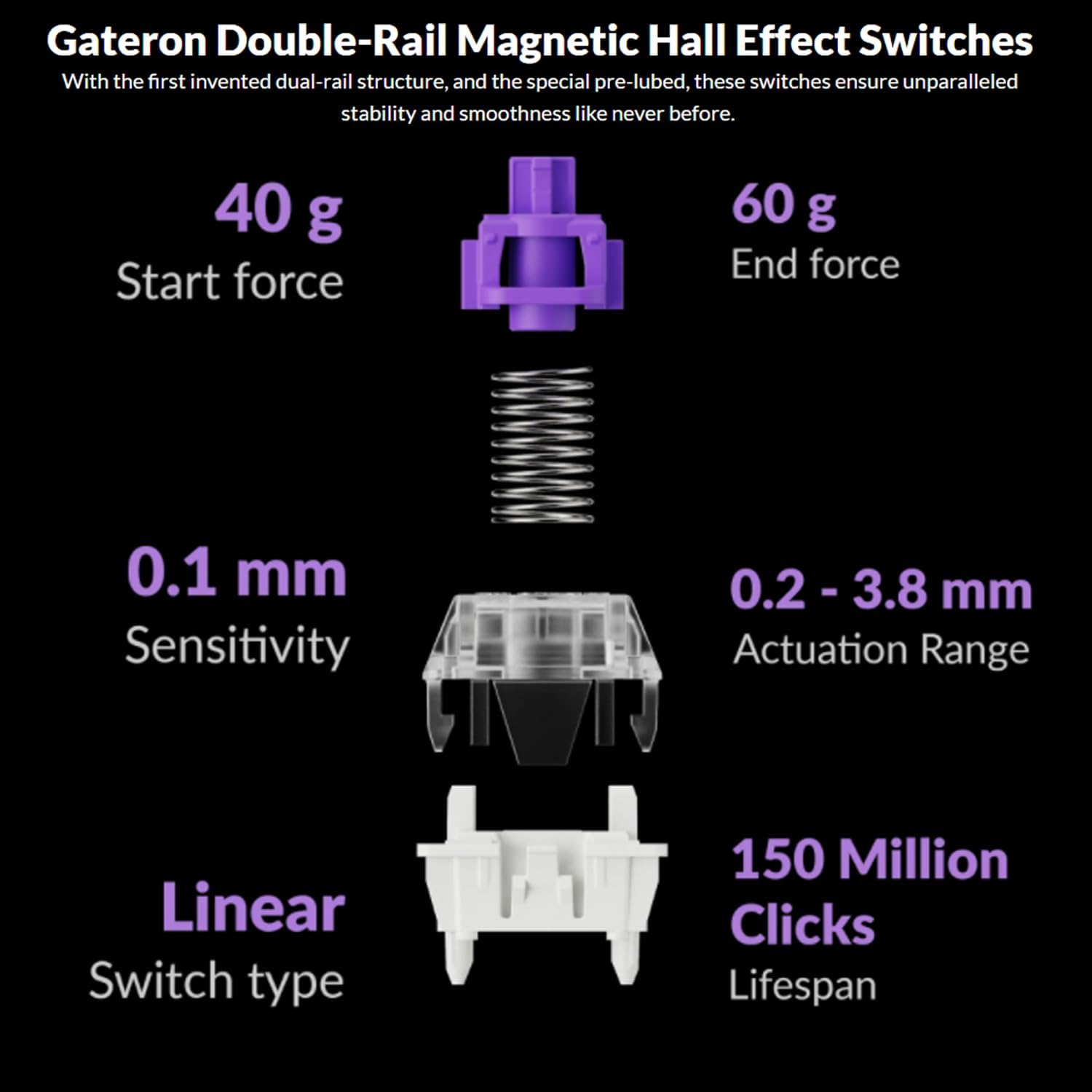
Image: Diagram illustrating the specifications of Gateron Double-Rail Magnetic Hall Effect Switches, including start force, end force, sensitivity, actuation range, switch type, and lifespan.
2. Programmable Knob and Keys
The integrated knob and all keys on the Q3 HE are fully programmable via the Keychron Launcher web app. This allows you to:
- Přemapujte klávesy na různé funkce.
- Adjust the actuation points of the magnetic switches.
- Vytvořte si vlastní makro příkazy.
- Nastavení vlastních zkratek a kombinací kláves.
Přístup k spouštěči Keychron web app through your web browser to customize your keyboard settings.
3. RGB podsvícení
The Q3 HE features south-facing RGB LED lights, designed to provide optimal illumination from the typist's perspective. This orientation also prevents interference when using Cherry-profile klíčenky.
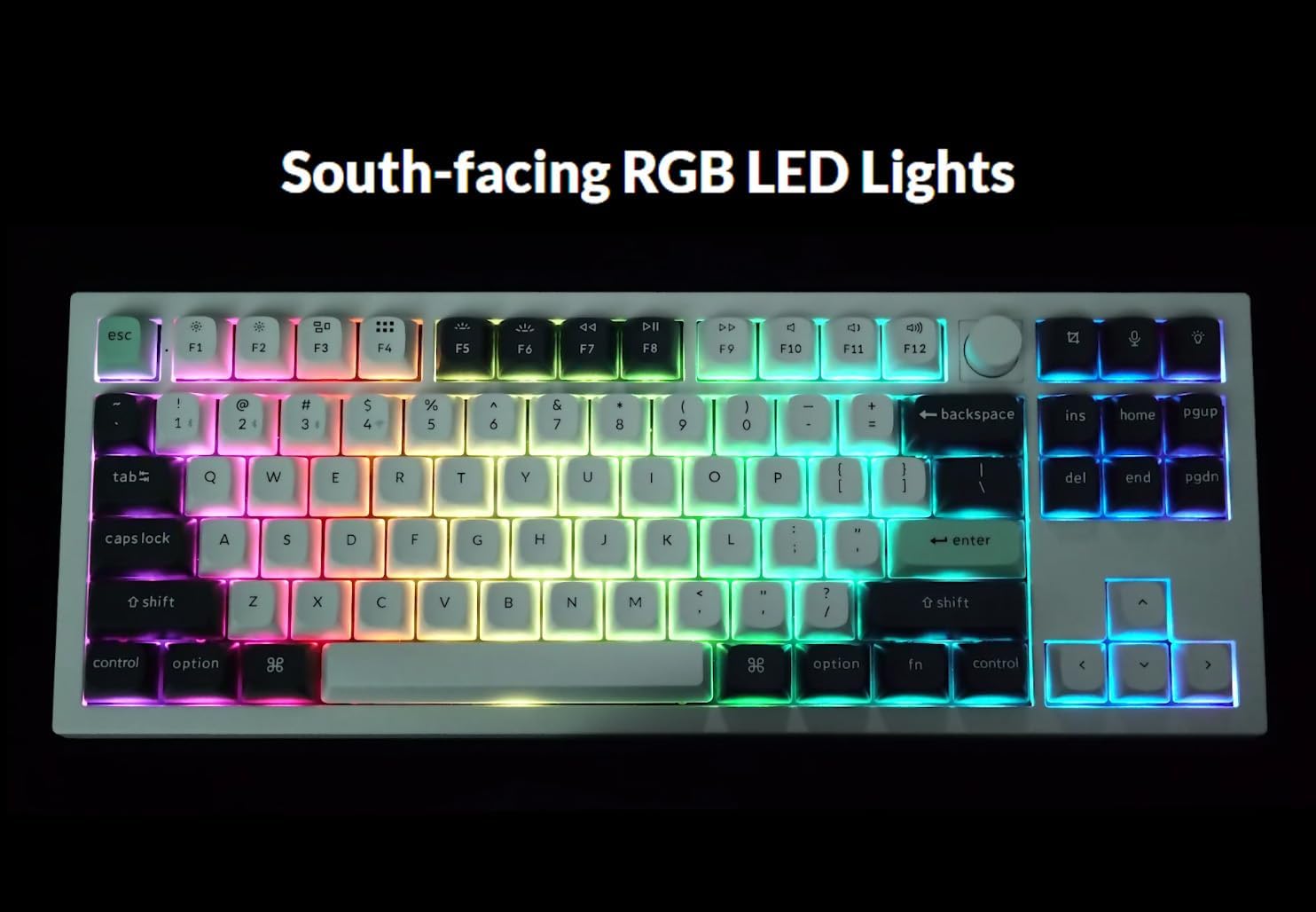
Image: The Keychron Q3 HE keyboard displaying its vibrant, south-facing RGB backlighting, illuminating the keycaps.
Use the designated function keys (e.g., Fn + klávesa Light or Fn + F5/F6) to cycle through different lighting effects and adjust brightness. Refer to the keyboard's quick start guide for specific key combinations.
4. OSA Double-Shot PBT Keycaps
The keyboard comes equipped with durable OSA Double-Shot PBT Keycaps. These keycaps are known for their resistance to shine and wear over time, ensuring longevity and a consistent typing feel.

Obrázek: Detailní záběr view of the OSA Double-Shot PBT Keycaps, showing their construction and texture.
Údržba
1. Čištění klávesnice
- Před čištěním odpojte klávesnici od všech zdrojů napájení a zařízení.
- K odstranění prachu a nečistot z prostoru mezi klávesami použijte nádobku se stlačeným vzduchem.
- For surface cleaning, gently wipe the keycaps and frame with a soft, lint-free cloth dampOmyjte malým množstvím vody nebo jemným, neabrazivním čisticím roztokem. Zabraňte nadměrné vlhkosti.
- Nestříkejte čisticí roztoky přímo na klávesnici.
2. Péče o baterie
- The keyboard is powered by a 4000 mAh Lithium Ion battery.
- Chcete-li prodloužit životnost baterie, vyvarujte se častého úplného vybíjení.
- Pokud klávesnici delší dobu nepoužíváte, skladujte ji na chladném a suchém místě.
- Pokud klávesnice nebudete delší dobu používat, nabijte ji před uskladněním přibližně na 50 %.
Odstraňování problémů
| Problém | Možná příčina | Řešení |
|---|---|---|
| Klávesnice nereaguje (kabelová) | Loose cable connection, incorrect mode switch, driver issue. |
|
| Klávesnice se nepřipojuje (2.4 GHz) | Receiver not plugged in, incorrect mode switch, interference. |
|
| Klávesnice se nepřipojuje (Bluetooth) | Není v režimu párování, Bluetooth zařízení vypnuté, již je připojeno k maximálnímu počtu zařízení. |
|
| Keys randomly stop responding / Incorrect key output | Software glitch, incorrect actuation point setting, physical debris. |
|
| RGB lights not working or inconsistent | Low battery, software setting, light effect disabled. |
|
Specifikace
| Funkce | Detail |
|---|---|
| Název modelu | Keychron Q3 HE |
| Rozložení | 80% (TKL) |
| Spínače | Dvoukolejnicové magnetické Hallovy spínače Gateron |
| Rozsah ovládání | 0.2 mm - 3.8 mm (adjustable) |
| Konektivita | Bezdrátové připojení 2.4 GHz, Bluetooth 5.1, kabelové USB-C |
| Frekvence dotazování (2.4 GHz) | 1000 Hz |
| Materiál těla | 6063 hliník |
| Klíčenky | OSA Double-Shot PBT |
| Podsvícení | RGB LED směřující na jih |
| Kapacita baterie | Lithium-iontová kapacita 4000 mAh |
| Životnost baterie | Až 100 hodin (při nejnižším jasu) |
| Hmotnost položky | 5.5 libry (přibližně 2.5 kg) |
| Rozměry (balení) | 15.79 x 8.03 x 2.8 palce |
| Kompatibilita operačního systému | Mac, Windows |
Záruka a podpora
Keychron products are designed and manufactured to high quality standards. For detailed warranty information, including coverage period and terms, please refer to the official Keychron webwebu nebo v záručním listu dodaném s vaším produktem.
For technical support, frequently asked questions (FAQs), and driver/software downloads (including Keychron Launcher), please visit the official Keychron support page:
When contacting support, please have your product model (Q3 HE) and serial number (if applicable) ready.
Ask a question about this manual
Ask about setup, troubleshooting, compatibility, parts, safety, or missing instructions. Manuals+ will review the question and use this page’s manual context to help answer it.