
1. Úvod
Thank you for choosing the Edifier X1 Lite True Wireless Earbuds. This manual provides detailed instructions for setting up, operating, and maintaining your new earbuds to ensure optimal performance and longevity. Please read this manual thoroughly before use.

Image: Edifier X1 Lite True Wireless Earbuds in their open charging case.
2. Co je v krabici
The Edifier X1 Lite package includes the following components:
- Edifier X1 Lite True Wireless Earbuds (Left and Right)
- Nabíjecí pouzdro
- USB nabíjecí kabel
- Uživatelská příručka (tento dokument)
3. Nastavení
3.1 Počáteční nabíjení
Před prvním použitím sluchátka a nabíjecí pouzdro plně nabijte.
- Vložte obě sluchátka do nabíjecího pouzdra.
- Připojte nabíjecí kabel USB k nabíjecímu portu na pouzdře a ke zdroji napájení (např. USB adaptér do zásuvky, USB port počítače).
- The indicator light on the charging case will show charging status. Refer to the LED indicator section for details.
- A full charge typically takes approximately 1.5 hours for the case and earbuds.
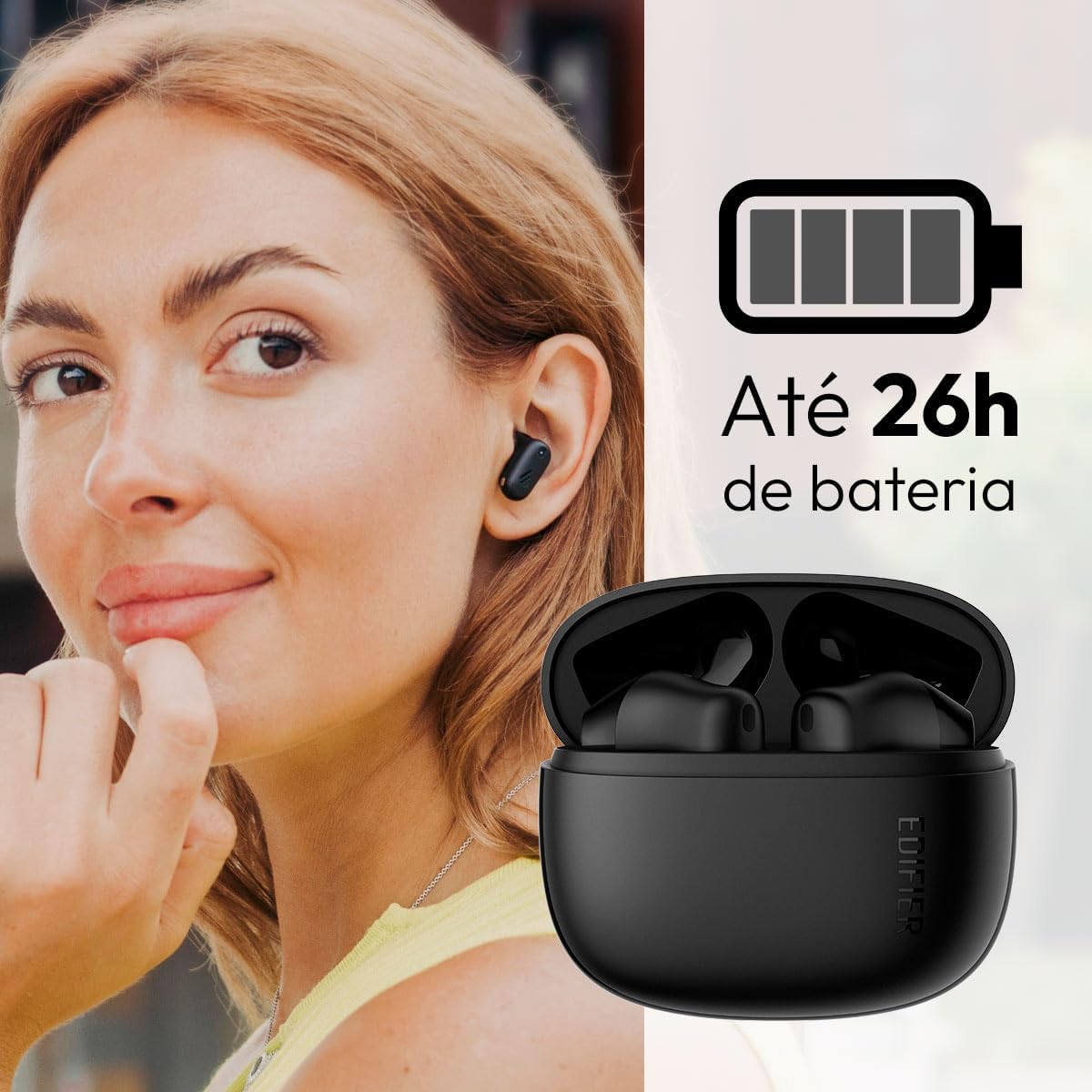
Image: Woman wearing an earbud, with the charging case and a battery icon indicating charging.
Fast Charging Feature:
A 15-minute quick charge can provide approximately 1.5 hours of playtime for the earbuds.

Image: Visual representation of battery life and fast charging capabilities.
3.2 Párování Bluetooth
Follow these steps to pair your Edifier X1 Lite earbuds with your device:
- První párování: Open the charging case. The earbuds will automatically power on and enter pairing mode. The indicator light on the earbuds will flash rapidly.
- Na svém zařízení (chytrý telefon, tablet, notebook) povolte Bluetooth.
- Hledat "EDIFIER X1 Lite" in the list of available Bluetooth devices.
- Select "EDIFIER X1 Lite" to connect. Once connected, the indicator lights on the earbuds will turn off, and you will hear a confirmation tone.
- Re-pairing/Connecting to a New Device: If the earbuds are already connected to another device, disconnect them first. Alternatively, with the earbuds in the case and the lid open, press and hold the button on the charging case for 3 seconds to enter pairing mode.

Image: Man using earbuds, highlighting Bluetooth 5.4 connectivity.
3.3 Edifier ConneX App Installation
For enhanced features and customization, download the EDIFIER ConneX app:
- Scan the QR code provided in the image below or visit the official Edifier app download page.
- Nainstalujte si aplikaci na svůj smartphone nebo tablet.
- Open the app and follow the on-screen instructions to connect your X1 Lite earbuds.
- The app allows for sound effect customization, game mode activation, and touch control settings.

Image: EDIFIER ConneX app interface with QR code. Download the Edifier ConneX App
4. Návod k obsluze
4.1 Nošení sluchátek do uší
Proper fit ensures optimal sound quality and comfort:
- Identifikujte levé (L) a pravé (R) sluchátko.
- Jemně vložte každé sluchátko do odpovídajícího zvukovodu.
- Mírně otáčejte sluchátkem, dokud nebudete cítit bezpečné a pohodlné uchycení.

Image: Man demonstrating proper earbud placement.
4.2 Zapnutí/vypnutí
- Zapnutí: Sluchátka se automaticky zapnou po vyjmutí z nabíjecího pouzdra.
- Vypnout: Sluchátka se automaticky vypnou a začnou se nabíjet, když je vložíte zpět do nabíjecího pouzdra a zavřete víko.
4.3 Dotykové ovládání
The Edifier X1 Lite earbuds feature touch-sensitive controls on each earbud. These controls can be customized via the EDIFIER ConneX app.
| Akce | Levé sluchátko (L) | Pravé sluchátko (R) |
|---|---|---|
| Přijmout/ukončit hovor | Dvojité klepnutí | Dvojité klepnutí |
| Odmítnout hovor | Trojité klepnutí | Trojité klepnutí |
| Přehrát/Pozastavit hudbu | Dvojité klepnutí | Dvojité klepnutí |
| Další stopa | N/A (Customize via App) | Trojité klepnutí |
| Předchozí stopa | Trojité klepnutí | N/A (Customize via App) |
| Herní režim Zapnuto/Vypnuto | Čtyřnásobné klepnutí | Čtyřnásobné klepnutí |
Note: These are default settings. Functions can be reconfigured using the EDIFIER ConneX app.

Obrázek: Vizuální průvodce dotykovým ovládáním sluchátek.
5. Údržba
5.1 Čištění
- Pravidelně čistěte sluchátka a nabíjecí pouzdro měkkým, suchým hadříkem, který nepouští vlákna.
- Nepoužívejte abrazivní čisticí prostředky, alkohol ani chemická rozpouštědla.
- Pro zajištění správného nabíjení se ujistěte, že nabíjecí kontakty na sluchátkách i pouzdře jsou čisté a bez nečistot.
5.2 Voděodolnost (IP54)
The Edifier X1 Lite earbuds are IP54 rated, meaning they are protected against dust ingress and splashing water from any direction. This makes them suitable for workouts and light rain.
- Neponořujte sluchátka do vody.
- Nabíjecí pouzdro není voděodolné. Uchovávejte ho v suchu.
- If earbuds get wet, wipe them dry completely before placing them back in the charging case to prevent damage.

Image: Demonstrating IP54 sweat resistance during exercise.
5.3 Péče o baterii
- Nevystavujte sluchátka a pouzdro extrémním teplotám (horkým nebo nízkým).
- Pokud zařízení nepoužíváte, skladujte jej na chladném a suchém místě.
- Zařízení pravidelně nabíjejte, i když ho nepoužíváte často, abyste zachovali jeho stav.
6. Řešení problémů
If you encounter issues with your Edifier X1 Lite earbuds, refer to the following common problems and solutions:
6.1 Žádný zvuk nebo přerušované připojení
- Zkontrolujte baterii: Ujistěte se, že jsou sluchátka i nabíjecí pouzdro dostatečně nabité.
- Opravit: Disconnect the earbuds from your device's Bluetooth settings and then re-pair them.
- Vzdálenost: Ensure the earbuds are within the Bluetooth range (typically 10 meters) of your device.
- Rušení: Move away from strong Wi-Fi signals or other Bluetooth devices that might cause interference.
- Resetovat: Place both earbuds in the charging case, close the lid, wait a few seconds, then open the lid and try pairing again.
6.2 Sluchátka se nenabíjejí
- Zkontrolujte kabel: Ensure the USB charging cable is securely connected to both the case and the power source.
- Zdroj napájení: Zkuste jiný USB port nebo adaptér do zásuvky.
- Vyčistit kontakty: Clean the charging contacts on the earbuds and inside the charging case with a dry cotton swab.
- Správné umístění: Ujistěte se, že jsou sluchátka správně usazena v nabíjecím pouzdře.
6.3 Špatná kvalita hovoru
- Překážka mikrofonu: Ensure the microphone on the earbuds is not covered.
- Prostředí: Move to a quieter environment if possible. The AI algorithm helps, but extreme noise can still affect clarity.
- Stabilita připojení: Zajistěte stabilní připojení Bluetooth.

Image: Man using earbuds for a clear call, highlighting AI voice pick-up technology.
6.4 Problémy s připojením aplikace
- Bluetooth zapnuto: Ensure Bluetooth is enabled on your device and the earbuds are connected.
- Oprávnění aplikace: Check if the EDIFIER ConneX app has necessary Bluetooth and location permissions.
- Restartujte aplikaci/zařízení: Zavřete a znovu otevřete aplikaci nebo restartujte smartphone.
- Aktualizace aplikace: Ujistěte se, že je aplikace aktualizována na nejnovější verzi.
7. Specifikace
| Funkce | Detail |
|---|---|
| Název modelu | X1 Lite |
| Technologie připojení | Bezdrátové (Bluetooth) |
| Verze Bluetooth | 5.4 |
| Typ zvukového ovladače | Dynamic Driver (Φ13mm) |
| Frekvenční rozsah | 20Hz-20kHz |
| Životnost baterie | Až 7 hodin (sluchátka), až 26 hodin (s nabíjecím pouzdrem) |
| Rychlé nabíjení | 15 minut nabíjení pro 1.5 hodiny přehrávání |
| Nízká latence | 60 ms |
| Voděodolnost | IP54 (pouze sluchátka do uší) |
| Mikrofon | Single Mic AI algorithm voice pick-up |
| Kontrolní metoda | Touch Control, App (EDIFIER ConneX) |
| Materiál | Plast |
| Hmotnost sluchátek | Přibližně 4 g na sluchátko |
| Barva | Černý |
8. Záruka a podpora
Edifier products are designed with quality and reliability in mind. For warranty information and customer support, please refer to the official Edifier webwebu nebo se přímo obraťte na jejich zákaznický servis.
- Oficiální Webmísto: Návštěva www.edifier.com pro registraci produktu, nejčastější dotazy a zdroje podpory.
- Služby zákazníkům: Contact Edifier customer support for technical assistance or warranty claims. Contact details can typically be found on the official webmístě nebo na obalu produktu.
Uschovejte si prosím doklad o koupi pro účely záruky.