
Dragon Touch 850065712093
Uživatelská příručka k digitálnímu fotorámečku Dragon Touch 10.1 palce s Wi-Fi
Model: 850065712093
1. Úvod
1.1 Konec produktuview
The Dragon Touch 10.1-inch Wi-Fi Digital Picture Frame allows you to instantly share photos and videos with loved ones from anywhere in the world. Featuring a 1280x800 HD IPS touch screen, auto-rotate function, and 16GB internal storage, this frame provides a convenient way to display your cherished memories.
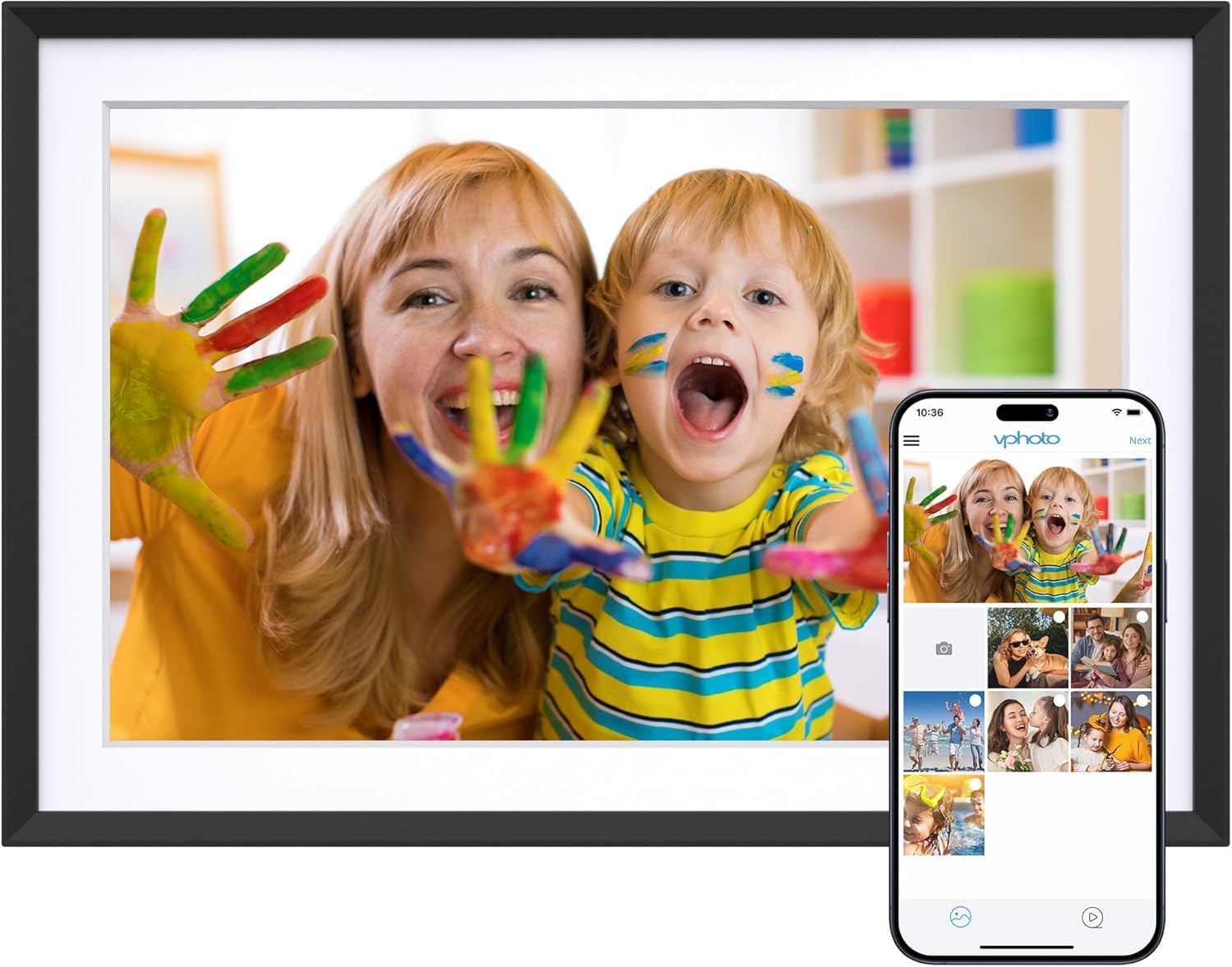
Image 1.1: The Dragon Touch 10.1-inch Wi-Fi Digital Picture Frame, showcasing its display with a vibrant image of a mother and child. A smartphone screen is overlaid, illustrating the Vphoto app interface for photo sharing.
1.2 Obsah balení
Ověřte, zda jsou v balení přítomny všechny položky:
- 1 x Dragon Touch 10.1-inch Wi-Fi Digital Picture Frame
- 1 x napájecí adaptér
- 1 x Stojan
- 1 x USB kabel
- 1 x Uživatelská příručka (tento dokument)

Image 1.2: An illustration detailing the components included in the product package, such as the frame, power adapter, stand, USB cable, and user manual.
2. Nastavení
2.1 Počáteční nastavení
- Zapnutí: Připojte napájecí adaptér k rámu a zapojte jej do elektrické zásuvky. Rám se automaticky zapne.
- Výběr jazyka: Postupujte podle pokynů na obrazovce a vyberte preferovaný jazyk.
- Wi-Fi připojení: Connect the frame to a 2.4 GHz Wi-Fi network. Note: 5 GHz networks are not supported.
- Instalace aplikace: Download the "Vphoto" app from your smartphone's app store (iOS or Android).
- Vytvoření účtu: Open the Vphoto app and create an account.
- Frame Pairing: Follow the app instructions to pair your smartphone with the digital picture frame. This typically involves scanning a QR code displayed on the frame or entering a unique frame code.

Image 2.1: A visual guide illustrating the three primary steps for initial setup: connecting to power and Wi-Fi, downloading the Vphoto app, and uploading photos.
3. Návod k obsluze
3.1 Nahrávání fotografií a videí
The Dragon Touch digital picture frame supports multiple methods for uploading media:
- Vphoto App: Use the Vphoto app on your smartphone to instantly send photos and short videos to the frame. Multiple users can connect to the same frame to share memories.
- E-mail: The frame can be configured to receive photos via email. Check the frame settings for the unique email address.
- TF karta (Micro SD karta): Insert a TF card (up to 64GB) into the designated slot to display media directly or transfer filedo interního úložiště.
- USB disk: Connect a USB drive to the frame's USB port to display media directly or transfer files.

Image 3.1: Visual representation of the four supported methods for uploading media to the digital picture frame: Vphoto App, Email, TF card, and USB drive.
3.2 Nastavení zobrazení
Přizpůsobte si svůj viewing experience through the frame's touch screen settings:
- Automatické otáčení: The frame automatically adjusts photo orientation whether placed in portrait or landscape mode.
- Režim spánku: Configure a customized sleep schedule to automatically turn the screen off and on, conserving energy.
- Interval prezentace: Adjust the duration each photo is displayed during a slideshow.
- Přechodové efekty: Select various transition styles for photos.

Image 3.2: The digital picture frame showcasing its auto-rotate feature, displaying an image in landscape orientation with an accompanying icon.
4. Správa úložiště
The frame comes with 16GB of built-in memory, capable of storing approximately 80,000 photos. For additional storage or file management, external options are available.
- Interní úložiště: Manage photos and videos directly on the frame.
- SD karta/USB disk: Use these to read files or export received photos and videos for better album management. Important: Remove all external devices when resetting the photo frame.

Image 4.1: A visual representation of the frame's large internal storage capacity, depicted by numerous photos surrounding the device.
5. Údržba
- Čištění: Use a soft, dry cloth to clean the screen and frame. Avoid liquid cleaners or abrasive materials.
- Umístění: Place the frame on a stable surface or mount it securely on a wall. Avoid direct sunlight or extreme temperatures.
- Aktualizace softwaru: Pravidelně kontrolujte a instalujte aktualizace softwaru, abyste zajistili optimální výkon a přístup k novým funkcím.
6. Řešení problémů
| Problém | Řešení |
|---|---|
| Rám se nezapne. | Ujistěte se, že je napájecí adaptér bezpečně připojen k rámu i k funkční zásuvce. |
| Nelze se připojit k Wi-Fi. | Verify that you are connecting to a 2.4 GHz Wi-Fi network. Check your Wi-Fi password. Restart your router and the frame. |
| Photos/Videos not appearing. | Confirm the frame is connected to Wi-Fi. Ensure media was successfully uploaded via the Vphoto app, email, or external storage. Check file formáty pro kompatibilitu. |
| Rám nereaguje. | Perform a soft reset by unplugging the power adapter, waiting 10 seconds, and plugging it back in. If issues persist, a factory reset may be necessary (refer to settings). |
| Email uploads fail. | Ensure the email address used is correct and the frame's email function is enabled. Avoid special characters like "#" in filenames, as these may cause issues. |
7. Specifikace
| Funkce | Detail |
|---|---|
| Číslo modelu | 850065712093 |
| Velikost obrazovky | 10.1 palce |
| Rezoluce | 1280x800 |
| Typ zobrazení | Dotykový displej s HD IPS |
| Interní úložiště | 16 GB (přibližně 20 000 fotografií) |
| Externí úložiště | Supports SD card (up to 64GB) and USB drive |
| Konektivita | Wi-Fi (pouze 2.4 GHz) |
| Kompatibilní zařízení | Smartphone (via Vphoto App) |
| Rozměry produktu | 10.3 x 7.1 x 0.99 palce |
| Hmotnost položky | 1.72 libry |
| Výrobce | Dragon Touch |
8. Záruka a podpora
For warranty information, technical support, or customer service inquiries, please refer to the official Dragon Touch website or contact their customer support directly. Details are typically provided on the product packaging or the manufacturer's webmísto.
Online resources and FAQs may also be available to assist with common questions and issues.
Ask a question about this manual
Ask about setup, troubleshooting, compatibility, parts, safety, or missing instructions. Manuals+ will review the question and use this page’s manual context to help answer it.