
SONICAKE QCS-01
SONICAKE Sonic One Loop Multifunctional Pedal
Model: QCS-01
Zavedení
The SONICAKE Sonic One Loop is a versatile 3-in-1 guitar and bass effects pedal designed to enhance your signal chain with AB line selection, a dedicated effects loop, and switchable buffer functions. Its true bypass design ensures your instrument's original tone is preserved when the pedal is disengaged. This manual provides detailed instructions for setup, operation, and maintenance to help you get the most out of your Sonic One Loop pedal.
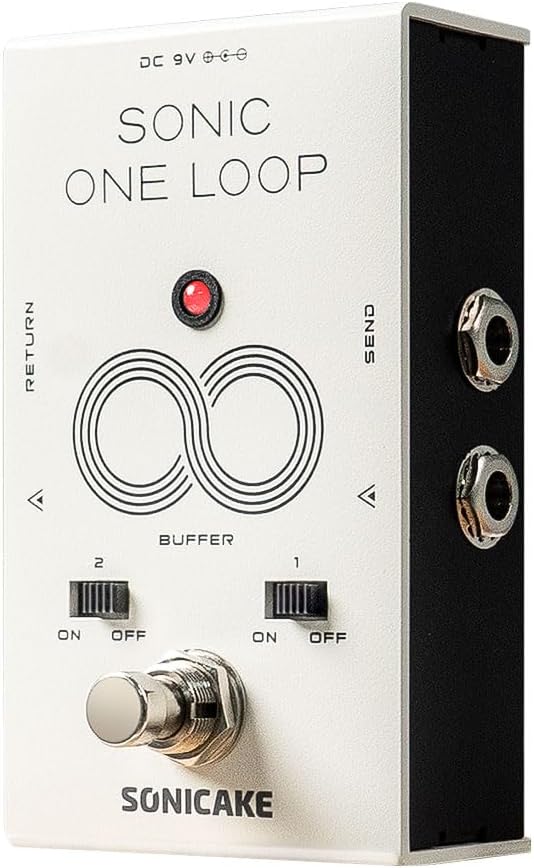
Obrázek 1: Přední strana view of the SONICAKE Sonic One Loop pedal, showing the footswitch, buffer switches, and input/output jacks.
Nastavení
Požadavky na napájení
The Sonic One Loop pedal requires a standard 9V DC power supply with a center-negative polarity. Ensure your power supply meets these specifications to prevent damage to the unit.
Připojení pedálu
- Connect your instrument (guitar or bass) to the VSTUP jack on the pedal using a standard 1/4-inch instrument cable.
- Připojte VÝSTUP zvedák pedálu k vašemu amplifier nebo další pedál ve vašem signálním řetězci.
- For the effects loop function, connect the POSLAT jack to the input of the effects pedals you wish to include in the loop.
- Connect the output of the last pedal in your effects loop chain to the NÁVRAT jack on the Sonic One Loop pedal.
- Plug in the 9V DC center-negative power supply to the DC 9V vstupní jack.

Obrázek 2: Přesview of the Sonic One Loop pedal highlighting its AB, Loop, and Buffer functionalities.
Návod k obsluze
AB Line Selection Function
The Sonic One Loop allows you to select between two distinct signal paths (A or B) by tapping the main footswitch. This is useful for switching between different effects chains or routing your signal to different destinations.

Figure 3: Visual representation of the AB Line Selection function, showing how the footswitch toggles between output paths A and B.
Funkce smyčky
The integrated loop function enables you to engage or disengage an external chain of effects pedals with a single tap of the footswitch. This is ideal for bringing multiple effects in and out of your signal path simultaneously.
- To activate the loop, tap the footswitch. The indicator LED will change color (e.g., from red to green) to show the loop is active.
- To bypass the loop, tap the footswitch again. The signal will then pass directly through the pedal via true bypass.

Figure 4: Diagram showing how to connect and utilize the Loop Function for external effects pedals.
Buffer Function
The Sonic One Loop features two independent buffer switches (Buffer 1 and Buffer 2) that can be toggled ON or OFF. Buffers help maintain signal integrity over long cable runs or through complex pedalboards, preventing tone loss due to capacitance.
- Buffer 1: Controls the buffer for the input/output line.
- Buffer 2: Controls the buffer for the loop line.
- Use the small toggle switches located above the footswitch to activate or deactivate each buffer independently.
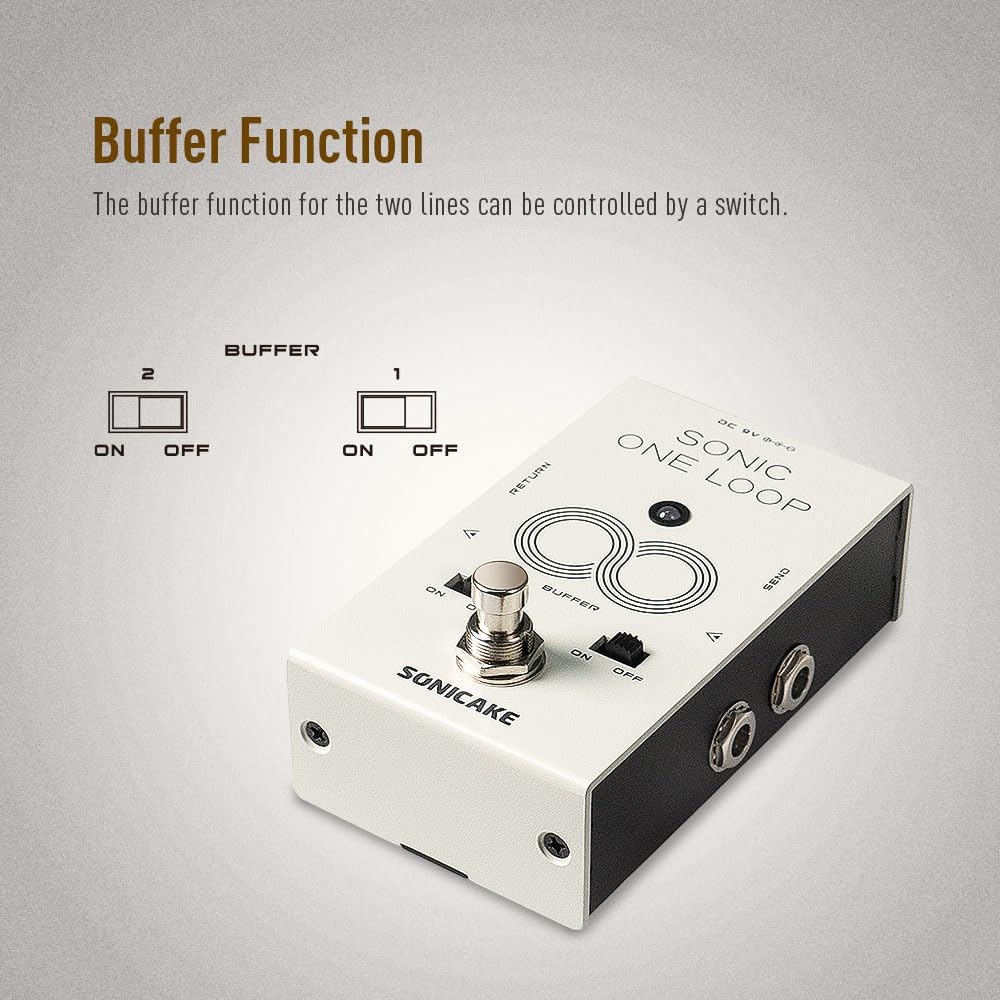
Obrázek 5: Detail view of the buffer switches (1 and 2) and their ON/OFF positions.
Skutečné přemostění
The Sonic One Loop is equipped with true bypass circuitry. When the pedal's effect or loop is disengaged, the signal passes directly through the pedal without any electronic interference, ensuring your instrument's original, uncolored tone is maintained.

Figure 6: Representation of True Bypass, indicating a clean signal path when the effect is off.
Údržba
- Čištění: K čištění vnější strany pedálu používejte měkký, suchý hadřík. Nepoužívejte abrazivní čisticí prostředky ani rozpouštědla, která by mohla poškodit povrchovou úpravu.
- Skladování: Pedál skladujte v suchém prostředí, mimo dosah extrémních teplot a přímého slunečního záření. Pokud jej delší dobu nepoužíváte, odpojte jej od napájení.
- Spojení: Periodically check all cable connections for tightness and wear. Ensure instrument cables are in good condition to prevent signal loss or noise.
Odstraňování problémů
| Problém | Možná příčina | Řešení |
|---|---|---|
| Žádný zvuk nebo slabý signál | Incorrect power supply; faulty cables; incorrect connections; buffer switches off when needed. |
|
| Nežádoucí hluk nebo hučení | Zemnící smyčka; vadný zdroj napájení; rušení od jiné elektroniky. |
|
| Nožní spínač nereaguje | No power; internal issue. |
|
Specifikace
| Funkce | Detail |
|---|---|
| Číslo modelu | QCS-01 |
| Hmotnost položky | 10.6 unce (300 gramů) |
| Rozměry balení | 4.76 x 3.27 x 2.52 palce |
| Požadavek na napájení | 9V DC, Center-Negative |
| Hardwarové rozhraní | 1/4palcové audio konektory |
| Funkce | AB Line Selection, Effects Loop, Buffer |
| Typ bypassu | Skutečné přemostění |
| Země původu | Čína |
Poznámka: Specifikace se mohou změnit bez předchozího upozornění z důvodu vylepšení produktu.
Záruka a podpora
For warranty information and technical support, please refer to the official SONICAKE webnebo se obraťte na autorizovaného prodejce. Uschovejte si účtenku jako doklad o koupi pro případné reklamace.
For further assistance, you may visit the SONICAKE Store on Amazon: SONICAKE Store.
Ask a question about this manual
Ask about setup, troubleshooting, compatibility, parts, safety, or missing instructions. Manuals+ will review the question and use this page’s manual context to help answer it.