
Zavedení
Thank you for choosing the ZEALOT S49 Pro Portable Bluetooth Speaker. This manual provides essential information for the safe and efficient use of your speaker. Please read it thoroughly before operation and retain it for future reference.
The ZEALOT S49 Pro is a compact and lightweight portable speaker designed to deliver clear, high-quality audio with powerful bass. It features multiple connectivity options, including Bluetooth, USB, TF card, and AUX input, and supports TWS (True Wireless Stereo) pairing for an enhanced 40W 360-degree stereo experience. With IPX5 water resistance and a long-lasting 3000mAh battery, it is suitable for various indoor and outdoor environments.

Figure 1: HiFi Sound Quality with 360° Omnidirectional Sound
Obsah balení
- ZEALOT S49 Pro Portable Bluetooth Speaker
- Power Cable (USB-C charging cable)
- Uživatelská příručka
Konec produktuview
Familiarize yourself with the various parts and controls of your ZEALOT S49 Pro speaker.
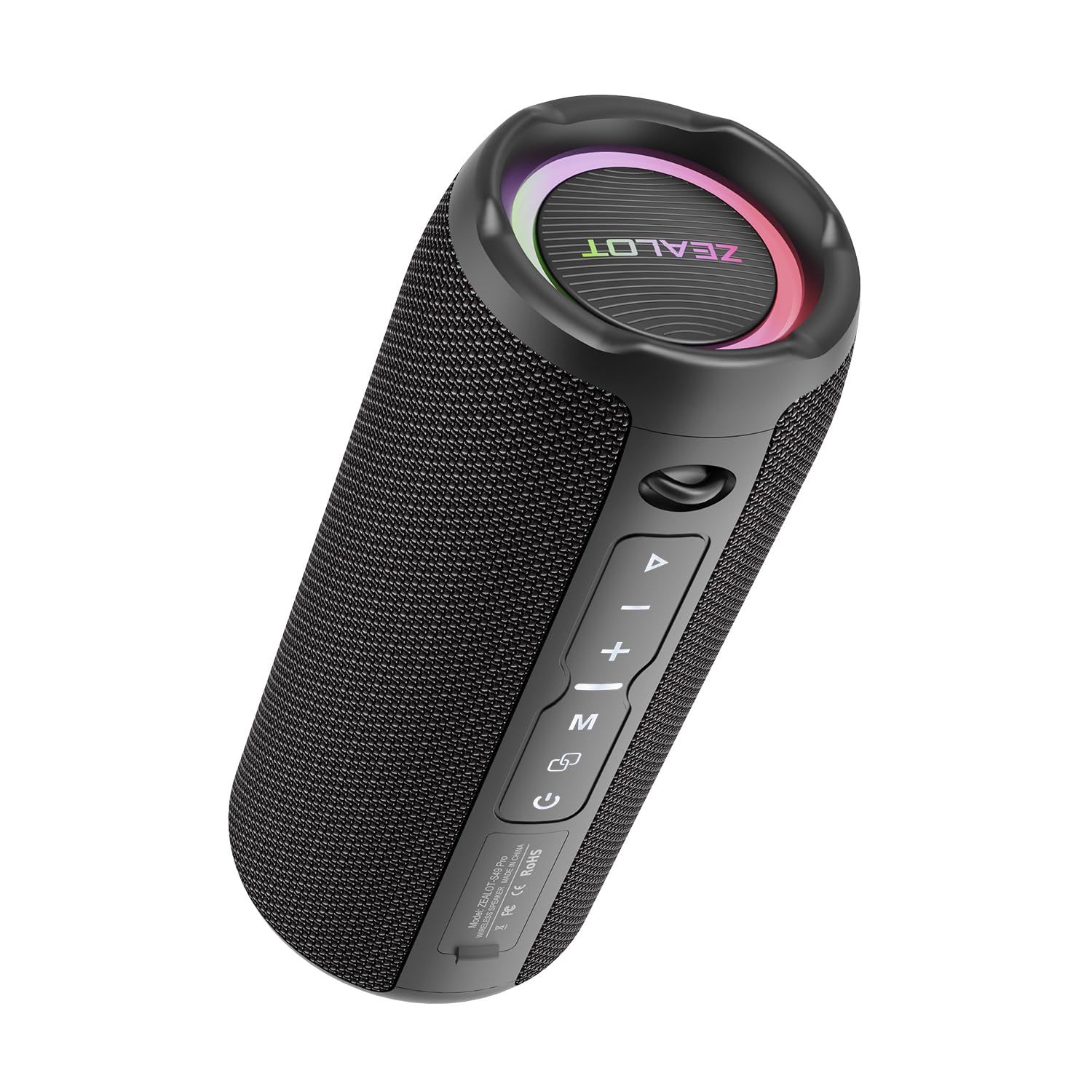
Figure 2: ZEALOT S49 Pro Speaker Front View
Ovládací prvky a porty:
- Vypínač: Stisknutím a podržením zapnete nebo vypnete reproduktor.
- Tlačítko Přehrát/Pozastavit: Press to play or pause music. Press to answer or end calls.
- Tlačítko pro zvýšení hlasitosti / další skladbu (+): Krátkým stisknutím zvýšíte hlasitost. Dlouhým stisknutím přejdete na další skladbu.
- Tlačítko pro snížení hlasitosti / Předchozí skladba (-): Krátkým stisknutím snížíte hlasitost. Dlouhým stisknutím přejdete na předchozí skladbu.
- Tlačítko režimu (M): Press to switch between Bluetooth, USB, TF Card, and AUX input modes.
- Tlačítko TWS (∞): Press to initiate True Wireless Stereo pairing with another S49 Pro speaker.
- Port DC 5V: Port USB-C pro nabíjení reproduktoru.
- Slot na kartu TF: Vložte kartu TF (MicroSD) pro přehrávání hudby.
- USB port: Insert a USB flash drive for music playback.
- AUX port: Připojte externí zvuková zařízení pomocí 3.5mm audio kabelu.

Obrázek 3: Porty připojení
Nastavení
1. Nabíjení reproduktoru
Before first use, fully charge the speaker. Connect the provided power cable to the DC5V port on the speaker and the other end to a USB power adapter (not included) or a computer's USB port. The charging indicator light will show the charging status.

Figure 4: Charging the Speaker
2. Zapnutí/vypnutí
Stiskněte a podržte Tlačítko napájení po dobu přibližně 3 sekund zapnete nebo vypnete reproduktor. Zvukový signál bude indikovat stav napájení.
3. Párování Bluetooth
- Zapněte reproduktor. Automaticky se přepne do režimu párování Bluetooth, což bude signalizováno blikající LED kontrolkou.
- Povolte Bluetooth na svém zařízení (chytrý telefon, tablet atd.).
- Hledat "ZEALOT S49 Pro" in your device's Bluetooth list and select it to connect.
- Once connected, the LED light will stop flashing, and you will hear a confirmation sound.
4. Párování True Wireless Stereo (TWS)
To achieve a 40W 360-degree stereo sound experience, you can pair two ZEALOT S49 Pro speakers together:
- Ujistěte se, že oba reproduktory S49 Pro jsou zapnuté a nejsou připojeny k žádnému jinému zařízení Bluetooth.
- Na jednom z reproduktorů (to bude primární reproduktor) krátce stiskněte Tlačítko TWS (∞)Reproduktor se přepne do režimu párování TWS.
- Oba reproduktory se automaticky propojí. Po spárování uslyšíte potvrzovací zvuk.
- Now, connect your device to the primary speaker via Bluetooth as described in "3. Bluetooth Pairing". Both speakers will play audio in stereo.

Obrázek 5: Párování TWS pro stereo zvuk
Návod k obsluze
1. Přehrávání hudby
- Režim Bluetooth: After successful Bluetooth pairing, open your music player app and start playing audio.
- Režim USB/TF karty: Insert a USB flash drive or TF card into the respective port. The speaker will automatically switch to the corresponding mode and begin playing music. Press the Tlačítko režimu (M) to switch if it doesn't.
- Režim AUX: Connect your audio device to the speaker's AUX port using a 3.5mm audio cable. Press the Tlačítko režimu (M) pro přepnutí do režimu AUX.

Figure 6: Speaker Internal Components for Enhanced Bass
2. Ovládání hlasitosti
Krátce stiskněte + Tlačítko to increase volume. Short press the - Knoflík snížit hlasitost.
3. Ovládání stopy
Dlouze stiskněte + Tlačítko to skip to the next track. Long press the - Knoflík pro přechod na předchozí skladbu.
4. Správa hovorů
When connected via Bluetooth, if a call comes in, press the Tlačítko Přehrát/Pozastavit to answer the call. Press it again to end the call. Long press to reject an incoming call.
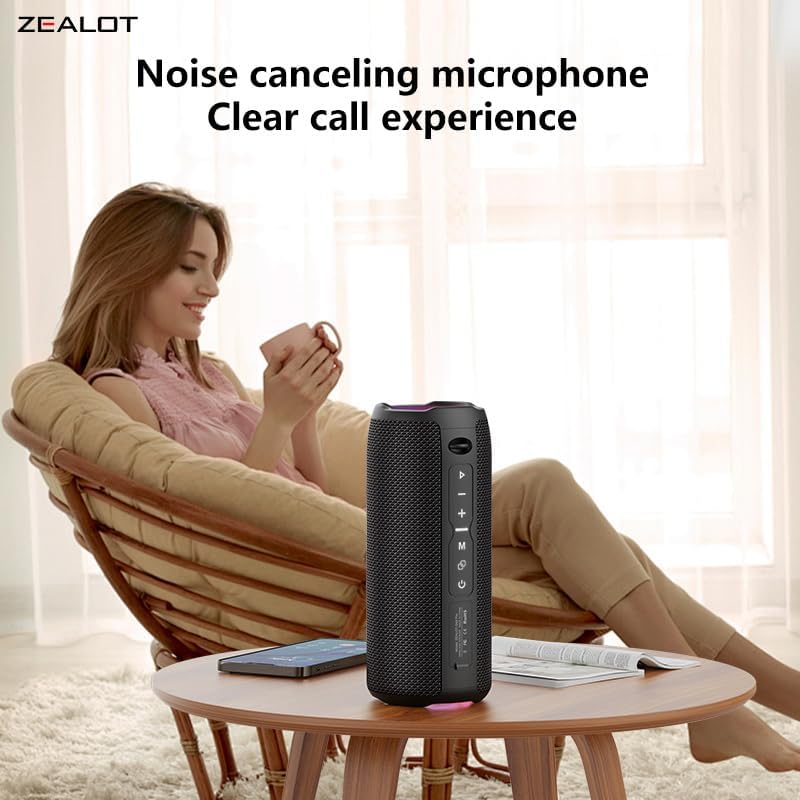
Figure 7: Clear Call Experience with Built-in Microphone
5. Přepínání režimů
Stiskněte tlačítko Tlačítko režimu (M) to cycle through available input modes: Bluetooth, USB, TF Card, and AUX.
6. RGB osvětlení
The speaker features RGB colorful lights. These lights typically synchronize with the music rhythm. Specific controls for the lights are not detailed in the provided information, but they are an aesthetic feature.

Figure 8: RGB Colorful Light Show
Údržba
- Čištění: K čištění reproduktoru používejte měkký, suchý hadřík. Nepoužívejte abrazivní čisticí prostředky ani rozpouštědla.
- Voděodolnost: The speaker is IPX5 water-resistant, meaning it can withstand splashes and light rain. Do not submerge the speaker in water or expose it to strong jets of water. Ensure all port covers are securely closed before exposure to water.
- Skladování: Reproduktor skladujte na chladném a suchém místě mimo dosah přímého slunečního záření a extrémních teplot.
- Péče o baterie: Pro prodloužení životnosti baterie reproduktor pravidelně nabíjejte, i když jej delší dobu nepoužíváte. Vyhněte se častému úplnému vybíjení baterie.

Obrázek 9: Vodotěsnost IPX5
Odstraňování problémů
| Problém | Možná příčina | Řešení |
|---|---|---|
| Reproduktor se nezapne. | Slabá baterie. | Plně nabijte reproduktor. |
| Nelze spárovat přes Bluetooth. | Speaker is not in pairing mode or already connected to another device. Device Bluetooth is off. | Ensure speaker is in pairing mode (flashing LED). Disconnect from other devices. Turn on Bluetooth on your device and search again. |
| Žádný zvuk. | Volume too low. Incorrect input mode. Device not playing. | Increase speaker and device volume. Press 'M' button to switch modes. Ensure music is playing on your connected device. |
| Párování TWS selhalo. | Reproduktory jsou od sebe příliš daleko. Jeden reproduktor je již připojen k zařízení. | Ujistěte se, že jsou reproduktory blízko sebe. Před zahájením párování TWS odpojte oba reproduktory od všech zařízení Bluetooth. |
| Špatná kvalita zvuku. | Slabá baterie. Zařízení je příliš daleko od reproduktoru. Překážky. | Charge the speaker. Move device closer to the speaker. Remove any obstacles between the speaker and device. |
Specifikace
| Funkce | Detail |
|---|---|
| Značka | Fanatik |
| Název modelu | ZEALOT S49 Pro |
| Typ reproduktoru | Subwoofer |
| Technologie připojení | Bluetooth, USB, TF Card, AUX (3.5mm) |
| Bezdrátový komunikační protokol | Bluetooth |
| Maximální výstupní výkon reproduktoru | 20 wattů |
| Frekvenční odezva | Až 20 kHz |
| Režim zvukového výstupu | Stereo (2.0 kanál) |
| TWS Párování | Yes, for 40W 360-degree stereo sound |
| Materiál | Akrylonitrilbutadienstyren (ABS) |
| Barva | Černý |
| Úroveň odolnosti proti vodě | IPX5 (Waterproof/Splash-proof) |
| Speciální funkce | Portable, Water Resistant, USB Port, Built-in Microphone, RGB Lighting |
| Kontrolní metoda | Stiskněte tlačítko |
| Typ baterie | 2 lithium-iontová baterie (součástí balení) |
| Kapacita baterie | 3000 XNUMX mAh |
| Životnost baterie | Up to 12 hours (Varies with volume and content) |
| Zdroj napájení | Napájení z baterie (nabíjecí přes USB-C) |
| Rozměry produktu (DxŠxV) | 8.6 x 8.6 x 20.4 cm (3.38 x 3.38 x 8.03 palce) |
| Hmotnost položky | 762 gramů |
| Zahrnuté komponenty | Napájecí kabel |

Obrázek 10: Rozměry produktu
Záruka a podpora
Informace o záruce
The ZEALOT S49 Pro Portable Bluetooth Speaker comes with a one-year manufacturer's warranty from the date of purchase. This warranty covers manufacturing defects and workmanship under normal use. It does not cover damage caused by misuse, accidents, unauthorized modifications, or normal wear and tear.
Zákaznická podpora
If you encounter any issues or have questions regarding your ZEALOT S49 Pro speaker, please contact our customer support team. For the fastest service, please have your product model number (S49 Pro) and proof of purchase ready.
Kontaktní údaje:
- Webmísto: www.zealot.cc (Prosím, zkontrolujte oficiální webweb s nejaktuálnějšími kontaktními údaji.)
- E-mail: support@zealot.cc (Example email, please verify with actual product documentation)