
1. Úvod
This manual provides comprehensive instructions for the installation, operation, and maintenance of your Gravity MGR5 Marine Stereo Receiver. Please read this manual thoroughly before using the product to ensure proper function and to prevent damage. Keep this manual for future reference.
2. Bezpečnostní informace
- Napájení: Ensure the power supply is 12V DC (direct current) only. Incorrect voltagmůže poškodit jednotku.
- Zapojení: All wiring should be performed by a qualified technician. Incorrect wiring can lead to electrical shock or fire.
- Voděodolnost: The MGR5 is designed with IPX5 water resistance. While it can withstand splashes and light rain, it is not designed for submersion.
- Teplota: Nevystavujte jednotku extrémním teplotám nebo přímému slunečnímu záření po delší dobu.
- Čištění: K čištění používejte měkký, suchý hadřík. Nepoužívejte abrazivní čisticí prostředky nebo rozpouštědla.
- Větrání: Zajistěte dostatečné větrání kolem jednotky, aby se zabránilo přehřátí.
3. Obsah balení
Ověřte, zda jsou v balení přítomny všechny položky:
- Gravity MGR5 Marine Stereo Receiver
- Dálkové ovládání
- Kabelový svazek
- Montážní hardware
- Uživatelská příručka (tento dokument)
4. Konec produktuview
The Gravity MGR5 is a versatile marine stereo receiver featuring a 4.1-inch LCD display, multi-mode playback options, and Bluetooth connectivity. It is designed for use in various environments, including marine, automotive, and recreational vehicles.

Obrázek 4.1: Přední strana view of the Gravity MGR5 Marine Stereo Receiver, showcasing its 4.1-inch LCD display and control buttons. The display shows a vibrant image of a harbor.
4.1. Funkce ovládacího panelu
Refer to the diagram below for an explanation of the main control buttons on the MGR5 unit.

Figure 4.2: Detailed diagram illustrating the MGR5 control buttons and their corresponding functions.
- PWR/SEL/VOL: Controls power, sound settings, and volume levels.
- MODE/SUB-: Switches audio sources and controls subwoofer levels.
- BAND/AV/SUB+: Changes radio bands and audio/video output, adjusts subwoofer.
- TUNE/TRACK BUTTONS: Selects radio stations or media tracks, fast-forwards or rewinds.
- JÍDELNÍ LÍSTEK: Accesses the main menu for various system settings.
- AMS: Searches and stores radio stations automatically, toggles play/pause in media mode.
- CH +: Skips through or saves radio presets.
- Tlačítko Přehrát/Pozastavit: Manages playback of media.
- Nastavení: Enters detailed settings for the system like color, light, time, and language.
4.2. Klíčové vlastnosti
- 4.1" LCD Display for video playback and navigation.
- Bluetooth připojení pro bezdrátové streamování zvuku.
- Multi-mode playback: USB, SD card, AUX input, FM radio.
- Subwoofer control and preset equalizer modes.
- IPX5 water-resistant and durable construction.
- Multi-color buttons for enhanced usability.

Figure 4.3: Visual representation of key features such as AUX, USB, Preset EQ, Subwoofer control, and IPX5 water resistance.
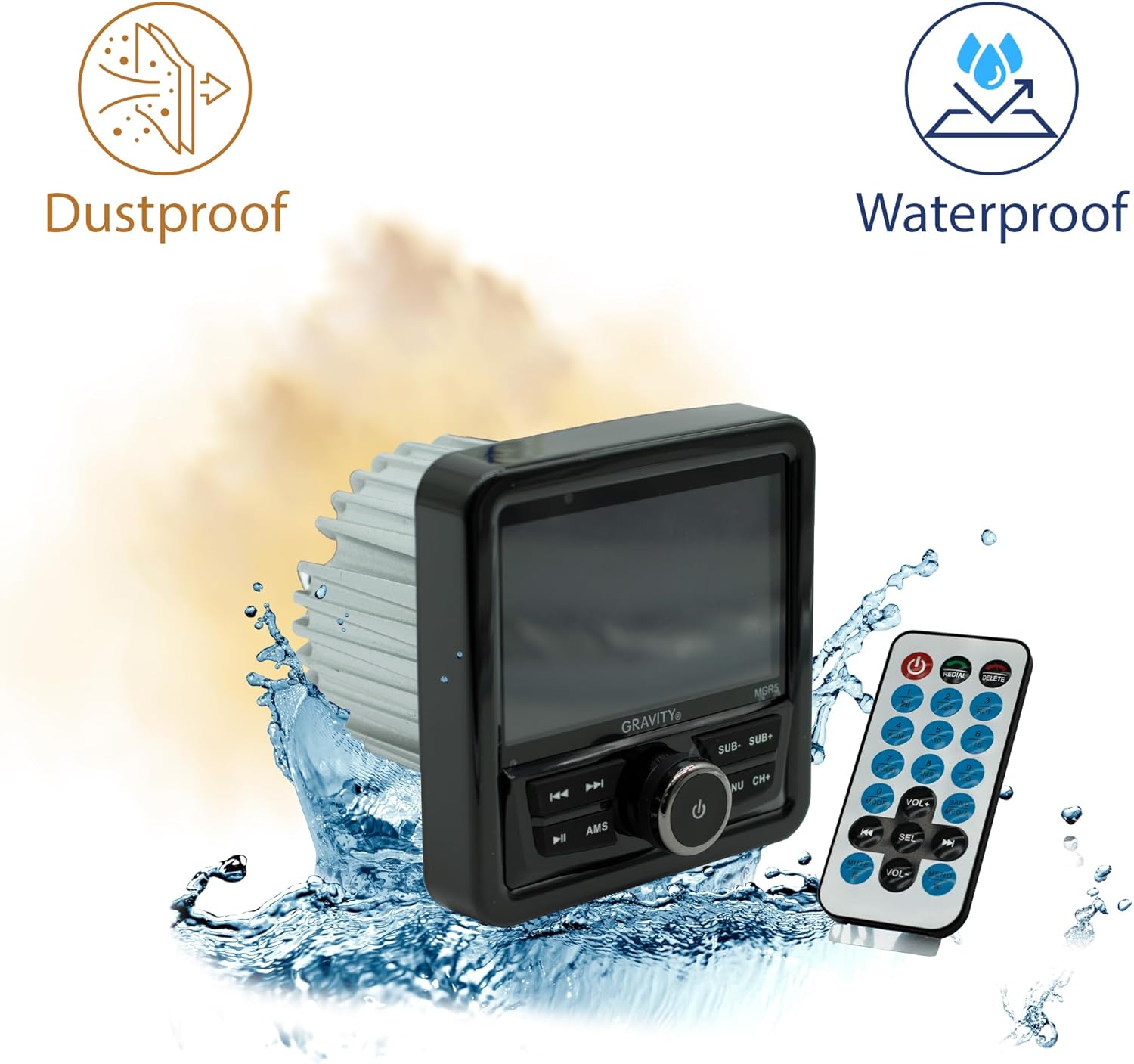
Figure 4.4: The MGR5 unit highlighting its dustproof and waterproof design, suitable for challenging environments.
5. Instalace
Proper installation is crucial for the performance and longevity of your MGR5 receiver. Consult a professional if you are unsure about any steps.
5.1. Montážní rozměry
Before installation, ensure you have adequate space for the unit. Refer to the dimensions below.

Figure 5.1: Detailed dimensions of the MGR5 unit, including front panel and chassis measurements, essential for proper mounting.
- Front Panel Width: Přibližně 4.33 palců
- Hloubka podvozku: Přibližně 3.98 palců
- Výška podvozku: Přibližně 2.89 palců
5.2. Schéma zapojení
Connect the wiring harness according to the diagram provided in the separate wiring guide (if applicable) or the labels on the harness itself. Ensure all connections are secure and insulated.
- Červený drát: ACC (příslušenství napájení)
- Žlutý drát: B+ (Constant 12V Power)
- Černý drát: GND (zem)
- Modrý drát: Dálkové zapnutí (pro amplifier/antenna)
- Dráty reproduktorů: Connect to appropriate speakers (Front Left, Front Right, Rear Left, Rear Right). Ensure correct polarity.
Varování: Incorrect wiring can cause severe damage to the unit or vehicle's electrical system. Always disconnect the vehicle's battery before beginning installation.
6. Provoz
6.1. Základní funkce
- Zapnutí/vypnutí: Stiskněte tlačítko PWR/SEL/VOL knoflík pro zapnutí nebo vypnutí jednotky.
- Ovládání hlasitosti: Otočte PWR/SEL/VOL knoflík pro nastavení hlasitosti.
- Výběr zdroje: Stiskněte tlačítko MODE/SUB- button to cycle through available audio sources (FM, AM, Bluetooth, USB, SD, AUX).
6.2. Provoz Bluetooth
- Párování:
- Select Bluetooth as the source. The unit will enter pairing mode automatically.
- On your mobile device, search for Bluetooth devices and select "MGR5".
- Po spárování zařízení potvrdí připojení.
- Streamování zvuku: Play audio from your paired device. Use the TUNE/TRACK tlačítka pro přeskakování skladeb a AMS button for play/pause.
6.3. Přehrávání z USB/SD karty
- Insert a USB drive or SD card into the respective slot.
- The unit will automatically switch to USB/SD mode and begin playback. If not, select USB/SD as the source using the MODE/SUB- tlačítko.
- Použijte TUNE/TRACK tlačítka pro navigaci po stopách a AMS pro přehrávání/pauzu.
6.4. FM rádio
- Select FM as the source.
- Automatické skenování: Stiskněte a podržte AMS tlačítko pro automatické vyhledávání a ukládání stanic se silným signálem.
- Ruční ladění: Použijte TUNE/TRACK tlačítka pro jemné doladění.
- Přednastavené stanice: Použijte CH+ pro procházení uložených předvoleb.
6.5. Subwoofer Control and EQ Settings
- Úroveň subwooferu: Stiskněte MODE/SUB- or BAND/AV/SUB+ to adjust subwoofer output.
- Přednastavení ekvalizéru: Stiskněte tlačítko MENU button to access audio settings, then navigate to EQ presets (e.g., Pop, Rock, Classic, Flat).
7. Údržba
- Čištění jednotky: Use a soft, dry cloth to wipe the exterior of the unit. For stubborn dirt, slightly damphadřík vodou. Nepoužívejte agresivní chemikálie ani abrazivní materiály.
- Péče o displej: The LCD display is sensitive. Clean it gently with a microfiber cloth. Avoid pressing hard on the screen.
- Kontroly připojení: Pravidelně kontrolujte všechna kabelová připojení, abyste se ujistili, že jsou bezpečná a bez koroze, zejména v mořském prostředí.
- Aktualizace softwaru: Zkontrolujte výrobce webPro zajištění optimálního výkonu a kompatibility vyhledejte dostupné aktualizace firmwaru na webu.
8. Řešení problémů
| Problém | Možná příčina | Řešení |
|---|---|---|
| Žádná síla | Nesprávné zapojení, spálená pojistka, uvolněný kontakt. | Check power and ground connections. Inspect fuse. Ensure battery is connected. |
| Žádný zvuk | Volume too low, incorrect source selected, speaker wires disconnected, ampproblémy s lifikátorem. | Increase volume. Select correct source. Check speaker wiring. Verify external ampZáchranný přístroj (pokud je použit) je zapnutý. |
| Bluetooth se nepřipojuje | Device not in pairing mode, MGR5 not in Bluetooth mode, interference. | Ensure MGR5 is in Bluetooth mode. Put mobile device in pairing mode. Try restarting both devices. |
| USB/SD karta se nepřehrává | Nepodporováno file format, corrupted media, incorrect source. | Kontrola file formats (e.g., MP3, WMA). Try a different USB/SD card. Select USB/SD source. |
| Špatný příjem rádia | Anténa není připojena, slabý signál, rušení. | Ensure antenna is properly connected. Try auto-scanning for stations. Move to an area with better signal. |
9. Specifikace
| Funkce | Detail |
|---|---|
| Číslo modelu | MGR5 |
| Výkon | 200W (50W x 4 channels) |
| Zobrazit | 4.1" LCD displej |
| Konektivita | Bluetooth, USB, SD, AUX, FM Radio |
| Voděodolnost | IPX5 |
| Napájení | 12V DC |
| Režim zvukového výstupu | Stereo |
| Konfigurace kanálů prostorového zvuku | 4.1 |
| Hmotnost položky | 1.2 libry |
| Rozměry balení | 6 x 6 x 6 palce |
10. Záruka a podpora
Gravity products are designed for reliability and performance. For warranty information and technical support, please refer to the warranty card included with your product or visit the official Gravity webmísto.
For assistance, please contact Gravity customer support with your model number (MGR5) and purchase details ready.