
Zavedení
This manual provides detailed instructions for the setup, operation, and maintenance of your Phomemo PM-246S-BT Bluetooth 4x6 Shipping Label Printer. Please read this manual thoroughly before using the device to ensure proper functionality and to prevent damage.
Obsah balení

Image: Contents of the Phomemo PM-246S-BT package, including the printer, cables, and quick start guide.
Než začnete, ověřte si prosím, zda jsou v balení přítomny všechny položky:
- Phomemo PM-246S-BT Label Printer
- USB kabel
- Power Cable + Adapter
- Rychlý průvodce
- 4x6 inch Label Roll (sample)
Nastavení
1. Nastavení hardwaru
Připojte napájení: Plug the power adapter into the printer and then into a power outlet.
Načíst štítky: Open the printer cover. Insert the label roll with the labels facing up. Adjust the label guides to fit the width of your labels. Close the cover.
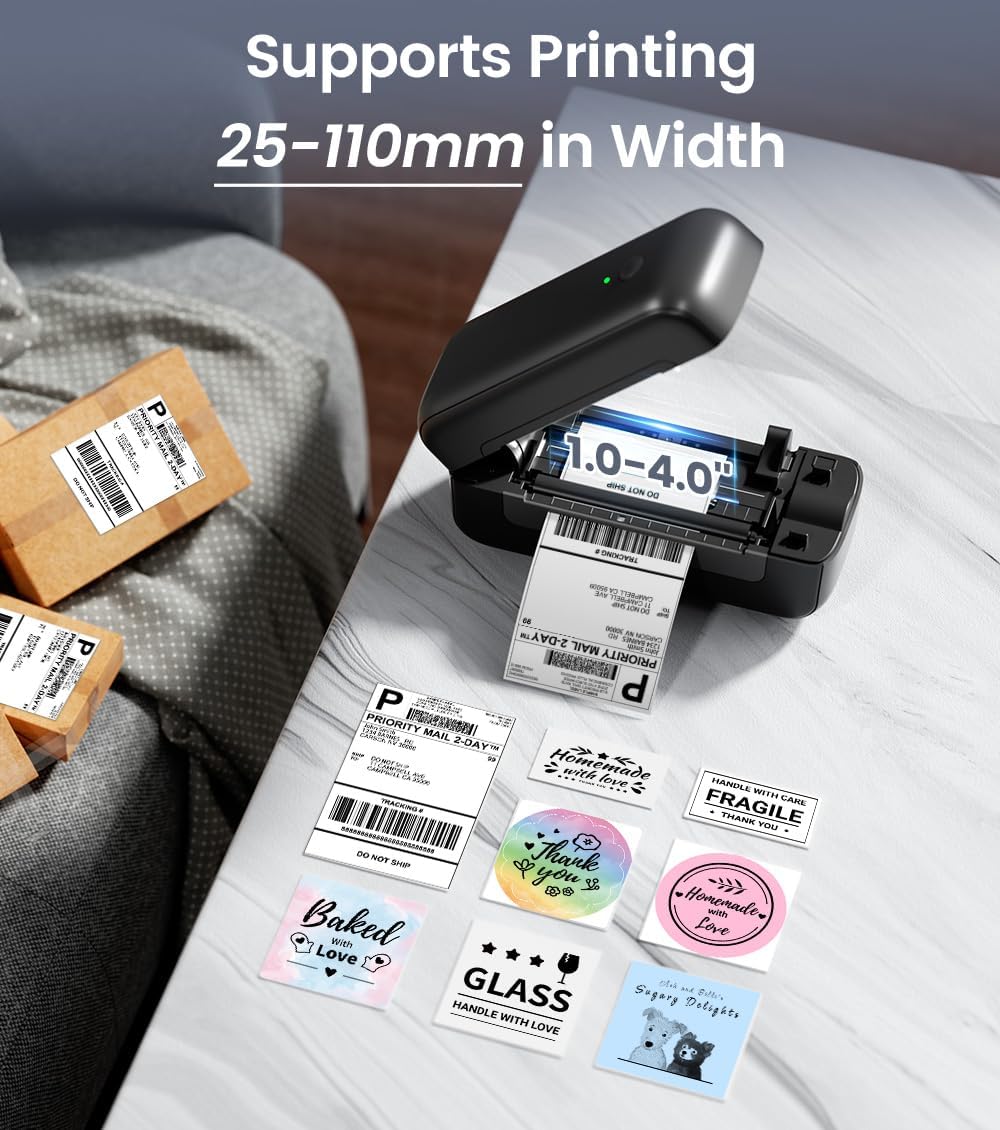
Image: The Phomemo PM-246S-BT printer demonstrating support for various label widths, from 1 to 4 inches (25-110mm).
Zapnutí: Press the power button. The indicator light will turn on.
2. Instalace softwaru a připojení
The PM-246S-BT supports both Bluetooth and USB connectivity for various operating systems.
Bluetooth Connection (iOS/Android/Mac OS/Windows/Chrome OS)

Image: The printer's wireless printing capabilities, showing Bluetooth connection to mobile devices and USB connection to computers.
Download Labelife App: For mobile devices (iOS/Android), download the "Labelife" app from the App Store or Google Play Store. For desktop (Mac OS/Windows/Chrome OS), download the Labelife software from the official Phomemo webmísto.

Image: Instructions for connecting the printer via Bluetooth using the Labelife mobile application.
Povolit Bluetooth: Ensure Bluetooth is enabled on your mobile device or computer.
Spárovat zařízení: Open the Labelife app/software, search for the PM-246S-BT printer, and pair with it. The printer's indicator light may change to confirm connection.
USB Connection (Mac OS/Windows/Linux/Chrome OS)
Připojte USB: Připojte tiskárnu k počítači pomocí dodaného kabelu USB.
Nainstalujte ovladače: For Windows, Mac OS, and Linux, download and install the appropriate printer drivers from the official Phomemo website. Chrome OS typically does not require separate driver installation.
Ověřit připojení: After driver installation, the printer should be recognized by your computer's operating system.
Návod k obsluze
1. Tisk štítků
The PM-246S-BT is designed for high-speed, high-quality thermal printing.

Image: The Phomemo PM-246S-BT printer in action, demonstrating fast and clear label printing at 72 labels/min and 203 DPI.
Připravte si dokument: Create or open the label you wish to print using your preferred software (e.g., Labelife app, shipping platform interface, PDF viewehm).
Vyberte tiskárnu: In your software's print dialog, select "Phomemo PM-246S-BT" as the printer.
Upravit nastavení: Ensure the label size and orientation settings match your physical labels. The printer supports labels from 1 to 4 inches (25-116 mm) in width.
Vytisknout: Initiate the print command. The printer will automatically feed and print the labels.
2. Supported Applications and Platforms
The PM-246S-BT is compatible with a wide range of e-commerce and shipping platforms, making it versatile for various labeling needs.

Image: The Phomemo PM-246S-BT printer is compatible with major platforms like Amazon, Etsy, eBay, Shopify, DHL, FedEx, UPS, and more.
Mezi běžné použití patří:
- 4x6 inch Shipping Labels (e.g., for Amazon FBA, Etsy, Shopify, Royal Mail, DHL, FedEx, UPS)
- Štítky s adresami
- Štítky s čárovými kódy
- Circular Logo Labels
- Price Labels
- Storage Labels

Obrázek: Přamples of labels that can be printed, such as shipping labels, address labels, circular labels, and barcode labels.
3. Using the Labelife App
The Labelife app provides tools for creating and customizing labels, including pre-defined templates for retail and craft businesses.
Knihovna šablon: Access a variety of pre-designed label templates.
Přizpůsobení: Edit text, add images, QR codes, barcodes, and borders to create unique labels.
Přímý tisk: Print directly from the app after designing your labels.
Údržba
Pravidelná údržba zajišťuje optimální výkon a prodlužuje životnost vaší tiskárny.
Čištění tiskové hlavy: Use an alcohol wipe or a specialized print head cleaning pen to gently clean the thermal print head. Ensure the printer is off and cooled down before cleaning.
Čištění válce: Použijte měkký, damp cloth to wipe the rubber roller to remove any dust or label residue.
Odstranění prachu: Keep the printer free from dust and debris. Use a soft brush or compressed air to clean the exterior and interior (when powered off).
Kvalita štítku: Use high-quality thermal labels to prevent paper jams and ensure clear prints.
Odstraňování problémů
| Problém | Možná příčina | Řešení |
|---|---|---|
| Tiskárna se nezapíná | Power cable not connected; power outlet issue | Zkontrolujte připojení k napájení, zkuste jinou zásuvku. |
| Žádný tiskový výstup | Labels loaded incorrectly; printer not connected; driver issue | Ensure labels are loaded correctly (facing up); verify Bluetooth/USB connection; reinstall printer drivers. |
| Faint or unclear prints | Print head dirty; low-quality labels; print density settings | Clean the print head; use recommended thermal labels; adjust print density in software settings. |
| Zaseknutý papír | Labels loaded incorrectly; label residue | Open cover, remove jammed labels carefully; clean roller and label path. |
| Problémy s připojením Bluetooth | Bluetooth not enabled; device not paired; interference | Ensure Bluetooth is on; re-pair device in Labelife app; move closer to printer; restart devices. |
Specifikace
| Funkce | Detail |
|---|---|
| Název modelu | PM-246S-BT |
| Technologie tisku | Tepelný |
| Konektivita | Bluetooth, USB |
| Rozlišení tisku | 203 dpi |
| Maximální rychlost tisku | 150 mm/s (72 labels/minute) |
| Podpora šířky štítku | 25 - 116 mm (1 - 4 inches) |
| Kompatibilní OS | iOS, Android, Windows, Mac OS, Linux, Chrome OS |
| Hmotnost položky | 1.36 kg |
| Rozměry produktu | 22P x 8.8d x 8.8V centimetrů |
| Max Paper Capacity (Input) | 20 sheets (or equivalent roll length) |
Záruka a podpora
The Phomemo PM-246S-BT printer comes with a 30denní omezená záruka. For technical support, warranty claims, or any questions regarding your product, please contact Phomemo customer service through their official webwebu nebo kontaktních informací uvedených ve vaší Stručné úvodní příručce.
For additional resources and software downloads, visit the official Phomemo webmísto: www.phomemo.com