
Zavedení
This manual provides detailed instructions for the installation, operation, and maintenance of your Loocam 2MP 1080p HD 4-in-1 Bullet Wired Security Camera. This versatile camera is designed for both indoor and outdoor surveillance, featuring 80ft IR night vision and IP66 weatherproof construction. It is compatible with various DVR systems including TVI, AHD, CVI, and CVBS formats.
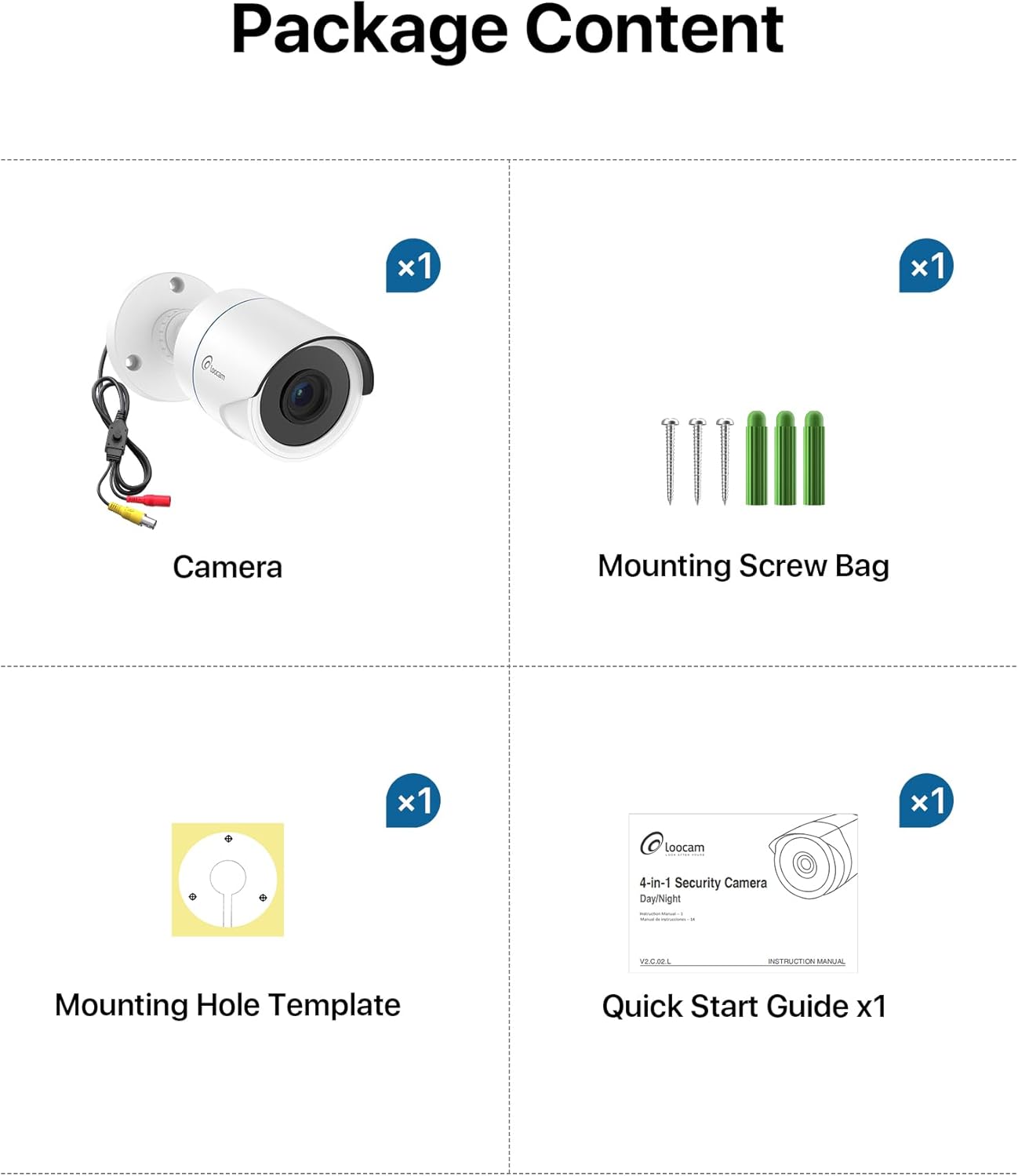
Obsah balení
Ověřte prosím, zda jsou ve vašem balení obsaženy všechny níže uvedené položky:
- 1x Loocam 1080p Camera
- 1x taška na montážní šrouby
- 1x Šablona pro montážní otvor
- Příručka rychlého spuštění 1x
Specifikace
| Funkce | Detail |
|---|---|
| Značka | Loocam |
| Název modelu | L1C-124C4-WNS |
| Doporučená použití | Vnitřní zabezpečení, venkovní zabezpečení |
| Technologie připojení | Kabelové |
| Speciální funkce | HD Resolution, Night Vision, Weather Proof |
| Vnitřní/venkovní použití | Uvnitř, venku |
| Kompatibilní zařízení | Digitální videorekordér |
| Typ montáže | Stropní držák |
| Barva | Bílý |
| Tvar | Kulka |
| Hodnocení voděodolnosti | IP66 |
| Zdroj napájení | Elektrický kabel |
| Rozlišení záznamu videa | 1080p |
| Rozsah nočního vidění | 80 stop |
| Počet IR LED | 24 |
| Viewúhel | 90 stupňů |
| Rozměry položky | 5.78 x 2.74 x 2.5 palce |
Nastavení
Follow these steps to set up your Loocam security camera.
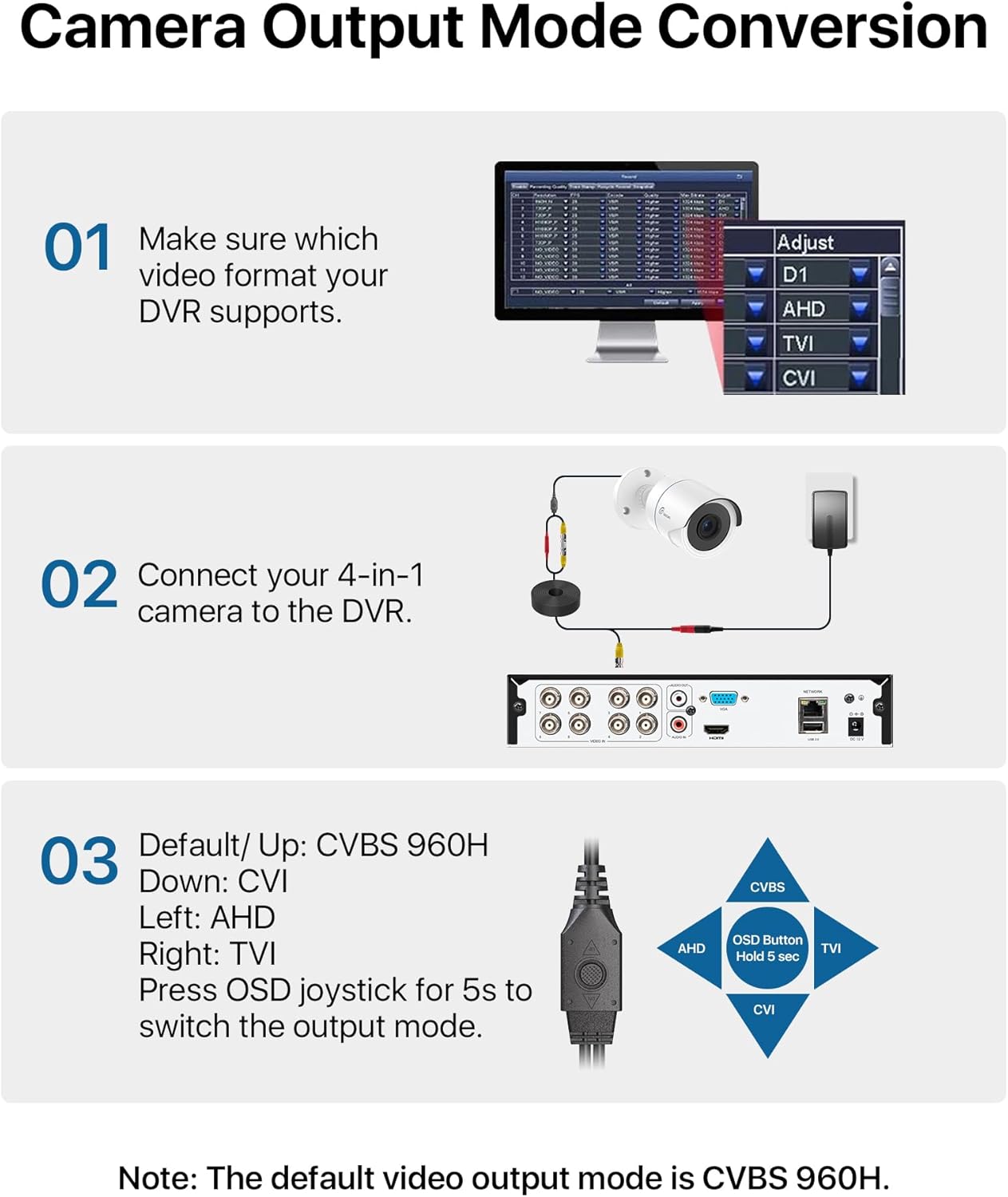
Konverze režimu výstupu kamery
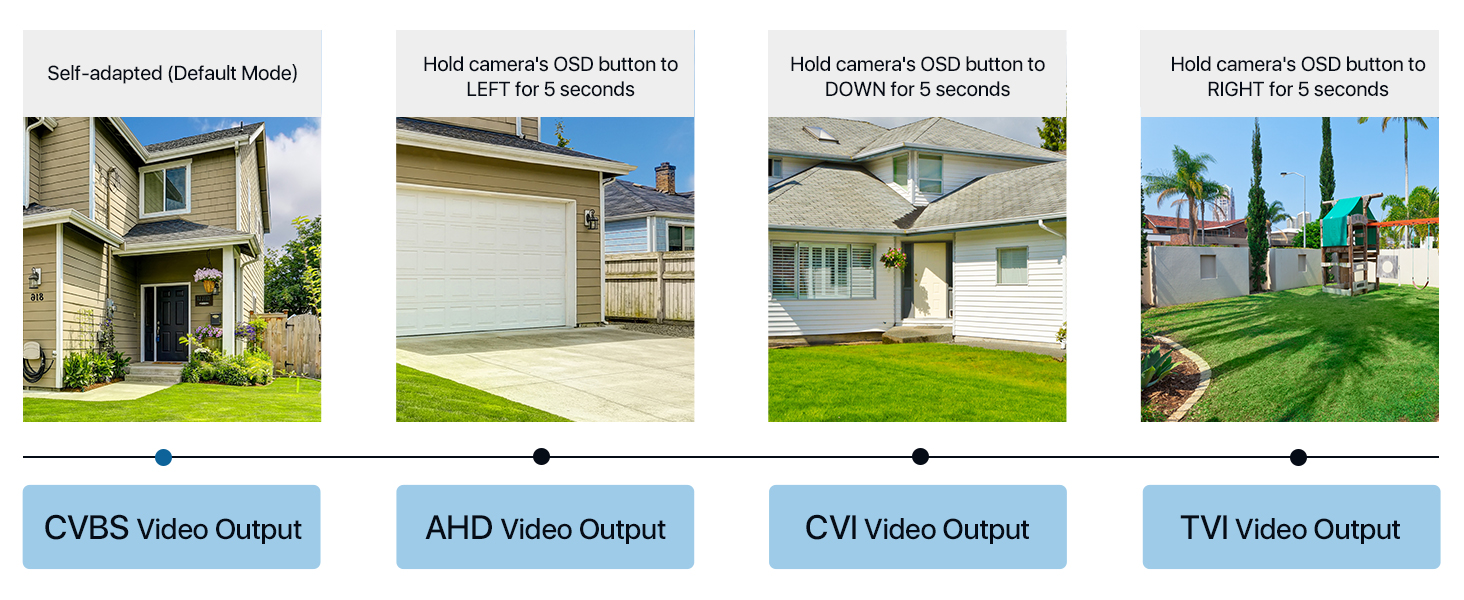
Your Loocam 4-in-1 camera supports TVI, AHD, CVI, and CVBS video output modes. The default mode is CVBS 960H. It is crucial to match the camera's output mode to your DVR's supported mode for proper functionality. Use the OSD joystick on the camera's connection cable to switch modes.


Video Tutorial: Connecting to DVR
Video: This tutorial demonstrates how to connect your Loocam 1080p 4-in-1 camera to a DVR system and switch between video modes using the OSD button.
Video Tutorial: Installation Guide
Video: This video provides a comprehensive guide on how to connect and install your Loocam 1080p 4-in-1 camera, including physical mounting and cable connections.
Connecting to the DVR
Connect the camera's video output to the DVR's video input using a BNC cable. Ensure the power supply is connected to the camera. If using multiple cameras, a 1-to-4 power splitter may be required (not included).

Fyzická instalace
The camera features an adjustable 3-axis bracket for flexible positioning. Use the provided mounting hole template and screws to securely fix the camera to your desired indoor or outdoor location. The IP66 weatherproof rating ensures durability in various environmental conditions.

Obsluha fotoaparátu
HD Resolution and Night Vision
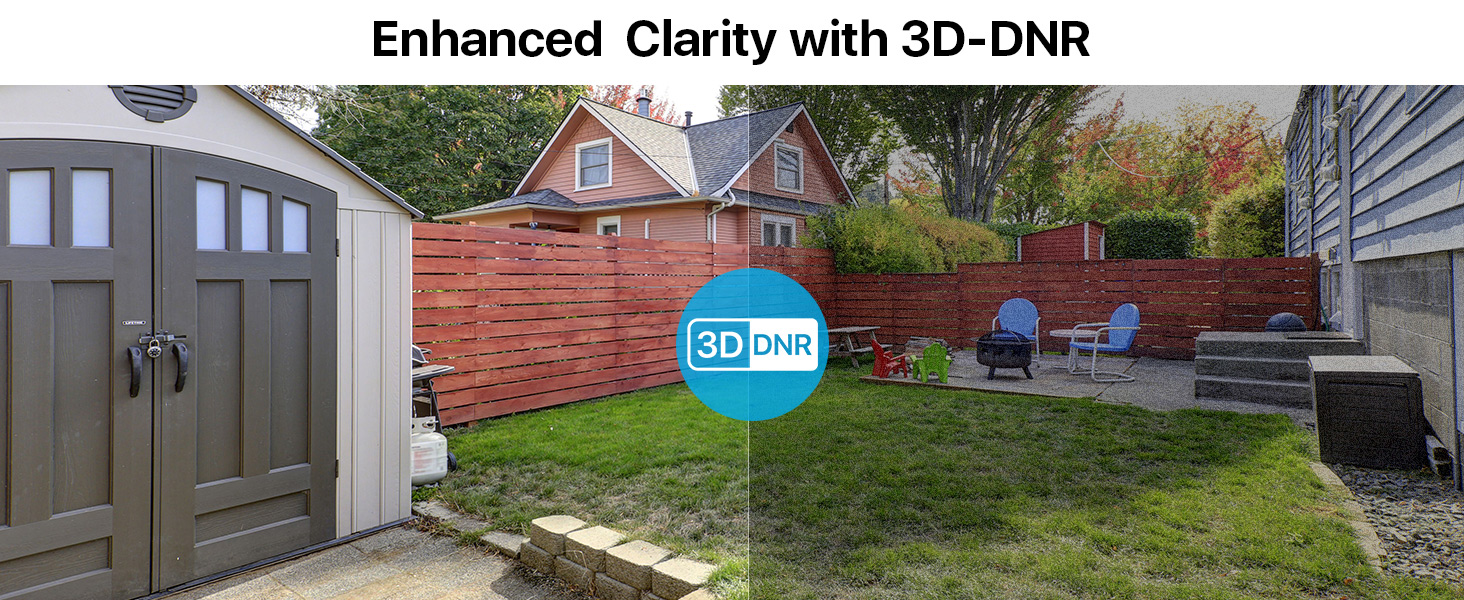
The Loocam camera delivers 1080p HD video with a 2.0MP sensor, capturing clear and detailed images. Equipped with 24 built-in IR LEDs, it provides up to 80 feet of night vision, ensuring continuous surveillance in low-light conditions.


Údržba
To ensure optimal performance and longevity of your Loocam security camera, follow these maintenance guidelines:
- Čištění: Pravidelně otírejte objektiv a kryt fotoaparátu měkkým hadříkemamp cloth to remove dust and dirt. Avoid using harsh chemicals or abrasive materials that could damage the finish or lens.
- Ochrana proti počasí: The camera has an IP66 weatherproof rating, making it resistant to dust and water jets. However, for extreme weather conditions, consider additional protective measures to extend its lifespan.
- Kontrola kabelů: Periodically check all cables and connections for any signs of wear, damage, or loose connections. Secure any loose cables to prevent accidental disconnections or damage.
- Aktualizace firmwaru: Check the Loocam official website or your DVR manufacturer's website for any available firmware updates for your camera or DVR system. Keeping software updated can improve performance and security.
Odstraňování problémů
If you encounter issues with your Loocam security camera, refer to the following common troubleshooting tips:
- Žádný obraz na DVR:
- Ensure the camera's output mode (TVI, AHD, CVI, CVBS) matches your DVR's input mode. Use the OSD joystick on the camera cable to switch modes (refer to the "Camera Output Mode Conversion" section).
- Verify all cable connections (video and power) are secure and properly seated.
- Check if the power adapter is functioning correctly and providing power to the camera.
- Test the camera with a different DVR input port or a known working camera to isolate the issue.
- Špatná kvalita obrazu:
- Clean the camera lens to remove any smudges, dust, or debris.
- Ujistěte se, že je fotoaparát správně zaostřený (pokud je možné jej nastavit).
- Zkontrolujte, zda se v zorném poli kamery nenacházejí překážky. view.
- Verify that the camera's output resolution is supported by your DVR and display.
- Problémy s nočním viděním:
- Ensure there are no strong light sources directly pointing at the camera, which can interfere with IR illumination.
- Check if the IR LEDs are visibly glowing red in the dark (they should).
- Verify that the IR-Cut filter is switching correctly between day and night modes.
Záruka a podpora
Loocam is committed to providing high-quality products and excellent customer service. Your Loocam 2MP 1080p HD 4-in-1 Bullet Wired Security Camera comes with the following:
- 30denní záruka vrácení peněz a bezplatné vrácení zboží: Pokud nejste s nákupem spokojeni, můžete jej do 30 dnů vrátit a obdržíte plnou náhradu.
- 2letá omezená záruka: Na tento produkt se vztahuje dvouletá omezená záruka na výrobní vady.
- Doživotní technická podpora: Loocam offers lifetime technical support to assist you with any questions or issues you may encounter.
- Prompt Online Assistance: Access prompt online assistance for quick resolutions to your queries.
Pro další pomoc prosím navštivte Loocam Store on Amazon nebo kontaktujte náš tým zákaznické podpory.