
Zavedení
Welcome to your Maxwell Fusion Smart Watch. This manual provides essential information for setting up, operating, and maintaining your device. Please read it carefully to ensure optimal performance and longevity of your smartwatch.
Co je v krabici
- Maxwell Fusion Smart Watch
- Bezdrátová nabíječka
- Popruh
- Uživatelská příručka (tento dokument)
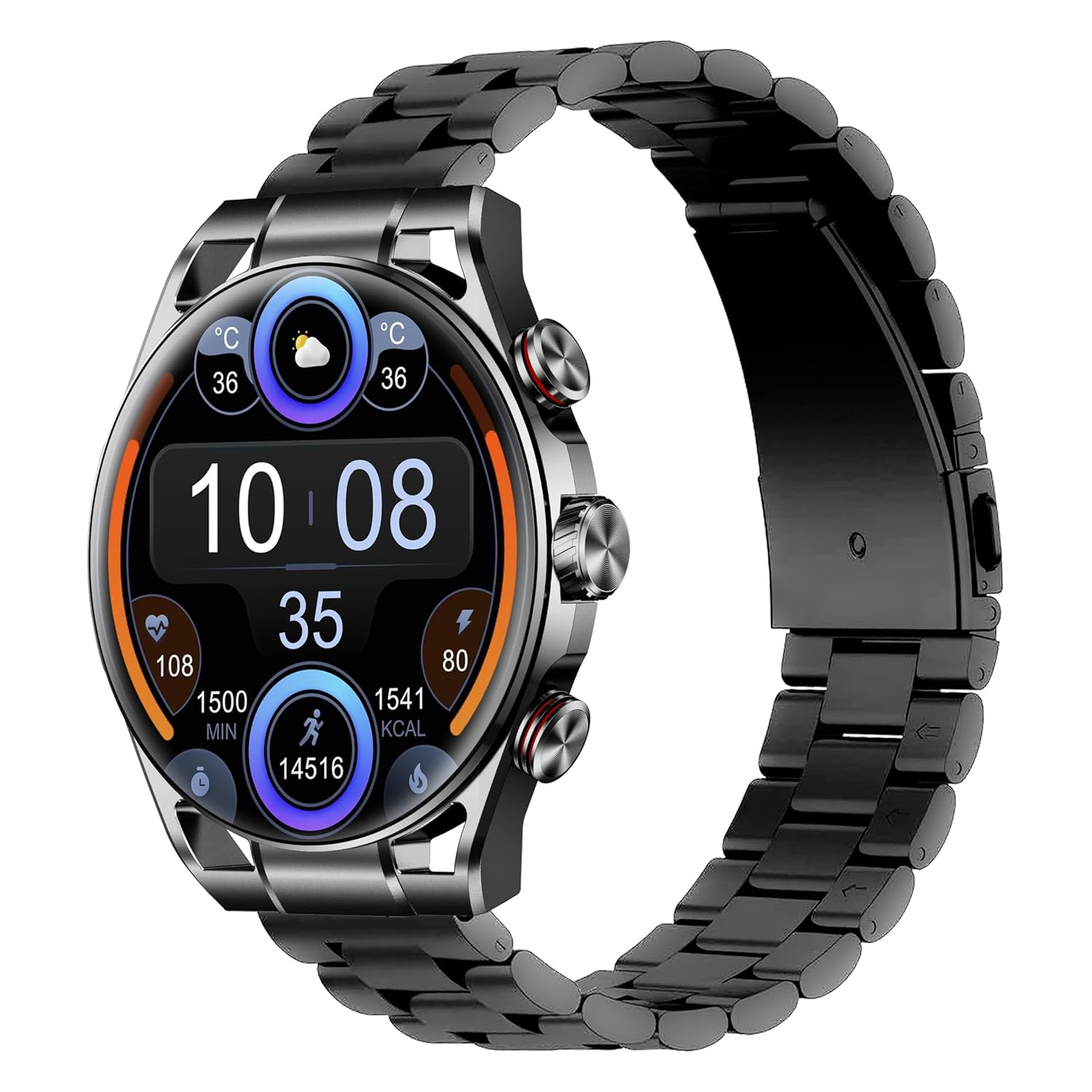
Image: The Maxwell Fusion Smart Watch with a black metal strap, displaying time and fitness metrics.
Nastavení
1. Nabíjení chytrých hodinek
Before first use, fully charge your Maxwell Fusion Smart Watch. Connect the wireless charger to a power source and place the watch onto the charging pad. The watch will indicate charging status. A full charge typically takes approximately 2 hours.
The watch offers an extended standby time of up to 40 days on a single charge.
2. Instalace aplikace
To unlock the full functionality of your smartwatch, download and install the companion application on your smartphone. Scan the QR code below with your phone's camera or visit the provided links.

Image: Product packaging displaying technical specifications and QR codes for the companion app.
Stáhněte si aplikaci:
3. Párování s vaším smartphonem
- Ujistěte se, že je ve vašem smartphonu zapnutá funkce Bluetooth.
- Open the installed companion app on your phone.
- Follow the in-app instructions to search for and connect to your Maxwell Fusion Smart Watch. The watch uses Bluetooth 5.2 for a stable connection.
- Potvrďte požadavek na párování na hodinkách i smartphonu.
The Maxwell Fusion Smart Watch is compatible with both iOS and Android devices.
Návod k obsluze
Základní navigace
The Maxwell Fusion Smart Watch features a responsive AMOLED Retina touchscreen and three physical buttons for navigation. Swipe across the screen to access different functions and menus. Press the buttons for specific actions such as returning to the home screen or accessing quick settings.

Image: The Maxwell Fusion Smart Watch showcasing its Super AMOLED Retina screen with bright, clear visuals.
Call and SMS Functionality
Once paired with your smartphone, you can dial and answer calls directly from your wrist. You will also receive SMS notifications on your watch. Ensure your watch is within Bluetooth range of your phone for these features to work.
Sportovní režimy a sledování aktivity
The watch includes various sports modes to track your physical activities. Access these modes through the watch menu to monitor metrics such as steps, distance, calories burned, and activity duration. The watch supports custom activity tracking.

Image: The Maxwell Fusion Smart Watch face with icons indicating features such as water resistance, iOS/Android compatibility, sport mode, 1400 NITS brightness, and heart rate monitoring.
Monitorování zdraví
The Maxwell Fusion Smart Watch is equipped with a Heart Rate Monitor and supports Cycle Tracking. Access these features through the watch or the companion app to monitor your health data.
Vodotěsnost (IP68)
Your smartwatch has an IP68 waterproof rating, making it suitable for swimming and other water-related activities. It can withstand immersion up to 1.4 meters. Avoid hot water or steam, as this can compromise the seal.

Image: A person wearing the Maxwell Fusion Smart Watch in a swimming pool, emphasizing its IP68 waterproof rating.
Jas displeje
The AMOLED Retina screen offers a brightness of up to 1400 NITS, ensuring clear visibility even in bright sunlight. Adjust the brightness settings through the watch menu for optimal viewv různých prostředích.
Údržba
Čištění
Pravidelně čistěte hodinky a řemínek měkkým hadříkemamp cloth. Avoid using harsh chemicals or abrasive materials, which can damage the finish or sensors.
Péče o baterie
Chcete-li prodloužit životnost baterie, vyvarujte se častého úplného vybíjení hodinek. Nabíjejte je, když je baterie téměř vybitá. Pokud hodinky delší dobu nepoužíváte, skladujte je na chladném a suchém místě.
Opatření proti vodě
While the watch is IP68 waterproof, it is not suitable for diving or high-pressure water activities. Do not expose the watch to hot water, steam, or detergents, as this may compromise its water resistance.
Odstraňování problémů
- Hodinky se nezapínají: Ujistěte se, že jsou hodinky plně nabité. Připojte je k bezdrátové nabíječce alespoň na 30 minut.
- Nelze spárovat s telefonem:
- Ujistěte se, že máte v telefonu i hodinkách zapnutou funkci Bluetooth.
- Ujistěte se, že jsou hodinky v dosahu vašeho telefonu.
- Restartujte hodinky i telefon a poté zkuste spárování znovu.
- Zkontrolujte, zda je doprovodná aplikace aktualizována na nejnovější verzi.
- Nezobrazují se oznámení:
- Verify that notifications are enabled in the watch's settings and the companion app.
- Ujistěte se, že jsou hodinky správně připojeny k telefonu přes Bluetooth.
- Check your phone's notification settings to allow the app to send notifications.
- Nepřesné zdravotní údaje: Ujistěte se, že hodinky máte pevně na zápěstí, ale ne příliš těsně. Pravidelně čistěte senzory.
Specifikace
| Funkce | Detail |
|---|---|
| Číslo modelu | Fúze |
| Typ zobrazení | AMOLED Retina Screen |
| Konektivita | Bluetooth 5.2, Wi-Fi |
| Kapacita baterie | 360 XNUMX mAh |
| Životnost baterie (pohotovostní režim) | Až 40 dny |
| Doba nabíjení | Přibl. 2 hodin |
| Voděodolnost | IP68 (vodotěsnost do 1.4 metrů) |
| Kapacita paměti | 64 MB |
| Kompatibilní zařízení | iOS & Android Smartphones |
| Vstup lidského rozhraní | Touchscreen, 3 Buttons |
| Měřené metriky | Heart Rate, Activity |
| Materiál | Silicone (Band) |
| Hmotnost | 200 gramů |
Záruka a podpora
Maxwell provides a standard manufacturer's warranty for this product. Please refer to the warranty card included in your packaging or visit the official Maxwell webpodrobné záruční podmínky naleznete na webu.
For technical support, troubleshooting assistance, or service inquiries, please contact Maxwell customer support through their official channels.