
1. Úvod
Thank you for choosing the LiebeWH ZT-300AB Wireless Digital Multimeter. This device is a high-precision, 6000-count True RMS multimeter designed for a wide range of electrical measurements. It features wireless connectivity, allowing real-time data recording, analysis, and processing via a mobile application. This manual provides essential information for the safe and effective use of your multimeter.
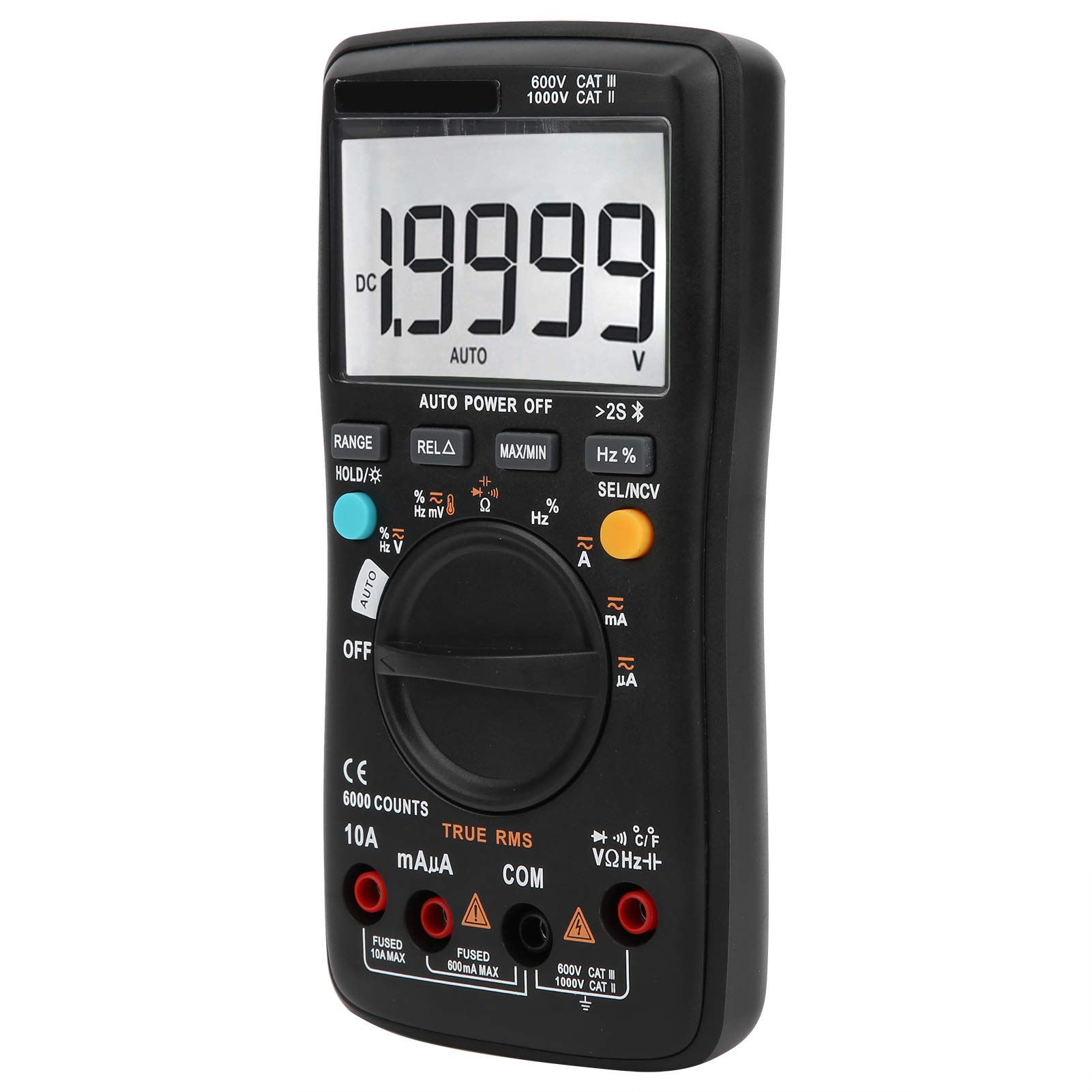
Obrázek 1.1: Přední strana view of the LiebeWH ZT-300AB Wireless Digital Multimeter, showing the large LCD display and function dial.
2. Bezpečnostní informace
Pro zajištění bezpečného provozu a servisu měřiče postupujte podle těchto pokynů. Nedodržení těchto varování může mít za následek vážné zranění nebo smrt.
- Před změnou funkcí vždy odpojte měřicí vodiče od obvodu.
- Neaplikujte více než jmenovitý objemtage, jak je vyznačeno na elektroměru, mezi svorkami nebo mezi kteroukoli svorkou a uzemněním.
- Buďte opatrní při práci s objtagnad 30 V AC RMS, 42 V peak nebo 60 V DC. Takové napětítages představují nebezpečí úrazu elektrickým proudem.
- Pro měření vždy používejte správné svorky, funkci a rozsah.
- Nepoužívejte měřič, pokud se jeví poškozený nebo pokud je jeho pouzdro otevřené.
- Vyměňte baterii, jakmile se zobrazí indikátor slabé baterie, abyste předešli nesprávným údajům.
- Nepoužívejte měřič v prostředí s výbušnými plyny, parami nebo prachem.
- Ensure test leads are in good condition, with no damaged insulation.
3. Nastavení
3.1 Obsah balení
Ověřte, zda váš balíček obsahuje následující položky:
- LiebeWH ZT-300AB Digital Multimeter
- Měřicí kabely (červený a černý)
- Teplotní sonda
- Uživatelská příručka

Image 3.1: The multimeter shown with its included test leads and temperature probe.
3.2 Instalace baterie
Multimetr vyžaduje k provozu baterie. Instalace nebo výměna baterií:
- Ujistěte se, že je multimetr VYPNUTÝ a odpojte všechny měřicí kabely.
- Vyhledejte kryt přihrádky na baterie na zadní straně jednotky.
- Pomocí šroubováku otevřete přihrádku na baterie.
- Insert the new batteries, observing the correct polarity (+ and -).
- Nasaďte kryt prostoru pro baterie a zajistěte jej šroubem.
3.3 Připojení měřicích kabelů
Připojte měřicí vodiče k příslušným vstupním zdířkám na multimetru:
- Připojte černý testovací kabel k COM (obyčejný) zvedák.
- Připojte červený testovací kabel k VΩHz zvedák pro objemtage, měření odporu, frekvence, kapacity, diod a vodivosti.
- For current measurements (mA/µA), connect the červený testovací kabel k mAµA zvedák.
- For high current measurements (up to 10A), connect the červený testovací kabel k 10A zvedák.
3.4 Wireless Function and Mobile App
The ZT-300AB can connect to your smartphone via its wireless function for real-time data monitoring and analysis.
- Download the dedicated mobile application from your device's app store. (App name not specified, refer to product packaging or manufacturer's webstránky).
- Enable wireless on your smartphone and the multimeter.
- Open the app and follow the on-screen instructions to pair your multimeter.
- The app allows real-time data display, recording, and curve graphing. It can connect to and monitor up to four wireless multimeters simultaneously.

Image 3.2: The multimeter displaying a reading, with a smartphone screen showing the companion application for data monitoring.
4. Návod k obsluze
4.1 Zapnutí/vypnutí
Turn the rotary dial from the OFF position to any measurement function to power on the multimeter. To power off, turn the dial back to the OFF position. The multimeter also features an automatic power-off function to conserve battery life.
4.2 Volba funkce
Otáčením centrálního voliče vyberte požadovanou měřicí funkci (např. V~ pro AC Voltage, V- pro DC Voltage, Ω for Resistance, A~ for AC Current, A- for DC Current, Temp for Temperature, etc.).
4.3 Funkce tlačítek
- ROZSAH: Switches between automatic and manual ranging. In manual range, press repeatedly to cycle through available ranges.
- HOLD/☀: Press once to hold the current reading on the display. Press again to release. Long press to activate/deactivate the backlight.
- REL△: Relative measurement mode. Displays the difference between the current reading and a stored reference value.
- MAX/MIN: Records and displays the maximum and minimum values measured during a session.
- Hz%: For frequency and duty cycle measurements.
- SEL/NCV: Selects between different sub-functions within a dial position (e.g., AC/DC, Diode/Continuity). Long press to activate Non-Contact VoltagDetekce e (NCV).
4.4 Provádění měření
Always ensure the test leads are connected to the correct jacks and the function dial is set to the appropriate measurement type before connecting to a circuit.
- svtagMěření (AC/DC): Select V~ for AC or V- for DC. Connect test leads in parallel with the circuit or component.
- Měření proudu (AC/DC): Select A~ for AC or A- for DC. Connect test leads in series with the circuit. Ensure the correct current jack (mAµA or 10A) is used.
- Měření odporu (Ω): Select Ω. Connect test leads across the component when it is de-energized.
- Měření kapacity: Select the capacitance function. Connect test leads across the capacitor when it is de-energized.
- Test diod: Select the diode function. Connect test leads across the diode.
- Test kontinuity: Select the continuity function. Connect test leads across the circuit. A beep indicates continuity.
- Frekvence (Hz) / Pracovní cyklus (%): Select the Hz% function. Connect test leads to the signal source.
- Měření teploty: Connect the temperature probe to the appropriate jacks (usually VΩHz and COM). Select the temperature function.
- Bezkontaktní svtage (nulová tepelná hodnota): Long press the SEL/NCV button. Bring the top of the multimeter near an AC voltagzdroj. Měřič bude indikovat přítomnost objemutage bez přímého kontaktu.
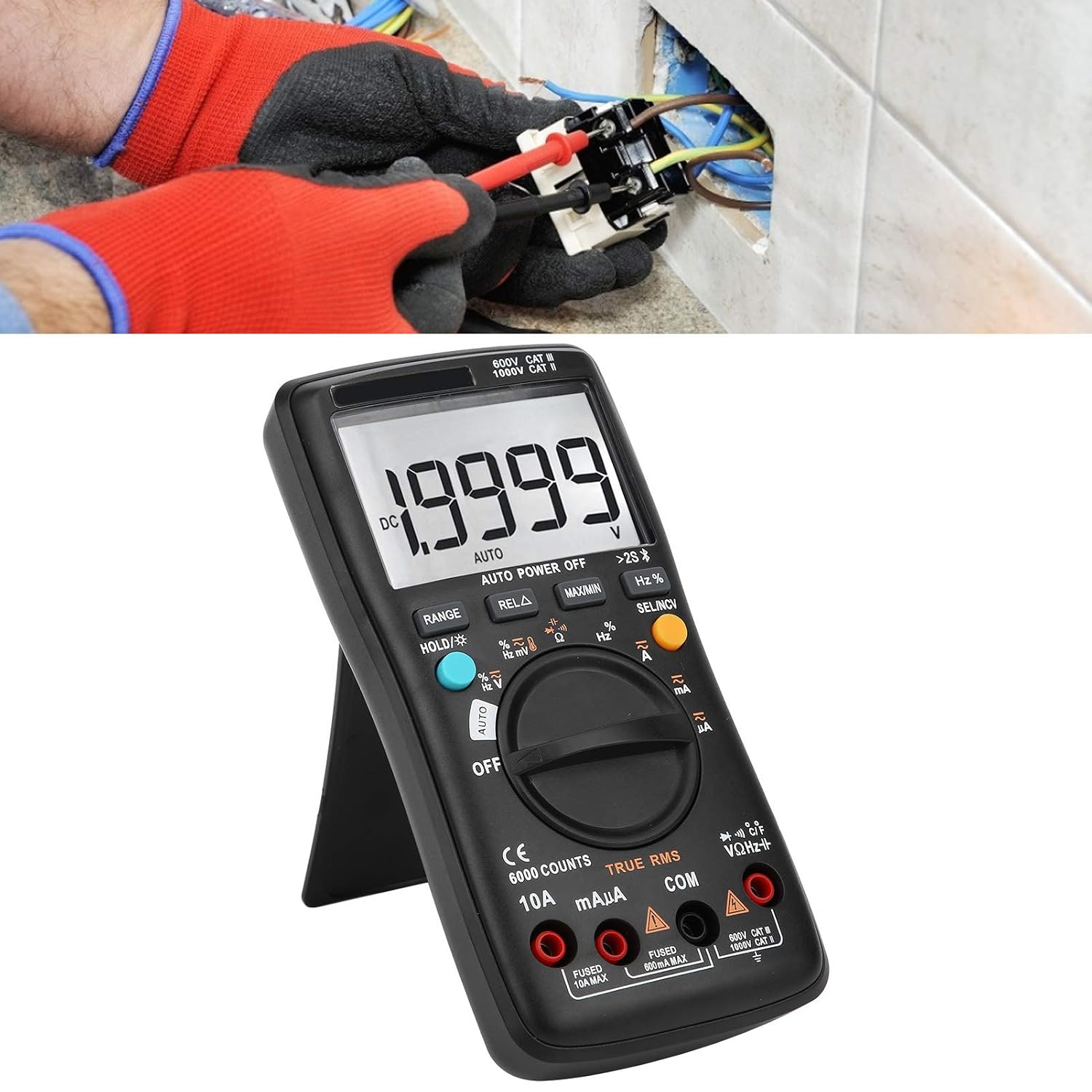
Image 4.1: The multimeter in use, positioned on its integrated kickstand for convenient viewběhem měření.
5. Údržba
5.1 Čištění
Otřete pouzdro reklamouamp hadříkem a jemným čisticím prostředkem. Nepoužívejte abrazivní prostředky ani rozpouštědla. Udržujte svorky čisté a bez nečistot a vlhkosti.
5.2 Výměna baterie
Pokyny k výměně baterií naleznete v části 3.2. Baterie ihned vyměňte, jakmile se na displeji zobrazí indikátor slabé baterie.
5.3 Výměna pojistky
If the current measurement functions stop working, the fuse may need replacement. Fuses are located inside the multimeter. Fuse specifications are typically printed near the current input jacks (e.g., FUSED 10A MAX, FUSED 600mA MAX). To replace a fuse:
- Ujistěte se, že je multimetr VYPNUTÝ a odpojte všechny měřicí kabely.
- Open the back case of the multimeter (this may require removing screws).
- Opatrně vyhledejte a vyjměte spálenou pojistku.
- Replace it with a fuse of the exact same type and rating. Using an incorrect fuse can damage the meter or pose a safety hazard.
- Reassemble the multimeter, ensuring all screws are securely fastened.
6. Řešení problémů
- Žádné zobrazení nebo slabé zobrazení: Zkontrolujte instalaci baterií a jejich stav nabití. V případě potřeby baterie vyměňte.
- Nesprávné hodnoty: Ensure test leads are properly connected to the correct jacks. Verify the function dial is set to the appropriate measurement type and range. Check for damaged test leads.
- Měření proudu nefunguje: Check the fuse (refer to Section 5.3). Ensure the red test lead is connected to the correct current input jack (mAµA or 10A).
- Problémy s bezdrátovým připojením: Ensure wireless is enabled on both the multimeter and your smartphone. Restart both devices and try pairing again. Check the mobile app for troubleshooting tips.
- Měřič nereaguje: Turn the meter off and then on again. If the issue persists, remove batteries for a few minutes and then reinsert them.
7. Specifikace
| Funkce | Specifikace |
|---|---|
| Zobrazit | 6000 počtů |
| Rozsah | Auto/Manual |
| Sampsazba ling | 3 sekund/čas |
| Skutečné RMS | Podporováno |
| Data Hold | Podporováno |
| Podsvícení | Podporováno |
| Indikace slabé baterie | Podporováno |
| Automatické vypnutí | Podporováno |
| DC svtage (V) | 6V, 60V, 600V, 1000V |
| DC svtage (mV) | 60mV |
| Rozměry | 20 x 12 x 5 cm (7.9 x 4.7 x 2 palce) |
| Hmotnost | 374 g (0.82 lb) |
| Výrobce | LiebeWH |
| Číslo modelu produktu | LiebeWHso0iq29gfn |

Image 7.1: Dimensions of the LiebeWH ZT-300AB Multimeter, showing its compact size.
8. Záruka a podpora
For warranty information and technical support, please refer to the documentation included with your purchase or contact the manufacturer directly. Contact details can typically be found on the product packaging or the official LiebeWH webmísto.