
1. Úvod
The Bewinner Pet Microchip Scanner is a handheld, rechargeable device designed for identifying animals via their implanted microchips. It supports dual-frequency reading, making it compatible with a wide range of animal microchips. This scanner assists in managing pet data efficiently and is suitable for various animals including pigs, dogs, and cats.

The Bewinner Pet Microchip Scanner, a handheld device designed for reading animal microchips.
2. Obsah balení
Po vybalení zkontrolujte obsah balení, abyste se ujistili, že jsou přítomny všechny položky:
- 1 x Pet Microchip Scanner
- 1 x nabíjecí kabel
- 1 x Uživatelská příručka (tento dokument)
- 1 x úložný sáček

The package includes the Pet Microchip Scanner, a USB charging cable, and a storage bag.
3. Specifikace
| Funkce | Detail |
|---|---|
| Typ položky | Skener mikročipů pro domácí mazlíčky |
| Materiál | ABS |
| Typ baterie | 650mAh Lithium Battery (Built-in) |
| Kapacita úložiště | 30 Sets of Data |
| Pracovní teplota | -10 ℃ až 50 ℃ |
| Skladovací teplota | -30 ℃ až 65 ℃ |
| Velikost (D x Š x V) | Approx. 13 x 13 x 3cm / 5.12 x 5.12 x 1.18in |
| Hmotnost položky | 6.7 unce |
| Číslo modelu | Bewinner25rtdo4ysh |
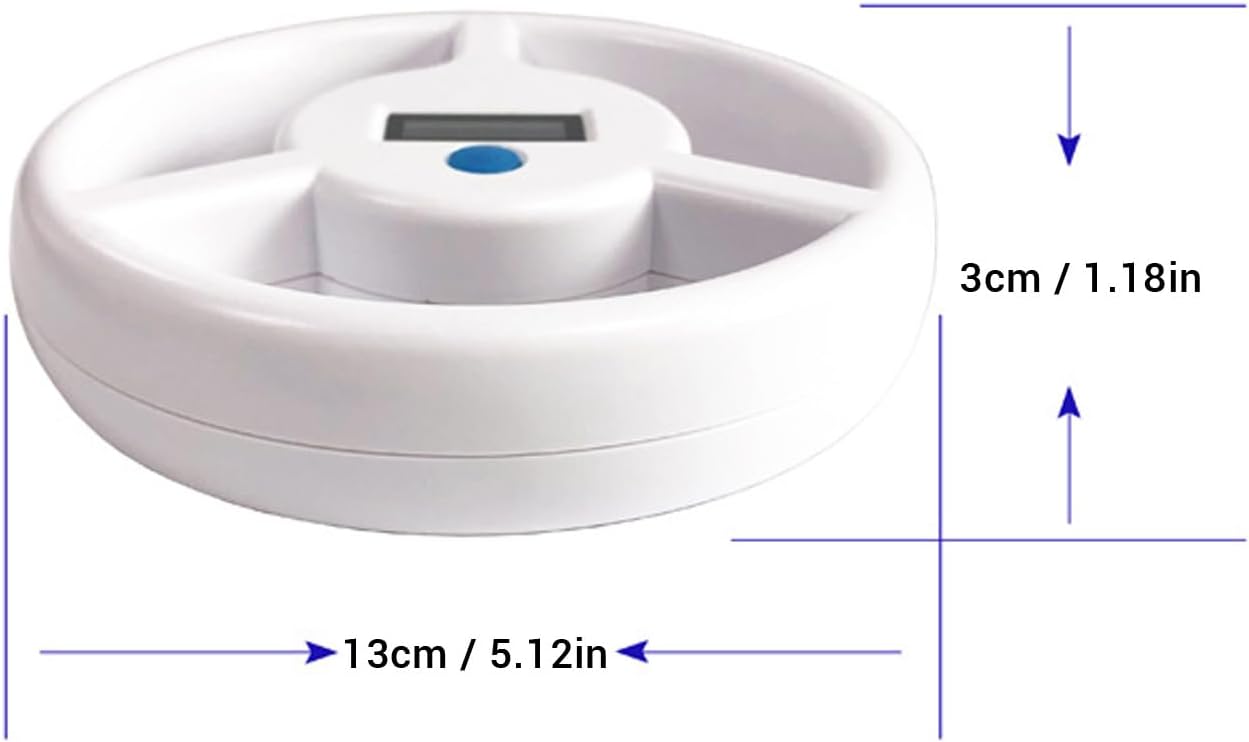
The scanner measures approximately 13cm (5.12in) in width and 3cm (1.18in) in thickness.
4. Nastavení
- Nabíjení zařízení: Connect the scanner to a USB power source (e.g., computer USB port, wall adapter) using the provided charging cable. The device will charge automatically. Ensure the device is fully charged before first use for optimal battery life.
- Zapnout: Press the power button to turn on the device. The display will illuminate, indicating it is ready for operation.

The micro-USB port for charging the device and connecting to a computer for data transfer.
5. Návod k obsluze
- Scanning for Microchips: With the device powered on, hold the scanner close to the animal's body where the microchip is typically implanted (e.g., between the shoulder blades). Move the scanner slowly over the area.
- Vzdálenost čtení: The scanner can recognize glass tube chips at approximately 10cm (3.9in) and ear chips at 22-25cm (8.7-9.8in).

The scanner can detect glass tube microchips from a distance of approximately 10cm (3.9 inches).

The scanner can detect ear microchips from a distance of approximately 22-25cm (8.7-9.8 inches).
- Displaying ID: Once a microchip is detected, its ID number will be displayed on the screen. The scanner is designed for reliable reading of microchip information.
- Ukládání dat: The scanner has a storage capacity for up to 30 sets of data. This allows for temporary storage of scanned microchip IDs.
- Přenos dat: Connect the scanner to a computer via the USB interface to transfer stored data. This enables efficient management of pet data.

The scanner features a clear display screen for showing microchip IDs and a blue power/operation button.
6. Údržba
- Čištění: Wipe the scanner with a soft, dry cloth. Do not use abrasive cleaners or solvents.
- Skladování: Store the device in a cool, dry place, away from direct sunlight and extreme temperatures. Use the provided storage bag for protection.
- Péče o baterie: To maintain battery health, avoid fully discharging the battery frequently. Recharge the device regularly, even if not in use for extended periods.
7. Řešení problémů
- Zařízení se nezapne: Ensure the battery is charged. Connect the scanner to a USB power source and allow it to charge for at least 30 minutes before attempting to power it on again.
- Cannot read microchip: Ensure the scanner is held close enough to the animal and moved slowly over the implantation area. Verify the microchip is correctly implanted and functional. The scanner supports dual frequencies, but some rare chip types might not be compatible.
- Displej je prázdný nebo nečitelný: Check battery level. If the issue persists after charging, contact customer support.
- Problémy s přenosem dat: Ensure the USB cable is securely connected to both the scanner and the computer. Try a different USB port or cable if necessary.
8. Záruka a podpora
For warranty information or technical support, please refer to the product packaging or contact Bewinner customer service directly. Contact details can often be found on the manufacturer's official webwebu nebo prostřednictvím vaší nákupní platformy.