
1. Úvod
This manual provides detailed instructions for the operation and maintenance of your Bewinner 16MP 1080P Vlogging Camera Camcorder. This device is designed for capturing high-definition video and photos, featuring a 2.4-inch color screen, 16x digital zoom, and electronic anti-shake capabilities. Please read this manual thoroughly before use to ensure proper functionality and to maximize your camera's performance.
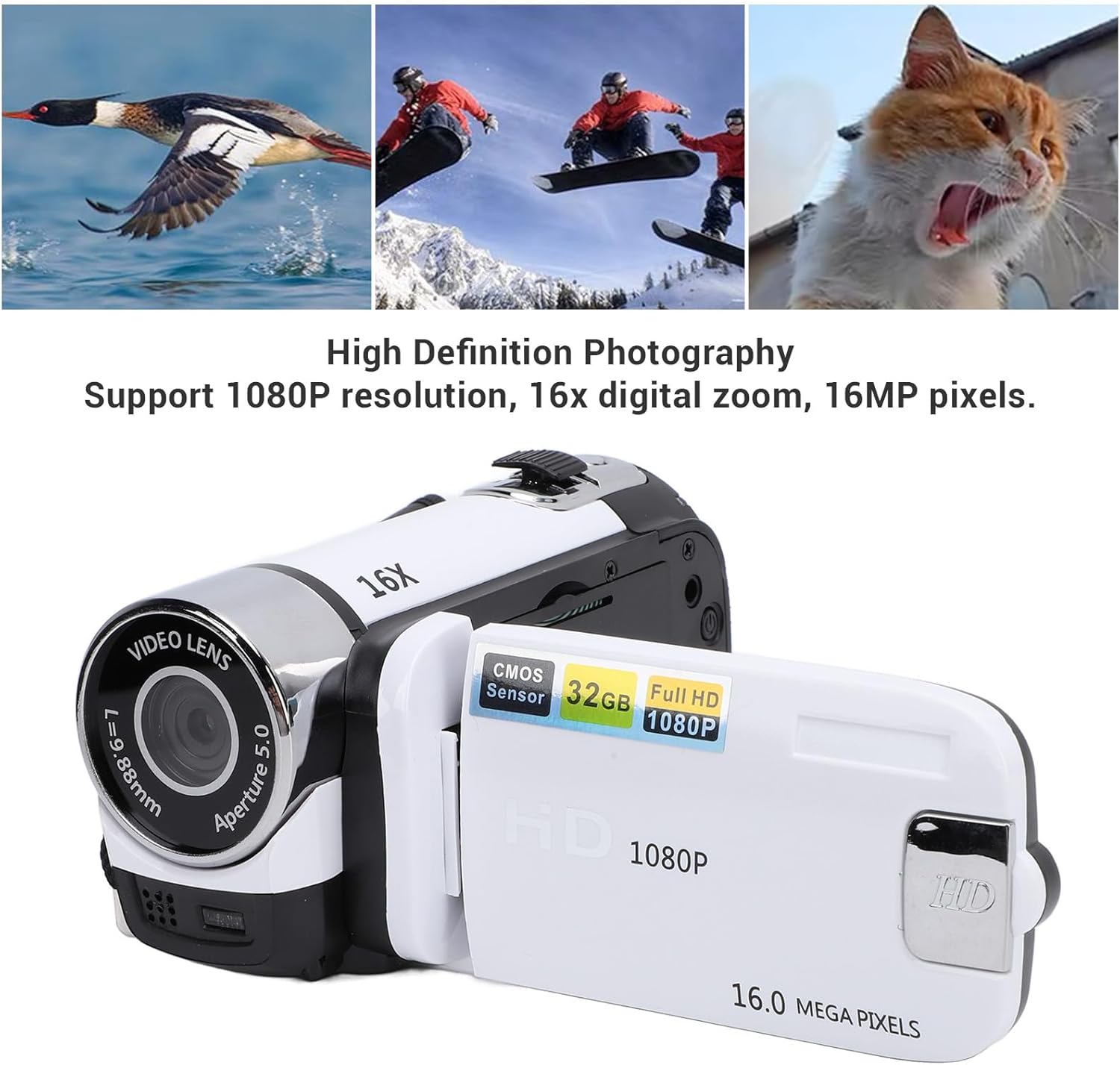
Image: High Definition Photography - Supports 1080P resolution, 16x digital zoom, and 16MP pixels.
2. Nastavení
2.1 Vybalení
Ověřte, zda balení obsahuje následující položky:
- Bewinner Video Camera Camcorder
- USB kabel
- Návod k použití
2.2 Baterie a nabíjení
The camera features a built-in 600mAh lithium battery. To charge the camera, connect the provided USB cable to the camera's USB port and a compatible USB power source (e.g., computer, USB wall adapter). The camera supports recording while charging.
2.3 Storage Card Installation
A storage card (not included) is required for recording videos and taking photos. The camera supports storage cards up to 32GB. Insert the storage card into the designated slot on the camera. Ensure it is inserted correctly until it clicks into place. If a storage card is not detected, the camera will display a "No Card" message.

Image: Bewinner Video Camera and USB Cable for charging and data transfer.
3. Návod k obsluze
3.1 Zapnutí/vypnutí
To power on the camera, press and hold the power button (usually located near the screen or on the back panel) for a few seconds. To power off, repeat the process.
3.2 Základní nahrávání a fotografování
The camera features a 2.4-inch color screen for easy viewa navigace.

Image: Camera with 2.4 Inch Color Screen, indicating support for 32GB storage and electronic shutter.
- Výběr režimu: Use the 'MODE' button to switch between video recording mode and photo capture mode.
- Spustit/ukončit nahrávání: In video mode, press the 'SNAP' or record button to start recording. Press it again to stop.
- Vyfotit: In photo mode, press the 'SNAP' button to capture a still image.
- Digitální zoom: Use the 'W/T' (Wide/Telephoto) rocker switch, typically located near the 'SNAP' button, to adjust the 16x digital zoom.
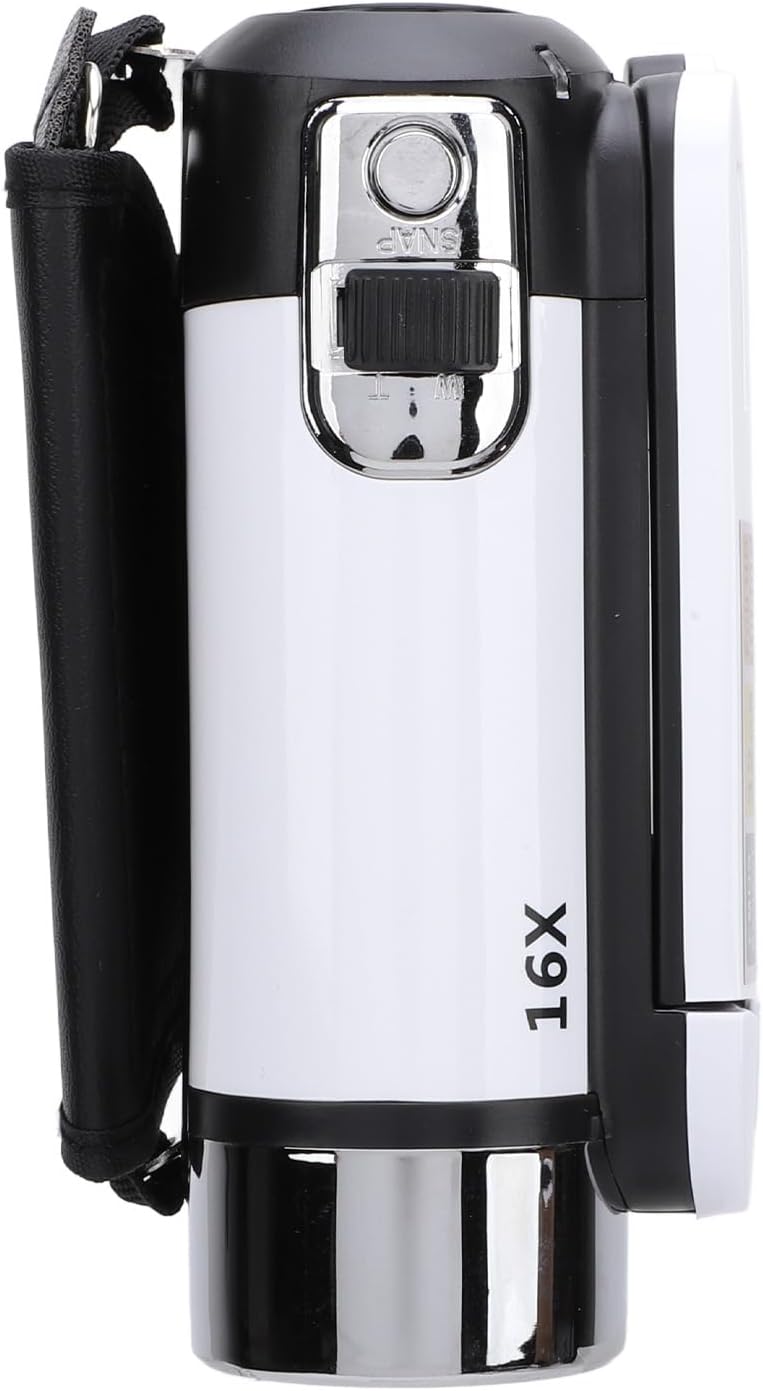
Obrázek: Nahoře view of the camera, highlighting the SNAP button and 16X zoom control.
3.3 Pokročilé funkce
Your camera supports various functions to enhance your recording experience:

Image: Multi-function display, showing support for selfie, electronic anti-shake, loop recording, time watermark, and video pause.
- Electronic Anti-Shake: This feature helps stabilize your footage, reducing blur from camera movement. Activate it through the camera's menu settings.
- Nahrávání ve smyčce: When enabled, the camera will continuously record, overwriting the oldest filekdyž je paměťová karta plná.
- Time Watermarking: Add a date and time stamp na vaše videa a fotografie.
- Funkce pozastavení videa: Pozastavení a obnovení nahrávání videa bez vytváření více files.
- Funkce selfie: Utilize the rotatable screen to frame yourself for vlogging or self-portraits.
- Supplemental Fill Light: The front of the camera is equipped with a fill light. Activate it in low-light conditions to improve illumination for your subjects.
3.4 Připojení k externím zařízením

Obrázek: Zadní view of the camera, detailing the USB port, Menu, and Mode buttons.
- Externí mikrofon: The camera supports an external microphone for improved audio quality. Connect it to the appropriate port (if available, typically a 3.5mm jack).
- Montáž na stativ: A 1/4 inch threaded hole is located at the bottom of the camera, allowing for easy attachment to a tripod or other compatible mounting equipment.
- Připojení k počítači: Use the provided USB cable to connect the camera to your computer. This allows you to view and transfer photos and videos.
4. Údržba
- Čištění: Use a soft, lint-free cloth to clean the camera body and screen. For the lens, use a specialized lens cleaning cloth and solution. Avoid abrasive materials or harsh chemicals.
- Skladování: Store the camera in a cool, dry place away from direct sunlight and extreme temperatures. Remove the storage card if storing for extended periods.
- Péče o baterie: Chcete-li prodloužit životnost baterie, vyvarujte se častého úplného vybíjení. Pravidelně ji nabíjejte, i když ji nepoužíváte, abyste zachovali její dobrý stav.
5. Řešení problémů
- Fotoaparát se nezapne: Ensure the battery is charged. Connect the camera to a power source using the USB cable and try again.
- "No Card" error message: Verify that a compatible storage card (up to 32GB) is correctly inserted into the camera's slot. Reinsert the card or try a different card if the issue persists.
- Špatná kvalita obrazu/videa: Check that the lens is clean and free from smudges. Ensure adequate lighting for your subject. Activate the electronic anti-shake feature if recording handheld.
- Nelze přenést files do počítače: Ensure the USB cable is securely connected to both the camera and the computer. Check if the camera is in the correct USB mode (e.g., Mass Storage) if prompted.
- Fotoaparát se zasekne nebo přestane reagovat: Try removing and reinserting the storage card (if accessible) or performing a soft reset by holding the power button until the camera turns off, then restarting it.
6. Specifikace
| Obrazovka | 2.4 Inch Color |
| Maximální rozlišení videa | 1080P |
| Maximální počet pixelů fotografie | 16 MP |
| Digitální zoom | 16x |
| Storage Card Support | Maximum 32GB (Excluded) |
| Závěrka | Elektronický |
| Informace o baterii | Lithium Battery, 600mAh (Built-In) |
| Číslo modelu položky | Bewinnerhscirx6bp3-13 |
| Hmotnost položky | 8 unce |
| Rozměry balení | 5.12 x 4.33 x 2.76 palce |
7. Záruka a podpora
This product is manufactured by Bewinner. For any issues not covered in this manual, or for warranty inquiries, please contact Bewinner customer support. Keep your purchase receipt as proof of purchase for warranty claims.
For further assistance, please refer to the official Bewinner webnebo kontaktujte jejich oddělení zákaznických služeb.