
BNCF Bpad Mini
BNCF Bpad Mini Android 14 Tablet User Manual
Model: Bpad Mini | Brand: BNCF
1. Úvod
Thank you for choosing the BNCF Bpad Mini Android 14 Tablet. This manual provides essential information to help you set up, operate, and maintain your device. The Bpad Mini is a versatile 8.4-inch tablet featuring a powerful Snapdragon 685 octa-core processor, ample memory and storage, high-resolution cameras, and comprehensive connectivity options, designed for both productivity and entertainment.
2. Bezpečnostní informace
Please read the following safety guidelines carefully before using your tablet:
- Handle the tablet gently to prevent damage from drops or impacts.
- Always perform a proper shutdown. Avoid forced shutdowns, especially when applications are running, as this may corrupt system files nebo data.
- Chraňte zařízení před extrémními teplotami, přímým slunečním zářením a tekutinami.
- Use only BNCF-approved chargers and accessories.
- Nepokoušejte se tablet rozebírat ani opravovat sami. Požádejte o pomoc zákaznickou podporu.
- Periodically clear unnecessary data to maintain optimal performance.
3. Obsah balení
Ujistěte se, že v krabici s produktem jsou všechny položky:
- BNCF Bpad Mini Tablet
- Standard Charger (5V/2A)
- Type-C USB Cable (5V/2A)
- Pin pro vysunutí SIM karty
- Uživatelská příručka

4. Konec produktuview
Familiarize yourself with the physical components of your Bpad Mini tablet:
- Přední kamera: Pro selfie a videohovory (5MP).
- Zadní kamera: For high-resolution photos and videos (32MP).
- Svítilna: For illumination when taking photos or as a torch.
- Světelný senzor: Automaticky upravuje jas obrazovky na základě okolního osvětlení.
- Vypínač: Zapíná/vypíná zařízení nebo zamyká/odemyká obrazovku.
- Tlačítka hlasitosti (+/-): Upravuje hlasitost zařízení.
- Řečníci: Integrované duální reproduktory pro zvukový výstup.
- Port typu C: Pro nabíjení a přenos dat.
- Mikrofon: Pro zvukový vstup během hovorů nebo nahrávání.
- Slot pro SIM kartu/MicroSD kartu: Pro vkládání SIM karet a rozšiřitelnou paměť.
5. Nastavení
5.1 Nabíjení zařízení
Before first use, fully charge your tablet using the provided charger and Type-C USB cable. Connect the Type-C cable to the tablet's port and the charger to a power outlet. The battery indicator on the screen will show charging progress.

5.2 Vložení SIM/MicroSD karty
To use 4G LTE connectivity or expand storage, insert a SIM card or MicroSD card into the designated slot:
- Vyhledejte slot pro kartu SIM/MicroSD na boku tabletu.
- Use the provided SIM eject pin to open the tray.
- Carefully place the SIM card(s) and/or MicroSD card into the tray, ensuring correct orientation.
- Jemně zatlačte zásobník zpět do slotu, dokud nezacvakne na místo.
APN Settings for 4G LTE
For some carriers (e.g., Rakuten Mobile, IIJmio, BIGLOBE Mobile, OCN Mobile ONE, UQ mobile), manual APN (Access Point Name) settings are required after SIM insertion. For others (e.g., docomo, au, SoftBank, Y!mobile, LINEMO), APN settings may be automatic.
If manual setup is needed:
- Přejít na Nastavení > Síť a internet > Mobilní síť.
- Check if the APN is correctly displayed. If blank, you will need to manually input the APN details provided by your carrier.
- Refer to your carrier's official website for specific APN configuration details.
5.3 Počáteční zapnutí
Press and hold the Power button until the BNCF logo appears. Follow the on-screen prompts to complete the initial setup, including language selection, Wi-Fi connection, and Google account setup.
6. Návod k obsluze
Operační systém 6.1 Android 14
Your Bpad Mini runs on Android 14, offering enhanced features for a smoother and more secure user experience. Key features include:
- Multitasking: Utilize split-screen mode to run two apps simultaneously.
- Improved Privacy & Security: Vylepšené kontroly nad oprávněními aplikací a přístupem k datům.
- Efektivní správa baterie: Optimized power usage for longer battery life.
- Smart Screen Cast: Wirelessly share your tablet screen to a larger display.
- Snímek obrazovky se třemi prsty: Capture screenshots quickly with a simple gesture.
- Rodičovská kontrola: Manage screen time and content access for children.

6.2 Výkon
The Bpad Mini is powered by the Snapdragon 685 Octa-core Chipset with a clock speed of up to 2.8GHz, ensuring smooth and efficient performance for all your tasks, from browsing to gaming. It features an advanced 6nm manufacturing process for optimized power consumption.
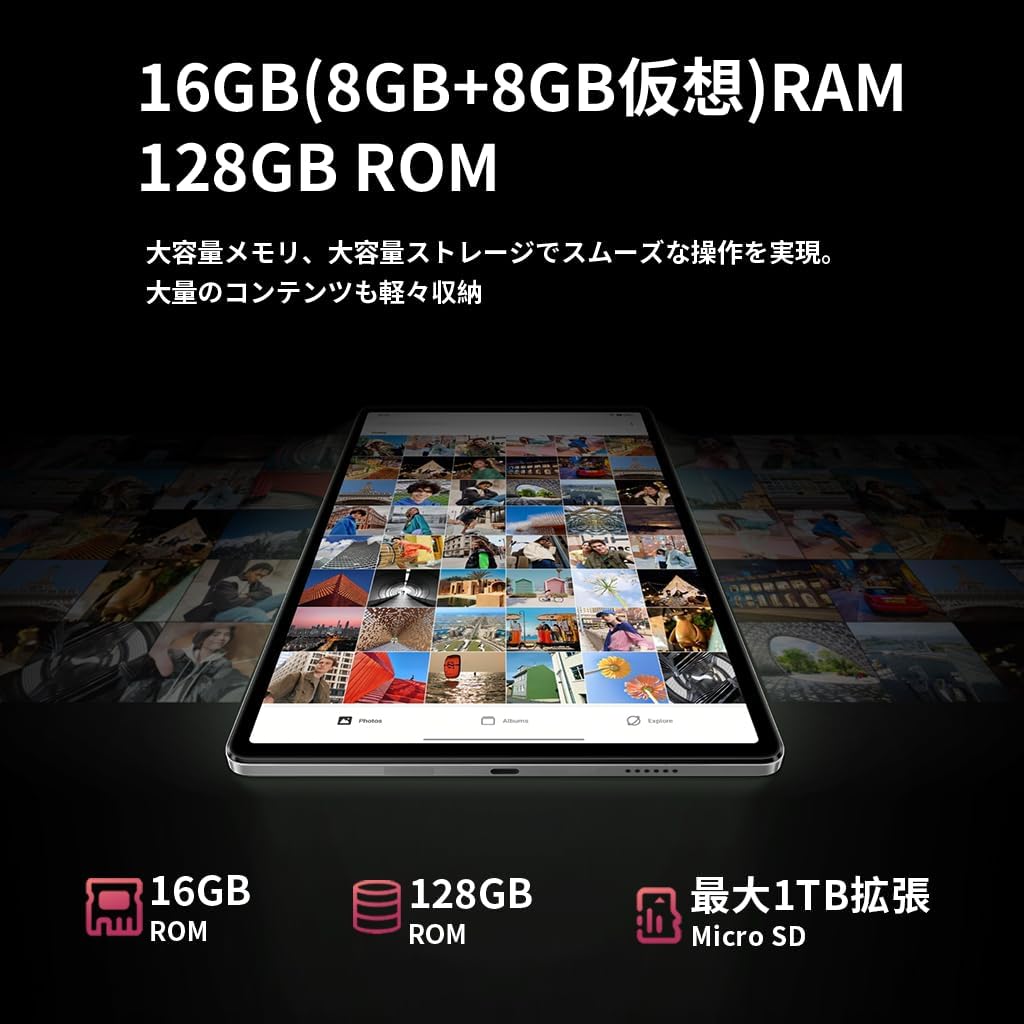
S 16GB of RAM (8GB physical + 8GB virtual), the tablet can handle multiple applications simultaneously without lag. The 128GB UFS internal storage provides fast read/write speeds and ample prostor pro vaše files, expandable up to 1TB via MicroSD card.


6.3 Displej
The 8.4-inch FHD IPS display with 1920x1200 resolution provides vivid and clear visuals. It features in-cell full lamination technology for improved transparency and touch responsiveness. With Widevine L1 support, you can enjoy high-definition content from streaming services like Netflix, Amazon Prime Video, and Disney+ in HD, Full HD, and even 4K resolutions.

6.4 Fotoaparát
Zachyťte okamžiky s duálními fotoaparáty tabletu:
- Přední kamera: 5MP, ideal for selfies and high-quality video calls.
- Zadní kamera: 32MP, capable of shooting high-resolution photos and videos, including 4K, making it suitable for content creation and live streaming.

6.5 Konektivita
Zůstaňte ve spojení s různými možnostmi:
- 4G LTE: Insert a SIM card to access the internet and make calls like a smartphone, even without Wi-Fi.
- 2.4G/5G Dual-band Wi-Fi: Enjoy fast and stable internet browsing and online gaming.
- Bluetooth 5.0: Easily connect to wireless headphones, speakers, and other Bluetooth devices for a seamless experience.
- GPS: Utilize accurate navigation services for travel and location-based applications.

6.6 Správa baterie
The Bpad Mini is equipped with a Velkokapacitní baterie 6050mAh, což poskytuje delší dobu používání. Podporuje 18W PD rychlé nabíjení, allowing for quick recharges (fast charger sold separately; standard charger included).
6.7 Senzory
The tablet integrates several sensors for enhanced functionality:
- Gyroskopický senzor: Automatically adjusts screen orientation and improves gaming experience with smoother rotation effects and precise control.
- Světelný senzor: Detects ambient light to automatically adjust screen brightness, optimizing battery consumption.
- Senzor přiblížení: Automatically turns off the screen during calls to prevent accidental touches and save power.

6.8 Zabezpečení
The Bpad Mini supports Rozpoznávání tváře for quick and secure unlocking, protecting your privacy with ease.

7. Údržba
To ensure the longevity and optimal performance of your BNCF Bpad Mini, follow these maintenance tips:
- Péče o obrazovku: Clean the screen with a soft, lint-free cloth. Avoid harsh chemicals or abrasive materials.
- Aktualizace softwaru: Pravidelně kontrolujte a instalujte aktualizace systému, abyste zajistili, že vaše zařízení má nejnovější funkce a bezpečnostní záplaty.
- Správa dat: Pravidelně znovuview a smažte nepotřebné files, apps, and cached data to free up storage space and prevent performance slowdowns.
- Stav baterie: Vyhněte se častému úplnému vybíjení baterie. Pro dlouhodobé skladování nabijte baterii na přibližně 50–60 %.
- Podmínky prostředí: Store and use the tablet in moderate temperatures. Extreme heat or cold can damage the battery and internal components.
8. Řešení problémů
Zde jsou řešení běžných problémů, se kterými se můžete setkat:
| Problém | Možná příčina | Řešení |
|---|---|---|
| Zařízení se nezapne | Vybitá baterie; Havárie systému | Nabíjejte zařízení alespoň 30 minut. Stiskněte a podržte tlačítko napájení po dobu 10–15 sekund pro vynucení restartu. |
| Poor 4G LTE connection | Incorrect APN settings; Weak signal area | Restart the device in a good signal area. Verify APN settings in Nastavení > Síť a internet > Mobilní síť. Consult your carrier for correct APN details. |
| Tablet is slow/lagging | Příliš mnoho spuštěných aplikací; Nedostatek úložiště; Zastaralý software | Close background apps. Clear unnecessary data and cache. Check for system updates in Nastavení > Systém > Aktualizace systému. |
| Dotyková obrazovka nereaguje | Dočasná softwarová závada; Rušení ochranného krytu obrazovky | Restart the tablet. Ensure screen is clean. If using a screen protector, ensure it is properly applied and not interfering. |
| Problémy s připojením Wi-Fi | Nesprávné heslo; Problém s routerem; Wi-Fi tabletu deaktivováno | Ujistěte se, že je Wi-Fi povoleno. Zapomeňte na síť a znovu se připojte. Restartujte Wi-Fi router. |
9. Specifikace
| Funkce | Specifikace |
|---|---|
| Značka | BNCF |
| Název modelu | Bpad Mini |
| Operační systém | Android 14 |
| CPU | Qualcomm Snapdragon 685 Octa-core (up to 2.8 GHz) |
| GPU | Adreno 610 |
| BERAN | 16 GB (8 GB fyzického + 8 GB virtuálního) |
| Interní úložiště | 128 GB UFS |
| Rozšiřitelné úložiště | Až 1 TB přes kartu MicroSD |
| Velikost displeje | 8.4 palců |
| Rozlišení displeje | 1920x1200 pixels (FHD IPS) |
| Technologie displeje | In-cell full lamination |
| Podpora streamování | Widevine L1 (Netflix, Amazon Prime Video, Disney+ in HD/FHD/4K) |
| Zadní kamera | 32 MP |
| Přední kamera | 5 MP |
| Mobilní připojení | 4G LTE (GSM, WCDMA, LTE-TDD, LTE-FDD bands) |
| Wi-Fi | 2.4G/5G Dual-band (802.11a/b/g/n/ac) |
| Bluetooth | Bluetooth 5.0 |
| GPS | Ano |
| Kapacita baterie | 6050 XNUMX mAh |
| Nabíjení | Type-C, supports 18W PD fast charging |
| Senzory | Gyro Sensor, Light Sensor, Proximity Sensor |
| Bezpečnostní funkce | Rozpoznávání tváře |
| Rozměry (D x Š x V) | 200.8 x 124.2 x 7.6 mm |
| Hmotnost | 310 g |
10. Záruka a podpora
BNCF offers a 12měsíční záruka na výrobek for the Bpad Mini tablet. For any inquiries or issues, please contact customer support through your Amazon account:
- Přejít na Your Amazon Account > Historie objednávek.
- Select the relevant order for your BNCF Bpad Mini.
- Klikněte na Kontaktovat prodejce.
Our support team typically responds within 6 hours. Please provide your order details for faster assistance.
Ask a question about this manual
Ask about setup, troubleshooting, compatibility, parts, safety, or missing instructions. Manuals+ will review the question and use this page’s manual context to help answer it.