
1. Úvod
Thank you for choosing the Cuifati Wearable Headlamp Camera. This device combines a high-definition 1080P video recorder with a powerful LED headlamp, designed for various outdoor activities such as cycling, running, hiking, and travel. It features a wave sensing function for the light and supports video recording with a 2.0M CMOS sensor. Please read this manual thoroughly before using the product to ensure proper operation and to maximize its lifespan.
2. Bezpečnostní informace
- Do not expose the device to extreme temperatures, direct sunlight, or corrosive liquids.
- Keep the device away from water and moisture unless specifically designed for waterproof use (this model is not specified as waterproof).
- Nepokoušejte se zařízení rozebírat ani upravovat. Mohlo by dojít ke zrušení záruky a poškození.
- Use only the provided charging cable or a certified Type-C cable for charging to prevent damage to the battery and device.
- Před prvním použitím se ujistěte, že je zařízení plně nabité.
- Avoid pointing the LED light directly into eyes, as it can cause temporary vision impairment.
3. Obsah balení
Zkontrolujte prosím balení, zda neobsahuje následující položky:
- Cuifati Wearable Headlamp Fotoaparát
- Nastavitelný popruh na hlavu
- Nabíjecí kabel USB typu C.
- Uživatelská příručka (tento dokument)
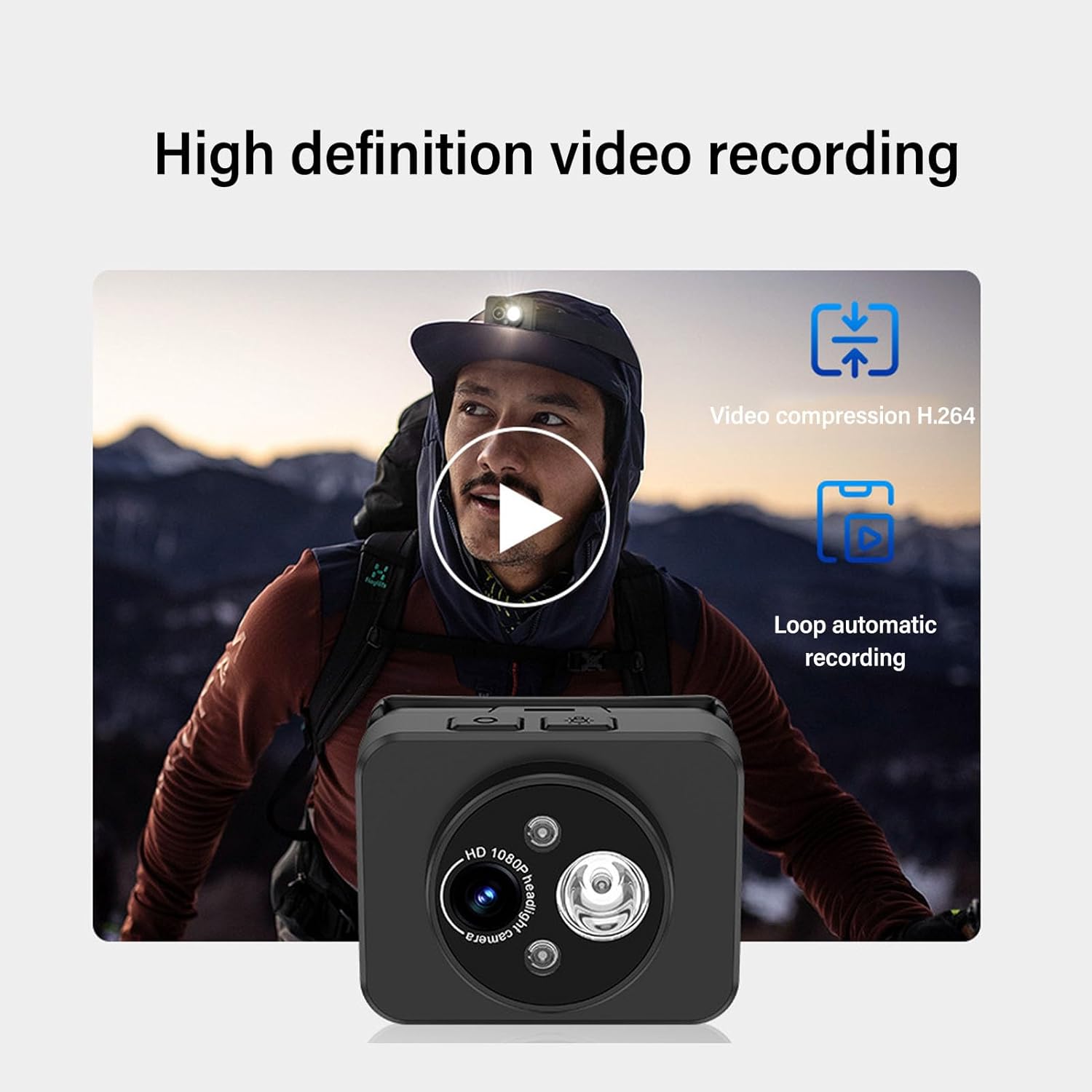
Image: Contents of the product package, including the headlamp camera unit, an adjustable head strap, and a USB Type-C charging cable.
4. Konec produktuview
Familiarize yourself with the components of your Cuifati Wearable Headlamp Fotoaparát:

Obrázek: Přední strana view hlavyamp camera, highlighting the HD 1080P camera lens and the integrated LED flashlight.
- Objektiv fotoaparátu: Nahrává video v rozlišení 1080P.
- LED svítilna: Provides illumination, adjustable up to 45 degrees.
- Vypínač: Used for turning the device on/off and taking photos.
- Wave Sensor: Detects hand gestures for controlling the LED light.
- Nabíjecí port typu C: Pro připojení nabíjecího kabelu.
- Slot pro paměťovou kartu: Supports up to 128GB memory expansion (memory card not included).

Image: A composite image illustrating key features: 45-degree vertical adjustment of the camera/light unit, the first-person perspective recording capability, a battery charge indicator, and the memory card expansion slot.
5. Nastavení
5.1 Nabíjení baterie
- Připojte dodaný nabíjecí kabel USB typu C k nabíjecímu portu zařízení.
- Druhý konec kabelu zapojte do standardního USB napájecího adaptéru (není součástí balení) nebo do USB portu počítače.
- The device features a guard function to prevent overcharging, over-discharging, and short circuits.
- Allow the device to charge fully before its first use.
5.2 Vložení paměťové karty
The device supports memory expansion up to 128GB (memory card not included).
- Locate the memory card slot on the device.
- Carefully insert a compatible memory card into the slot until it clicks into place. Ensure the card is inserted in the correct orientation.
- Chcete-li kartu vyjmout, jemně ji zatlačte dovnitř, dokud nevyskočí.
5.3 Připevnění hlavového popruhu
- Thread the adjustable head strap through the designated loops on the camera unit.
- Adjust the strap to fit comfortably and securely around your head.
6. Návod k obsluze
6.1 Zapnutí/vypnutí
- Zapnutí: Press and hold the Power button for a few seconds until the indicator light illuminates.
- Vypnutí: Znovu stiskněte a několik sekund podržte tlačítko napájení, dokud kontrolka nezhasne.
6.2 Nahrávání videa
The device is designed to automatically enter recording mode upon startup, generating a new video file. It supports video compression and 5-minute segmented storage for convenient playback and viewIng.

Image: Visual representation of the high-definition video recording capabilities, including H.264 video compression and automatic loop recording functionality.
6.3 Fotografování
V režimu nahrávání:
- Short press the Power button once to capture a photo.
- After the photo is captured, video recording will automatically resume, and a new video file bude generován.
6.4 Adjusting Headlight Angle
The headlight can be manually adjusted up to 45 degrees to suit various close-range lighting needs.

Image: A man wearing the headlamp camera, demonstrating the 45-degree upward and downward rotation capability of the camera and light unit.
6.5 Wave Sensing Function for LED Light
This feature allows you to control the LED light with a simple hand gesture.
- To Activate/Deactivate: Refer to the device's specific button combination or setting for turning the wave sensor function on or off.
- Použití: Once activated, wave your hand approximately 5-10 cm (2-4 inches) away from the headlamp lens to turn the LED light on or off.

Image: A man hiking outdoors, wearing the headlamp camera, demonstrating the wave sensing feature for controlling the super bright, energy-saving headlight.
7. Údržba
- Čištění: Use a soft, dry cloth to clean the device. For the lens, use a specialized lens cleaning cloth. Do not use harsh chemicals or abrasive materials.
- Skladování: Pokud zařízení nepoužíváte, skladujte ho na chladném a suchém místě mimo dosah přímého slunečního záření a extrémních teplot.
- Péče o baterie: Pro optimální výdrž baterie zařízení pravidelně nabíjejte, i když jej nepoužíváte často. Nevystavujte baterii úplnému vybíjení po delší dobu.
8. Řešení problémů
- Zařízení se nezapne: Ujistěte se, že je baterie nabitá. Připojte ke zdroji napájení a zkuste to znovu.
- Video not recording: Check if a memory card is inserted correctly and has sufficient free space. The card may need to be formatted (refer to device settings if available).
- LED světlo nefunguje: Check if the wave sensing function is enabled or if the light was manually turned off. Ensure the battery is charged.
- Problémy s nabíjením: Verify the Type-C cable is securely connected to both the device and the power source. Try a different cable or power adapter.
9. Specifikace
| Funkce | Specifikace |
|---|---|
| Rozlišení videa | 1080P |
| Senzor | 2.0M CMOS |
| Dekódování videa | H.264 |
| Video Storage Format | MP4 |
| Nastavení světlometů | Až 45° |
| Nabíjecí port | Typ-C |
| Rozšíření paměti | Supports up to 128GB (Memory Stick PRO) |
| Zdroj napájení | Napájení z baterie |
| Hmotnost položky | 4.2 unce |
| Číslo modelu položky | CUIFATIepznkoc5td |
| Značka | Cuifati |
10. Záruka a podpora
This product comes with a standard manufacturer's warranty. For detailed warranty information, please refer to the warranty card included in your package or contact Cuifati customer support.
If you encounter any issues or have questions not covered in this manual, please contact Cuifati customer support through the retailer's platform or the official Cuifati webmísto pro pomoc.