
Zavedení
Thank you for choosing the Cuifati Mini Body Camera. This manual provides detailed instructions for the proper use, setup, and maintenance of your device. Please read this manual thoroughly before operating the camera to ensure optimal performance and longevity.
Obsah balení
- 1 x Wearable Camera
- 1 x taška na přenášení
- 1 x Uživatelská příručka
- 1 x šňůrka
- 1 x Back Shell Bracket
- 1x stativ
- 1 x USB kabel
- 1 x Čisticí hadřík

Figure 1: Cuifati Mini Body Camera and included accessories.

Obrázek 2: Aplikace s více scénáři (např.amples for the body camera.
Konec produktuview
Familiarize yourself with the components and controls of your Cuifati Mini Body Camera.
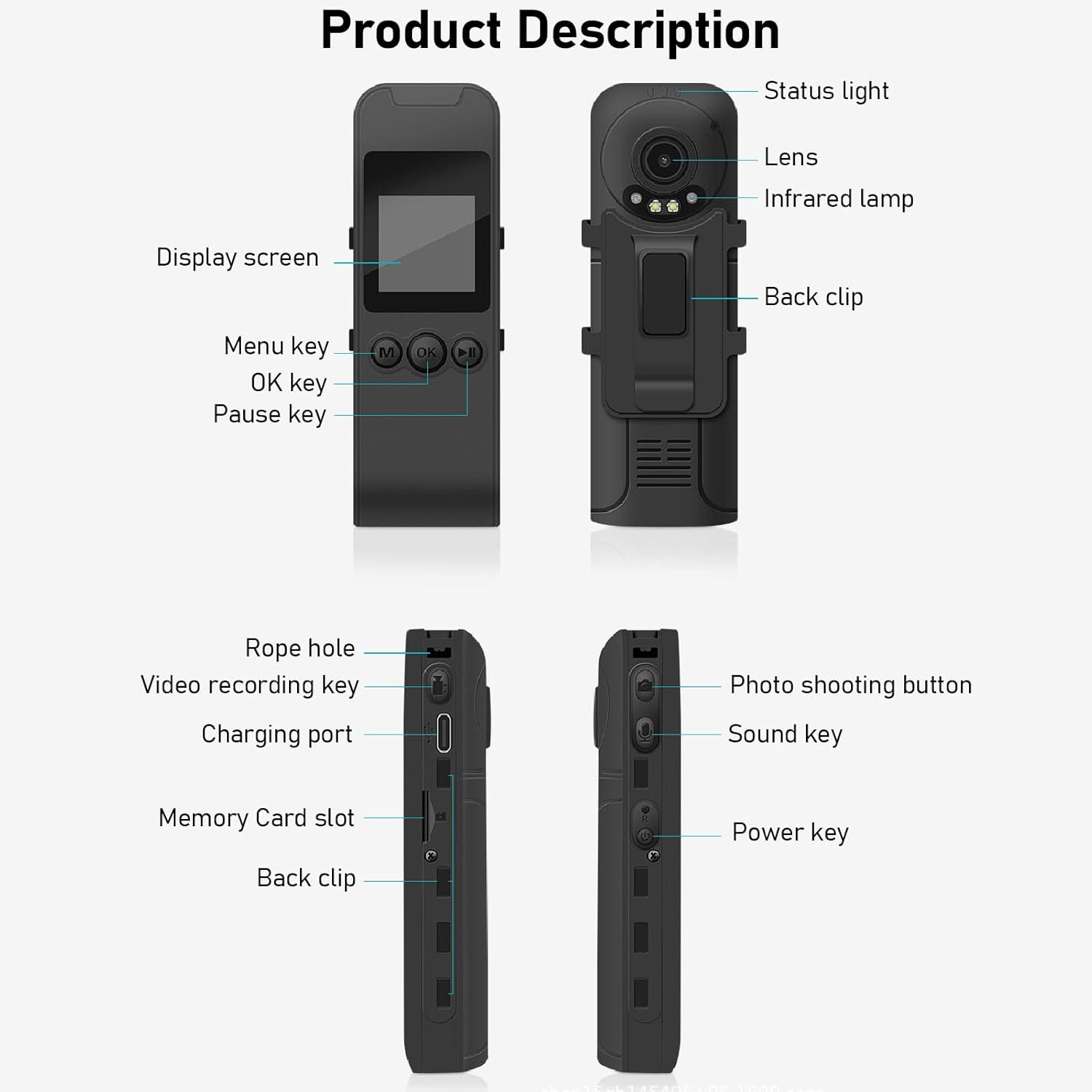
Figure 3: Labeled components of the Cuifati Mini Body Camera.
- Stavové světlo: Indicates device status (e.g., recording, charging).
- Čočka: Hlavní objektiv fotoaparátu pro pořizování videí a fotografií.
- Infračervený Lamp: Poskytuje osvětlení pro noční vidění.
- Zadní klip: For attaching the camera to clothing or other surfaces.
- Displej: 1.3palcový LCD displej pro živé vysílání view, přehrávání a navigace v nabídce.
- Menu Key (M): Přístup k nastavení zařízení.
- Tlačítko OK: Confirms selections or starts/stops functions.
- Tlačítko pauzy: Pozastaví přehrávání nebo nahrávání.
- Rope Hole: Attachment point for the lanyard.
- Video Recording Key: Zahájí a zastaví nahrávání videa.
- Nabíjecí port (typ C): Pro nabíjení zařízení a připojení k počítači.
- Slot pro paměťovou kartu: Vložte kartu microSD pro ukládání dat.
- Photo Shooting Button: Zachycuje statické snímky.
- Sound Key: Controls audio recording.
- Vypínač: Zapíná nebo vypíná zařízení.
Nastavení
1. Nabíjení baterie
Before first use, fully charge the camera's built-in lithium-ion battery. Connect the camera to a power source using the provided Type-C USB cable. The status light will indicate charging status. A full charge provides approximately 20 hours of work time and 10 hours of video recording.
Figure 4: Built-in 1200mAh battery for extended use.
2. Vložení paměťové karty
The camera supports up to a 256GB memory card (not included). Locate the memory card slot on the side of the camera. Gently insert the microSD card with the gold contacts facing down until it clicks into place. To remove, push the card in slightly until it springs out.

Figure 5: Memory card slot for storage expansion.
Návod k obsluze
1. Zapnutí/vypnutí
- Zapnutí: Press and hold the Power Key until the display screen illuminates.
- Vypnutí: Press and hold the Power Key until the device shuts down.
2. Nahrávání videa
The camera records in 1440P HD at 30 frames per second with a 120° wide-angle lens and infrared night vision.
- Zahájení nahrávání: Press the Video Recording Key. The status light will change, and a recording indicator will appear on the screen.
- Zastavení nahrávání: Press the Video Recording Key again.
- Nahrávání ve smyčce: Kamera podporuje nahrávání ve smyčce, které automaticky přepisuje nejstarší záznamy. files, když je paměťová karta plná.
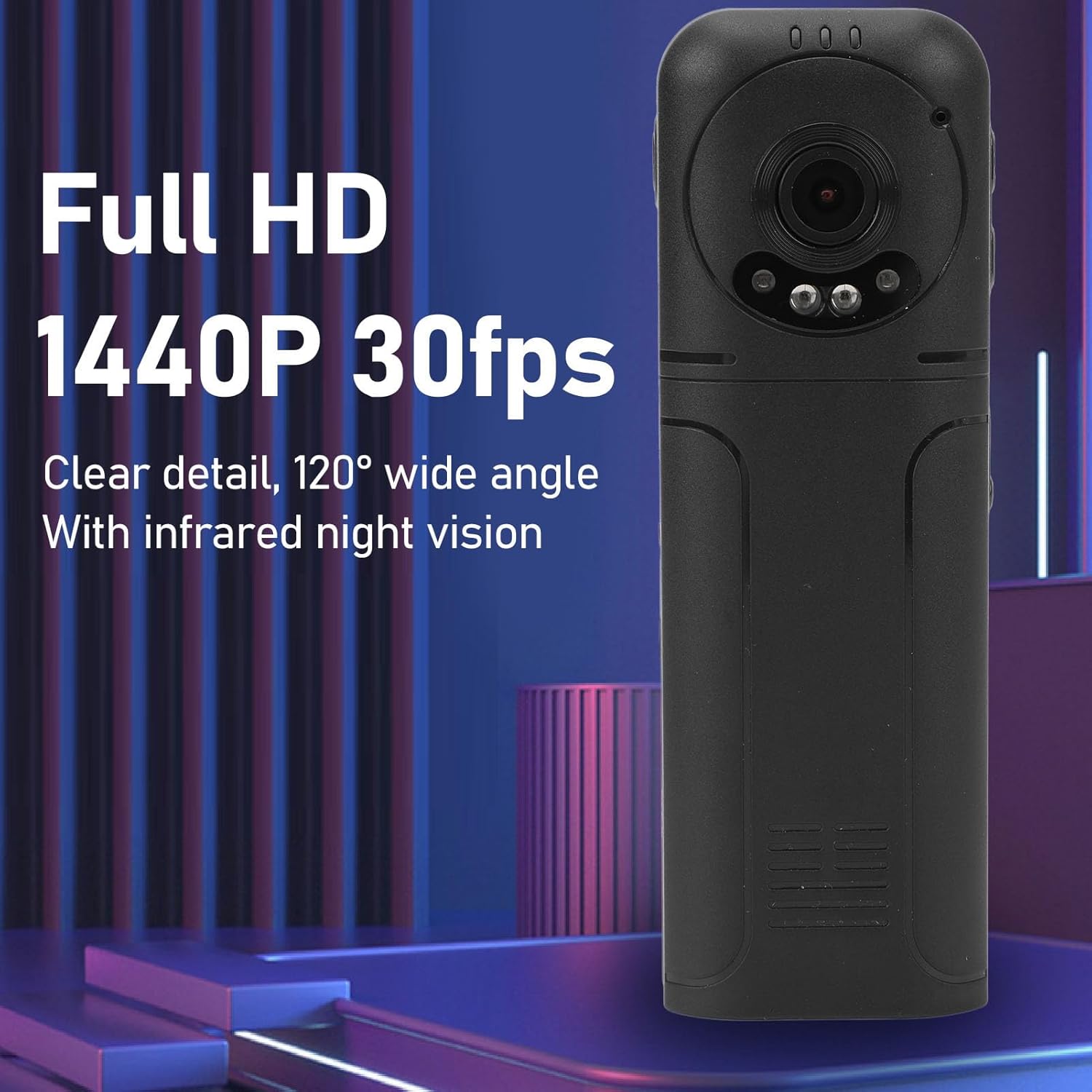
Figure 6: 1440P HD video recording with night vision.
3. Fotografování
- Chcete-li pořídit fotografii: In standby mode, press the Photo Shooting Button.
4. Nahrávání zvuku
- To Start Audio Recording: Press the Sound Key.
- To Stop Audio Recording: Press the Sound Key again.

Figure 7: Audio recording functionality.
5. Přehrávání a File Řízení
The 1.3-inch LCD screen supports live playback, browsing, and pausing of videos, photos, and recordings directly on the device.

Figure 8: 1.3-inch color screen for on-device playback.
- Přehrávání na zařízení: Use the Menu, OK, and Pause keys to navigate and play files na obrazovce.
- Připojení k počítači: Connect the camera to a computer via the Type-C USB cable to transfer, view, or delete files.
- Funkce OTG: If your mobile phone supports OTG, you can connect the camera directly to your phone for playback and file řízení.
Údržba
1. Čištění
- Use the provided cleaning cloth or a soft, dry cloth to wipe the camera body and lens.
- Nepoužívejte tekuté čisticí prostředky ani rozpouštědla, protože by mohly poškodit zařízení.
2. Skladování
- Fotoaparát skladujte na chladném a suchém místě mimo dosah přímého slunečního záření a extrémních teplot.
- Remove the memory card if storing for extended periods.
Odstraňování problémů
Pokud narazíte na problémy s fotoaparátem, podívejte se na následující běžné problémy a jejich řešení:
| Problém | Řešení |
|---|---|
| Fotoaparát se nezapne. | Ujistěte se, že je baterie nabitá. Připojte ke zdroji napájení a zkuste to znovu. |
| Nelze nahrávat video/fotografie. | Check if a memory card is inserted correctly and has sufficient free space. Format the memory card if necessary (this will erase all data). |
| Paměťová karta nebyla rozpoznána. | Ensure the memory card is inserted correctly. Try a different compatible memory card. Format the card using the camera's menu or a computer. |
| Špatná kvalita videa/zvuku. | Ensure the lens is clean. Check lighting conditions. For audio, ensure the microphone is not obstructed. |
| Zařízení se zasekne nebo přestane reagovat. | Press and hold the Power Key for 10-15 seconds to force a restart. |
Specifikace
Below are the technical specifications for the Cuifati Mini Body Camera (Model CUIFATI2vg0ri8moa):
- Typ položky: Wearable Camera
- Materiál: ABS
- Noční vidění: 2pcs Night Vision Light Beads
- Rozlišení videa: 1440P (Maximum)
- Snímková frekvence: 30 FPS
- Typ baterie: Lithium-iontová baterie
- Kapacita baterie: 1200 mAh (vestavěná)
- Podpora pro ukládání dat: Maximum 256GB Memory Card (Not Included)
- Nabíjecí port: Typ-C
- Název APP: For RoadCam (if applicable for advanced features)
- Název modelu: CUIFATI2vg0ri8moa
- Výrobce: CUIFATI
Záruka a podpora
For warranty information or technical support, please refer to the documentation provided at the time of purchase or contact Cuifati customer service directly. Keep your purchase receipt as proof of purchase.