
Zavedení
Thank you for choosing the OnePlus Nord Buds 3 Pro wireless earbuds. These earbuds are designed to provide an immersive audio experience with features like Hybrid Active Noise Cancellation, deep bass, and extended battery life. This manual provides detailed instructions for setting up, operating, maintaining, and troubleshooting your device to ensure optimal performance.
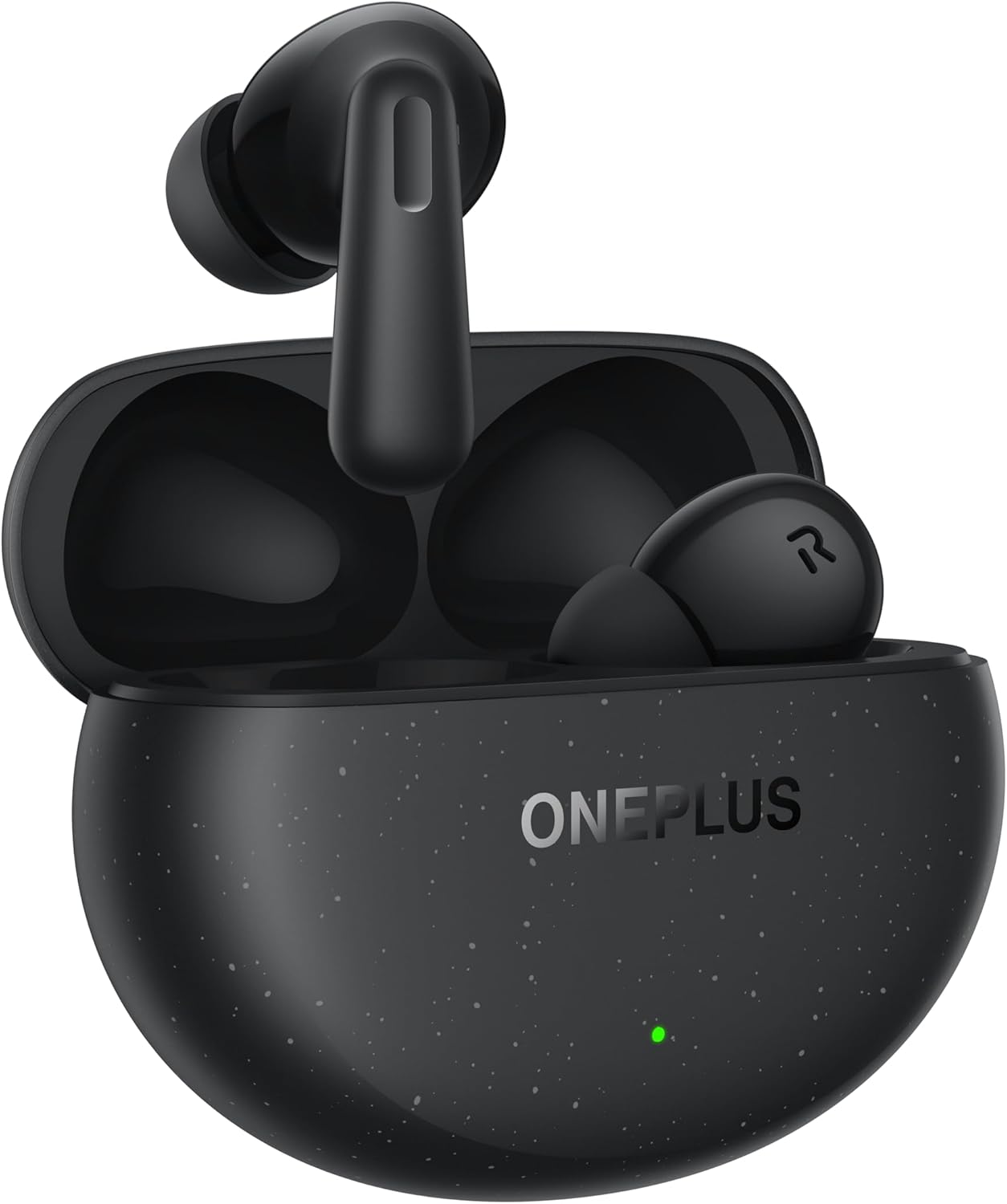
Image: The OnePlus Nord Buds 3 Pro earbuds, in Starry Black, are shown inside their open charging case. The case has a speckled finish and the OnePlus logo. A small green LED indicator is visible on the front of the case.
Co je v krabici
Carefully unpack your OnePlus Nord Buds 3 Pro and ensure all items are present:
- OnePlus Nord Buds 3 Pro earbuds (1 pair)
- OnePlus Nord Buds 3 Pro charging case (1 unit)
- Silicon eartips (3 pairs: S, M, L)
- USB Type-C charging cable (1 unit)
- User guide (1 unit)
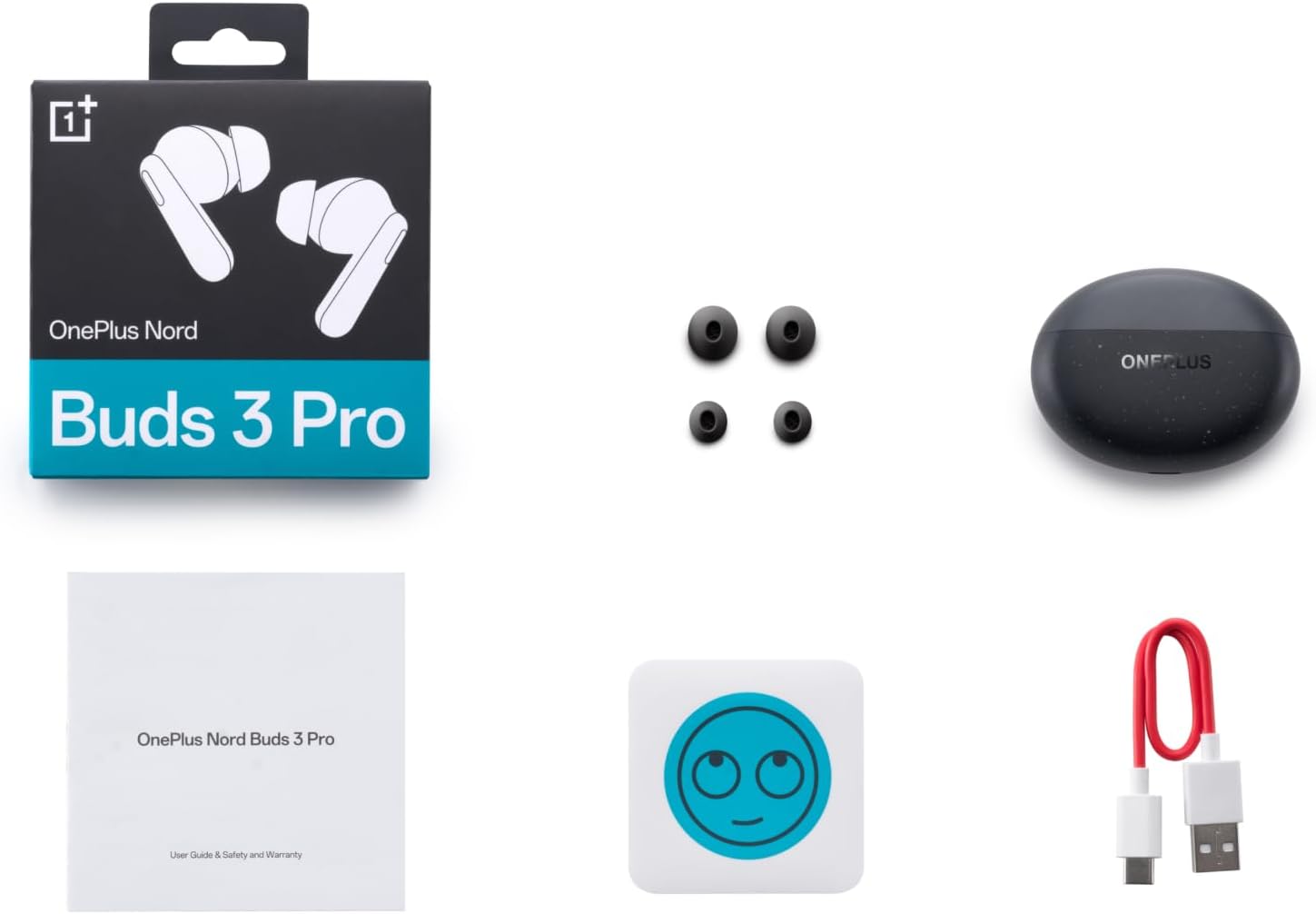
Image: A flat lay of the OnePlus Nord Buds 3 Pro package contents, including the retail box, the charging case, three pairs of silicone eartips, a USB Type-C charging cable, and the user guide.
Nastavení
1. Počáteční nabíjení
Před prvním použitím sluchátka a nabíjecí pouzdro plně nabijte. Připojte dodaný kabel USB typu C k nabíjecímu portu na pouzdře a ke zdroji napájení. Kontrolka na pouzdře bude ukazovat stav nabíjení.
2. Párování s vaším zařízením
- Ujistěte se, že jsou sluchátka v nabíjecím pouzdře a že je víko pouzdra otevřené.
- Press and hold the function button on the charging case for 2 seconds until the indicator light flashes white, indicating pairing mode.
- On your device (smartphone, tablet, etc.), go to Bluetooth settings and select "OnePlus Nord Buds 3 Pro" from the list of available devices.
- For Android devices, the earbuds support Google Fast Pair for quick connection. Simply open the case near your Android device and follow the on-screen prompts.

Image: A person holding a OnePlus Nord Buds 3 Pro charging case and a smartphone. The smartphone screen displays a prompt for Google Fast Pair, showing the earbuds ready to connect, illustrating the pairing process.
3. HeyMelody App
For enhanced features and customization, download the HeyMelody app from your device's app store. The app allows you to manage settings, update firmware, and locate your earbuds.
Návod k obsluze
Dotykové ovládání
The OnePlus Nord Buds 3 Pro feature intuitive touch controls on each earbud. Default controls are as follows, but can often be customized via the HeyMelody app:
- Jedno klepnutí: Přehrát/Pozastavit hudbu, Přijmout/Ukončit hovor.
- Dvojí poklepání: Další skladba, Odmítnout hovor.
- Trojité klepnutí: Předchozí skladba.
- Stiskněte a podržte (1 sekundu): Switch between Active Noise Cancellation (ANC) and Transparency mode.
Aktivní potlačení hluku (ANC) a režim průhlednosti
The earbuds offer Hybrid Active Noise Cancellation up to 49dB to minimize ambient noise. Transparency mode allows you to hear your surroundings without removing the earbuds. Toggle between these modes by pressing and holding the earbud touch area.

Image: An infographic detailing key features of the OnePlus Nord Buds 3 Pro, including up to 44 hours listening time, 49dB Hybrid Active Noise Cancellation, 12.4mm Titanized Diaphragm, and Basswave 2.0 technology.
Kvalita zvuku
Equipped with a 12.4mm titanium-coated diaphragm and Basswave 2.0 technology, the Nord Buds 3 Pro deliver rich bass, clear vocals, and an immersive sound experience.
Baterie a nabíjení
- Životnost baterie sluchátek: Up to 44 hours with ANC off, up to 20 hours with ANC on (including charging case).
- Rychlé nabíjení: 10 minut nabíjení poskytne až 11 hodin přehrávání.
- Nabíjecí pouzdro: Recharge the case using the provided USB Type-C cable.
Údržba
- Čištění: Pravidelně čistěte sluchátka a nabíjecí pouzdro měkkým, suchým hadříkem, který nepouští vlákna. Nepoužívejte agresivní chemikálie ani abrazivní materiály.
- Špunty do uší: Remove and clean the silicone eartips with water and mild soap if necessary. Ensure they are completely dry before reattaching.
- Kontakty pro nabíjení: Keep the charging contacts on both the earbuds and inside the case clean and free of debris to ensure proper charging.
- Skladování: Pokud sluchátka nepoužíváte, uložte je do nabíjecího pouzdra, aby byla chráněna a zůstala nabitá. Nevystavujte je extrémním teplotám.
Odstraňování problémů
Sluchátka se nespárují nebo nepřipojují:
- Ujistěte se, že jsou sluchátka nabitá.
- Place earbuds in the case, close the lid, then open it again to re-enter pairing mode.
- Zkontrolujte nastavení Bluetooth v zařízení a ujistěte se, že je Bluetooth povoleno.
- Zkuste zařízení zapomenout v nastavení Bluetooth a znovu ho spárovat.
- Restartujte zařízení.
Žádný zvuk nebo špatná kvalita zvuku:
- Zkontrolujte úroveň hlasitosti na zařízení i ve sluchátkách.
- Ensure the earbuds are properly seated in your ears and the correct size eartips are used.
- Očistěte reproduktory sluchátek a nabíjecí kontakty od nečistot.
- Přesuňte se blíže k připojenému zařízení, abyste předešli rušení.
Sluchátka se nenabíjejí:
- Ujistěte se, že je nabíjecí kabel bezpečně připojen k pouzdru i ke zdroji napájení.
- Ověřte, zda je zdroj napájení aktivní.
- Vyčistěte nabíjecí kontakty na sluchátkách i uvnitř pouzdra.
Specifikace
| Funkce | Detail |
|---|---|
| Název modelu | Nord Buds 3 Pro (E511A) |
| Značka | OnePlus |
| Technologie připojení | Bluetooth |
| Verze Bluetooth | 5.4 |
| Kontrola hluku | Hybridní aktivní potlačení hluku (až 49 dB) |
| Velikost ovladače | 12.4mm Titanized Diaphragm |
| Frekvenční rozsah | 20 Hz - 20,000 XNUMX Hz |
| Citlivost | 38 dB |
| Impedance | 32 Ohmy |
| Výdrž baterie (sluchátka + pouzdro) | Až 44 hodin (ANC vypnuto), až 20 hodin (ANC zapnuto) |
| Rychlé nabíjení | 10 minut nabíjení pro 11 hodiny přehrávání |
| Nabíjecí rozhraní | USB Type-C |
| Umístění uší | V uchu |
| Hmotnost položky | 3.52 unce (0.1 kilogramů) |
| Rozměry produktu | 1.09 x 0.92 x 0.82 palce |
Záruka a podpora
The OnePlus Nord Buds 3 Pro are covered by a limited warranty. Please refer to the warranty card included in your package for specific terms and conditions, or visit the official OnePlus webpodrobné záruční informace.
Pro technickou podporu, pomoc s řešením problémů nebo servisní dotazy navštivte prosím Podpora OnePlusu webmísto nebo kontaktujte přímo jejich zákaznický servis.