Zavedení
This manual provides detailed instructions for the operation, maintenance, and troubleshooting of your new STN-28 Colorful Cat Ear Luminous Wireless Bluetooth Headset. Please read this manual thoroughly before using the product to ensure proper function and longevity.
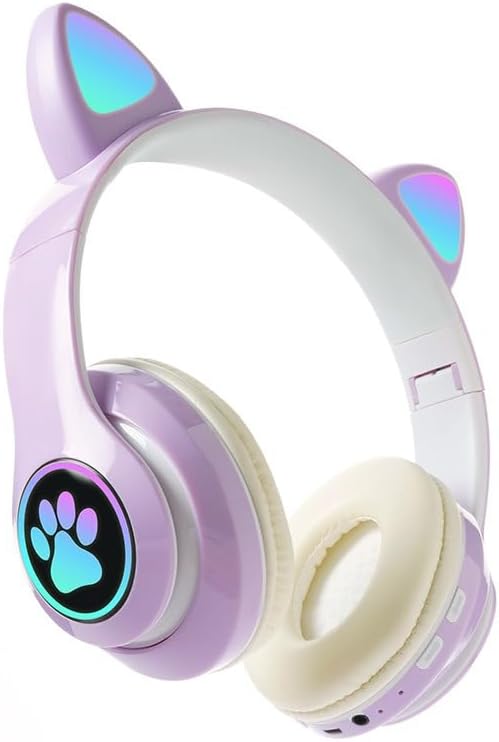
Image: The STN-28 Colorful Cat Ear Luminous Wireless Bluetooth Headset in light purple, featuring glowing cat ears and a paw print design on the ear cup.
Vlastnosti produktu
- Stylový design: Features unique cat ear design with luminous accents.
- Bezdrátové připojení: Bluetooth 5.0+EDR for seamless pairing.
- Pohodlný střih: Padded ear cups and adjustable headband.
- Ovládání zvuku: Integrated buttons for music, volume, and calls.
- Přenosný: Lightweight and foldable head-mounted design.
- Přehrávání TF karty: Supports playing songs from an external TF card.
Obsah balení
Zkontrolujte prosím balení, zda neobsahuje následující položky:
- Tělo bezdrátové náhlavní soupravy STN-28
- USB nabíjecí kabel
- Uživatelská příručka (tento dokument)
Nastavení
Nabíjení náhlavní soupravy
Before first use, fully charge the headset. Connect the provided USB charging cable to the headset's USB charging port and to a compatible USB power source (e.g., computer USB port, USB wall adapter).
- The indicator light will show red during charging.
- Doba nabíjení je přibližně 2 hodiny.
- The red light will turn off once the headset is fully charged.
The headset is equipped with a rechargeable 3.7V/400MAH polymer A-grade lithium battery with overcharge and over-discharge protection.
Zapnutí/vypnutí
- Zapnutí: Press and hold the power button until the indicator lights flash red and blue.
- Vypnutí: Stiskněte a podržte tlačítko napájení, dokud kontrolky nezhasnou.
Návod k obsluze
Párování pomocí Bluetooth
- Ujistěte se, že jsou sluchátka plně nabitá a vypnutá.
- Press and hold the power button for approximately 3-5 seconds until the indicator lights flash red and blue alternately. This indicates the headset is in pairing mode.
- Na svém zařízení (chytrý telefon, tablet, počítač) povolte Bluetooth a vyhledejte dostupná zařízení.
- V seznamu nalezených zařízení vyberte „STN-28“ nebo „LX-B39C“.
- Once successfully paired, the indicator light on the headset will flash blue slowly.
- The headset supports Bluetooth 5.0+EDR and modes A2DP 1.2, AVRCP 1.0, HSP, HSF 1.5.
The transmission range is up to 10 meters (33 feet) in an open environment.
Přehrávání hudby a ovládání hovorů
The headset features integrated controls for media and calls. Specific button functions may vary slightly, but generally include:
- Přehrát/pozastavit: Jednou stiskněte multifunkční tlačítko.
- Další skladba: Dlouze stiskněte tlačítko „+“.
- Předchozí skladba: Dlouze stiskněte tlačítko „-“.
- Zvýšit hlasitost: Krátce stiskněte tlačítko „+“.
- Snížit hlasitost: Krátce stiskněte tlačítko „-“.
- Přijmout/ukončit hovor: Během příchozího hovoru stiskněte jednou multifunkční tlačítko.
- Odmítnout hovor: Během příchozího hovoru dlouze stiskněte multifunkční tlačítko.

Obrázek: Podrobný view of the headset's right ear cup, highlighting the control buttons for media playback and calls, as well as the charging port and TF card slot.
Přehrávání TF karet
The headset supports playing audio files directly from an external TF (microSD) card. Insert a TF card with your desired music into the designated slot on the headset. The headset will automatically switch to TF card playback mode.
Údržba
- Clean the headset regularly with a soft, dry cloth. Do not use abrasive cleaners or solvents.
- Nevystavujte sluchátka extrémním teplotám, vlhkosti nebo přímému slunečnímu záření.
- Pokud sluchátka nepoužíváte, skladujte je na chladném a suchém místě.
- Nepokoušejte se sluchátka rozebírat ani opravovat sami, jinak by došlo ke ztrátě záruky.
- Udržujte nabíjecí port bez prachu a nečistot.
Odstraňování problémů
| Problém | Možná příčina | Řešení |
|---|---|---|
| Sluchátka se nezapínají. | Slabá baterie. | Nabíjejte sluchátka alespoň 2 hodiny. |
| Nelze spárovat se zařízením. | Sluchátka nejsou v režimu párování; Bluetooth na zařízení vypnutý; zařízení je příliš daleko. | Ensure headset is flashing red/blue; enable Bluetooth on device; move device closer (within 10M). |
| Během přehrávání není slyšet žádný zvuk. | Hlasitost je příliš nízká; sluchátka nejsou připojena; na zařízení je vybrán nesprávný zvukový výstup. | Increase headset/device volume; re-pair headset; check device's audio settings. |
| Špatná kvalita zvuku nebo výpadky signálu. | Interference; device too far; low headset battery. | Move away from sources of interference; move closer to device; charge headset. |
Specifikace
| Funkce | Detail |
|---|---|
| Model | LX-B39C (STN-28) |
| Způsob nošení | Head-mounted, Folding |
| Verze Bluetooth | 5.0 + EDR |
| Podporované režimy Bluetooth | A2DP 1.2, AVRCP 1.0, HSP, HSF 1.5 |
| Kapacita baterie | 400mAh polymerní lithiová baterie |
| Velikost/Impedance reproduktoru | 40 mm / 32Ω |
| Citlivost příjmu | -84 dBm |
| Maximální vysílací výkon | 6dBm |
| Dosah převodovky | ≤ 10 metrů |
| Nabíjecí port | USB |
| Doba nabíjení | Přibl. 2 hodin |
| Doba přehrávání hudby | Až 6 hodin |
| Doba hovoru | Až 6 hodin |
| Pohotovostní doba | 200 hodin |
| Kontrola hluku | Aktivní potlačení hluku |
| Kontrolní metoda | Dotyková / Ovládací tlačítka médií |
| Barva | Světle fialová |
| Umístění uší | Přes ucho |
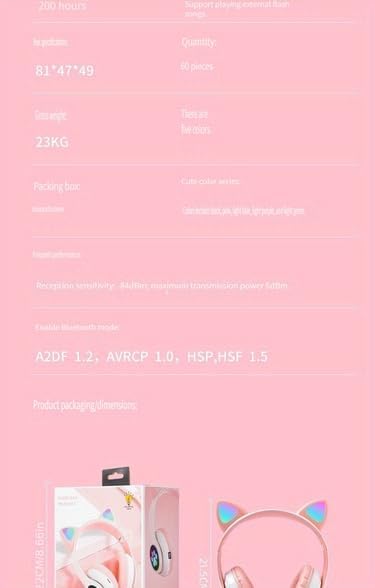
Image: A visual representation of the headset's dimensions and some technical specifications, including model number and battery capacity.
Záruka a podpora
For warranty information or technical support, please refer to the retailer where you purchased this product. Keep your proof of purchase for any warranty claims.
Manufacturer: Shantou Chaoyang District Gurao Lanxin Electronics Factory


