
Zavedení
Thank you for choosing the Raddy RF320 Shortwave Radio. This manual provides essential information for the safe and efficient operation of your device. Please read it thoroughly before use and retain it for future reference. The RF320 is a versatile portable radio offering comprehensive reception across AIR, FM, VHF, MW, SW, and WB bands, along with Bluetooth 5.0 connectivity, TF card playback, and emergency features like a flashlight and SOS function.
Bezpečnostní informace
- Nevystavujte rádio extrémním teplotám, přímému slunečnímu záření nebo vysoké vlhkosti.
- Zabraňte pádu zařízení nebo jeho vystavení silným nárazům.
- Keep the radio away from water and other liquids. It is not waterproof.
- Use only the specified charging cable and power adapter to prevent damage.
- Do not attempt to disassemble or modify the radio. This will void the warranty and may cause harm.
- Zlikvidujte baterie v souladu s místními předpisy.
Obsah balení
Ověřte, zda jsou v balení přítomny všechny položky:
- Raddy RF320 Shortwave Radio
- USB nabíjecí kabel
- 3m Cable Antenna
- Sluchátka
- Návod k obsluze
Konec produktuview
Seznamte se s komponenty a ovládacími prvky rádia.
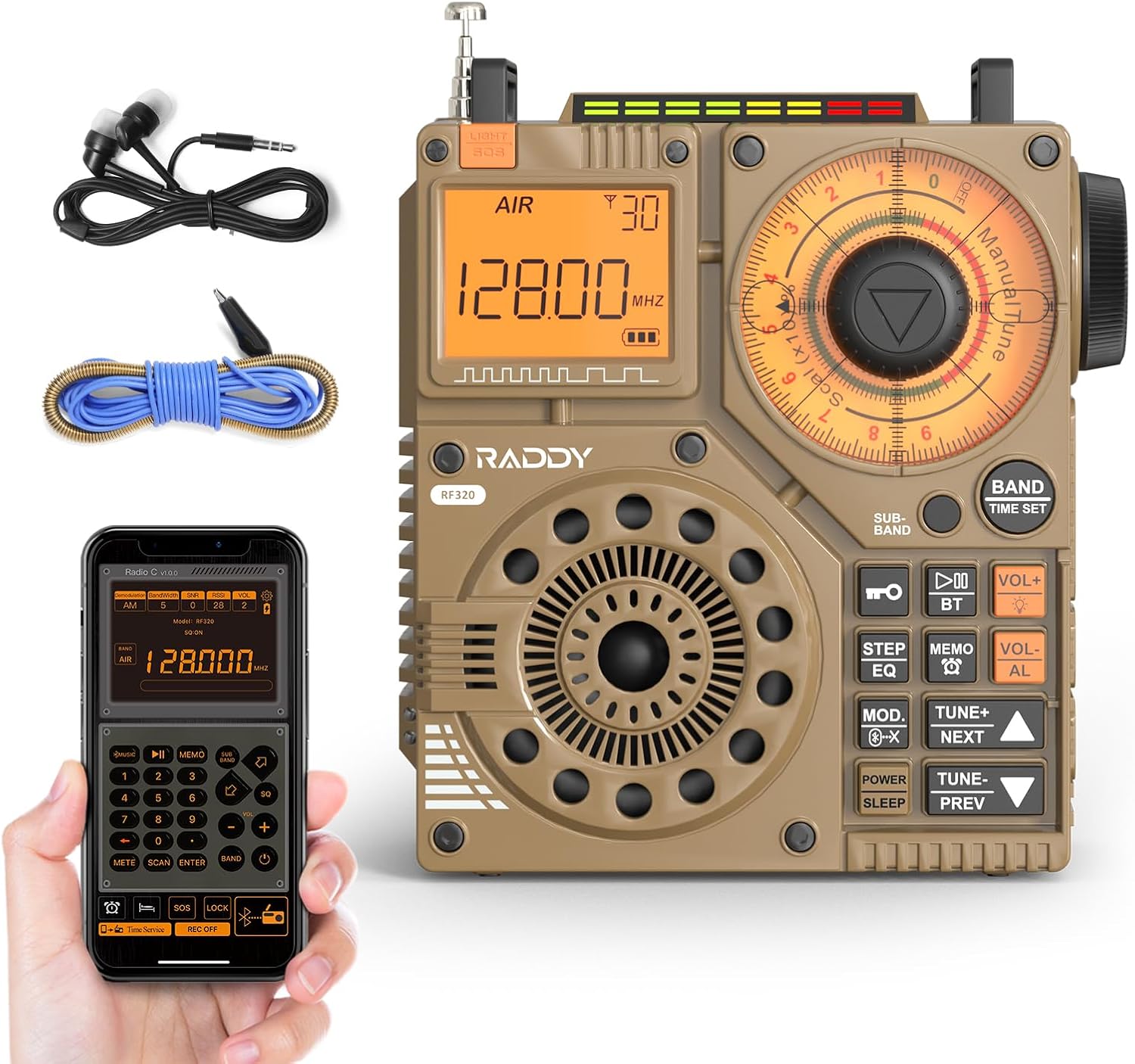
Obrázek 1: Přední strana view of the Raddy RF320 Shortwave Radio, showing the display, speaker, and control buttons.

Obrázek 2: Strana view of the Raddy RF320, illustrating the fine-tuning knobs and their function for precise frequency adjustment.
Klíčové vlastnosti:
- Digitální displej: Shows frequency, band, and other operational information.
- Ladicí knoflíky: For manual and fine-tuning adjustments.
- Band Selection Buttons: To switch between AIR, FM, VHF, MW, SW bands.
- Ovládání hlasitosti: Upravuje úroveň zvukového výstupu.
- Integrovaná svítilna: Pro osvětlení za zhoršených světelných podmínek.
- Funkce SOS: Aktivuje nouzový signál.
- Bluetooth 5.0: Pro bezdrátové streamování zvuku.
- Slot na kartu TF: For direct playback of stored audio files.
- 3.5mm audio jack: For earphone connection.
Nastavení
1. Nabíjení baterie
The RF320 is powered by a built-in Lithium-ion battery. Before first use, fully charge the radio.
- Připojte nabíjecí kabel USB k nabíjecímu portu rádia.
- Druhý konec kabelu USB připojte ke kompatibilnímu napájecímu adaptéru USB (není součástí balení) nebo k portu USB počítače.
- The charging indicator on the display will show the charging status. It will typically turn off or change color when fully charged.
2. Připojení antény
For optimal reception, especially on SW and AIR bands, extend the telescopic antenna or connect the included 3m cable antenna.
- Teleskopická anténa: Extend it fully and adjust its direction for best signal.
- Cable Antenna: Plug the cable antenna into the designated antenna jack on the radio. Extend the cable antenna as much as possible, ideally outdoors or near a window, for improved shortwave reception.
Návod k obsluze
1. Zapnutí/vypnutí
Stiskněte a podržte MOC tlačítko pro zapnutí nebo vypnutí rádia.
2. Výběr pásma
Stiskněte tlačítko KAPELA button repeatedly to cycle through the available frequency bands: FM, AM (MW), SW, VHF, AIR, WB.
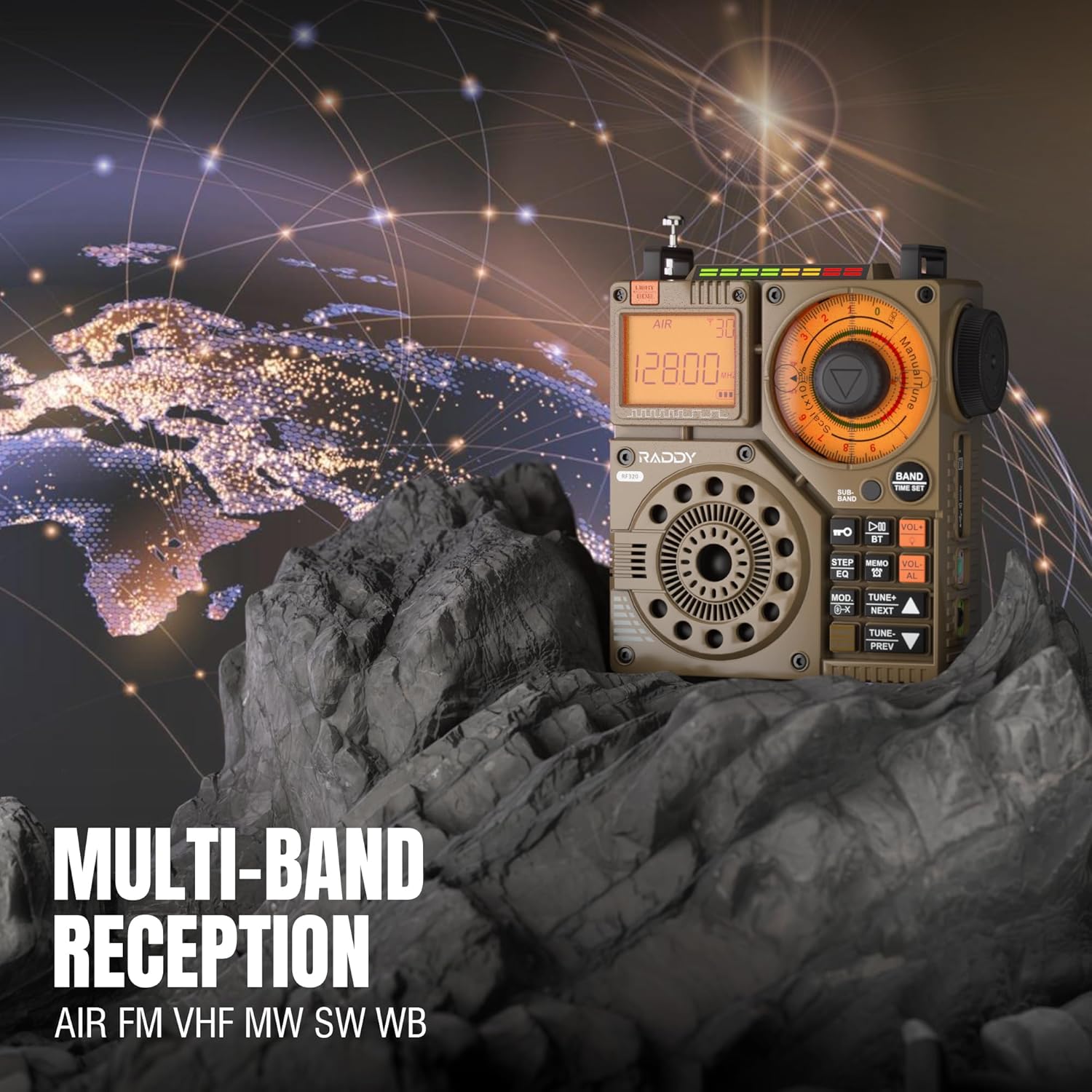
Figure 3: The Raddy RF320 radio on a rocky surface, symbolizing its multi-band reception capabilities across AIR, FM, VHF, MW, SW, and WB bands.
3. Metody ladění
The RF320 offers multiple tuning options:
- Ruční ladění: Use the main tuning knob to adjust the frequency incrementally. The precise tuning knobs offer a minimum step value of 0.005 MHz for accurate frequency selection.
- Digitální ladění: Use the numeric keypad (if available on the device or via app) to directly enter a frequency.
- Automatické vyhledávání: Stiskněte tlačítko AUTOMATICKÉ SKENOVÁNÍ tlačítko pro automatické prohledávání a ukládání dostupných stanic.
- Semi-Automatic Search: This function allows for scanning within a specific range or with user intervention. Refer to the on-screen prompts or app interface for details.
4. Station Storage
The radio can store up to 955 stations (199 for each of AIR, FM, VHF, MW, and SW bands).
- Nalaďte požadovanou stanici.
- Stiskněte a podržte MEMO button (or equivalent) to save the station.
- Použijte DALŠÍ / PŘEDCHOZÍ tlačítka pro navigaci mezi uloženými stanicemi.
5. Režim Bluetooth (BT)
Připojte svůj chytrý telefon nebo jiné zařízení s podporou Bluetooth pro bezdrátové streamování zvuku.
- Stiskněte tlačítko MODE tlačítko, dokud se nezobrazí „BT“ nebo „Bluetooth“.
- On your device, search for Bluetooth devices and select 'Raddy RF320'.
- Po spárování můžete přehrávat zvuk ze zařízení přes reproduktor rádia.
6. Přehrávání z TF karty
Přehrát zvuk filepřímo z TF (MicroSD) karty.
- Insert a TF card (up to 32GB, FAT32 format) with audio filedo slotu pro TF kartu.
- Stiskněte tlačítko MODE button until 'TF' or 'Card' is displayed.
- Použijte DALŠÍ / PŘEDCHOZÍ tlačítka pro procházení stop.

Figure 4: The Raddy RF320 radio next to a smartphone displaying music, highlighting its three operational modes: Bluetooth, TF Card, and Radio Receiver.
7. Flashlight and SOS Function
The RF320 includes an integrated flashlight and an SOS emergency signal.
- Svítilna: Stiskněte tlačítko SVĚTLO button to turn the flashlight on/off.
- SOS: Stiskněte a podržte SOS button to activate the emergency alarm and flashing light. Press again to deactivate.

Figure 5: Close-up of the Raddy RF320 radio with its integrated flashlight active, demonstrating its outdoor lighting capability.
8. Ovládání aplikací
The Raddy RF320 can be controlled via a dedicated application on iOS, Android, and HarmonyOS systems.
- Download the 'Radio C' application from your device's app store.
- Ensure Bluetooth is enabled on your smartphone and the RF320 radio.
- Open the app and follow the on-screen instructions to connect to your RF320.
- The app allows for digital tuning, channel naming, recording broadcasts, and other advanced controls.

Figure 6: The Raddy RF320 radio displayed alongside a smartphone running its control application, illustrating the ease of use with app integration.
Údržba
- Rádio čistěte měkkým, suchým hadříkem. Nepoužívejte abrazivní čisticí prostředky ani rozpouštědla.
- Pokud rádio delší dobu nepoužíváte, skladujte ho na chladném a suchém místě.
- Periodically charge the battery to maintain its lifespan, even if the radio is not being used.
- Ensure the telescopic antenna is retracted when not in use to prevent damage.
Odstraňování problémů
| Problém | Možná příčina | Řešení |
|---|---|---|
| Rádio se nezapne. | Baterie je vybitá. | Charge the radio fully. |
| Špatný příjem rádia. | Slabý signál; anténa není vysunutá. | Extend the telescopic antenna or connect the 3m cable antenna. Adjust antenna position. Move to an area with better signal. |
| Připojení Bluetooth se nezdařilo. | Radio not in BT mode; device too far; pairing issue. | Ensure radio is in BT mode. Bring devices closer. Delete 'Raddy RF320' from your device's BT list and re-pair. |
| TF karta nehraje. | Card not inserted correctly; unsupported format; corrupted files. | Reinsert TF card. Ensure card is FAT32 format. Check if audio files jsou podporovány. |
| Nefunguje ovládání aplikace. | Bluetooth not connected; app not updated. | Ensure radio is paired via Bluetooth. Update the 'Radio C' app to the latest version. |
Specifikace
| Funkce | Specifikace |
|---|---|
| Značka | Raddy |
| Číslo modelu | RF320 |
| Podporovaná rádiová pásma | AIR, FM, VHF, MW (AM), SW |
| Technologie ladění | FM, AM, VHF, SW, AIR |
| Technologie připojení | Bluetooth 5.0 |
| Speciální funkce | Digital Display, Integrated Flashlight, Rechargeable, Automatic Squelch, Keypad Lock, TF Card Playback, App Control, SOS Function |
| Rozměry produktu (D x Š x V) | 15 l x 9 š x 15 v centimetrů |
| Zdroj napájení | Napájení z baterie (1 lithium-iontová baterie je součástí balení) |
| Typ zobrazení | Digital Display (LCD/LED) |
| Hardwarové rozhraní | Zvukový konektor 3.5mm |
| Úroveň odolnosti proti vodě | Není voděodolný |
| Vnitřní materiál | Kov |
| Země původu | Čína |
Záruka a podpora
Informace o záruce
Raddy products typically come with a standard manufacturer's warranty. Please refer to the warranty card included in your package or visit the official Raddy website for detailed warranty terms and conditions specific to the RF320 model. Keep your purchase receipt as proof of purchase for warranty claims.
Zákaznická podpora
For technical assistance, troubleshooting beyond this manual, or warranty inquiries, please contact Raddy customer support through their official website or the contact information provided with your product packaging. When contacting support, please have your product model (RF320) and purchase details ready.