
Lamzu Maya X
Uživatelská příručka k bezdrátové herní myši Lamzu Maya X
Model: Maya X
Zavedení
The Lamzu Maya X is an ultra-lightweight wireless gaming mouse designed for high-performance gaming. Featuring a symmetrical shape, optical switches, and a high-precision PAW3950 sensor, it offers exceptional responsiveness and comfort for various grip styles. This manual provides detailed instructions for setting up, operating, maintaining, and troubleshooting your Lamzu Maya X mouse.

Figure 1: Lamzu Maya X Wireless Gaming Mouse and 8K Polling Dongle.
Obsah balení
Než začnete, ujistěte se, že balení obsahuje všechny položky:
- Lamzu Maya X Wireless Gaming Mouse
- 8K Polling Dongle
- 1.8m Type-C Paracord Cable (for wired connection and charging)
- PTFE Feet (extra set)
- Sametová taška
- MAYA X Mouse Grip Tape
Nastavení
1. Nabíjení myši
The Lamzu Maya X mouse comes with a built-in Lithium Ion battery. For optimal performance, it is recommended to fully charge the mouse before first use.
- Connect the supplied 1.8m Type-C paracord cable to the USB-C port on the front of the mouse.
- Connect the other end of the cable to an available USB port on your computer or a USB wall adapter.
- The mouse's indicator light will show charging status. Once fully charged, the light will change or turn off.
Myš lze během nabíjení používat v kabelovém režimu.
2. Připojení myši
The Lamzu Maya X supports both 2.4G wireless and wired connectivity.
Wireless Connection (2.4G with 8K Polling Dongle)
- Locate the 8K Polling Dongle.
- Plug the 8K Polling Dongle into an available USB port on your computer. For best performance, use a USB port on the front of your computer or a USB hub placed close to the mouse to minimize interference.
- Zapněte myš pomocí vypínače, který se nachází na spodní straně myši.
- The mouse should automatically connect to the dongle. If connection is not established, refer to the troubleshooting section.

Figure 2: Wireless Connection with 8K Polling Dongle.
Drátové připojení
- Connect the supplied 1.8m Type-C paracord cable to the USB-C port on the front of the mouse.
- Připojte druhý konec kabelu k volnému portu USB na počítači.
- The mouse will automatically switch to wired mode. In wired mode, the polling rate is 1000 Hz.

Figure 3: Dual Mode Connectivity (2.4G Wireless and Wired).
3. Instalace ovladačů a softwaru
The Lamzu Maya X mouse is plug-and-play for basic functionality. For advanced customization, including DPI settings, button remapping, macros, and polling rate adjustments, you can download the official Lamzu Aurora Web Driver from the Lamzu webstránky. Tento web-based software eliminates the need for local installation.
- Visit the official Lamzu webweb (www.lamzu.com) to access the Aurora Web Řidič.
- Follow the on-screen instructions to connect your device and customize settings.
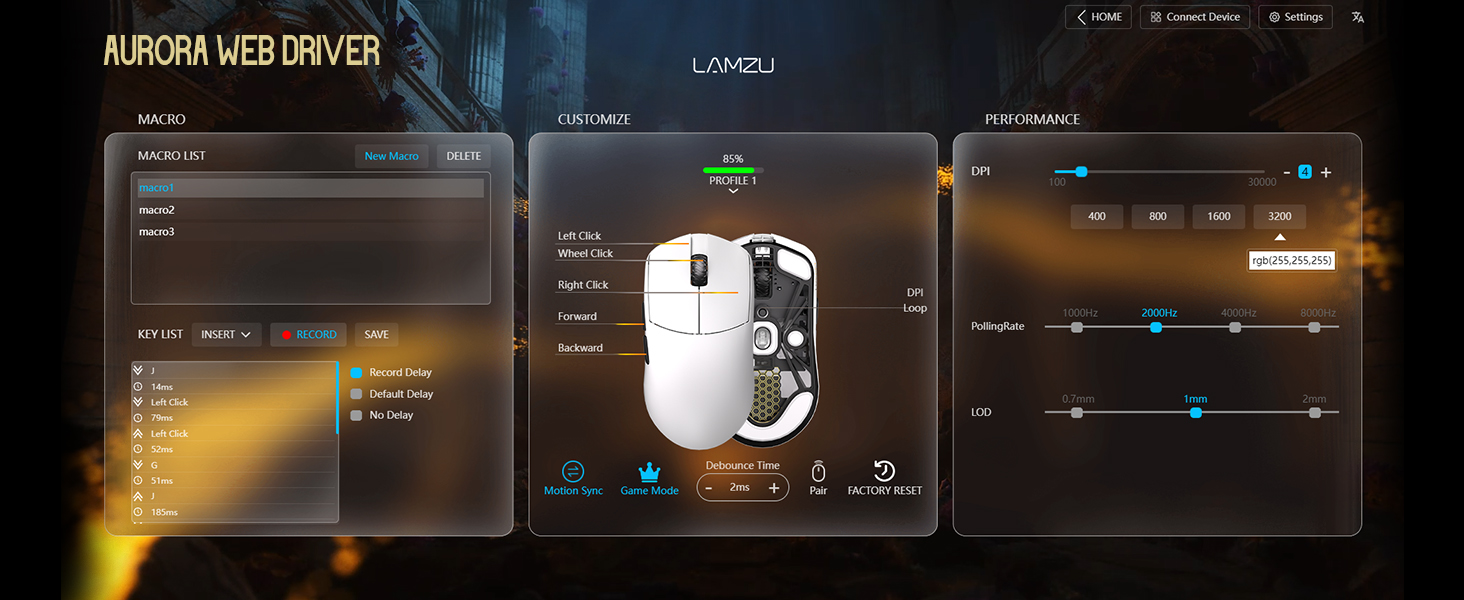
Figure 4: Lamzu Aurora Web Driver Interface.
Ovládání myši
Funkce tlačítek
The Lamzu Maya X is a 6-button gaming mouse. The default functions are as follows:
| Tlačítko | Výchozí funkce |
|---|---|
| Klikněte levým tlačítkem | Primární funkce kliknutí |
| Klikněte pravým tlačítkem | Funkce sekundárního kliknutí |
| Rolovací kolečko (kliknutí) | Middle click / Universal scroll |
| Rolovací kolečko (nahoru/dolů) | Scroll content up/down |
| DPI Button (Bottom) | Cycle through preset DPI levels |
| Tlačítko na přední straně | Navigate forward in web browsers/applications |
| Tlačítko na zadní straně | Navigate backward in web browsers/applications |
| On/Off Switch (Bottom) | Power on/off the mouse |
All buttons, except the On/Off switch, can be remapped using the Aurora Web Software ovladače.

Figure 5: Lamzu Maya X Button Layout.
Adjusting DPI (Dots Per Inch)
The Lamzu Maya X features a Pixart PAW 3950 sensor, supporting up to 30,000 DPI. You can adjust the DPI sensitivity to match your preference and gaming style.
- Nastavení za chodu: Press the DPI button located on the bottom of the mouse to cycle through pre-configured DPI stages. The LED indicator on the mouse may change color to indicate the current DPI stage.
- Úprava softwaru: For precise control and custom DPI stages, use the Lamzu Aurora Web Driver. You can set specific DPI values and assign them to different profiles.
Míra hlasování
The polling rate determines how often the mouse reports its position to the computer. A higher polling rate results in smoother and more responsive cursor movement.
- Wireless (2.4G): The Maya X supports up to 8,000 Hz polling rate when using the included 8K Polling Dongle. This can be configured via the Aurora Web Řidič.
- Kabelové (USB-C): In wired mode, the mouse operates at a 1,000 Hz polling rate.
Grip Styles
The symmetrical shape of the Lamzu Maya X is designed to accommodate various grip styles, providing comfort and control for different hand sizes and preferences.
- Úchop dlaně: The entire palm rests on the mouse, offering maximum stability.
- Drápový úchop: Fingers are arched, and the palm makes minimal contact with the rear of the mouse, allowing for quick, precise movements.
- Úchop prstů: Only the fingertips touch the mouse, providing the highest degree of maneuverability.

Figure 6: Supported Grip Styles.
Údržba
Proper maintenance ensures the longevity and optimal performance of your Lamzu Maya X mouse.
- Čištění: K otření povrchu myši použijte měkký, suchý hadřík. V případě odolných nečistot použijte lehceamp Lze použít hadřík, ale dbejte na to, aby se do myši nedostala vlhkost. Vyhněte se agresivním chemikáliím nebo abrazivním materiálům.
- Péče o senzor: Keep the optical sensor on the bottom of the mouse clean and free of dust or debris. Use a cotton swab or compressed air if necessary.
- Mouse Feet (PTFE Skates): The PTFE feet are designed for smooth gliding. If they become worn or damaged, replace them with the extra set provided in the package.
- Skladování: When not in use for extended periods, store the mouse in a cool, dry place, ideally in the provided velvet bag to protect it from dust and scratches.
- Péče o baterie: Avoid fully discharging the battery frequently. For long-term storage, charge the mouse to about 50% to preserve battery health.
Odstraňování problémů
If you encounter issues with your Lamzu Maya X mouse, refer to the following common problems and solutions:
| Problém | Možná příčina / řešení |
|---|---|
| Myš nereaguje (bezdrátová) |
|
| Myš nereaguje (kabelová) |
|
| Pohyb kurzoru je nepravidelný nebo trhaný |
|
| Buttons not responding or double-clicking |
|
| Baterie se rychle vybíjí |
|
Specifikace
| Funkce | Detail |
|---|---|
| Model | Maya X |
| Rozměry (D x Š x V) | 4.88 x 2.52 x 0.04 palce (124 x 64 x 40 mm) |
| Hmotnost | 1.66 unce (přibližně 47 g) |
| Senzor | Optický senzor Pixart PAW 3950 |
| Maximální DPI | 30,000 DPI |
| MCU | Nordic 52840 |
| Míra hlasování | Up to 8,000 Hz (Wireless with 8K dongle), 1,000 Hz (Wired) |
| Spínače | Omron Optical Switches (Left/Right buttons) |
| Kodér | Dust-Proof Encoder with 30-grid roller |
| Konektivita | Bezdrátové 2.4G, kabelové USB-C |
| Typ baterie | 1 lithium-iontová baterie (součástí balení) |
| Barva | Černá (dle varianty produktu) |
| Země původu | Čína |
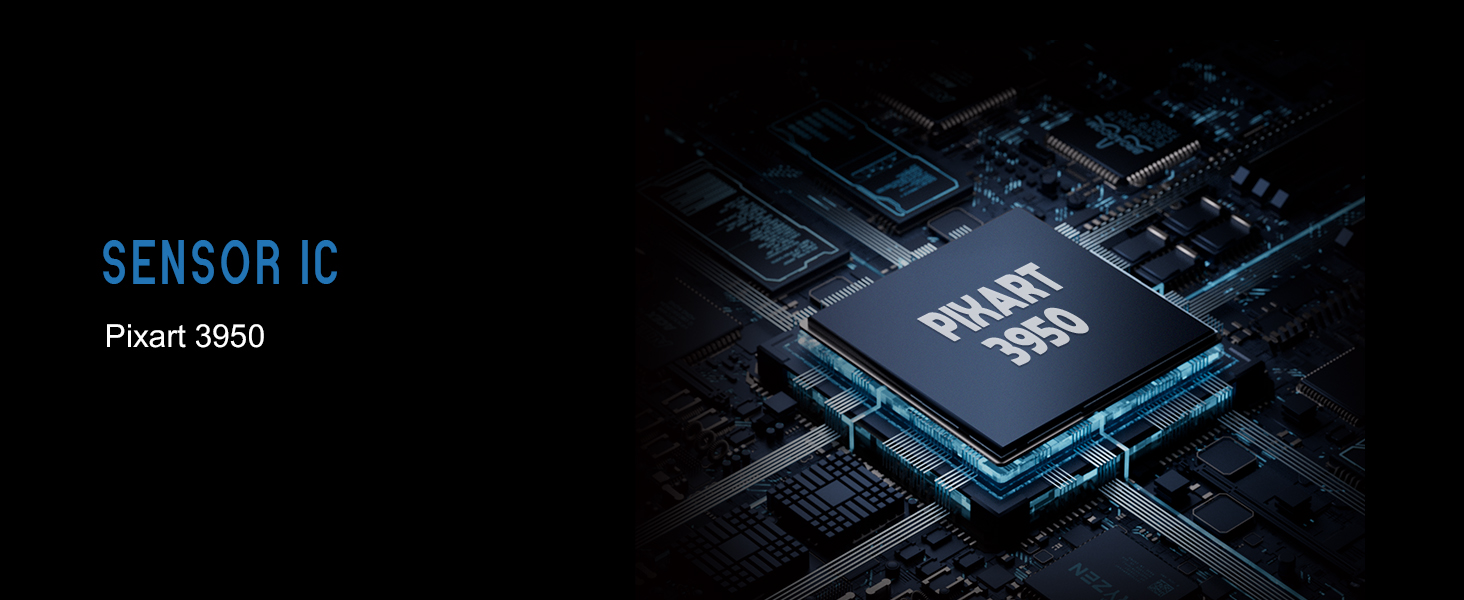
Figure 7: Lamzu Maya X Detailed Specifications.
Záruka a podpora
Lamzu products are manufactured to the highest quality standards. For information regarding warranty coverage, technical support, or service inquiries, please visit the official Lamzu webnebo kontaktujte jejich oddělení zákaznických služeb.
- Oficiální Webmísto: www.lamzu.com
- Služby zákazníkům: Viz kontaktní informace uvedené na oficiálních stránkách webmísto.
Uschovejte si prosím doklad o koupi pro uplatnění záruky.
Ask a question about this manual
Ask about setup, troubleshooting, compatibility, parts, safety, or missing instructions. Manuals+ will review the question and use this page’s manual context to help answer it.