
1. Úvod
This manual provides essential information for the safe operation and maintenance of your SIMREX X800 Drone. Please read it thoroughly before first use to ensure proper functionality and to maximize your flying experience. The SIMREX X800 is a compact and versatile drone designed for both beginners and experienced users, featuring a 1080P camera, altitude hold, and various intelligent flight modes.

2. Co je v krabici
Před zahájením instalace ověřte, zda jsou všechny komponenty přítomny:
- SIMREX X800 Drone (Black)
- Dálkové ovládání
- Modular Batteries (2x 1000mAh)
- USB nabíjecí kabel
- Spare Propeller Blades (1 set)
- Phone Holder for Remote Control
- Uživatelská příručka

3. Průvodce nastavením
3.1. Nabíjení baterie
The drone comes with two 1000mAh modular batteries. Ensure both are fully charged before use.
- Připojte nabíjecí kabel USB k baterii dronu.
- Zapojte druhý konec kabelu USB do napájecího adaptéru USB (není součástí balení) nebo do portu USB počítače.
- The indicator light on the battery will show charging status (refer to battery specific indicators for details).
- Charging typically takes approximately 60-90 minutes per battery.
3.2. Instalace baterie dronu
- Unfold the drone arms.
- Insert the fully charged modular battery into the battery compartment on the drone until it clicks securely into place.
3.3. Nastavení dálkového ovládání
The remote control requires 2 LR44 batteries (included). Install them into the battery compartment on the back of the remote.
- Attach the phone holder to the top of the remote control.
- Place your smartphone securely into the phone holder.
- Download and install the SIMREX drone application (refer to the QR code in the included manual for the app).
- Zapněte dron a poté dálkové ovládání.
- Connect your smartphone to the drone's Wi-Fi network (usually named 'SIMREX-XXXXXX').
- Open the SIMREX app to establish a connection and view napájení fotoaparátu.
3.4. Propeller Installation/Check
The drone comes with propellers pre-installed. If replacement is necessary, ensure correct orientation (A and B propellers) as indicated on the drone arms and propellers themselves.
4. Návod k obsluze
Familiarize yourself with the drone's controls and features before attempting flight.
4.1. Basic Flight Preparation
- Ensure the drone is placed on a flat, level surface.
- Perform gyroscope calibration by pushing both joysticks down and to the left/right simultaneously (refer to the specific manual for exact combination).
- Ensure a stable Wi-Fi connection between your phone and the drone for FPV (First Person View) a ovládání aplikací.
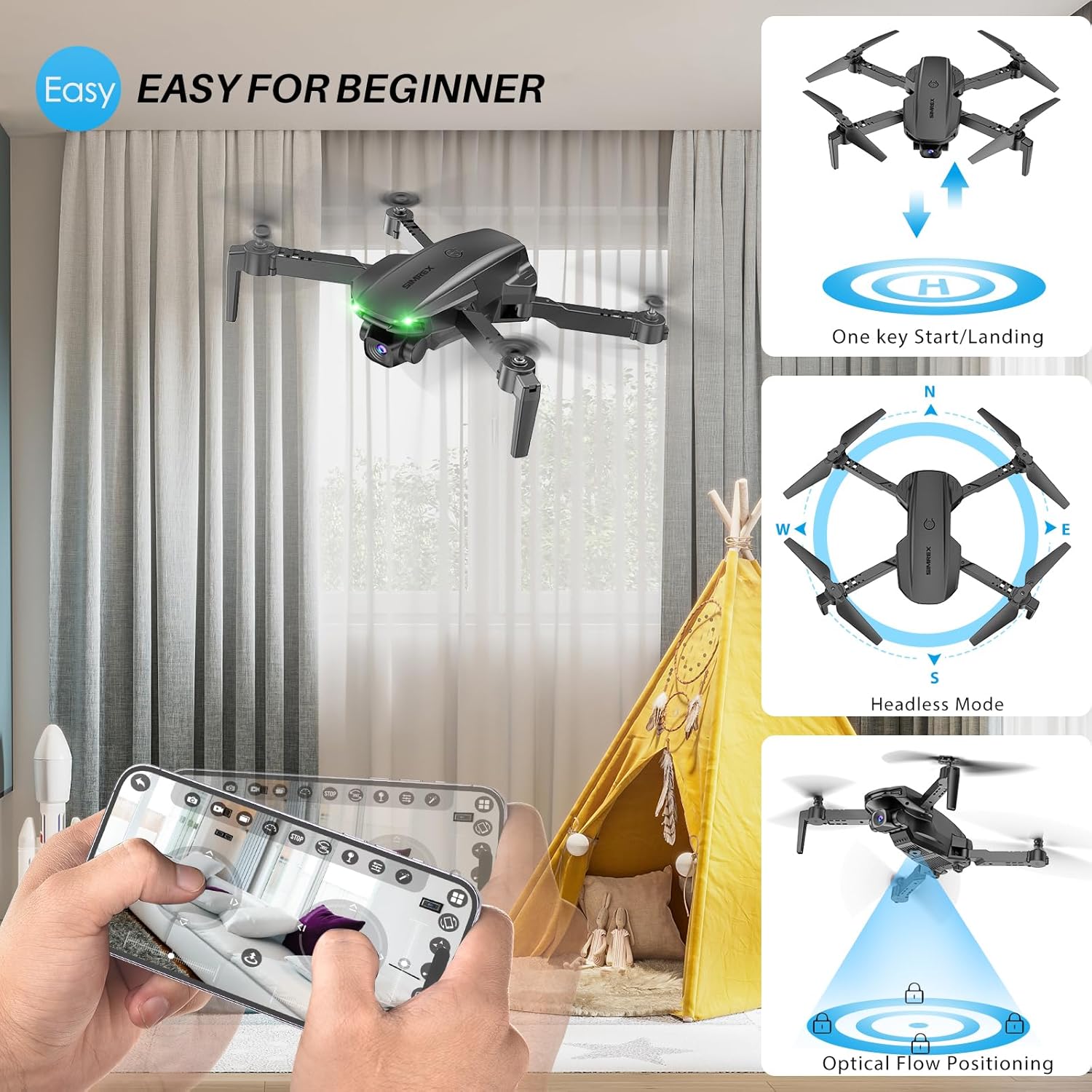
4.2. One Key Start/Landing
This feature simplifies takeoff and landing, making it ideal for beginners.
- Press the One Key Start button on the remote control or in the app. The drone will automatically take off and hover at a stable altitude.
- Stiskněte tlačítko One Key Landing (Přistání jedním tlačítkem). Dron bude pomalu klesat a automaticky přistát.
4.3. Altitude Hold & Optical Flow Positioning
These features contribute to stable flight and precise hovering.
- Držení nadmořské výšky: The drone maintains a fixed height, allowing for stable video and photo capture without constant throttle input.
- Polohování optického toku: Utilizes a bottom-mounted camera to detect ground patterns, enabling the drone to hover accurately in position, especially useful indoors or in low-wind conditions.

4.4. Bezhlavý režim
In Headless Mode, the drone's orientation is relative to the pilot, not the drone's front. This simplifies control, as pushing the joystick forward will always move the drone away from you, regardless of which way the drone is facing.
- Activate Headless Mode by pressing the dedicated button on the remote.
- Calibrate Headless Mode before flight for accurate control.
4.5. Waypoint Fly
Plan your flight path directly on your smartphone screen.
- Open the SIMREX app and select the Waypoint Fly function.
- Draw a desired flight path on the map displayed on your phone.
- The drone will automatically follow the designated route.
4.6. 3D Flip
Perform exciting aerial acrobatics with a single button press.
- Ensure sufficient altitude (at least 3 meters) before attempting a 3D flip.
- Press the 3D Flip button and move the right joystick in the desired flip direction (forward, backward, left, or right).
4.7. Nastavení rychlosti
The drone offers three speed modes to suit different skill levels and flying conditions.
- Toggle between Low, Medium, and High speeds using the speed switch button on the remote.
- Start with Low speed for learning and indoor flight, gradually increasing as you gain confidence.

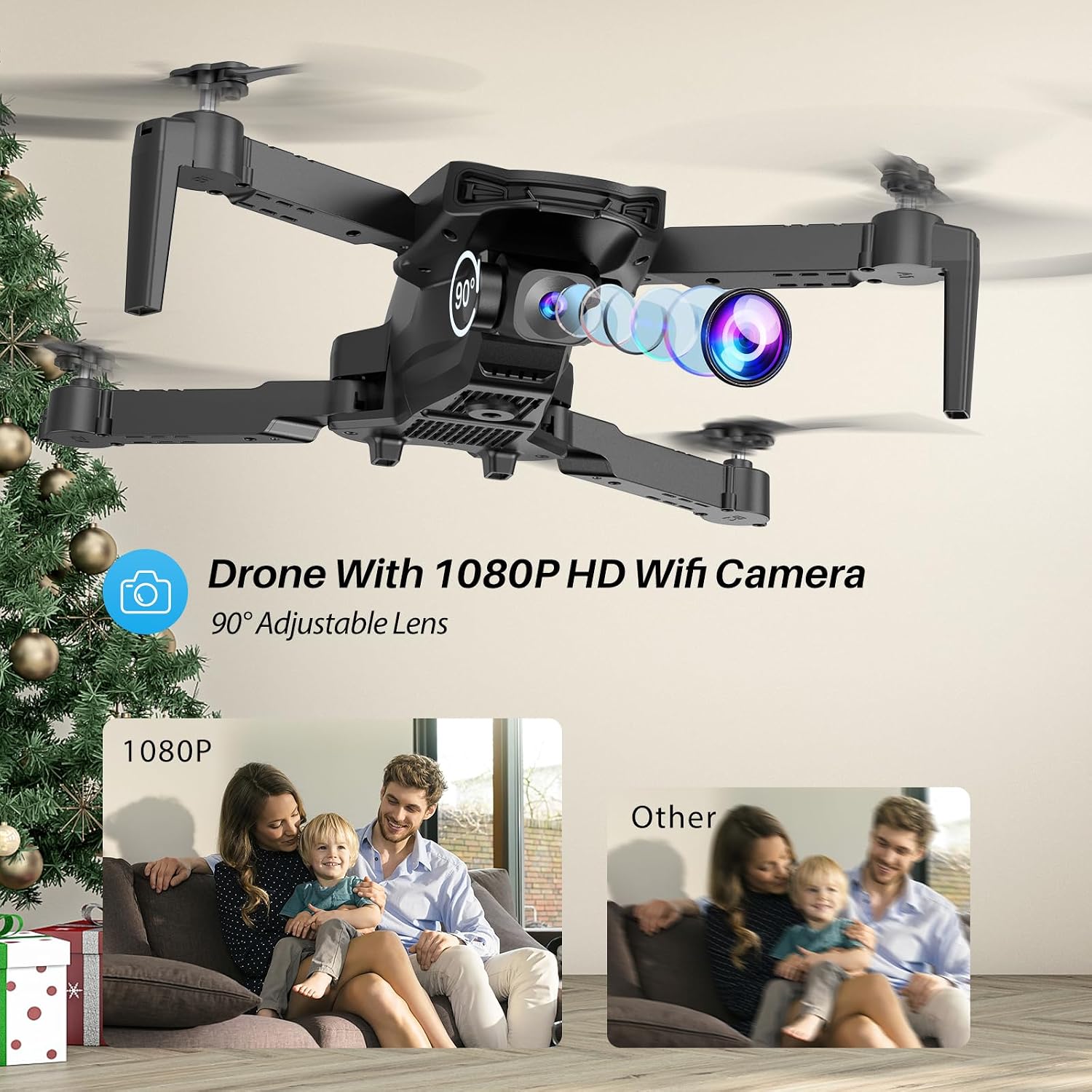
4.8. Obsluha kamery
The SIMREX X800 is equipped with a 1080P camera with a 90° adjustable lens.
- View the live camera feed on your smartphone via the SIMREX app.
- Use the app to capture photos and record videos directly to your phone's storage.
- Adjust the camera lens angle manually before flight for optimal viewIng.
4.9. Ovládání gravitace
Control the drone's flight motion by tilting your mobile phone.
- Activate Gravity Control within the SIMREX app.
- Tilt your phone forward, backward, left, or right to control the drone's corresponding movement.
4.10. Flight Environment Considerations
- The SIMREX X800 is recommended for vnitřní použití.
- If flying outdoors, operate only in windless conditions to maintain control and prevent loss.
- Vždy udržujte vizuální linii s dronem.
- Avoid flying near obstacles, people, or animals.
5. Údržba
Pravidelná údržba zajistí dlouhou životnost a optimální výkon vašeho dronu.
5.1. Čištění
- K čištění těla dronu a objektivu fotoaparátu použijte měkký, suchý hadřík.
- Vyhněte se použití agresivních chemikálií nebo rozpouštědel.
- Ensure no dust or debris obstructs the optical flow sensor on the bottom of the drone.
5.2. Výměna vrtule
In case of damage, replace propellers promptly.
- Vypněte dron.
- Opatrně vyjměte poškozenou vrtuli.
- Install a new propeller, ensuring it matches the 'A' or 'B' marking on the drone arm and the propeller itself. Incorrect installation will prevent flight.
5.3. Péče o baterie
- Baterie nepřebíjejte ani nevybíjejte.
- Baterie skladujte na chladném a suchém místě mimo dosah přímého slunečního záření a extrémních teplot.
- If not used for an extended period, charge batteries to approximately 50% capacity.
6. Řešení problémů
Řešení běžných problémů naleznete v této části.
| Problém | Možná příčina | Řešení |
|---|---|---|
| Dron nereaguje na dálkové ovládání. | Not paired; low battery (drone/remote); interference. | Ensure drone and remote are powered on and paired. Charge batteries. Move to an area with less interference. |
| Dron se během letu unáší. | Gyroscope not calibrated; windy conditions; uneven propeller. | Perform gyroscope calibration. Fly in windless conditions. Check propellers for damage and replace if necessary. |
| No camera feed on phone. | No Wi-Fi connection; app not open; phone settings. | Connect phone to drone's Wi-Fi. Open the SIMREX app. Check phone's Wi-Fi settings. |
| Krátká doba letu. | Battery not fully charged; aged battery; aggressive flying. | Ensure batteries are fully charged. Consider replacing old batteries. Fly at lower speeds. |
| Drone crashes unexpectedly. | Out of range; low battery; strong wind; pilot error. | Keep drone within control range. Monitor battery levels. Avoid windy conditions. Practice basic controls. |
7. Specifikace
| Funkce | Detail |
|---|---|
| Značka | SIMREX |
| Název modelu | X800 |
| Barva | Černý |
| Rozlišení záznamu videa | 1080p |
| Speciální funkce | 360 Degree Flip, Adjustable Camera, Foldable Design, Long Battery Life, One Key Rotation (Start/Landing), Altitude Hold, Optical Flow Positioning, Headless Mode, Waypoint Fly, Gravity Control, 3 Speeds |
| Technologie připojení | USB (for charging), Bluetooth (Remote Control) |
| Zahrnuté komponenty | Drone, Remote Control, 2x Batteries, USB Charger, Spare Blades, Phone Holder |
| Úroveň dovedností | All (Beginner-friendly) |
| Hmotnost položky | 0.21 libry (cca 96 g) |
| Materiál | Plast |
| Složení článků baterie | Lithium Ion (Drone), LR44 (Remote) |
| Rozměry produktu | 1.9 cm D x 4.5 cm Š x 1.3 cm V (složené) |
| Doba letu | Až 22 minut (se 2 bateriemi) |
8. Podpora a záruka
For any questions, technical assistance, or warranty claims regarding your SIMREX X800 Drone, please contact the seller or manufacturer directly through your purchase platform. Keep your proof of purchase for any warranty-related inquiries.
Volitelné ochranné plány je možné zakoupit samostatně a rozšířit tak krytí nad rámec standardní záruky výrobce.