
Rfiver DMT2007
Rfiver Mobile TV Cart Instruction Manual
Model: DMT2007 | Brand: Rfiver
1. Úvod a produktview
The Rfiver Mobile TV Cart is a versatile and robust solution designed to provide a portable and adjustable viewing experience for your television. Equipped with a built-in power outlet, height adjustment capabilities, and lockable wheels, this stand offers convenience and flexibility for various environments, including home, office, and outdoor settings. It is engineered for stability and ease of use, accommodating a wide range of TV sizes.
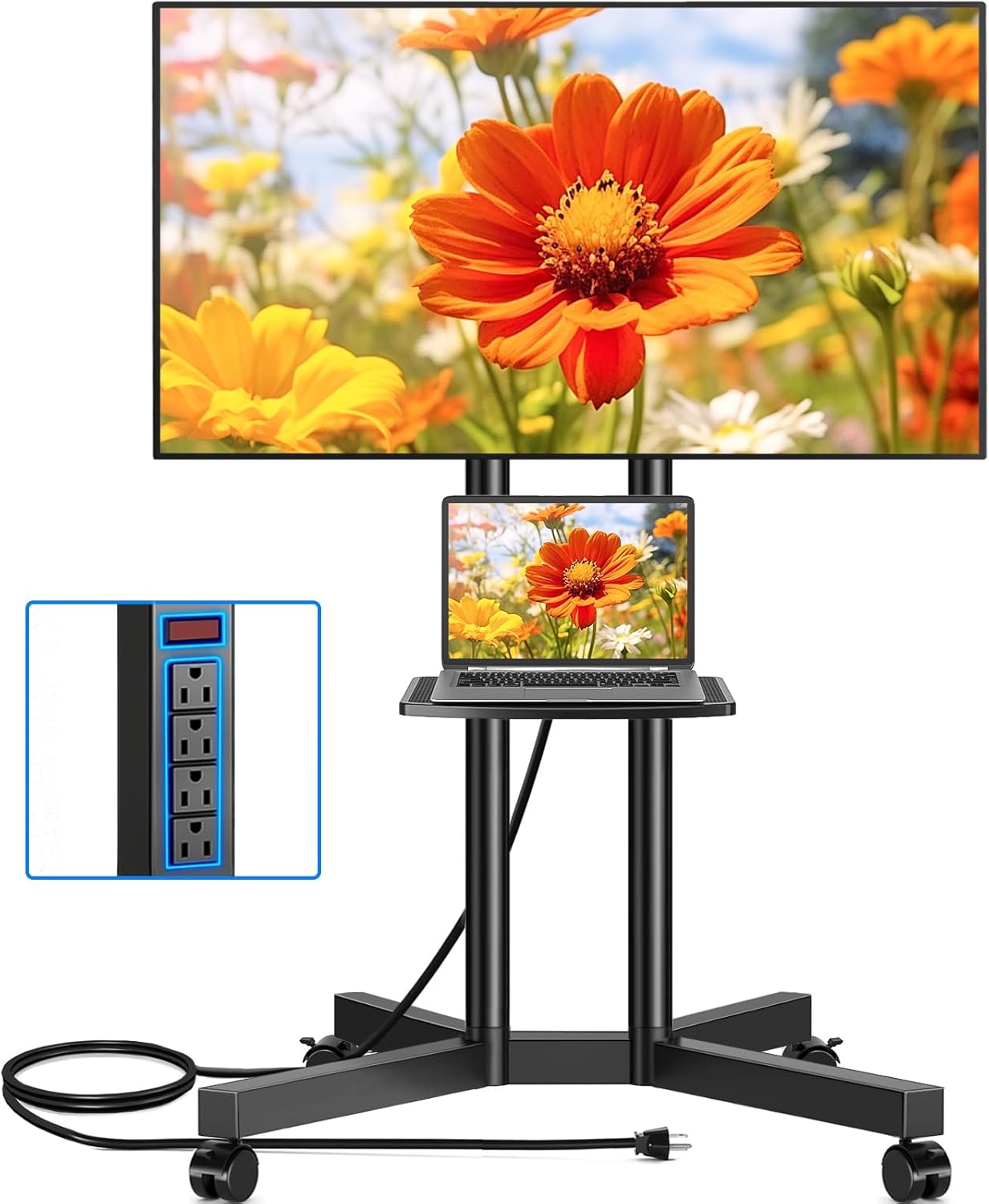
Figure 1: Rfiver Mobile TV Cart with TV and laptop on shelf.
2. Vlastnosti produktu
- Integrovaná zásuvka: Features a power socket with 4 AC outlets and a 6.5-foot 16 AWG pure copper wire (12A capacity) for powering multiple media devices simultaneously. Includes a one-key switch for convenient power control and enhanced safety. The socket's height is adjustable along with the shelf.

Figure 2: Detail of the built-in power strip with 4 AC outlets and a power switch.
- Široká kompatibilita: Compatible with most flat/curved TVs ranging from 32 to 75 inches. Supports VESA sizes from 100x100mm to 400x400mm. The overall load capacity is 88 lbs, and the media shelf can hold up to 22 lbs.

Figure 3: Compatibility details for TV sizes, VESA patterns, and weight limits.
- 15stupňové nastavení výšky: Offers 15 levels of height adjustment, with 5 levels for the support pole and 3 for the wall mount. Each level adjusts by 1.97 inches, allowing the TV cart to be set between 44.1 inches and 56 inches for optimal viewing úhly.
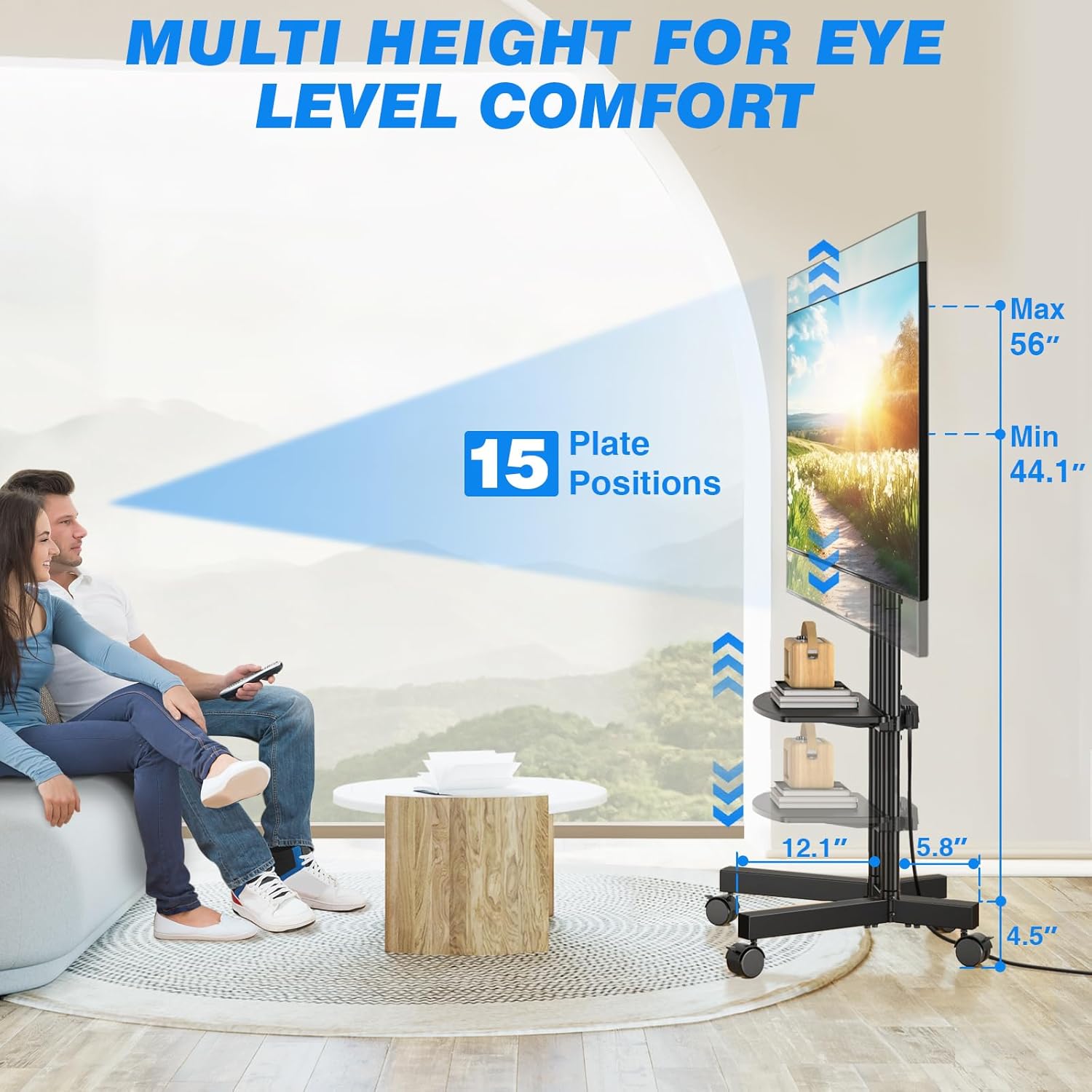
Figure 4: Visual representation of the 15-level height adjustment feature.
- 360° Rotating Lockable Wheels: Equipped with four upgraded 360° rotating silent wheels for smooth and scratch-free movement on various floor types. Wheels include fixed locks to secure the cart in place.
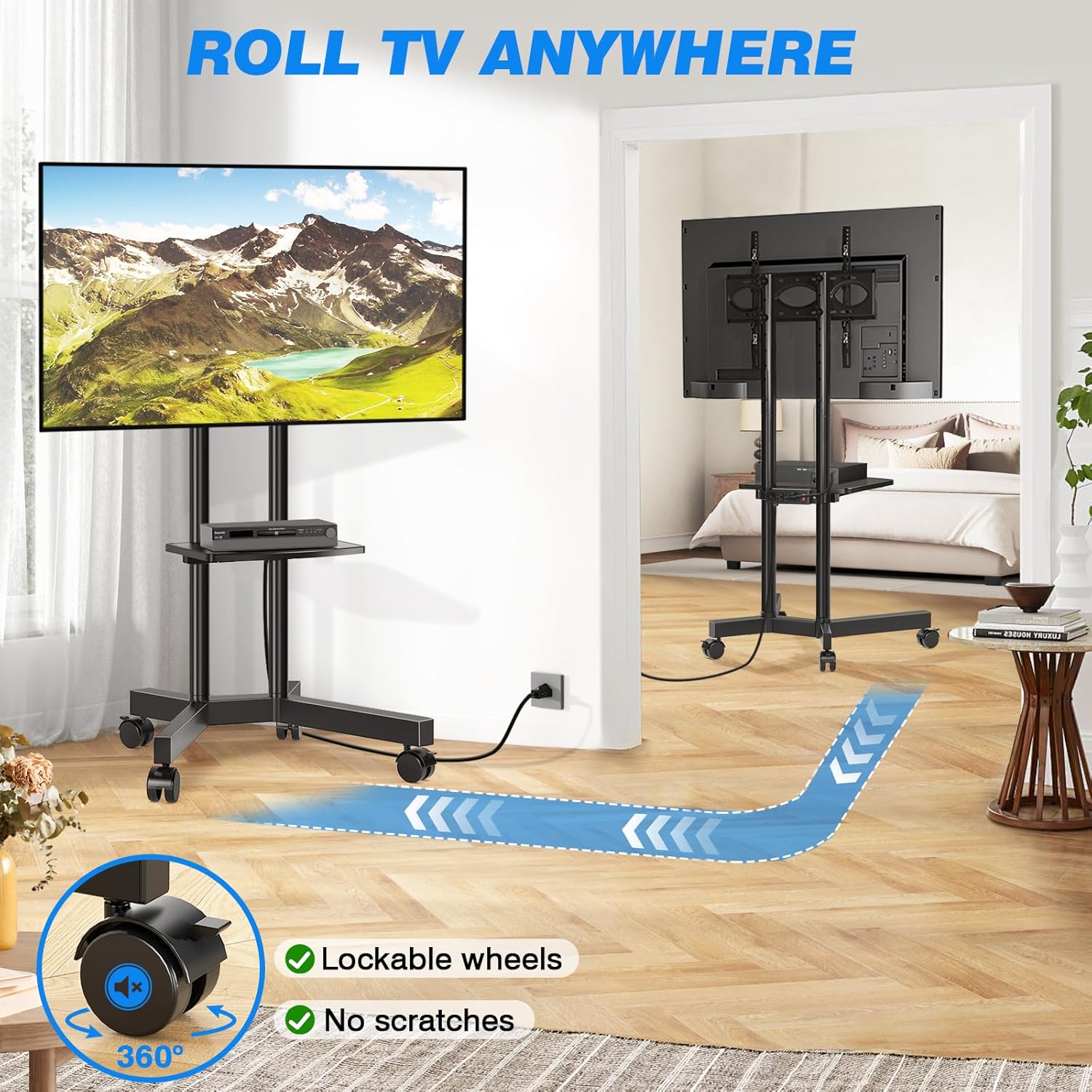
Figure 5: The TV cart's mobility with 360° lockable wheels.
- Sturdy and Safe Structure: Constructed with high-quality thickened steel support tubes and an X-shaped base for enhanced stability and reduced tilting. Features a safety lock design to prevent the TV from falling.
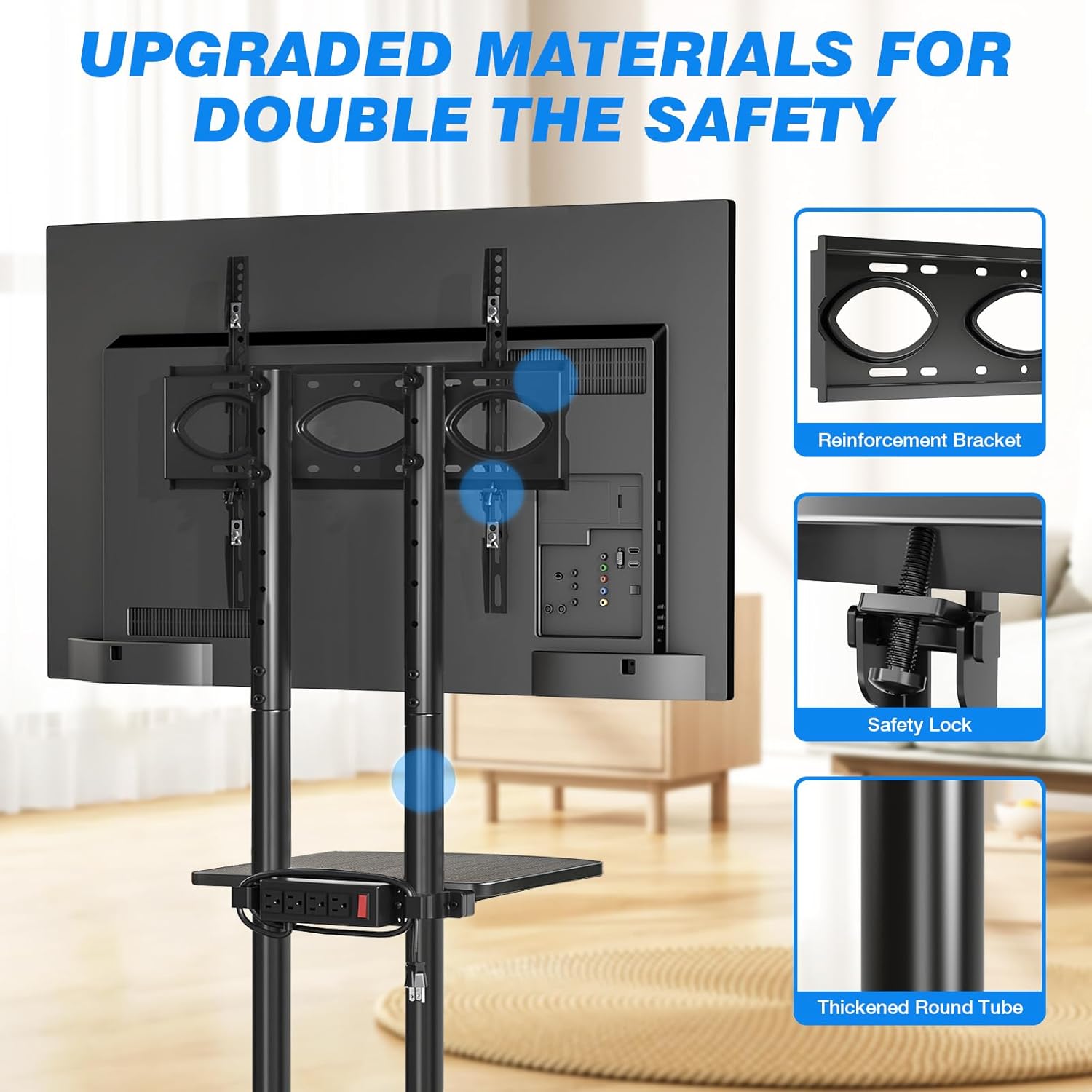
Figure 6: Structural safety features including reinforcement bracket, safety lock, and thickened steel.

Figure 7: The stable X-shaped steel base design.
3. Specifikace
| Atribut | Detail |
|---|---|
| Značka | Rfiver |
| Číslo modelu | DMT2007 |
| Hmotnost položky | 18.5 libry |
| Rozměry balení | 17.63 x 12.64 x 6.54 palce |
| Typ montáže | Montáž na podlahu |
| Typ pohybu | Artikulační |
| Materiál | Kov |
| Maximální kompatibilní úhlopříčka televizoru | 75 palce |
| Minimální kompatibilní velikost televizoru | 32 palce |
| Maximum TV Load Capacity | 88 liber |
| Nosnost police | 22 liber |
| Kompatibilita VESA | 100x100mm až 400x400mm |
| Zásuvka napájení | 4 AC Sockets, 125V/12A, 6.5ft cord |
4. Nastavení a montáž
Please follow these steps carefully for safe and proper assembly. It is recommended to have a second person assist with mounting the TV.
4.1 Vybalení a identifikace dílů
- Opatrně otevřete obal a vyjměte všechny součásti.
- Verify all parts are present against the included parts list (refer to your product's specific parts diagram).
- Udržujte malé části mimo dosah dětí.
4.2 Sestava základny
- Attach the four base legs to the central support structure, ensuring they are securely fastened.
- Install the 360° rotating wheels into the designated slots on each leg. Ensure all wheels are firmly seated.
- Verify that the X-shaped base is stable and level.
4.3 Column and Shelf Installation
- Securely attach the vertical support columns to the assembled base.
- Slide the media shelf onto the support columns at your desired height. Tighten the locking mechanism to fix the shelf in place.
- Mount the power strip to the side of the shelf or column using the provided hardware.
4.4 TV Bracket Attachment
- Attach the TV mounting brackets to the back of your television, aligning with the VESA holes. Ensure the brackets are securely tightened.
- With assistance, carefully lift your TV and hook the mounted brackets onto the vertical support columns of the TV cart.
- Engage the safety lock mechanism on the TV brackets to prevent accidental dislodgement.
- Adjust the TV's height on the support columns as desired, then tighten all securing bolts.
5. Návod k obsluze
5.1 Moving the TV Cart
- To move the cart, ensure all four wheels are unlocked.
- Gently push or pull the cart to your desired location. Avoid sudden jerks or excessive force.
- Once in position, press down on the locking levers on each wheel to secure the cart and prevent accidental movement.
5.2 Nastavení výšky televizoru
- To adjust the TV height, loosen the securing bolts on the TV mounting brackets and the support columns.
- S pomocí opatrně zvedněte nebo snižte televizor do požadované polohy viewing výška.
- Once the desired height is achieved, securely tighten all securing bolts on the brackets and columns to ensure stability.
5.3 Používání elektrické zásuvky
- Plug the power cord from the integrated power strip into a standard wall outlet.
- Connect your media devices (e.g., TV, DVD player, router, laptop) to the AC outlets on the power strip.
- Use the red one-key switch on the power strip to turn power on or off to all connected devices.
6. Údržba
- Čištění: Otřete stojan měkkým, damp hadříkem. Nepoužívejte abrazivní čisticí prostředky ani rozpouštědla, která by mohla poškodit povrchovou úpravu.
- Pravidelné kontroly: Periodically check all bolts and screws to ensure they remain tight and secure, especially after moving the cart or adjusting the TV height.
- Péče o kola: Keep the wheels free of debris to ensure smooth operation.
- Napájecí proužek: Ensure the power cord is not pinched or damaged. Do not overload the power strip beyond its rated capacity (12A).
7. Řešení problémů
| Problém | Možná příčina | Řešení |
|---|---|---|
| TV stand is unstable or wobbly. | Loose connections; uneven floor; TV too heavy or not centered. | Ensure all bolts are securely tightened. Move to a level surface. Verify TV weight is within limits and centered on the mount. |
| Kola se neotáčejí plynule nebo se správně nezablokují. | Debris in wheels; locking mechanism engaged; damaged wheel. | Clean any debris from the wheels. Ensure locking levers are disengaged for movement. If damaged, contact support for replacement. |
| Power strip is not providing power. | Power switch off; not plugged into wall outlet; overloaded circuit. | Ensure the red power switch on the strip is ON. Verify the main power cord is securely plugged into a working wall outlet. Reduce the number of devices if overloaded. |
| TV cannot be adjusted to desired height. | Securing bolts are too tight; reaching maximum/minimum height. | Loosen securing bolts before attempting adjustment. Check if the desired height is within the 44.1 to 56 inch range. |
8. Záruka a podpora
For warranty information or technical support, please contact Rfiver customer service. Refer to your purchase documentation or the official Rfiver website for contact details and specific warranty terms.
Rfiver Official Webmísto: Visit the Rfiver Store on Amazon
Ask a question about this manual
Ask about setup, troubleshooting, compatibility, parts, safety, or missing instructions. Manuals+ will review the question and use this page’s manual context to help answer it.