
1. Konec produktuview
The QRD Wireless Controller (Model: US-T5-JB02) is a high-performance replacement controller designed for Nintendo Switch, Switch Pro, Lite, and OLED models. It features advanced technologies such as Hall Effect joysticks for precise, drift-free control, dual vibration motors for immersive feedback, and a 6-axis gyroscope for accurate motion sensing. This controller also includes programmable back buttons and customizable LED backlighting, enhancing your gaming experience.
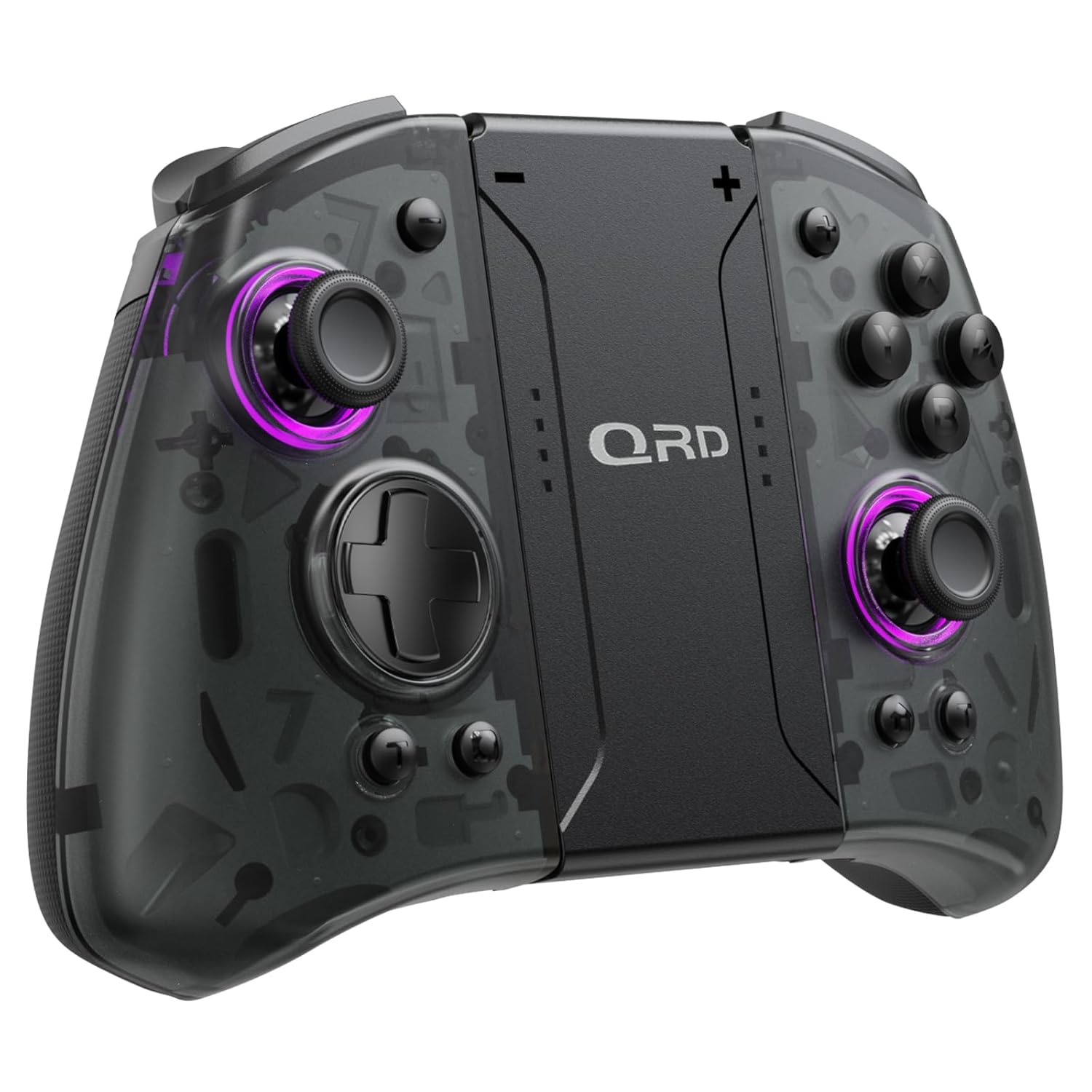
Obrázek 1.1: Přední strana view of the QRD Wireless Controller, showcasinjeho ergonomický design a rozložení tlačítek.
2. Klíčové vlastnosti
- Bezdrátové připojení Bluetooth 5.3: Ensures stable, lag-free connection for seamless gameplay.
- Joysticky s Hallovým efektem: Provides 360° precise, drift-free control and extended lifespan.
- Duální vibrační motory: Offers 3 levels of adjustable vibration for enhanced tactile feedback.
- 6-Axis Gyroscope Motion Sensing: Enables accurate tilt detection for precise aiming and movement in compatible games.
- Programovatelná tlačítka zpět: Customize controls with single or multiple mappings for efficient combo execution.
- Funkce Turbo: Allows for rapid firing of buttons.
- LED podsvícení: Features 8 different colors with static, breathing, and flashing modes for personalized aesthetics.
- Dlouhá výdrž baterie: Up to 10 hours of uninterrupted gameplay on a single charge (2 hours charging time).
- Ergonomický design: Comfortable grip for extended gaming sessions, includes a screenshot function.

Image 2.1: Diagram highlighting key features such as Bluetooth 5.3, Dual Vibration, 6-Axis Gyro, Turbo, Macro Back Paddles, and Colorful Options.

Image 2.2: Illustration demonstrating the Hall Effect Joysticks, emphasizing drift-free and accurate control.
3. Nastavení a připojení
3.1 Initial Pairing with Nintendo Switch
- Ujistěte se, že je vaše konzole Nintendo Switch zapnutá a aktualizovaná na nejnovější verzi systému.
- V nabídce HOME vyberte „Ovladače“ > „Změnit úchop/pořadí“.
- On the QRD Wireless Controller, press and hold the tlačítko HOME (usually located in the center) for 3-5 seconds until the LED indicators start flashing rapidly.
- Once the controller is successfully paired, the corresponding player LED(s) on the controller will light up solid.
- The controller can also be connected by sliding it into the Nintendo Switch Dock while the console is attached.
3.2 Reconnecting the Controller
To reconnect a previously paired controller, simply press the tlačítko HOME once. The controller will automatically attempt to connect to the last paired console.
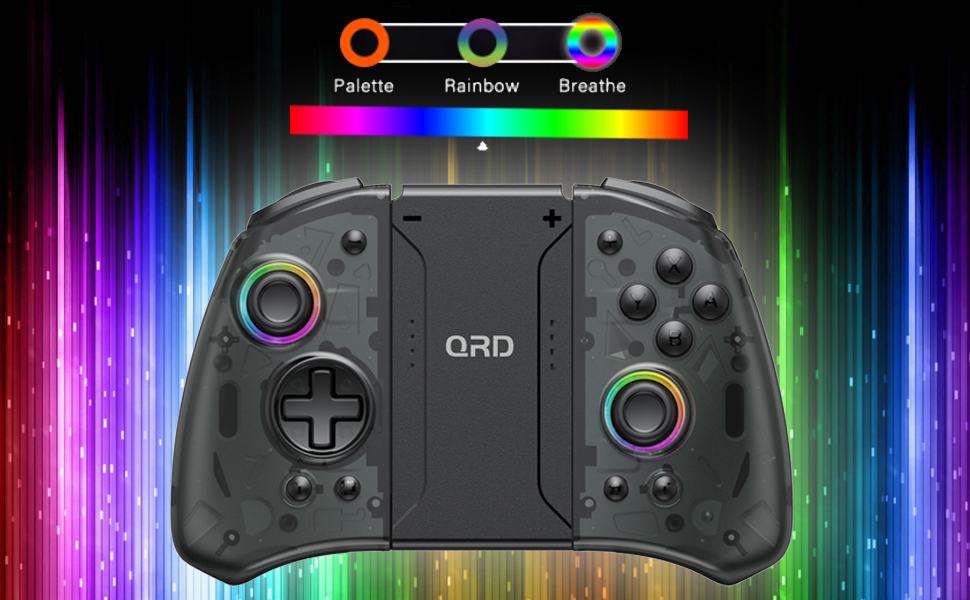
Image 3.1: Visual representation of controller compatibility with Nintendo Switch and Switch OLED models. Note: Not compatible with Switch Lite.
4. Návod k obsluze
4.1 Rozložení tlačítek
Familiarize yourself with the controller's button layout:
- Levý joystick: Movement control.
- Pravý joystick: Ovládání kamery nebo zaměřování.
- D-Pad: Směrový vstup.
- Tlačítka A/B/X/Y: Akční tlačítka.
- Tlačítka L/P: Knoflíky na ramenou.
- Tlačítka ZL/ZR: Trigger buttons.
- Tlačítko Domů: Returns to the HOME Menu, powers on/off the controller.
- Tlačítko pro snímek obrazovky: Pořizuje snímky obrazovky.
- +/- tlačítka: Plus and Minus buttons for in-game functions.
- M1/M2 (Back Buttons): Programmable macro buttons.
4.2 Nastavení intenzity vibrací
The controller supports 3 levels of vibration intensity. To adjust, press and hold the Tlačítko Turbo a poté stiskněte D-Pad nahoru or D-Pad dolů to cycle through intensity levels (Low, Medium, High, Off).
4.3 Turbo Function Setup
To set a button to Turbo mode:
- Stiskněte a podržte Tlačítko Turbo.
- While holding Turbo, press the desired action button (e.g., A, B, X, Y, L, R, ZL, ZR). The button will now continuously register input when held down.
- To clear Turbo for a specific button, repeat the process. To clear all Turbo settings, press and hold the Tlačítko Turbo po dobu 5 sekund.
4.4 Programming Back Buttons (Macro)
The M1 and M2 back buttons can be programmed to execute a sequence of button presses (macro). Each macro can store up to 16 button presses.
- Stiskněte a podržte M1 or M2 button you wish to program.
- While holding the M button, press the tlačítko SET (refer to manual diagram for location, typically a small button on the back). The indicator light will flash slowly.
- Enter the desired sequence of button presses (e.g., A, B, X, Y, D-Pad directions).
- Stiskněte tlačítko tlačítko SET again to save the macro. The indicator light will stop flashing.
- To clear a macro, press and hold the programmed M button and then press the tlačítko SET dvakrát.
4.5 LED Backlight Adjustment
The controller features customizable RGB lighting. To cycle through modes and colors:
- Stiskněte tlačítko LED tlačítko (refer to manual diagram for location) to change between static color, breathing, and flashing modes.
- In static mode, press the LED tlačítko repeatedly to cycle through the 8 available colors.

Image 4.1: Display of the controller's LED backlight options, including Palette (static colors), Rainbow, and Breathe modes.
5. Nabíjení a výdrž baterie
The QRD Wireless Controller is equipped with a built-in rechargeable Lithium Polymer battery. A 2.5m USB-C cable is included for charging.
- Connect the USB-C end of the cable to the controller's charging port and the USB-A end to a power source (e.g., Nintendo Switch Dock, USB wall adapter, computer USB port).
- Plné nabití trvá přibližně 2 hodin.
- Plné nabití poskytuje až 10 hodin nepřetržitého hraní.
- The LED indicators on the controller will show charging status and battery level.
6. Údržba
To ensure the longevity and optimal performance of your QRD Wireless Controller, follow these maintenance guidelines:
- Čištění: K otření ovladače použijte měkký, suchý hadřík. V případě odolné nečistoty lehceamphadřík opláchněte vodou. Nepoužívejte agresivní chemikálie, rozpouštědla ani abrazivní čisticí prostředky.
- Skladování: Regulátor skladujte na chladném a suchém místě mimo dosah přímého slunečního záření, extrémních teplot a vysoké vlhkosti.
- Zacházení: Avoid dropping the controller or subjecting it to strong impacts. Do not disassemble the controller, as this may void the warranty and cause damage.
- Nabíjení: Do not leave the controller charging for excessively long periods after it is fully charged.
7. Řešení problémů
| Problém | Možná příčina | Řešení |
|---|---|---|
| Controller does not connect. | Low battery; Not paired; Interference. | Charge the controller; Re-pair the controller following Section 3.1; Move closer to the console or away from other wireless devices. |
| Input lag or disconnection during gameplay. | Wireless interference; Distance from console; Low battery. | Ensure no strong wireless signals are nearby; Reduce distance to console; Charge the controller. |
| Joysticks drift or are unresponsive. | Calibration issue; Physical debris. | Go to Switch System Settings > Controllers and Sensors > Calibrate Control Sticks. Clean around the joystick base. |
| Tlačítka nereagují. | Stuck button; Software glitch. | Ensure buttons are not physically stuck. Try resetting the controller (if a reset button is present, otherwise power cycle). |
| Vibrace nefungují. | Vibration setting off; Game does not support vibration. | Adjust vibration intensity (Section 4.2). Verify game compatibility. |
8. Specifikace
| Funkce | Detail |
|---|---|
| Číslo modelu | US-T5-JB02 |
| Konektivita | Bluetooth 5.3 |
| Kompatibilita | Nintendo Switch, Switch Pro, Switch OLED |
| Typ joysticku | Hallův efekt |
| Vibrace | Dual Motors, 3 adjustable levels |
| Ovládání pohybu | 6osý gyroskop |
| Programovatelná tlačítka | Yes (Back Buttons) |
| Typ baterie | Lithium Polymer |
| Doba nabíjení | Přibl. 2 hodin |
| Čas přehrávání | Až 10 hodin |
| Nabíjecí port | USB-C |
| Rozměry | 7.95 x 5.51 x 2.36 palce (přibližně) |
| Hmotnost | 12.35 unce (cca) |
9. Záruka a podpora
9.1 Informace o záruce
QRD products are manufactured with high-quality materials and undergo rigorous testing. This product comes with a standard manufacturer's warranty against defects in materials and workmanship. Please refer to the product packaging or the official QRD webkonkrétní záruční podmínky a dobu trvání naleznete na webu.
9.2 Zákaznická podpora
For technical assistance, troubleshooting, or warranty claims, please contact QRD Customer Support. Have your product model number (US-T5-JB02) and purchase information ready when contacting support.
- Online podpora: Visit the official QRD website for FAQs, updated manuals, and support contact forms.
- E-mailová podpora: [Insert QRD Support Email Address Here - if available, otherwise omit]
- Telefonická podpora: [Insert QRD Support Phone Number Here - if available, otherwise omit]
We are committed to providing excellent customer service and ensuring your satisfaction with QRD products.