
LTC NB981
Uživatelská příručka k bezdrátové mechanické klávesnici LTC Nimbleback NB981
Model: NB981
Značka: LTC
Zavedení
Welcome to the user manual for your LTC Nimbleback NB981 95% Wireless Mechanical Keyboard. This manual provides detailed instructions for setting up, operating, maintaining, and troubleshooting your new keyboard.
The NB981 keyboard offers versatile connectivity options (2.4GHz, Bluetooth, USB-C wired), a comfortable typing experience with its 3-layer silicone dampening, and extensive customization through hot-swappable switches and dynamic RGB lighting.
Obsah balení
Prosím, ověřte, zda jsou v balení přítomny všechny položky:
- LTC Nimbleback NB981 Wireless Mechanical Keyboard
- Kabel USB-C na USB-A
- Stahovač klíčů
- Switch Puller (often combined with keycap puller)
- Náhradní spínače
- Uživatelská příručka
Rozbalení videa
This video demonstrates the unboxing process and shows the contents typically included with the LTC Nimbleback NB981 keyboard.
Konec produktuview
The LTC Nimbleback NB981 is a high-performance mechanical keyboard designed for both gaming and everyday use. It features a 95% layout, combining functionality with a compact design.
Klíčové vlastnosti
- Flexible Tri-Mode Connectivity: Bluetooth, wired, and 2.4GHz options.
- Excellent Silicone Sound Dampening: Triple-layer silicone structure for reduced hollow sounds and quiet typing.
- Customizable Hot-Swap Design: Supports most 3-pin and 5-pin MX-style switches without soldering.
- Powerful Software Support: Key remapping, macro assignments, and personalized lighting effects for Windows, Android, iOS, and macOS.
- Dynamic RGB Illumination: 18 vibrant backlight modes with adjustable speed and brightness.
- Dlouhotrvající baterie s kapacitou 4000 mAh: Extended usage with battery status monitoring (FN+backspace).
Keyboard Layout and Components
Refer to the images below for a visual guide to the keyboard's layout and internal structure.
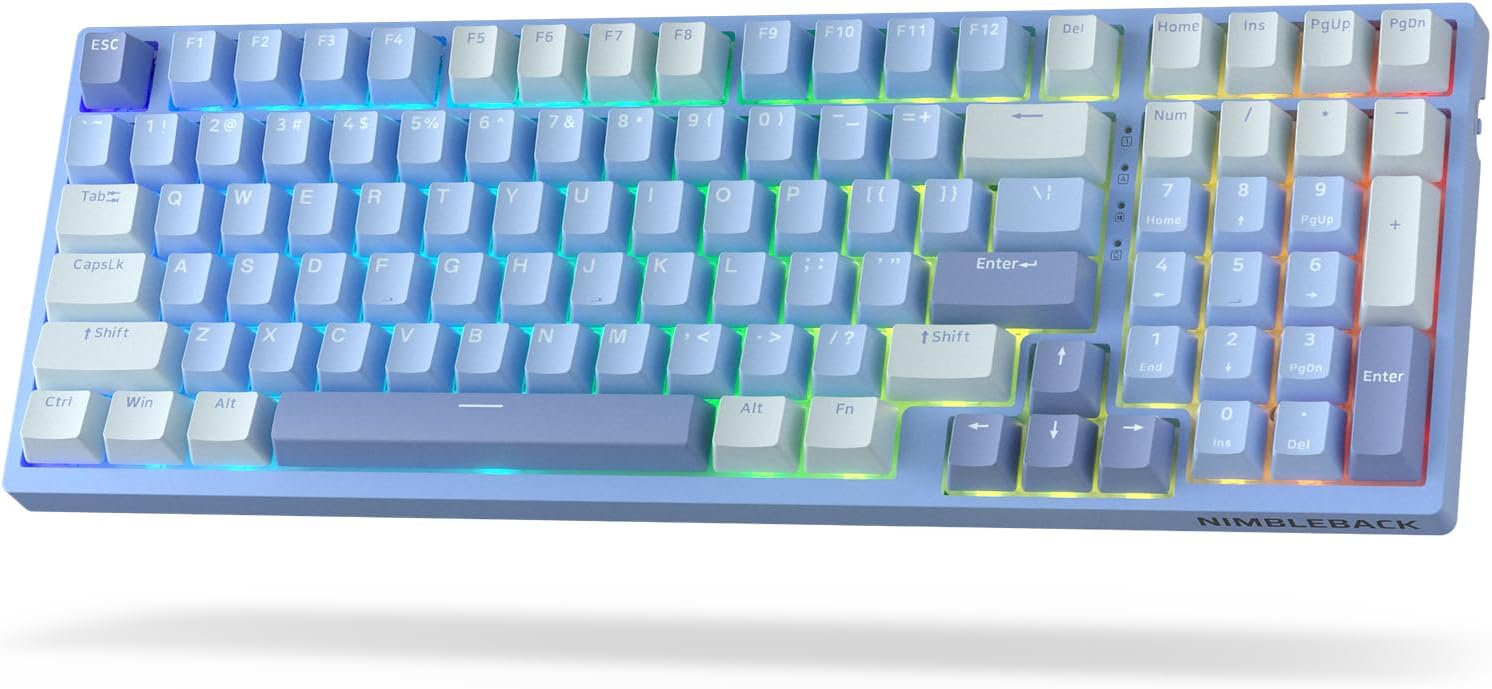
Obrázek: Shora dolů view of the LTC Nimbleback NB981 keyboard in Sky Blue, showcasing its 95% layout with RGB backlighting.

Image: Diagram highlighting key features of the NB981 keyboard, including 3-layer silicone padding, 98-key layout, tri-mode connection, 4000mAh battery, hot-swap PCB, PBT keycaps, dynamic RGB, and software support.
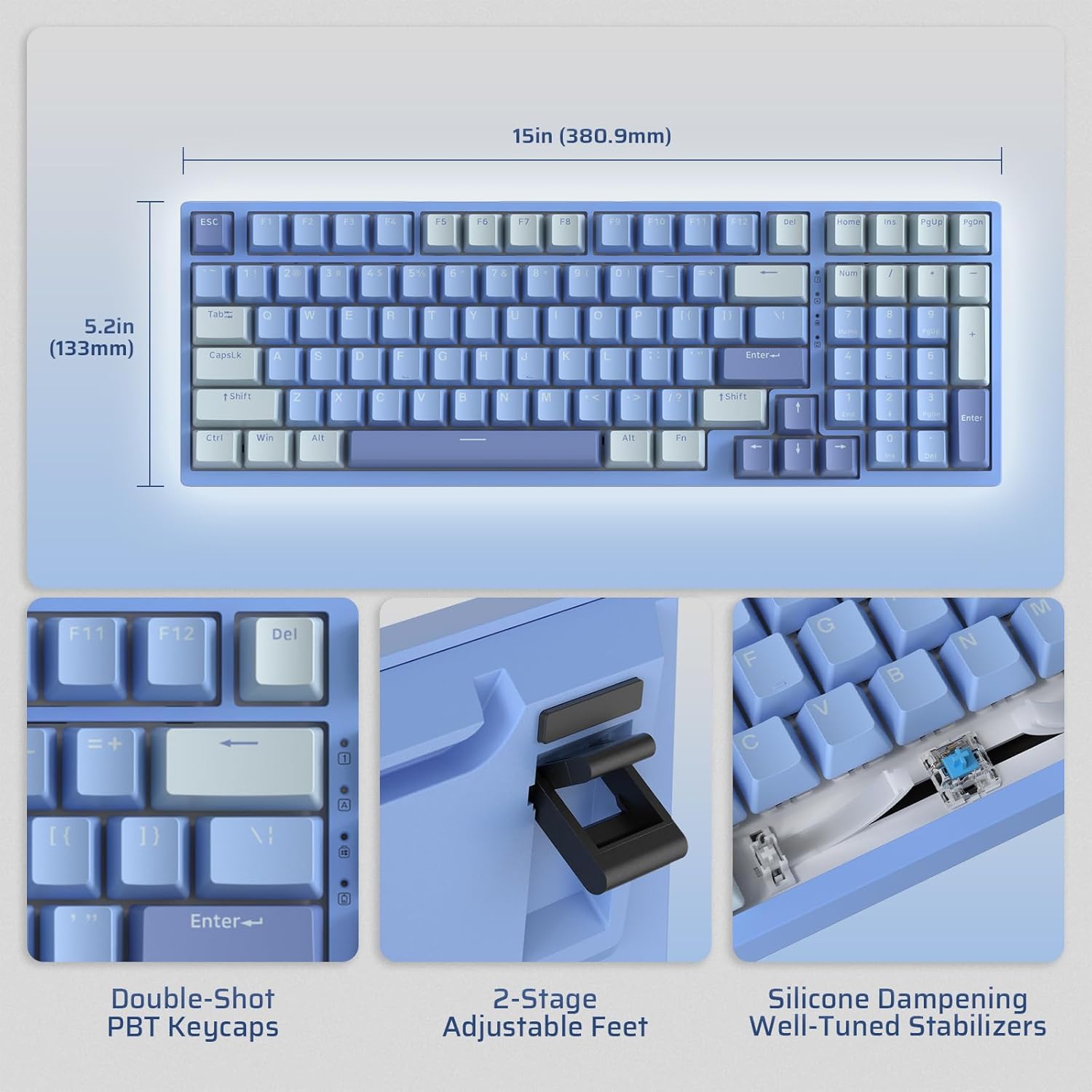
Image: Illustrates the dimensions of the keyboard (15 inches / 380.9mm length, 5.2 inches / 133mm width), double-shot PBT keycaps, 2-stage adjustable feet, and silicone dampening with well-tuned stabilizers.
Nastavení
Before first use, it is recommended to fully charge the keyboard using the provided USB-C cable.
Počáteční připojení
The keyboard supports three connection modes: 2.4GHz wireless, Bluetooth, and USB-C wired.

Image: Visual representation of the tri-mode connectivity options: Bluetooth 5.0 (up to 3 devices), 2.4GHz fast-response wireless, and USB-C stable wired mode.
Režimy připojení
Bezdrátový režim 2.4 GHz
- Locate the 2.4GHz USB dongle, typically stored in a compartment on the back of the keyboard.
- Plug the dongle into an available USB-A port on your computer.
- Zapněte klávesnici pomocí vypínače ON/OFF, který se nachází na boku.
- Klávesnice by se měla automaticky připojit. Pokud ne, stiskněte Fn + 4 po dobu 3 sekund pro zahájení párování.
Režim Bluetooth
- Zapněte klávesnici pomocí vypínače ON/OFF.
- Stiskněte Fn + 1, Fn + 2nebo Fn + 3 to select a Bluetooth channel. The corresponding key will flash rapidly, indicating pairing mode.
- On your device (computer, tablet, smartphone), enable Bluetooth and search for "LTC NB981".
- Select the keyboard to pair. The key will stop flashing once connected.
- You can store up to three Bluetooth devices.
USB-C Wired Mode
- Připojte dodaný kabel USB-C k portu USB-C na klávesnici.
- Connect the other end of the cable (USB-A) to your computer's USB port.
- Klávesnice se automaticky přepne do kabelového režimu a začne se nabíjet.
Návod k obsluze
Ovládání podsvícení
The NB981 features dynamic RGB illumination with 18 modes.
- Fn + |: Backlight On/Off
- Fn + ↑: Backlight Modes Switch (Cycle through 18 modes)
- Fn + ↓: Backlight Colors Switch (Change color in static modes)
- Fn + ←: Backlight Speed -
- Fn + →: Rychlost podsvícení +
- Fn + F5: Backlight Brightness -
- Fn + F6: Backlight Brightness +
To restore factory settings for backlight, long press Fn + mezerník.
Multimedia Keys (Windows System)
Použijte Fn key in combination with the F-keys for multimedia functions:
- Fn + F1: Display Brightness -
- Fn + F2: Display Brightness +
- Fn + F3: Back to Desktop
- Fn + F4: Mission Control
- Fn + F7: Last Song
- Fn + F8: Přehrát/Pozastavit
- Fn + F9: Další píseň
- Fn + F10: Ztlumit
- Fn + F11: Volume -
- Fn + F12: Hlasitost +
Softwarová podpora
The keyboard supports powerful software for full customization. This software allows for key remapping, macro assignments, and advanced lighting effects.
The software is compatible with Windows (7, 8, 10, 11), Android, iOS, and macOS. Please visit the official LTC webstránky pro stažení softwaru a podrobné pokyny.

Image: Screenshot of the LTC keyboard customization software, showing options for key remapping, macro creation, and RGB lighting control.
Hot-Swap Switch Replacement
The NB981 features a hot-swappable PCB, allowing you to change switches without soldering.
- Use the provided switch puller tool to gently remove the desired switch.
- Align the pins of the new 3-pin or 5-pin MX-style switch with the holes on the PCB.
- Press the new switch firmly into place until it clicks. Ensure the pins are straight to avoid bending.

Obrázek: Podrobný view of the hot-swap PCB, illustrating pre-lubed linear switches, hot-swap sockets, and well-lubed stabilizers.
Zvuk Profile
The keyboard's 3-layer silicone dampening structure significantly minimizes hollow sounds and cavity noise, providing a smooth and quiet typing experience.
This video provides a sound test of the LTC Nimbleback NB981 keyboard, demonstrating its typing acoustics with the integrated sound dampening.
Údržba
- Čištění: Use a soft, dry cloth to wipe the keyboard surface. For deeper cleaning, use the keycap puller to remove keycaps and clean dust or debris with compressed air or a small brush.
- Péče o baterie: To prolong battery life, avoid fully discharging the keyboard frequently. Charge it when the battery indicator (FN+backspace) shows low power.
- Skladování: Klávesnici skladujte na chladném a suchém místě mimo dosah přímého slunečního záření a extrémních teplot.
Odstraňování problémů
Klávesnice nereaguje:
- Ujistěte se, že je klávesnice ZAPNUTA.
- Check the battery level (FN+backspace). Recharge if low.
- For wired mode, ensure the USB-C cable is securely connected to both the keyboard and the computer. Try a different USB port.
- For 2.4GHz mode, ensure the dongle is properly inserted and try re-pairing (Fn + 4 po dobu 3 sekund).
- For Bluetooth mode, ensure Bluetooth is enabled on your device and try re-pairing (Fn + 1/2/3 po dobu 3 sekund).
- Zkuste restartovat počítač.
Klávesy se neregistrují nebo se píší dvakrát:
- This could indicate a faulty switch. Use the switch puller to replace the affected switch with a spare one.
- Ujistěte se, že je spínač zcela usazen v desce plošných spojů.
Problémy s podsvícením:
- Ensure backlight is turned on (Fn + |).
- Upravit jas (Fn + F5/F6).
- Cycle through modes (Fn + ↑) or colors (Fn + ↓).
- Reset backlight to factory settings (Long press Fn + mezerník).
Nestabilní připojení Bluetooth:
- Ujistěte se, že žádná jiná zařízení nezpůsobují rušení.
- Přesuňte klávesnici blíže k zařízení.
- Try forgetting the device on your computer's Bluetooth settings and re-pairing.
Specifikace
| Funkce | Detail |
|---|---|
| Značka | LTC |
| Model | NB981 |
| Konektivita | Bluetooth, RF (2.4GHz), USB-C |
| Typ klávesnice | Mechanické |
| Počet klíčů | 98 |
| Podsvícení | RGB |
| Kapacita baterie | 4000 XNUMX mAh |
| Hmotnost položky | 3.3 libry |
| Rozměry balení | 16.45 x 6.93 x 2.01 palce |
| Kompatibilní zařízení | PC (Windows, Android, iOS, macOS via software) |
| Speciální funkce | Backlit, Hotkeys and Media Keys, Programmable Keys, Hot-Swappable |
| Země původu | Čína |
Co je v krabici
- Stahovač klíčů
- USB kabel
Záruka a podpora
For warranty information and technical support, please refer to the official LTC webnebo se obraťte na jejich zákaznický servis. Uschovejte si doklad o koupi pro případ reklamace.
Navštivte LTC Official Store pro více produktů a podporu.
Ask a question about this manual
Ask about setup, troubleshooting, compatibility, parts, safety, or missing instructions. Manuals+ will review the question and use this page’s manual context to help answer it.