AZDOME PG17 4K 12" zadní View Návod k použití zrcadlové kamery
Model: PG17 | Brand: AZDOME
Zavedení
This manual provides detailed instructions for the installation, operation, and maintenance of your AZDOME PG17 4K 12" Rear View Mirror Camera. This comprehensive system includes a high-resolution mirror dash cam, a rear camera, a GPS module, a Type-C hardwire kit, and a 256GB SD card, designed to enhance your driving safety and recording capabilities. Please read this manual thoroughly before using the product to ensure proper function and longevity.
Co je v krabici
Zkontrolujte prosím, zda jsou v balení přítomny všechny níže uvedené komponenty:
AZDOME PG17 4K 12" zadní View Zrcadlový fotoaparát
Zadní kamera
GPS modul
Type-C Dash Cam Hardwire Kit
256GB Micro SD Card (U3, Class 10, A2)
64GB Micro SD Card (pre-installed or included)
Uživatelská příručka (tento dokument)
Montážní popruhy/příslušenství
Image: All components included in the AZDOME PG17 package, featuring the main mirror unit, rear camera, GPS module, hardwire kit, and both 64GB and 256GB SD cards.
Nastavení a instalace
Instalace hardwire sady
The included Type-C hardwire kit enables 24-hour parking monitoring and protects your vehicle's battery by automatically halting recording if the battery voltage drops too low. Follow these steps for proper installation:
Vyhledejte pojistkovou skříň: Identify the fuse box in your vehicle, typically found under the dashboard or in the engine bay.
Find Correct Fuse Slot: Using a circuit pen, find the correct fuse slot for ACC (Accessory) / BAT(+) (Battery Positive) that provides power only when the ignition is on, and constant power respectively.
Identify Fuse Type: Determine the correct type of fuse for your car to ensure compatibility with the hardwire kit.
Připojit kabely:
Red wire (BAT+): Connect to a constant fuse that provides continuous power.
Yellow wire (ACC): Connect to an ACC fuse that provides power only when the ignition is on.
Černý vodič (GND): Connect to a metal bolt or screw on the vehicle's chassis for grounding.
Test and Route Cables: After connecting, test the dash cam to ensure it powers on and functions correctly. Carefully route the cables to conceal them and prevent interference with driving.
Image: Visual guide illustrating the six steps for installing the hardwire kit, from locating the fuse box to routing cables.
Image: Detailed wiring diagram for the hardwire kit, showing the red (BAT+), yellow (ACC), and black (GND) wires connecting to the fuse box and a metal ground point, with output to the dash cam.
The hardwire kit intelligently identifies and automatically converts 12V/24V vehicle voltage to 5V/2.5A max output for the dash cam.
Instalace SD karty
Your AZDOME PG17 comes with a 256GB Micro SD card, providing ample storage for your recordings. A 64GB card may also be included or pre-installed. Ensure the card is inserted correctly before first use.
Locate the Micro SD card slot on the side of the mirror dash cam.
Insert the 256GB Micro SD card with the gold contacts facing the back of the camera until it clicks into place.
It is recommended to format the SD card within the dash cam's settings upon first use to ensure optimal performance and compatibility.
Návod k obsluze
Režim monitorování parkování
With the hardwire kit connected, your AZDOME PG17 supports 24-hour parking monitoring. This feature provides continuous surveillance even when your vehicle is parked and turned off. There are two primary parking modes:
Parkovací režim detekce kolize: The built-in G-sensor detects sudden impacts or collisions. Upon detection, the dash cam automatically locks the current video segment to prevent it from being overwritten, ensuring critical event footage je zachováno.
Režim časosběrného parkování: This mode allows the dash cam to record continuously for 24 hours at a low frame rate (e.g., 1 frame per second). This compresses long periods of time into short, viewable videos, saving storage space while providing comprehensive coverage of your parked vehicle.
Image: Illustration detailing the 24-hour parking mode, showing both Collision Detection Parking Mode (triggered by impact) and Time-Lapse Parking Mode (continuous recording at 1fps).
Nahrávání ve smyčce
The AZDOME PG17 features loop recording, which ensures continuous recording without manual intervention. When the SD card reaches its full capacity, the dash cam will automatically overwrite the oldest unlocked footage. This means you never have to worry about running out of storage space.
Video segments are typically recorded in 1, 3, or 5-minute intervals (default is 1 minute).
In the event of a collision detected by the G-sensor, the current video segment will be locked and protected from being overwritten.
Image: Flowchart demonstrating loop recording: deleting unlocked oldest clips, storing new footage, locking clips upon event, and recording new clips.
SD Card Usage and Compatibility
The included AZDOME 256GB Micro SDXC Card is specifically designed for dash cam use, offering enhanced durability and performance compared to standard memory cards. It provides four times the storage capacity of a typical 64GB card, allowing for longer recording durations.
Specifikace: U3, CLASS 10, A2 rated, ensuring high read (up to 100MB/s) and write (up to 80MB/s) speeds necessary for continuous 4K video recording.
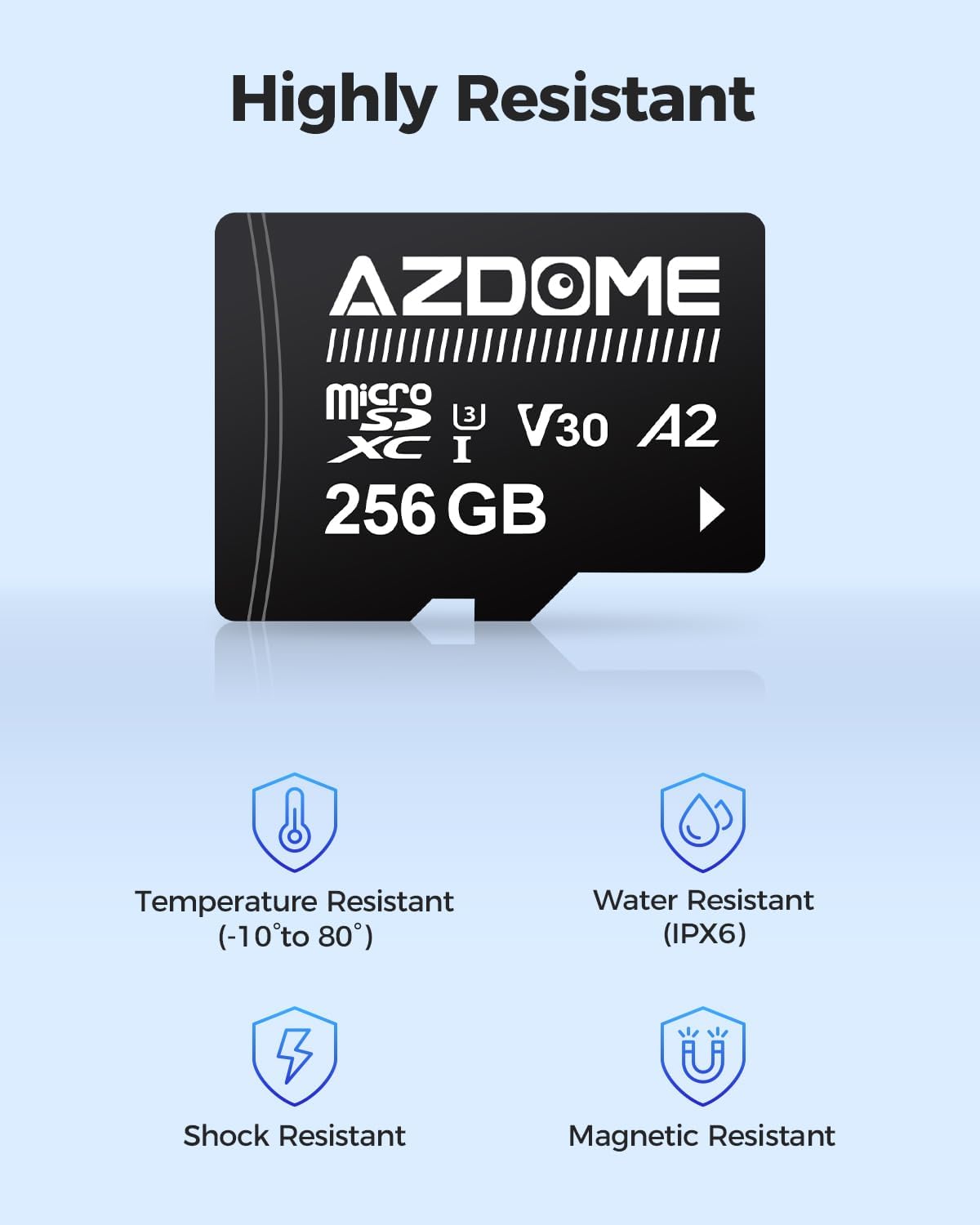
Trvanlivost: Rigorously tested for resistance to temperature (-10°C to 80°C), water (IPX6), shock, and magnetic interference, ensuring reliable performance in various vehicle environments.
Kompatibilita: While optimized for AZDOME dashcams, this SD card is widely compatible with most dashcams on the market that support microSDXC cards.
Image: The AZDOME 256GB Micro SD card displayed with several different AZDOME dash cam models, highlighting its wide compatibility.
Image: A visual representation of fast data transfer speeds, showing the AZDOME 256GB Micro SD card with vehicles in motion, symbolizing quick read and write capabilities.
Image: Icons depicting the robust features of the AZDOME Micro SD card, including resistance to temperature, water (IPX6), shock, and magnetic fields.
Údržba
Čištění: Use a soft, dry cloth to clean the camera lens and screen. Avoid using abrasive cleaners or solvents that could damage the surfaces.
Péče o SD kartu: Regularly format the SD card (e.g., once a month) within the dash cam's settings to maintain optimal performance and prevent data corruption. Back up important footage před formátováním.
Aktualizace firmwaru: Zkontrolujte oficiální stránky AZDOME website periodically for firmware updates. Keeping your dash cam's firmware up-to-date can improve performance and add new features.
Teplota: Avoid exposing the device to extreme temperatures for prolonged periods, as this can affect battery life and component integrity.
Odstraňování problémů
Problém
Možná příčina / řešení
Palubní kamera se nezapne.
Check power connection to the hardwire kit or car charger.
Ensure the vehicle's ignition is on if connected to an ACC fuse.
Verify fuse integrity in the fuse box.
"SD Card Error" message.
Znovu vložte SD kartu.
Format the SD card within the dash cam's settings.
Try a different compatible SD card (U3, Class 10, A2 recommended).
Ensure the SD card is not full or corrupted.
Video footage je rozmazané nebo nejasné.
Očistěte čočku fotoaparátu měkkým hadříkem.
Odstraňte z objektivu veškerou ochrannou fólii.
Ujistěte se, že je kamera bezpečně upevněna a nevibruje.
Nefunguje monitorování parkování.
Ensure the hardwire kit is correctly installed and receiving constant power.
Verify parking monitoring mode is enabled in the dash cam settings.
AZDOME products are manufactured with high-quality standards and undergo rigorous testing. For specific warranty details, please refer to the warranty card included in your product packaging or visit the official AZDOME website. In case of any issues or questions regarding your AZDOME PG17, please contact AZDOME customer support through their official channels. Providing your product model (PG17) and ASIN (B0DDTCJ9RB) will help expedite your support request.
Ask about setup, troubleshooting, compatibility, parts, safety, or missing instructions. Manuals+ will review the question and use this page’s manual context to help answer it.