
Tronsmart Mirtune H1
Uživatelská příručka k venkovnímu Bluetooth reproduktoru Tronsmart Mirtune H1
Zavedení
This manual provides detailed instructions for the safe and efficient use of your Tronsmart Mirtune H1 Outdoor Bluetooth Speaker. Please read this manual thoroughly before operating the device and retain it for future reference. The Tronsmart Mirtune H1 is a portable, waterproof, and dustproof speaker designed for outdoor use, featuring powerful sound, long playtime, and an integrated carabiner for easy portability.
Obsah balení
Ověřte, zda jsou v balení obsaženy všechny níže uvedené položky:
- 1x Tronsmart Mirtune H1 Portable Outdoor Speaker
- 1x nabíjecí kabel typu C
- 1x Uživatelská příručka
- Záruční list
Konec produktuview
Součásti reproduktorů
The Tronsmart Mirtune H1 features intuitive controls and a robust design for outdoor adventures.

Obrázek: Přední strana view of the Tronsmart Mirtune H1 speaker in blue, displaying the volume down (-), play/pause (triangle), and volume up (+) buttons, along with the Tronsmart logo and the integrated carabiner at the top.
- Integrovaná karabina: Located at the top of the speaker for easy attachment to backpacks, belts, or other gear.
- Tlačítko snížení hlasitosti (-): Stisknutím snížíte hlasitost.
- Tlačítko Přehrát/Pozastavit (trojúhelník): Stisknutím spustíte nebo pozastavíte zvuk.
- Tlačítko pro zvýšení hlasitosti (+): Stisknutím zvýšíte hlasitost.
- Nabíjecí port typu C: Located on the side, used for charging the speaker.
- Mikrofon: Vestavěné pro handsfree volání.

Obrázek: Podrobný view of the Tronsmart Mirtune H1's integrated carabiner, showing its spring-loaded mechanism for secure attachment.
Nastavení
Nabíjení reproduktoru
Before initial use, fully charge the speaker to ensure optimal performance.
- Připojte dodaný nabíjecí kabel typu C k nabíjecímu portu reproduktoru.
- Druhý konec kabelu připojte k napájecímu adaptéru USB (není součástí balení) nebo k portu USB počítače.
- Kontrolka nabíjení se během nabíjení rozsvítí a po úplném nabití zhasne.
A full charge takes approximately 2.6 hours and provides up to 20 hours of playtime at 50% volume.

Image: Two Tronsmart Mirtune H1 speakers, one blue and one black, with a large graphic displaying '20H' and a battery icon, emphasizing the speaker's extended playtime.
Párování pomocí Bluetooth
Follow these steps to connect your Tronsmart Mirtune H1 speaker to a Bluetooth-enabled device:
- Zapnutí: Press and hold the Power button (often integrated with the Play/Pause button or a separate button, refer to product for exact location) until the indicator light flashes, indicating it's in pairing mode.
- Aktivujte Bluetooth: Povolte Bluetooth na svém smartphonu, tabletu nebo jiném audio zařízení.
- Vyberte reproduktor: In your device's Bluetooth settings, search for available devices and select "Tronsmart Mirtune H1".
- Potvrdit připojení: Po připojení reproduktor vydá zvukové potvrzení a kontrolka zůstane svítit nepřerušovaně.
The speaker utilizes advanced Bluetooth 5.3 technology for a stable and efficient connection.
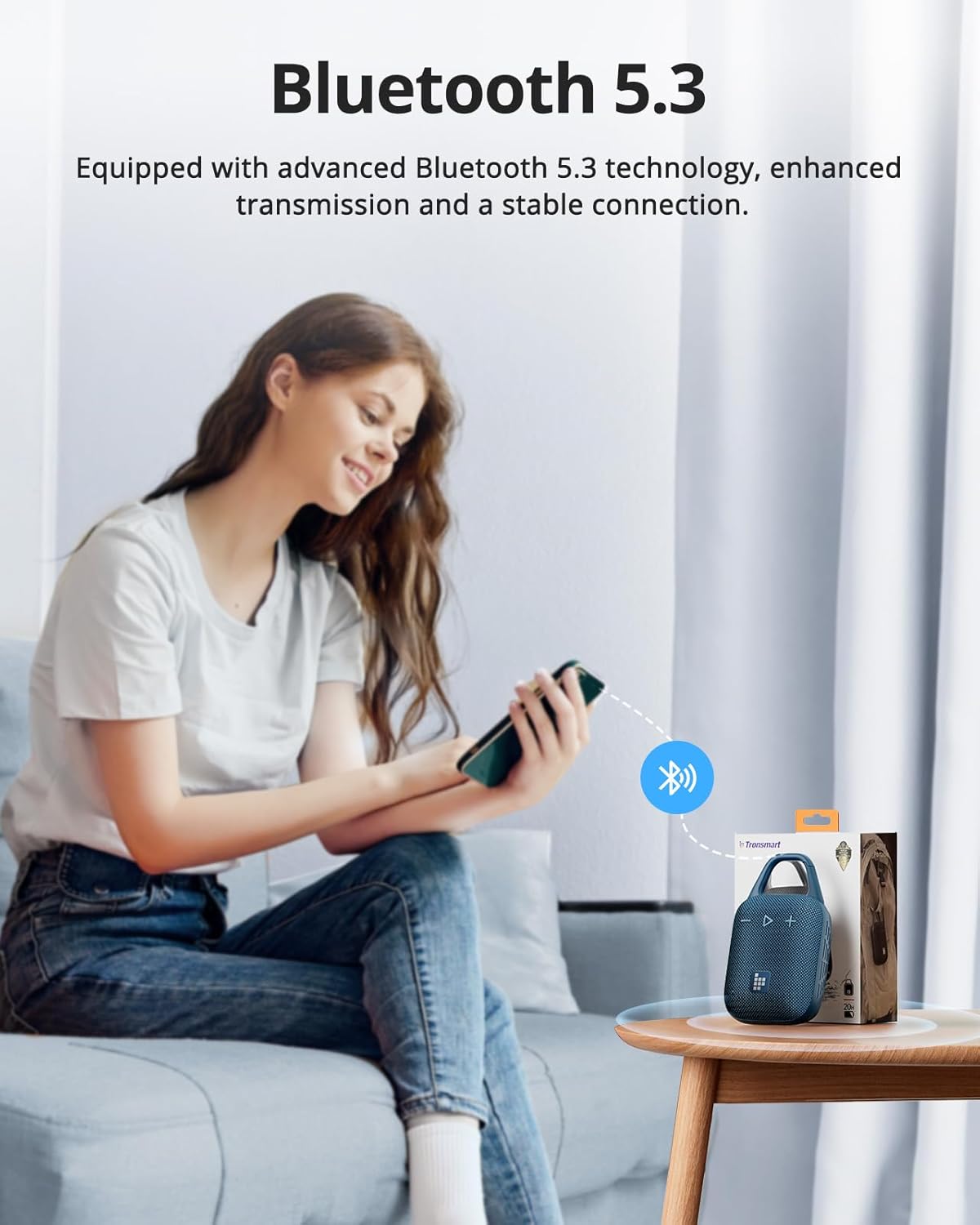
Image: A person sitting on a couch, holding a smartphone that displays a Bluetooth connection icon, with a Tronsmart Mirtune H1 speaker and its packaging on a nearby table, illustrating the Bluetooth 5.3 pairing process.
Ovládání reproduktoru
Základní ovládací prvky
- Zapnutí/vypnutí: Press and hold the Power button (or Play/Pause button if combined) for 2-3 seconds.
- Přehrát/pozastavit: Short press the Play/Pause (triangle) button.
- Zvýšit hlasitost: Krátce stiskněte tlačítko „+“.
- Snížit hlasitost: Krátce stiskněte tlačítko '-'.
- Další skladba: Dlouze stiskněte tlačítko „+“.
- Předchozí skladba: Dlouze stiskněte tlačítko '-'.
Hands-free volání
The built-in microphone allows for convenient hands-free calls when connected to your smartphone.
- Přijmout hovor: Krátce stiskněte tlačítko Přehrát/Pozastavit.
- Ukončit hovor: Během hovoru krátce stiskněte tlačítko Přehrát/Pozastavit.
- Odmítnout hovor: Dlouze stiskněte tlačítko Přehrát/Pozastavit.
Customizable EQ via Tronsmart App
Enhance your audio experience by customizing the equalizer settings through the Tronsmart App.
- Download the Tronsmart App from your device's app store.
- Connect your Mirtune H1 speaker to your device via Bluetooth.
- Open the Tronsmart App and select your Mirtune H1 speaker.
- Access the EQ settings to adjust sound profilepodle vašich preferencí.

Image: A Tronsmart Mirtune H1 speaker placed on a wooden outdoor table, next to a hand holding a smartphone that shows the Tronsmart App's equalizer screen, demonstrating the customizable EQ feature.
Bezdrátové stereo párování
For a more immersive audio experience, you can pair two Tronsmart Mirtune H1 speakers together to create a stereo sound system.
- Ensure both Mirtune H1 speakers are powered on and not connected to any other Bluetooth device.
- On one speaker (this will be the primary speaker), press and hold the Bluetooth pairing button (if available, or refer to specific instructions in the app/manual for TWS pairing) until it enters TWS pairing mode.
- The two speakers will automatically connect to each other. Once connected, the primary speaker's indicator light will flash, and the secondary speaker's light will remain solid.
- Connect your device to the primary speaker via Bluetooth as described in the
Ask a question about this manual
Ask about setup, troubleshooting, compatibility, parts, safety, or missing instructions. Manuals+ will review the question and use this page’s manual context to help answer it.