
1. Úvod
This manual provides detailed instructions for the installation, operation, and maintenance of your Cuifati Wired Video Intercom System. This system enhances home security by allowing visual and audio communication with visitors at your door. It features a 7-inch indoor monitor and an outdoor camera with HD night vision and a 120-degree wide-angle view.
2. Obsah balení
Zkontrolujte prosím, zda jsou všechny níže uvedené položky součástí balení. Pokud některé položky chybí nebo jsou poškozené, kontaktujte prosím zákaznickou podporu.
- 1 x Indoor Monitor Unit
- 1 x Outdoor Camera Unit
- 1 x Pláštěnka pro venkovní jednotku
- 3 x propojovací kabely
- 6 x rozpínací šrouby
- 7 x kovové šrouby
- 1x šroubovací uzávěr
- 1 x napájecí adaptér
- 1 x Mounting Bracket (for indoor unit)
3. Konec produktuview
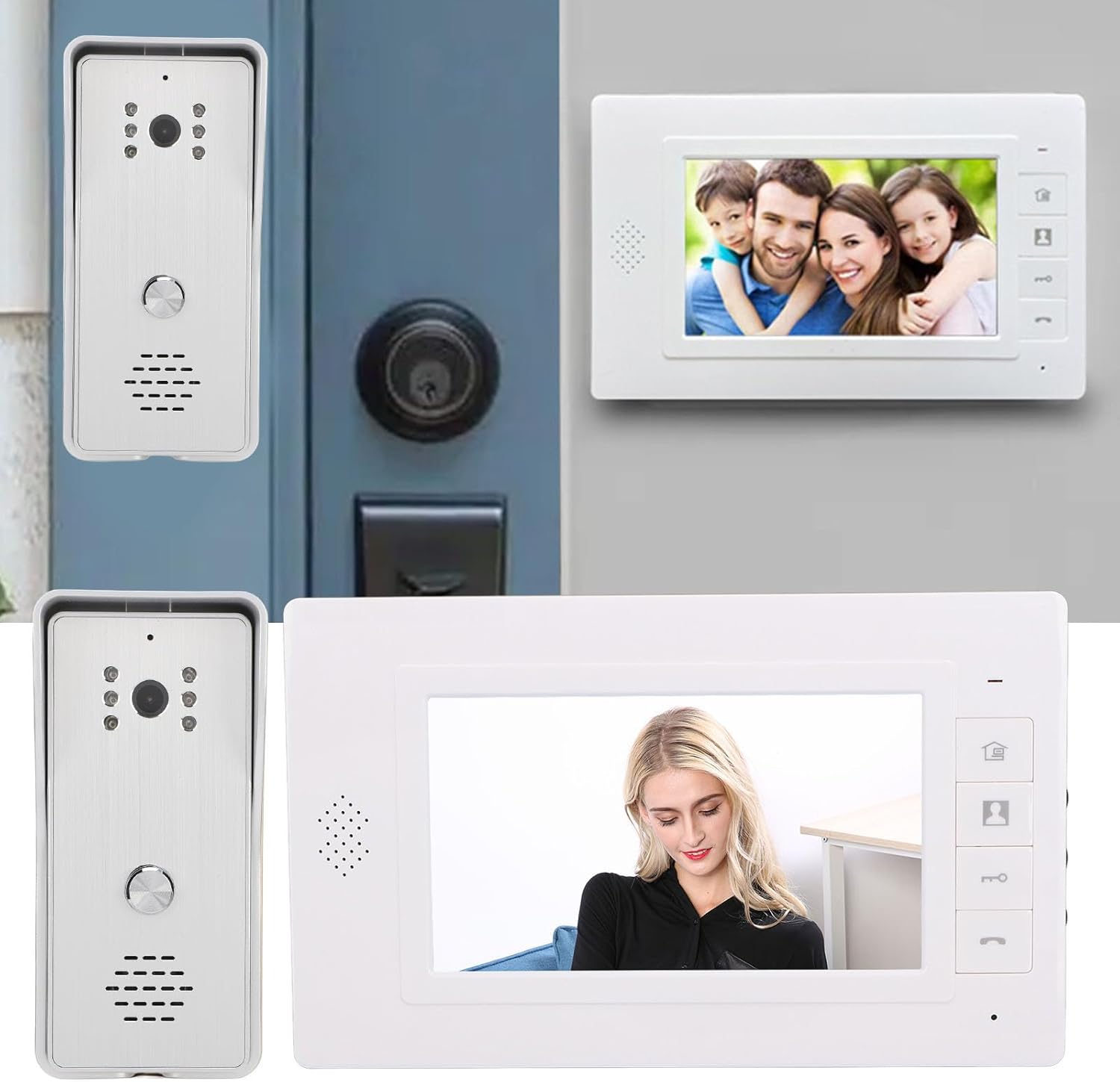
The Cuifati Wired Video Intercom System consists of an indoor monitor and an outdoor camera unit. Familiarize yourself with the components and controls before installation.

Obrázek 3.1: Přesview of the Indoor Monitor and Outdoor Camera Unit.
Indoor Monitor Unit

Figure 3.2: Indoor Monitor Unit Controls.
- Indikátor napájení: Svítí, když je jednotka zapnutá.
- Tlačítko nabídky: Accesses system settings for brightness, volume, and contrast.
- Klíč monitoru: Activates the outdoor camera view.
- Unlock Key: Remotely unlocks an electronic door lock (if connected).
- Answer and Hang Up Keys: Initiates and ends communication with the outdoor unit.
- Reproduktor: Poskytuje zvukový výstup.
- Adjustment Dials (Side): Controls for brightness, color contrast, and sound volume.
Venkovní kamerová jednotka

Figure 3.3: Outdoor Camera Unit.
- Objektiv fotoaparátu: 1/4 HD CMOS camera with 120-degree wide-angle view.
- Infračervená světla: 6 IR lights for night vision.
- Mikrofon: Pro obousměrnou audio komunikaci.
- Reproduktor: Pro audio výstup.
- Volací tlačítko: Initiates a call to the indoor monitor.
- Kryt proti dešti: Provides protection against weather elements.
4. Nastavení a instalace
Proper installation is crucial for optimal performance. This system uses a 4-wire connection method.
Obrázek 4.1: Přample Instalace.
4.1 Instalace venkovní jednotky
- Vyberte vhodné místo poblíž vchodu a zajistěte, aby kamera měla jasný záběr. view and is protected from direct heavy rain (the included rain cover provides additional protection).
- Mount the rain cover to the wall using the expansion screws.
- Secure the outdoor camera unit inside the rain cover using the metal screws.
- Ensure the unit is at an appropriate height for visitors to easily reach the call button and for the camera to capture faces clearly.
4.2 Instalace vnitřní jednotky
- Vyberte si vhodné vnitřní místo, například chodbu nebo obývací pokoj, kde bude monitor snadno přístupný.
- Mount the provided mounting bracket to the wall using screws.
- Hang the indoor monitor unit onto the mounting bracket.
4.3 Připojení kabeláže
Connect the indoor and outdoor units using the provided 4-wire connection cables. Ensure all connections are secure and follow the wiring diagram provided in the detailed installation guide (not included in this general manual, refer to product packaging for specific diagrams).
- Connect one end of the 4-wire cable to the outdoor unit's wiring terminals.
- Route the cable to the indoor unit's location.
- Connect the other end of the 4-wire cable to the indoor unit's wiring terminals.
- If connecting an electronic door lock, connect the lock's wires to the designated terminals on the indoor unit (refer to specific wiring diagram).
- Plug the power adapter into the indoor monitor unit and then into a standard electrical outlet.
Poznámka: Always ensure power is disconnected before making any wiring connections to prevent electrical shock or damage to the system.
5. Návod k obsluze
5.1 Přijetí hovoru
- Když návštěvník stiskne tlačítko volání na venkovní jednotce, vnitřní monitor zazvoní a zobrazí obraz návštěvníka.
- Stiskněte tlačítko Klíč odpovědi (phone icon) on the indoor monitor to establish two-way audio communication.
- Chcete-li konverzaci ukončit, stiskněte tlačítko Klíč zavěsit (phone icon again).
5.2 Monitoring the Outdoor Area
Můžete view the outdoor area at any time without a visitor pressing the call button.
- Stiskněte tlačítko Klíč monitoru (camera icon) on the indoor monitor.
- The screen will display the live feed from the outdoor camera.
- Stiskněte tlačítko Klíč monitoru znovu nebo Klíč zavěsit to exit monitoring mode.
5.3 Odemknutí dveří
If an electronic door lock is connected to the system, you can unlock it remotely.
- Během hovoru nebo monitorování stiskněte Odemknout klíč (key icon) on the indoor monitor.
- The connected door lock will activate, allowing the visitor entry.
5.4 Úprava nastavení
The indoor monitor allows adjustment of display and audio settings.
- Stiskněte tlačítko Tlačítko Menu (house icon) to access the settings menu.
- Use the side adjustment dials to modify Jas, Color Contrasta Hlasitost zvuku.
- The system also offers different ringtone choices, which can be selected via the menu.
5.5 Připojení více zařízení
This system supports multiple indoor monitors. All connected monitors can view, listen, and communicate with the outdoor unit, and unlock the door.
6. Údržba
Pravidelná údržba zajistí dlouhou životnost a optimální výkon vašeho interkomového systému.
- Čištění: Use a soft, dry cloth to clean the indoor monitor screen and outdoor camera lens. Avoid abrasive cleaners or solvents.
- Venkovní jednotka: Periodically check the outdoor unit and its rain cover for any debris, dirt, or spiderwebs that might obstruct the camera view nebo mikrofon.
- Zapojení: Ujistěte se, že všechna kabelová připojení jsou bezpečná a nepoškozená.
- Moc: Do not expose the power adapter to moisture or extreme temperatures.
7. Řešení problémů
Pokud narazíte na problémy s interkomem, podívejte se na následující běžné problémy a jejich řešení:
| Problém | Možná příčina | Řešení |
|---|---|---|
| Žádný obraz na vnitřním monitoru | Loose wiring connection; Power issue; Damaged camera/monitor. | Check all 4-wire connections; Ensure power adapter is plugged in and functional; Contact support if units are damaged. |
| Žádný zvuk během komunikace | Volume too low; Loose wiring; Damaged speaker/microphone. | Adjust volume using side dial; Check 4-wire connections; Contact support. |
| Door lock not activating | Incorrect wiring to lock; Lock malfunction; Power issue to lock. | Verify lock wiring according to diagram; Test the lock independently; Ensure adequate power supply to the lock. |
| Špatná kvalita nočního vidění | Obstructed IR lights; Dirty camera lens. | Clean the camera lens and ensure IR lights are clear of obstructions. |
Pokud problém přetrvává i po vyzkoušení těchto řešení, obraťte se na zákaznickou podporu s žádostí o další pomoc.
8. Specifikace
Technical specifications for the Cuifati Wired Video Intercom System (Model Cuifatisw45mt1g7g-14):

Obrázek 8.1: Rozměry produktu.
- Typ položky: Inteligentní systém video interkomu
- Materiál: ABS
- Způsob zapojení: 4-drát
Venkovní kamerová jednotka
- Senzor kamery: 1/4 HD CMOS
- Světelný zdroj: 6 Infračervená světla
- Rezoluce: 800 x 600 pixelů
- Viewúhel: 120 stupňů
- Rozměry: Approximately 134mm (H) x 59mm (W) x 39mm (D)
Indoor Monitor Unit
- Obrazovka: 7palcový TFT LCD
- Rezoluce: 800 x 480 pixelů
- Nastavitelná nastavení: Brightness, Volume, Contrast
- Rozměry: Approximately 150mm (H) x 245mm (W) x 23mm (D)
Generál
- Rozměry produktu (celkové): 26 x 16 x 10 cm
- Hmotnost produktu: 874 gramů
- Výrobce: Cuifati
- ASIN: B0DD1HJCQS
- Země původu: Čína
9. Záruka a podpora
For warranty information, please refer to the documentation provided at the time of purchase or contact your retailer. For technical support or further assistance, please reach out to Cuifati customer service through the contact information provided with your product or on the official Cuifati webmísto.