
PIOOCAN S10Pro
PIOOCAN S10Pro Rechargeable Flashlight Instruction Manual
Model: S10Pro | Brand: PIOOCAN
Zavedení
This manual provides detailed instructions for the safe and effective use of your PIOOCAN S10Pro Rechargeable Flashlight. Please read this manual thoroughly before operating the device and retain it for future reference.
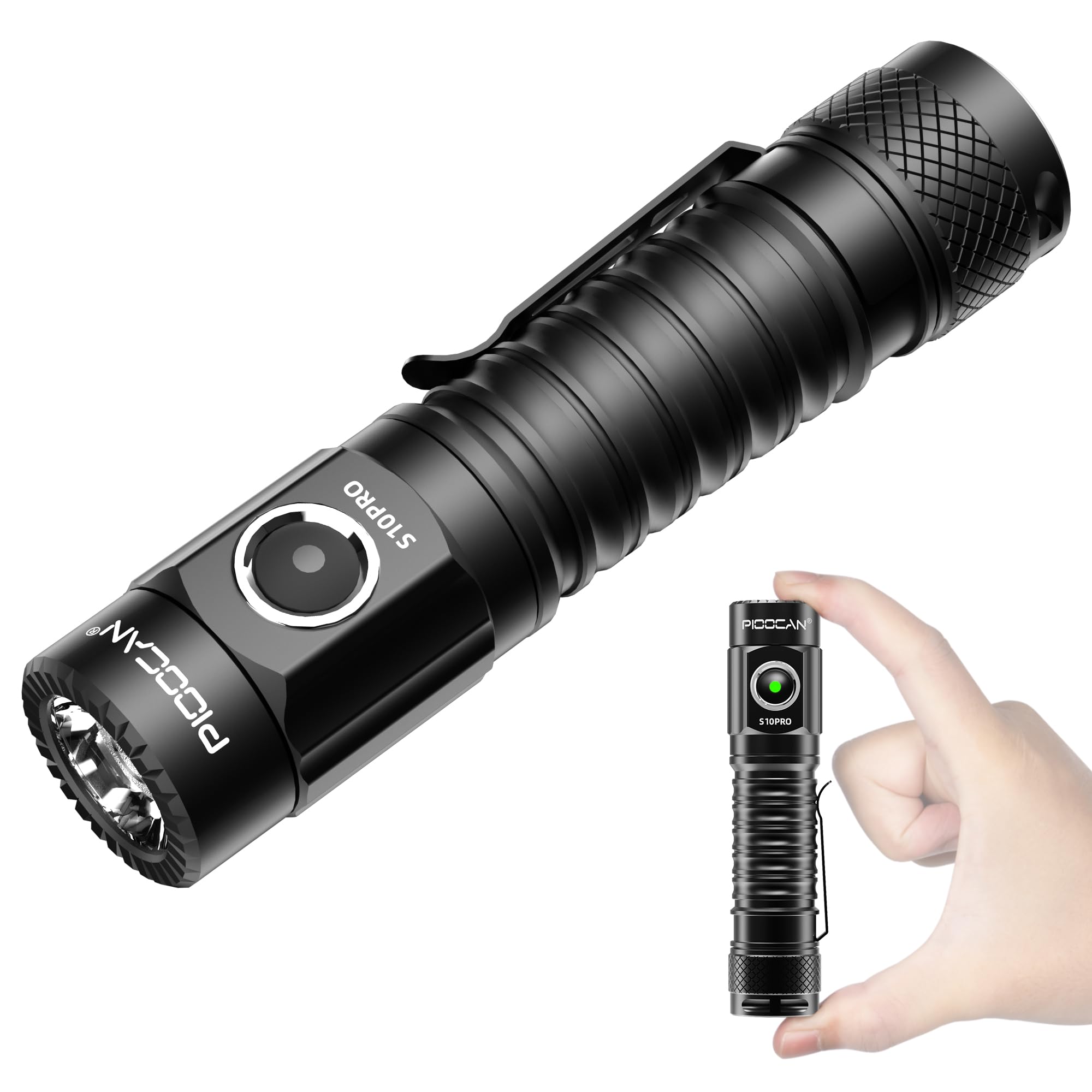
Image: The PIOOCAN S10Pro Rechargeable Flashlight, a compact and powerful illumination tool.
Bezpečnostní informace
Pro zajištění bezpečného provozu a prevenci poškození dodržujte následující bezpečnostní opatření:
- Do not point the flashlight directly into eyes. The high lumen output can cause temporary vision impairment.
- The flashlight may become warm during prolonged use, especially on higher brightness settings. Handle with care. If it becomes dangerously hot, turn it off immediately and allow it to cool.
- Uchovávejte mimo dosah dětí.
- Use only the specified rechargeable battery and charging cable.
- Ujistěte se, že je kryt nabíjecího portu bezpečně uzavřen, aby byla zachována vodotěsnost.
Obsah balení
Ověřte, zda jsou v balení přítomny všechny položky:
- PIOOCAN S10Pro Flashlight
- Dobíjecí baterie (předinstalovaná nebo samostatná)
- Nabíjecí kabel USB typu C.
- Šňůrka
- Uživatelská příručka (tento dokument)
Video: An unboxing demonstration of the PIOOCAN S10Pro Flashlight, showing the flashlight, charging cable, lanyard, and user manual included in the package.
Nastavení
Instalace baterie
The S10Pro flashlight uses a rechargeable battery. If the battery is not pre-installed or has a protective film, follow these steps:
- Odšroubujte zadní krytku svítilny otáčením proti směru hodinových ručiček.
- Remove any protective film or disc from the battery if present.
- Insert the battery with the positive (+) end facing towards the flashlight head (LED).
- Screw the tail cap back on clockwise until it is secure.

Image: The PIOOCAN S10Pro flashlight with its tail cap unscrewed and battery removed, illustrating the battery compartment.
Nabíjení baterie
The S10Pro features a convenient USB Type-C charging port:
- Vyhledejte nabíjecí port USB typu C na těle svítilny.
- Otevřete gumový kryt chránící nabíjecí port.
- Connect the provided USB Type-C cable to the flashlight and a compatible USB power source (e.g., wall adapter, power bank, computer).
- The indicator light on the flashlight will show červený během nabíjení a otáčení zelený při plném nabití.
- Nabíjení obvykle trvá 3–4 hodiny.
- Once charging is complete, disconnect the cable and securely close the rubber cover to maintain water resistance.

Image: The S10Pro flashlight connected to a USB-C charger, showing the red light indicating charging and the green light for a full charge.
Návod k obsluze
Zapnutí/vypnutí
Press the side switch button to turn the flashlight on or off.
Přepínání režimů
The S10Pro features 5 lighting modes: Turbo, High, Medium, Low, and SOS.
- When the flashlight is on, press and hold the side switch to cycle through Low, Medium, and High modes. Release the button to select the desired mode.
- Turbo režim: Double-click the side switch from any state (on or off) to activate Turbo mode. Double-click again to return to the previous mode.
- Režim SOS: Triple-click the side switch from any state (on or off) to activate SOS mode. Triple-click again to return to the previous mode.

Image: Visual representation of the S10Pro's five lighting modes: SOS, Low, Med, High, and Turbo.
Funkce paměti
The flashlight will remember the last used brightness mode (Low, Medium, or High) and will turn on in that mode the next time it is activated.
Indikátor baterie
The indicator light on the side switch provides battery status:
- Zelené světlo: Full power (briefly illuminates for three seconds upon activation).
- Červené světlo bliká: Nízký objemtage, indicating the battery needs recharging. The flashlight will eventually shut off.
Vlastnosti
- Magnetický zadní kryt: The S10Pro features a strong magnetic tail cap, allowing it to be attached to metal surfaces for hands-free illumination.
- IPX8 Vodotěsnost: Designed to be waterproof, the flashlight can withstand immersion in water up to 2 meters for 30 minutes, making it suitable for use in various weather conditions.
- Kapesní klip: A solid and flexible two-way pocket clip is included for secure attachment to pockets, backpacks, or belts, enhancing portability.
- Odolná konstrukce: Made from high-quality aviation-grade aluminum alloy with a black anodized surface, ensuring durability and impact resistance.

Image: The S10Pro flashlight demonstrating its magnetic tail cap feature, allowing it to be attached to a metal surface for hands-free use.

Image: The S10Pro flashlight partially submerged in water, illustrating its IPX8 waterproof capability.

Image: The S10Pro flashlight securely clipped to a backpack strap, showcasing its portability and hands-free carrying option.
Údržba
- Čištění: Otřete tělo svítilny měkkým hadříkemamp tkanina. Nepoužívejte abrazivní čisticí prostředky nebo rozpouštědla.
- Mazání: Pravidelně nanášejte silikonové mazivo na O-kroužky a závity, abyste zachovali vodotěsnost a hladký chod.
- Péče o baterie: If storing the flashlight for an extended period, remove the battery or ensure it is partially charged (around 50%) to prolong its lifespan. Recharge the battery every 3-6 months if not in use.
- Nabíjecí port: Keep the USB-C charging port clean and free of debris. Always ensure the rubber cover is sealed when not charging.
Odstraňování problémů
| Problém | Možná příčina | Řešení |
|---|---|---|
| Svítilna se nezapne. | Baterie je vybitá nebo nesprávně nainstalovaná. | Charge the battery. Ensure the battery is inserted with the positive (+) end towards the head. Check if the tail cap is fully tightened. |
| Svítilna se nadměrně zahřívá. | Prolonged use on Turbo or High mode. | This is normal for high-output flashlights. Reduce brightness mode or turn off to allow cooling. Avoid prolonged use on highest settings. |
| Button is unresponsive or difficult to press. | Debris under the button or manufacturing variation. | Clean around the button. If the issue persists, contact customer support. |
| Indikátor nabíjení nesvítí. | Loose cable connection or faulty cable/charger. | Ensure the USB-C cable is firmly connected to both the flashlight and the power source. Try a different cable or charger. |
| Vnikání vody. | Charging port cover not sealed or damaged O-rings. | Always ensure the charging port cover is fully closed. Check O-rings for damage and lubricate them. |
Specifikace
| Funkce | Detail |
|---|---|
| Číslo modelu | S10Pro |
| Značka | PIOOCAN |
| Typ světelného zdroje | LED |
| Bílý jas | Až 2500 světla |
| Vzdálenost dráhy světla | Až 259 metrů |
| Zdroj napájení | Napájení z baterie (dobíjecí) |
| Typ baterie | Lithium Ion (Built-in, 2600mAh) |
| Doba běhu | Až 160 hodin (nízký režim) |
| Nabíjení | USB Type-C |
| Úroveň odolnosti proti vodě | IPX8 |
| Materiál | Aluminum (Aviation Grade) |
| Rozměry produktu | 11.6L x 2.5W x 2.5H centimetrů |
| Hmotnost položky | 117.93 g (0.26 libry) |
| Speciální funkce | High Lumens, Impact Resistant, Lightweight, Portable, Weatherproof, Magnetic Tail Cap, 5 Modes |

Image: The S10Pro flashlight with its compact dimensions (115.1mm length, 29.42mm head diameter, 117.70g weight) highlighted.
Video o použití produktu
Video: A demonstration of the PIOOCAN S10Pro Flashlight in various outdoor scenarios, showcasing its brightness, different modes (low, medium, high), waterproof feature, and Type-C recharging capability.
Záruka a podpora
The PIOOCAN S10Pro Flashlight comes with a limited warranty. For specific warranty details, please refer to the warranty card included in your package or contact PIOOCAN customer support.
If you encounter any issues or have questions regarding your flashlight, please contact PIOOCAN customer service through their official webwebu nebo prodejce, kde jste produkt zakoupili.
Manufacturer Contact Information: PIOOCAN
Ask a question about this manual
Ask about setup, troubleshooting, compatibility, parts, safety, or missing instructions. Manuals+ will review the question and use this page’s manual context to help answer it.