
Zavedení
Thank you for choosing the HUANUO Electric Standing Desk. This manual provides essential information for the safe and efficient use of your new adjustable height desk. Designed with a seamless one-piece desktop and robust construction, this desk offers a versatile and ergonomic workspace for your home office.
Key features include a strong steel frame with a 176 lbs weight capacity, a smooth one-piece desktop for enhanced stability, a spacious work surface, and electric height adjustment with four memory settings for comfortable sit-stand transitions.
Důležité bezpečnostní informace
Please read and follow all instructions carefully before assembly and use. Failure to do so may result in injury or damage to the product.
- Vždy pečlivě dodržujte montážní návod.
- Nepřekračujte doporučenou maximální hmotnost 80 kg (176 liber).
- Keep the work surface clear of obstacles during height adjustment.
- Ensure the desk is properly anchored to the floor to prevent tipping.
- Always unplug the desk when not in use or during assembly, cleaning, or maintenance to prevent electrical hazards.
- Během provozu držte děti a domácí zvířata v dostatečné vzdálenosti od stolu.
Nastavení a montáž
The HUANUO Electric Standing Desk is designed for hassle-free assembly. A single-piece desktop simplifies the process compared to multi-panel designs. All necessary tools are included.
Vybalení a kontrola
Carefully unpack all components and verify against the parts list in your included manual. Inspect all parts for any damage. If any parts are missing or damaged, please contact customer support.
Montážní kroky
- Sestavte rám: Attach the crossbars to the desk legs using the provided screws. Then, attach the leg bases to the bottom of the desk legs. Secure the side plates to the frame.
- Připevněte převodovou tyč: Loosen the coupling nut on the transmission rod. Connect one end of the rod to the motor drive shaft on the leg with the motor. Connect the other end to the opposite leg. Tighten the set screw to secure the rod.
- Připojení pracovní plochy: Carefully place the desktop upside down on a soft, clean surface. Position the assembled frame onto the desktop, aligning the pre-drilled holes. Secure the frame to the desktop using the provided screws.
- Instalace příslušenství: Attach the control panel to the front edge of the desktop. Install the two headphone hooks on either side of the desk as desired.
- Připojit kabely: Connect the motor cable and control panel cable to the control box. Plug the power adapter into the control box and then into a power outlet.

Figure 1: Simplified assembly process with a one-piece desktop.
Video 1: Detailed assembly instructions for the HUANUO Electric Standing Desk.
Návod k obsluze
Your HUANUO Electric Standing Desk features an intuitive LED control panel for easy height adjustment and memory settings.
Nastavení výšky
- Použijte Nahoru (^) a Dolů (v) arrow buttons on the control panel to manually adjust the desk height. The current height will be displayed on the LED screen.
- Stůl lze nastavit v rozmezí od 28.35 palce (72 cm) do 46.46 palce (118 cm).
Nastavení paměti
The desk allows you to save up to four preferred height positions for quick transitions.
- Adjust the desk to your desired height using the Up (^) or Down (v) buttons.
- Press and hold one of the memory buttons (1, 2, 3 nebo 4) until the LED screen flashes or beeps, indicating the height has been saved.
- To recall a saved height, simply press the corresponding memory button. The desk will automatically move to that preset position.

Figure 2: LED Control Panel for height adjustment and memory settings.

Figure 3: The desk supports 4 preset heights for quick transitions.
Údržba
Regular maintenance ensures the longevity and optimal performance of your HUANUO Electric Standing Desk.
- Čištění: Otřete pracovní plochu a rám měkkým hadříkemamp hadříkem. Nepoužívejte agresivní chemikálie ani abrazivní čisticí prostředky, které by mohly poškodit povrchovou úpravu.
- Správa kabelů: Utilize the integrated cable management notches and included cable ties to keep cords organized and prevent them from getting caught during height adjustments.
- Pravidelné kontroly: Pravidelně kontrolujte všechny šrouby a vruty, zda jsou pevně utažené. V případě potřeby je dotáhněte.
- Péče o motor: The powerful motor is designed for durability. Avoid overloading the desk beyond its 176 lbs capacity.

Figure 4: Integrated cable management and storage hooks help maintain a tidy workspace.
Odstraňování problémů
Pokud narazíte na nějaké problémy se stolem, podívejte se na následující běžná řešení:
- Stůl se nehýbe: Ensure all cables are securely connected to the control box and the power outlet. Check if the power outlet is functioning correctly.
- Nerovnoměrná výška: If the desk appears uneven, check the adjustable leveling feet at the bottom of the legs and adjust them to stabilize the desk on uneven surfaces.
- Kód chyby na displeji: Refer to the detailed troubleshooting section in your printed manual for specific error code interpretations and solutions.
- Hluk během provozu: A low-noise operation is standard. If you notice unusual or excessive noise, ensure all assembly bolts are tightened.
For further assistance, please contact HUANUO customer support.
Specifikace
| Značka | HUANUO |
| Číslo modelu | HNESD154LV-US |
| Rozměry pracovní plochy | 40"W x 24"D (39.4"W x 23.6"D) |
| Nastavitelný rozsah výšky | 28.35" až 46.46" (72 cm až 118 cm) |
| Hmotnostní kapacita | 176 lb (80 kg) |
| Materiál pro stolní počítače | Engineered Wood (Light Vintag(dokončit) |
| Materiál rámu | Carbon Steel (White base color) |
| Speciální funkce | Whole Piece Desktop, Electric Height Adjustment, 4 Height Memory Settings, Stable T-Frame, 2 Headphone Hooks, LED Multi-Function Control Panel |
| Úroveň hluku | 55 dB |
| Montáž Vyžadována | Ano (nářadí je součástí balení) |

Figure 5: Desk Dimensions and adjustable height range.
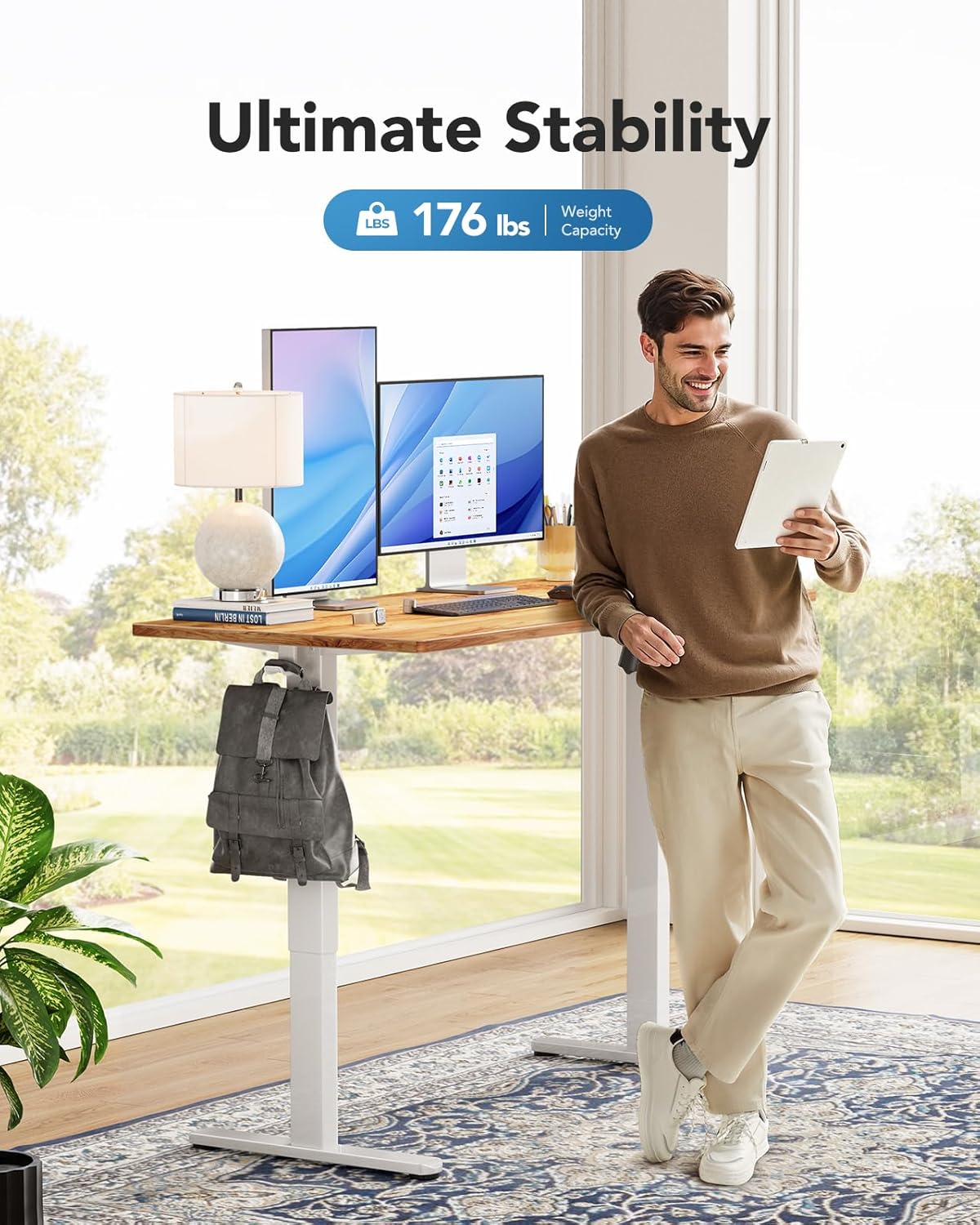
Figure 6: The desk supports a maximum weight capacity of 176 lbs.
Informace o záruce
This HUANUO Electric Standing Desk comes with a Limited Warranty. For specific terms and conditions, please refer to the warranty card included with your product or contact HUANUO customer support.
Zákaznická podpora
For any questions regarding assembly, operation, troubleshooting, or warranty claims, please contact our dedicated support team:
- E-mail: podpora@huanuo.com
- prodejce: Bestergo Direct
Video 2: Konecview of the HUANUO Electric Standing Desk and its features.