
1. Úvod
Thank you for choosing the Holyton Drone Strobe Light. This anti-collision lamp is designed to enhance the visibility of your drone during night flights and in various other scenarios. It features multiple colors and modes, ensuring compliance with aviation regulations and improving safety. Please read this manual thoroughly before use to ensure proper operation and maintenance.
2. Bezpečnostní informace
- Always ensure the strobe light is securely attached to your drone or other object before operation.
- Adhere to all local aviation authority regulations regarding drone lighting, especially for night flying. This light meets FAA requirements for anti-collision lighting.
- Do not expose the device to extreme temperatures, direct sunlight for prolonged periods, or moisture.
- Uchovávejte mimo dosah dětí.
- Nepokoušejte se světlo rozebírat ani upravovat, mohlo by dojít ke ztrátě záruky a poškození.
3. Obsah balení
- Holyton Drone Strobe Light (1 unit)
- USB nabíjecí kabel
- Mounting Accessories (e.g., adhesive pads, rubber bands)
- Uživatelská příručka
4. Vlastnosti produktu
- Vysoká viditelnost: 120 lumens brightness with 360° coverage.
- Multiple Colors & Modes: 7 switchable colors and 7 adjustable flashing modes.
- Dobíjecí baterie: Provides extended use time after a quick charge.
- Lehký a kompaktní: Weighs only 6.5g, ideal for various drones and other applications.
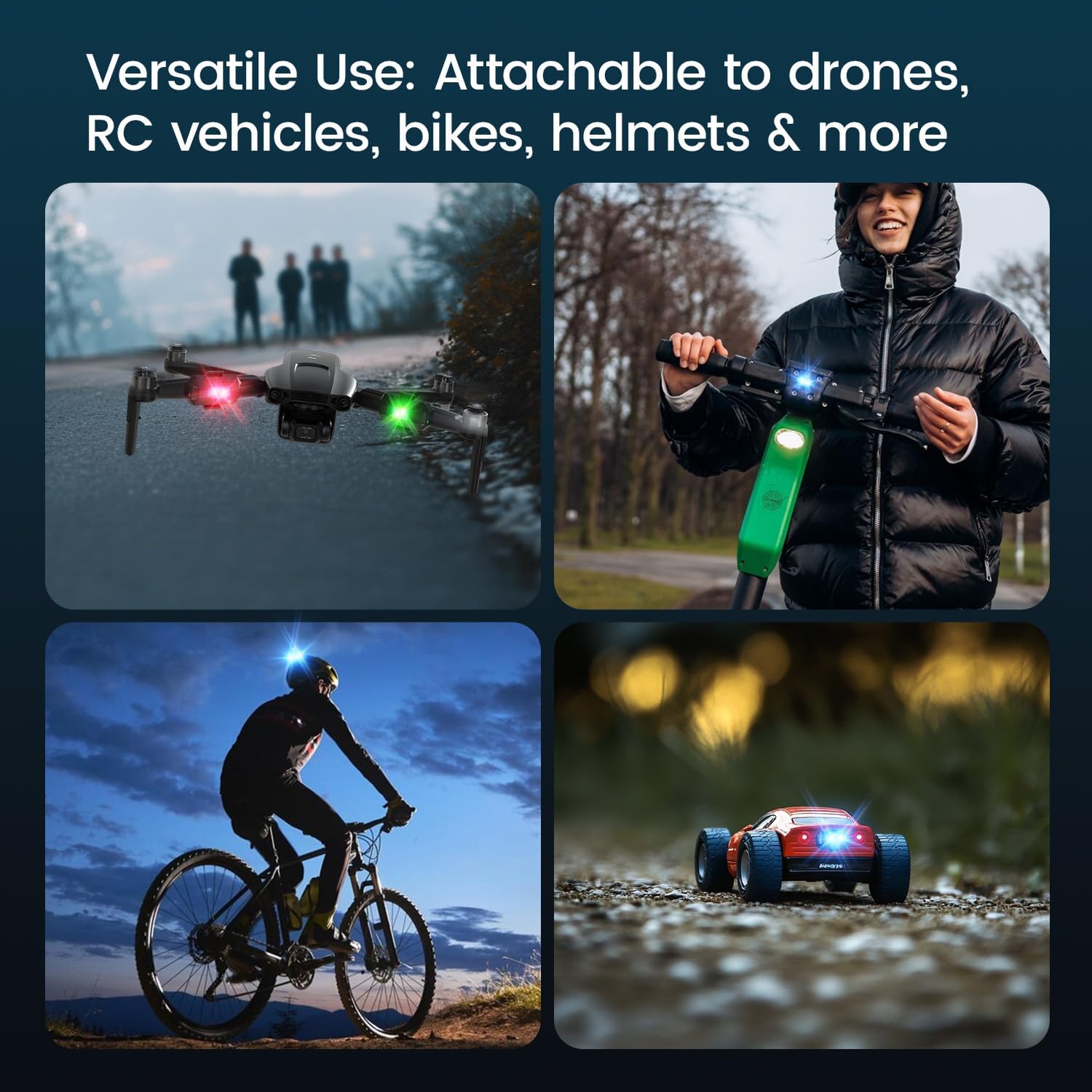
- Všestranná aplikace: Suitable for drones, RC vehicles, bicycles, motorcycles, helmets, and more.
- FAA Compliant: Meets requirements for anti-collision lighting during night flights.
5. Nastavení a instalace
5.1 Počáteční poplatek
Before first use, fully charge the strobe light. Refer to Section 6 for charging instructions.
5.2 Mounting the Strobe Light
The Holyton Drone Strobe Light can be attached to various objects using the provided mounting accessories. For drones, ensure the light does not interfere with propellers, sensors, or flight stability.
- Čistý povrch: Ensure the mounting surface on your drone or object is clean and dry.
- Naneste lepidlo: Peel the backing from an adhesive pad and firmly press it onto the designated area on the strobe light.
- Attach to Drone: Peel the remaining backing from the adhesive pad and attach the strobe light to your drone. Apply firm pressure for a few seconds to ensure a secure bond. Alternatively, use rubber bands or other suitable fasteners for temporary attachment.

6. Návod k obsluze
6.1 Zapnutí/vypnutí
- Zapnutí: Press and hold the power button for approximately 2 seconds until the light illuminates.
- Vypnout: Press and hold the power button for approximately 2 seconds until the light turns off.
6.2 Changing Colors and Modes
The strobe light offers 7 different colors and 7 distinct flashing modes.
- Změnit barvu: While the light is on, short press the power button to cycle through the available colors (e.g., white, red, green, blue, yellow, pink, ice blue).
- Změnit režim: Double-press the power button quickly to cycle through the different flashing modes (e.g., constant, slow flash, fast flash, alternating colors).

7. Nabíjení
The Holyton Drone Strobe Light is equipped with a rechargeable Lithium Ion battery.
- Nabíjecí port: Micro USB
- Doba nabíjení: Plné nabití trvá přibližně 12 minut.
- Čas použití: Up to 5 hours on a full charge, depending on the selected mode and color.
To charge, connect the provided USB charging cable to the Micro USB port on the strobe light and plug the other end into a standard USB power source (e.g., computer, wall adapter).

8. Údržba
- Čištění: Use a soft, dry cloth to clean the light. Do not use harsh chemicals or abrasive materials.
- Skladování: Store the strobe light in a cool, dry place away from direct sunlight when not in use.
- Péče o baterie: For optimal battery life, avoid fully discharging the battery frequently. Charge the device regularly, even if not in use, to maintain battery health.
9. Řešení problémů
| Problém | Možná příčina | Řešení |
|---|---|---|
| Světlo se nerozsvítí. | Baterie je vybitá. | Charge the strobe light fully. |
| Světlo se nenabíjí. | Charging cable or power source is faulty. | Try a different USB cable or power adapter. Ensure the Micro USB connector is inserted correctly. |
| Světlo není dostatečně jasné. | Slabá baterie nebo nesprávný režim. | Charge the device. Ensure a bright mode is selected (e.g., constant white light). |
| Light falls off during use. | Improper mounting or worn adhesive. | Ensure the mounting surface is clean and dry. Use new adhesive pads or more secure fastening methods. |
10. Specifikace
| Funkce | Detail |
|---|---|
| Číslo modelu | US03A76731000HT70402 |
| Značka | Holyton |
| Barva | Černý |
| Tvar | Obdélníkový |
| Typ dokončení | Vymalováno |
| Typ světelného zdroje | Světelná dioda (LED) |
| Materiál stínidla | Plast |
| Hmotnost položky | 0.352 unce (přibližně 10 gramů) |
| Počet baterií | 1 Lithium Ion (součástí balení) |
| Styl | Kompaktní |
| Jas | 120 lumenů (maximální světelný výkon) |
| Typ montáže | Drone Mount (Adhesive/Strap) |
| Funkce žárovky | Strobe, Flashing, Anti-Collision, Search and Rescue |
| Rozměry produktu | 1"L x 1"W x 1"H (approximately) |

11. Záruka a podpora
Holyton products are designed for reliability and performance. This product comes with a standard manufacturer's warranty against defects in materials and workmanship. Please refer to the product packaging or our official webkonkrétní záruční podmínky naleznete na webových stránkách.
Pro technickou podporu, pomoc s řešením problémů nebo reklamace v rámci záruky kontaktujte prosím náš tým zákaznických služeb:
- E-mail: holyton@foxmail.com
- Telefon: +1 (866) 514-8669
Our support team is available to assist you within 24 hours.